Pullback IHS Pro MT5 Expert Advisor
- Experts
- 버전: 1.27

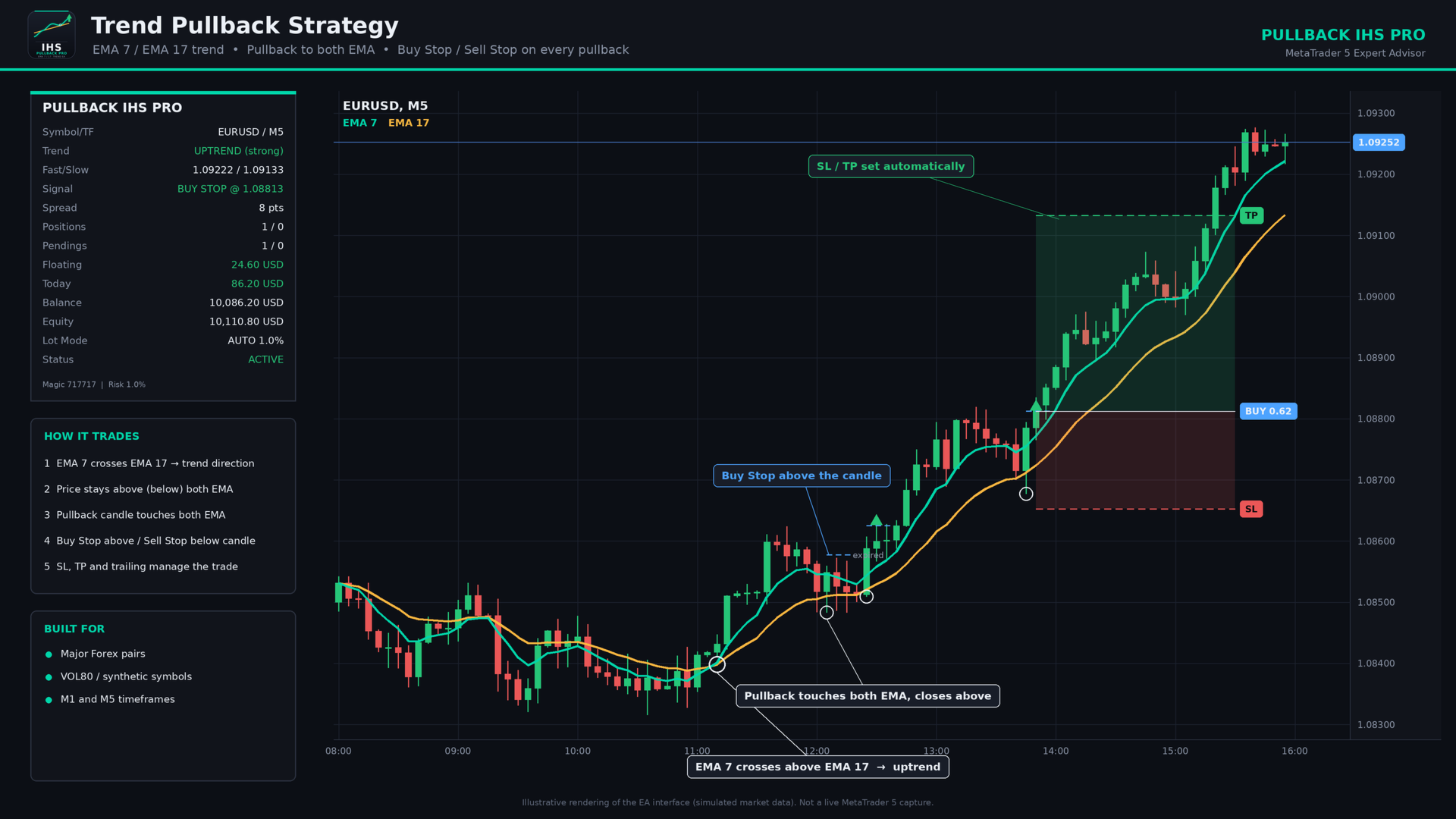
PULLBACK IHS PRO is a trend-following Expert Advisor (EA) for MetaTrader 5. It waits for a clear trend to emerge and for the price to undergo a correction (pullback) toward a moving average; it then places a pending Buy Stop or Sell Stop order to capture the price movement as the trend resumes. The EA is designed for major Forex currency pairs as well as synthetic instruments on M1 and M5 timeframes, though it can also be used on higher timeframes.
How the strategy works
- Trend: A fast EMA (default 7) crossing a slow EMA (default 17) sets the direction. Fast above slow is an uptrend, and fast below slow is a downtrend.
- Strong trend filter: The EMAs must be separated by a minimum distance and slope in the trend direction. This avoids flat, choppy markets.
- Pullback: In an uptrend, a candle must touch both EMAs and close back above them. In a downtrend, the same applies in reverse.
- Entry: After each valid pullback, the EA places a Buy Stop above (or Sell Stop below) that candle. Every new pullback creates a new pending order.
- Cleanup: Pending orders are removed when they expire or when the EMAs cross the other way.
Advantages
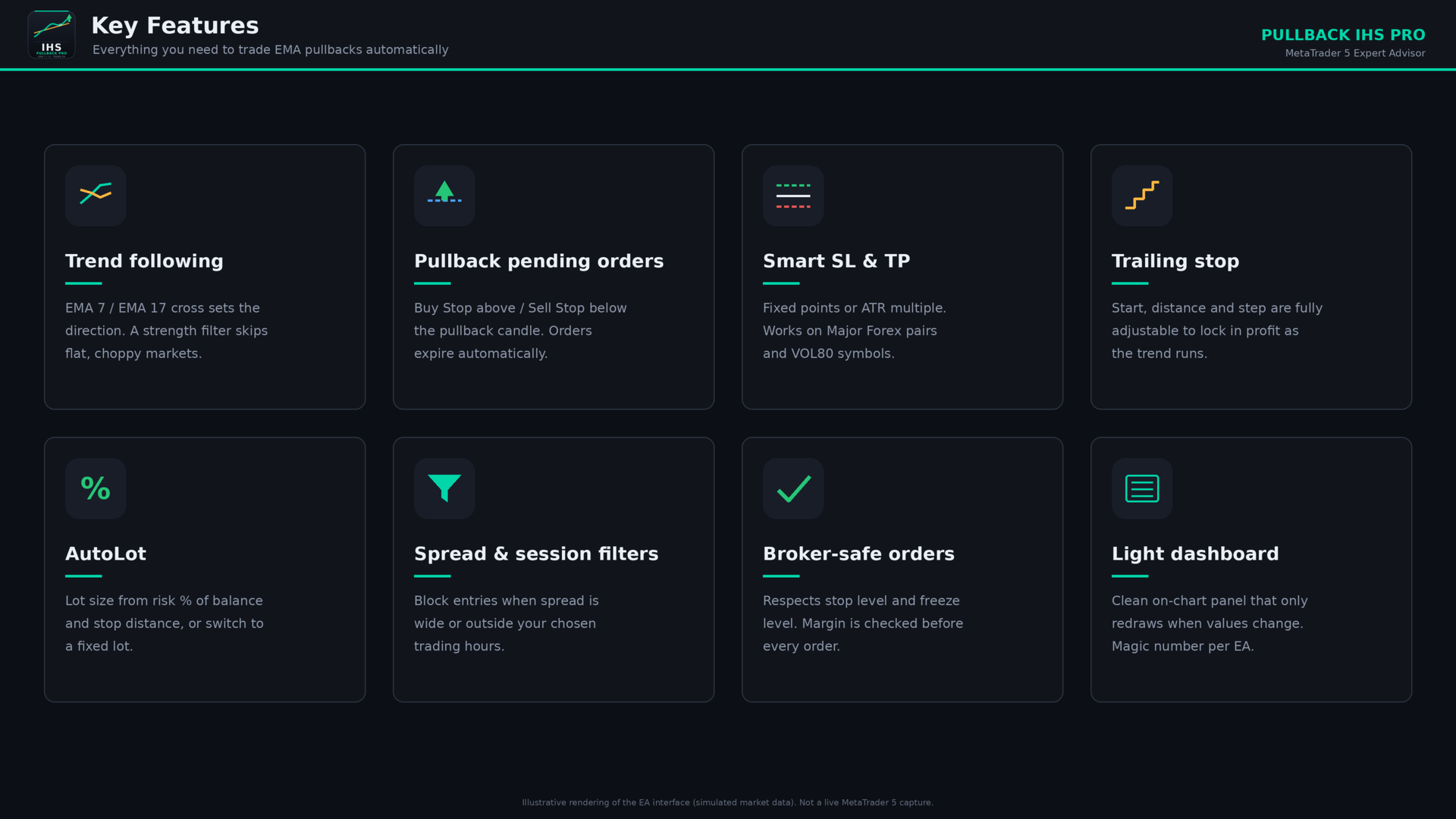
- Simple, transparent logic. There are only two EMAs, and every entry follows a rule you can see on the chart.
- Enters on confirmation. Pending stop orders trigger only if price breaks the pullback candle, so weak pullbacks are skipped.
- Works across markets. Fixed-point mode suits forex, and ATR mode adapts SL, TP and trailing to any symbol, including volatile synthetic indices.
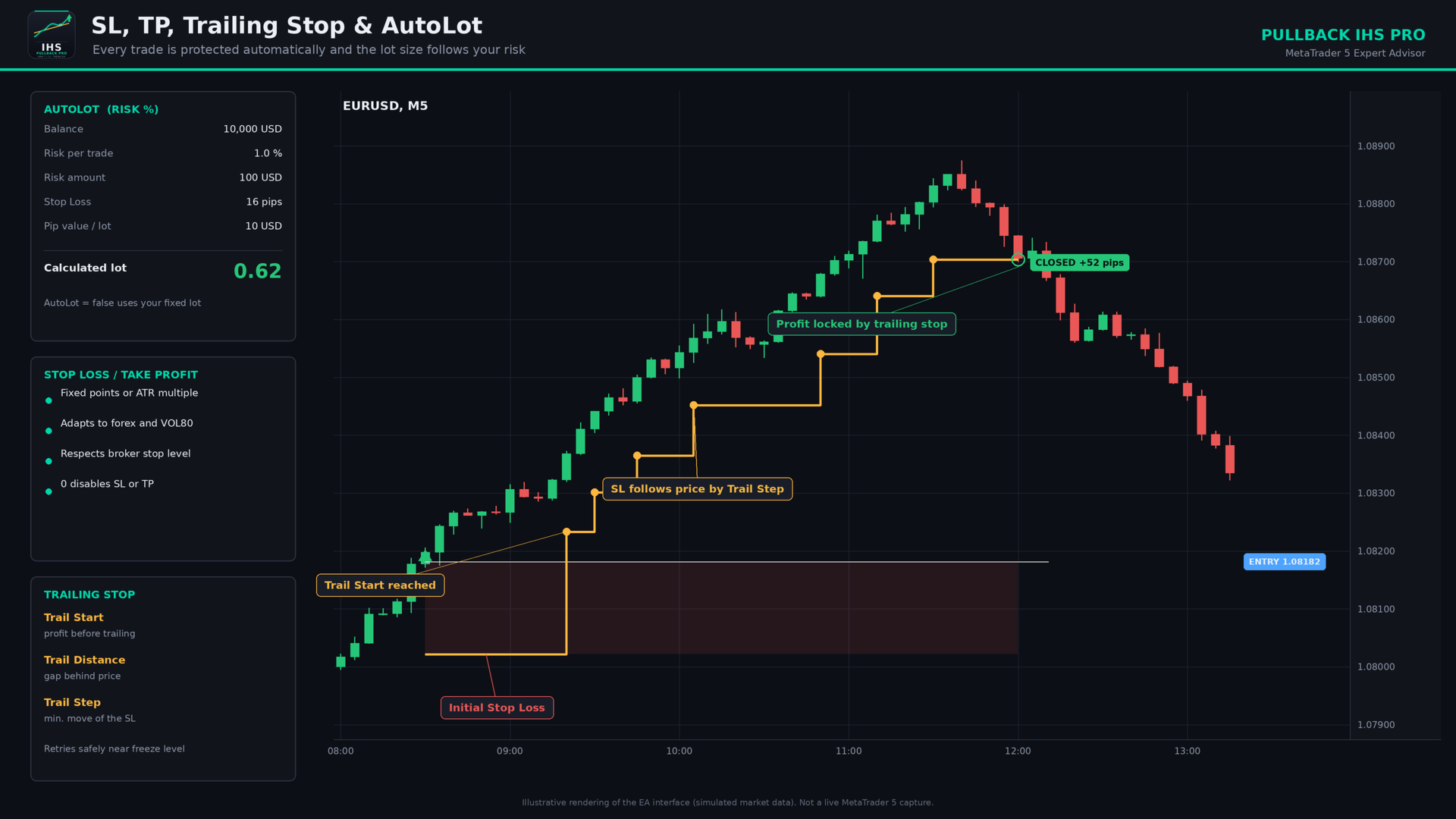
- Flexible lot sizing. AutoLot sizes each trade from your risk percentage and stop-loss distance. You can switch to a fixed lot at any time.
- Complete trade management. It includes SL, TP, trailing stop with start/distance/step, a spread filter and a session filter.
- Broker-safe. It respects stop level and freeze level. Pending orders that are too close to the market are retried on the next tick, with no failed requests.
- Lightweight dashboard. The panel only redraws when a value changes, so it does not slow the chart.
- Independent of other EAs. A magic number isolates its trades from your manual trades and other robots.
Features
- Buy Stop and Sell Stop pending orders on every pullback
- Stop loss and take profit in fixed points or ATR multiples
- Trailing stop with start, distance and step
- AutoLot (risk % of balance) or fixed lot, with a maximum lot cap and a margin check before ordering
- Maximum spread filter and trading-hours filter
- Automatic pending-order expiry (in bars)
- Optional closing of opposite positions when the EMAs cross
- On-chart dashboard: trend, EMA values, last signal, spread, open positions and pendings, floating and daily profit, balance, equity, lot mode and status
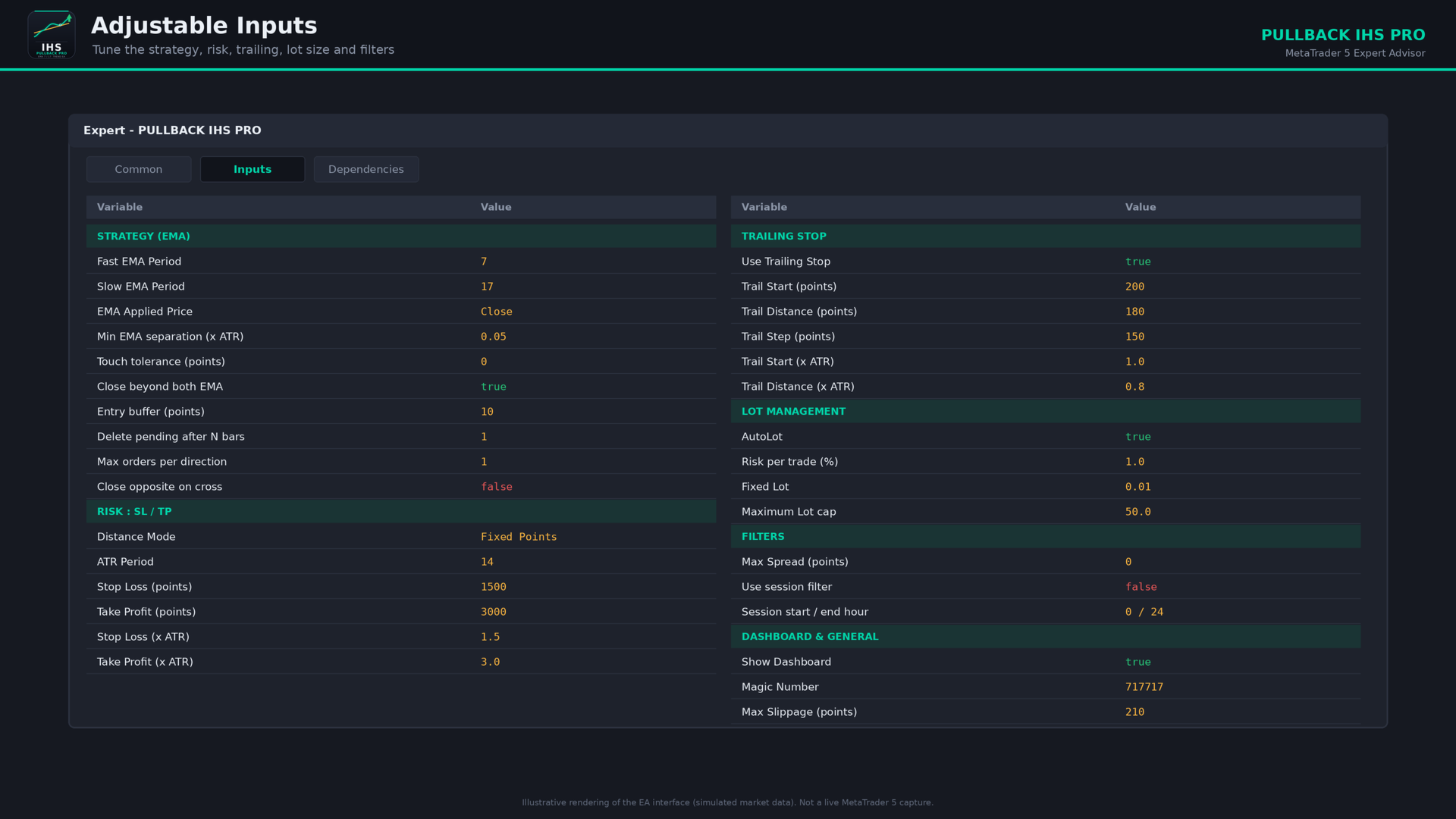
Input parameters
Strategy (EMA)
| Parameter | Description |
|---|---|
| Fast EMA Period | Period of the fast EMA (default 7). |
| Slow EMA Period | Period of the slow EMA (default 17). Must be larger than the fast period. |
| EMA Applied Price | Price used to calculate both EMAs (default Close). |
| Min EMA separation (x ATR) | Minimum gap between the EMAs, as a fraction of ATR, to count as a “strong” trend. Higher values mean fewer but stronger setups. |
| Touch tolerance (points) | Extra room allowed when checking whether a candle touched the EMAs. |
| Pullback candle must close beyond both EMA | If true, a buy candle must close above both EMAs (sell: below both). |
| Entry buffer (points) | Distance added above the candle high (buy) or below the candle low (sell) for the pending order. |
| Delete pending after N bars | Removes unfilled pending orders after this many bars. 0 means never. |
| Max (positions + pendings) per direction | Limits how many orders can be open or waiting per direction. |
| Close opposite positions on EMA cross | If true, closes opposite positions when the trend flips. |
Risk: SL / TP
| Parameter | Description |
|---|---|
| Distance Mode | Fixed Points or ATR Multiplier. This applies to SL, TP and trailing. |
| ATR Period | Period of the ATR used in ATR mode. |
| Stop Loss (points) | Stop loss in points (Fixed mode). 0 means no SL. |
| Take Profit (points) | Take profit in points (Fixed mode). 0 means no TP. |
| Stop Loss (x ATR) | Stop loss as an ATR multiple (ATR mode). |
| Take Profit (x ATR) | Take profit as an ATR multiple (ATR mode). |
Trailing stop
| Parameter | Description |
|---|---|
| Use Trailing Stop | Turns trailing on or off. |
| Trail Start (points) | Profit distance required before trailing begins (Fixed mode). |
| Trail Distance (points) | Gap kept between price and the stop (Fixed mode). |
| Trail Step (points) | Minimum improvement before the stop is moved again. |
| Trail Start (x ATR) | Trail start as an ATR multiple (ATR mode). |
| Trail Distance (x ATR) | Trail distance as an ATR multiple (ATR mode). |
Lot management
| Parameter | Description |
|---|---|
| AutoLot | True: lot is calculated from risk %. False: uses the fixed lot. |
| Risk per trade (%) | Percentage of balance risked per trade when AutoLot is on. |
| Fixed Lot | Lot size used when AutoLot is off. |
| Maximum Lot cap | Upper limit for any calculated lot. |
Filters
| Parameter | Description |
|---|---|
| Max Spread (points) | No new orders when the spread is above this value. 0 disables the filter. |
| Use trading session filter | Enables the trading-hours filter. |
| Session start / end hour | Allowed trading hours in server time. |
Dashboard
| Parameter | Description |
|---|---|
| Show Dashboard | Shows or hides the on-chart panel. |
| Dashboard X / Y offset | Position of the panel on the chart. |
General
| Parameter | Description |
|---|---|
| Magic Number | Unique ID the EA uses to identify its own orders and positions. |
| Max Slippage (points) | Maximum accepted price deviation when orders execute. |
Recommended use
- Test first in the Strategy Tester (“Every tick based on real ticks”), then on a demo account.
- On synthetic indices such as VOL80, use ATR mode, since point values differ between brokers.
- Set a maximum spread on forex pairs to avoid trading during wide spreads.
Risk warning
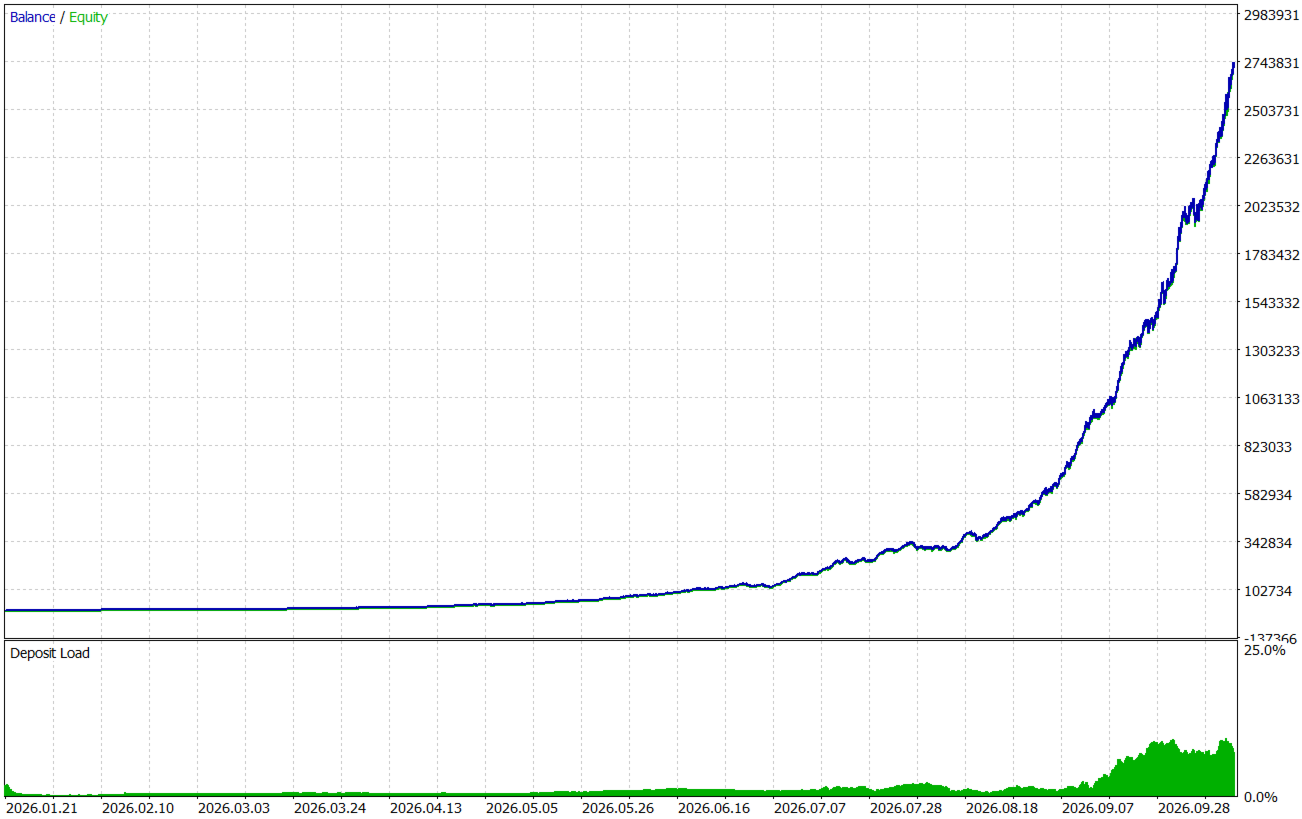
Trading carries a high level of risk. Past or backtested performance does not guarantee future results, and trend-following strategies can have losing streaks in sideways markets. Use sensible risk settings and never risk money you cannot afford to lose.