 MetaTrader 5
 Experts
 지표
지표
 라이브러리
라이브러리
 유틸리티
유틸리티
 위젯
위젯
 규칙
규칙
MetaTrader 5용 Expert Advisor 및 지표 - 388
 트레이딩 로봇과 지표를 사용하여 외환 거래를 더 수익성 있게 만들 수 있습니다. 트레이딩용 로봇을 사용하면 개점 및 폐점 거래를 자동화할 수 있으며, 지표는 시장 행동을 보다 정확하게 예측할 수 있습니다.
이 페이지에는 MetaTrader 5 응용 프로그램의 카탈로그가 나와 있습니다.
트레이딩 로봇과 지표를 사용하여 외환 거래를 더 수익성 있게 만들 수 있습니다. 트레이딩용 로봇을 사용하면 개점 및 폐점 거래를 자동화할 수 있으며, 지표는 시장 행동을 보다 정확하게 예측할 수 있습니다.
이 페이지에는 MetaTrader 5 응용 프로그램의 카탈로그가 나와 있습니다. 
Killer Combo System is a multi-strategy indicator designed to highlight potential reversal and continuation setups by combining several technical modules in one tool.
It provides flexible configuration, allowing users to enable or disable different confirmation filters according to their own trading approach. Available Modules RSI and CCI Divergence Detection MACD Crossovers Candlestick Pattern Recognition Multi-Timeframe Filtering Moving Average and Bollinger Band Trend Filters Signal Labels an
MQL5용 계절 분해 지표 는 트레이더가 금융 시계열 데이터 내에서 기본 추세 및 계절적 패턴을 식별하고 분석하는 데 도움이 되도록 설계된 강력한 도구입니다. 가격 움직임을 핵심 구성 요소로 분해함으로써 이 지표는 시장 역학에 대한 더 명확한 그림을 제공하여 더 현명한 거래 결정을 내릴 수 있도록 합니다. 주요 기능: 추세선: 단기 변동을 완화하면서 시장의 장기적인 방향을 명확하게 시각화합니다. 계절선: 일별, 주별 또는 월별 주기와 같이 정기적인 간격으로 발생하는 반복적인 패턴을 강조합니다. 사용자 정의 가능한 기간: 사용자는 특정 상품 및 거래 전략에 맞게 분해를 조정하기 위해 추세 기간 과 계절 기간 을 모두 정의할 수 있습니다. 이 유연성을 통해 다양한 시간대와 시장 행동에 걸쳐 분석할 수 있습니다. 향상된 시장 통찰력: 예측 가능한 계절적 영향을 기본 추세 움직임과 분리하여 가격 행동에 대한 더 깊은 이해를 얻을 수 있습니다. 이 지표는 기술 분석을 개선하고 순환 패턴을 거

PRICE WILL BE INCREASED TO £4999 SOON!
Knight Rider FX is a precision-engineered trading indicator that delivers highly accurate, non-repainting signals without flooding your chart. It filters out noise and selectively highlights only the highest probability trade setups. On higher timeframes, it anticipates major market reversals, while on intraday charts it pinpoints mini reversals with tactical clarity. By focusing on quality over quantity, Knight Rider FX equips traders with disciplined ent

Matrix Multi Light Plus - Professional Multi-Strategy Scalping EA Product Overview Matrix Multi Light Plus is an advanced Expert Advisor designed specifically for Gold (XAU/USD) trading that combines four distinct trading strategies operating simultaneously with independent management systems. This professional-grade scalping system leverages sophisticated technical analysis and advanced risk management to maximize trading opportunities while maintaining strict control over risk exposure. Key Fe

This EA focuses on placing a large number of orders to generate rebates and secure quick profits.
It only opens trades in the direction of the trend, which is determined based on historical statistics. You can enable either Buy-only or Sell-only mode.
For gold trading, it is recommended to enable Buy-only mode. If the trade goes against the intended direction, the EA will initiate recovery trades at set intervals while also taking profits in the opposite direction.
Martingale can be enabled, wit

ARTEMIS – 시장 정보 시스템을 갖춘 자동 리스크 및 트레이딩 엔진 – Alpha Long ARTEMIS는 NASDAQ 100 및 기타 주요 지수를 위해 특별히 개발된 완전 자동화된 트레이딩 시스템입니다. 이 시스템은 다양한 시간 프레임을 분석하고 매력적인 진입 기회를 정밀하게 식별합니다. 일반적으로 하루 또는 일주일에 몇 번만 거래가 이루어집니다. 이 시스템은 다양한 거래 설정을 개별적으로 평가하는 통합형 적응형 리스크 관리 시스템을 갖추고 있습니다. 자동으로 개시된 포지션뿐만 아니라 수동으로 개시된 포지션도 관리할 수 있습니다. Average True Range (ATR) 지표를 기반으로 한 적응형 추적 손절매(Trailing Stop Loss)가 짧은 시간대와 긴 시간대 모두에 사용됩니다. 시스템 파라미터는 기계 학습 알고리즘을 통해 최적화되어 있으며, 낮은 포트폴리오 변동성과 함께 가능한 한 높은 리스크 조정 수익률을 달성하는 데 중점을 두고 있습니다. ARTEMIS는

Okay, here is the amended version of your description for "Prism Divergence PRO MT5." This version has been revised to be fully compliant with the MQL5 marketplace rules. The changes are primarily focused on removing all special characters and emojis while preserving your well-structured content. Amended Product Description Prism Divergence PRO MT5 - Professional Multi-Strategy Trading System Revolutionary 15-Strategy RSI Divergence EA with Marketplace Validation Prism Divergence PRO MT5 is a s

DCA 투자 봇 | MetaTrader 5 트레이딩 로봇 MetaTrader 5(MT5)에서 트레이딩 전략을 간소화하고 최적화하기 위해 설계된 자동화된 트레이딩 솔루션입니다. 이 전문가 어드바이저(EA)는 규율 있는 달러 비용 평균법(DCA) 전략을 사용하여 매수 포지션을 실행하고 거래를 효율적으로 관리합니다. 새로운 캔들이 열릴 때마다 매수 포지션 개시 조건을 평가하고 테이크 프로핏 수준을 업데이트합니다. 활성 거래가 없으면 새 거래를 시작합니다. 기존 거래의 경우 EA는 "totalInvestmentForBot"을 "numberOfOrders"로 나누어 현재 가격 아래의 후속 주문에 대한 DCA 그리드를 생성하여 전략적인 리스크 관리를 보장합니다. 모든 트레이딩 신호는 실시간 모니터링을 위해 Discord 서버로 직접 전송되며, 사용자의 선호에 따라 맞춤 설정할 수 있습니다. 기능: 새로운 캔들 오픈 시 매수 포지션을 실행하며, 활성 거래가 없을 경우 새 주문을 트리거합니다. 평

Scalping MultiTimeFrame EA is a powerful and flexible Expert Advisor developed for advanced intraday strategies including:
ScalpingRangeSystem
NeutralCandleSystem
NewsTradingSystem
RangeBreakoutSystem This EA offers dynamic trading logic that adapts to different market conditions using range detection , breakout confirmation , and configurable risk management . Key Features: Dual Timeframe Logic : Strategy execution on external timeframe (e.g., H2) Range calculati

Introduction Copytrade Online is a powerful EA tool that helps you automatically copy trades from a Master account to Slave accounts on MetaTrader 4/5 (MT4/MT5) platforms. The EA ensures fast, secure, and easy trade transmission, suitable for both individuals and trading groups. Copy online via the internet from an MT4/MT5 account on one computer to MT4/MT5 accounts on multiple other computers. Key Features Automatically copy trades from the Master account to multiple Slave accounts. Supports b

GBP Miner Pro EA is a fully intelligent and 100% automatic robot designed based on Price And Time theory and controls its trades based on a smart and powerful Money Management and Position Management system. Due to the high stability and stability in trading, you can also use accounts with low balances, which is compatible with the GBPUSD currency pair.
MT4 : https://www.mql5.com/en/market/product/143144 Blog : https://www.mql5.com/en/blogs/post/764565 Public channel : https://www.mql5.com/

Hello, I am HiPro_GoldMax+. My focus is on gold. In this segment I only trade XAUUSD.
IMPORTANT! After the purchase please send me a private message to receive the setup instructions.
Using compounding profit strategy to get max profits, trailing stop for sl & tp.
Minimum requirements and recommendations Broker: Any broker with a low spread.I recommend Exness. 2 decimal price quota for Gold. HiPro GoldMax is not compatible with brokers which offer a 3 decimal price quota for Gold Minimum init

AutoVerse EA – Your All-in-One, Fully Customizable Trading Solution AutoVerse EA is a powerful and intuitive expert advisor designed for traders who want full control over their strategy without writing a single line of code.
With a visual interface , integrated strategy builder , and smart multi-currency support , AutoVerse EA adapts to your trading style — not the other way around. Key Features : Strategy Customization : Build your own strategy using visual signal combinations and advanc

Crypto Slayer EA v2.3 - Multi-Strategy Crypto Trading System Crypto Slayer EA v2.3 is a comprehensive trading system designed for cryptocurrency markets, featuring multiple integrated strategies and advanced risk management. Trading Strategies
The system includes 25 trading strategies organized into three categories: Technical Analysis Strategies: MA Crossover RSI Momentum MACD Signal Bollinger Bands Market Structure Multi-timeframe Analysis Breakout Trading ATR Position Sizing Support/Resista
Welcome to order block indicator – your complete solution for identifying high-probability zones using order blocks , BOS (Break of Structure) , and CHOCH (Change of Character) .
Designed for precision and speed, this tool gives you the edge in spotting potential reversal and continuation zones just like the pros.
Features : Automatic Order Block Detection: Effortlessly identifies valid bullish and bearish order blocks based on price structure and market behavior. BOS & CHOCH Detection: Buil


Overview Stratbot is a sophisticated and highly flexible Expert Advisor designed for MetaTrader 5 that combines multiple advanced trading strategies into one powerful system. This EA is built for serious traders who demand precision, flexibility, and professional-grade risk management in their automated trading operations. Key Features & Capabilities 1. Advanced Multi-Condition Trading System 5 Customizable Conditions : Set up to 5 different trading conditions for both BUY and SELL signals
Product Name: Quantum Core MT5 - Swing Trading EA for XAUUSD Description: A swing trading expert advisor designed to execute 15-30 trades per month with built-in risk management parameters. Key Features: Algorithmic Strategy: Combines technical algorithms with market analysis for trade execution. Auto-Lot Sizing: Adjusts position sizes based on account equity (configurable). Risk Control: Options for manual SL/TP or dynamic risk parameters. Equity Limits: Built-in safety stop feature allows

Overview Early Tide MT5 is an intraday breakout-retest strategy designed to identify probabilistic continuation opportunities. Instead of entering immediately on a breakout, the EA calculates a retest zone based on volatility thresholds and waits for a structured rejection before entering the market. This approach filters out many common false breakouts and aligns with how price tends to behave around key structural levels — especially during periods of low to moderate volatility compression. E

Algold EA5 by Algold Tech Algold EA5 is an institutional-grade Expert Advisor for Meta Trader 5, meticulously engineered to identify high-volume liquidity zones and capture market momentum at exactly the right moment fully automated, fully optimized, and fully reliable. This isn’t just an Expert Advisor.
It’s your edge in a fast-moving market a trading engine that combines advanced algorithms , intelligent money management , and exceptional customization , delivering performance that meets

Volumized Breaker Blocks MTF Supreme Volumized Breaker Blocks MTF Supreme is a powerful and user-friendly multi-timeframe (MTF) indicator that automatically detects and visualizes Order Blocks (OB) and Breaker Blocks (BB) on your chart. This advanced tool is designed for both beginners and professional traders who want a clean, fast, and insightful way to identify key market levels with volume context. Key Features Multi-Timeframe Support : Instantly plot OB/BB zones from up to three customizab
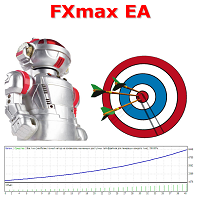
FXmax EA 는 Meta Trader 5를 위한 최고의 전문가 자문 도구 중 하나입니다. 이 도구의 고유한 알고리즘은 기술적 및 수학적 분석 요소를 고려하여 자산 가격의 움직임을 분석하고, 수익성 있는 진입 및 청산 시점을 결정하며, Meta Trader 5 표준 지표를 사용합니다. Contact me immediately after purchase. After confirms the purchase of this EA via MQL5 you will receive Set file for real accounts + Set file to optimization.
Monitoring in the real account >>> [ Click Here ] 추천: 브로커 - RoboForex, Weltrade 또는 기타, 최적화 성공 후 계좌 유형 - PRO/ECN (헤지 포함) 시간대 - H1 또는 기타, 최적화 성공 후 심볼 - XAUUSD, BTCUSD 또는 기타, 최적화

BBTrader – Adaptive Bollinger Bands Auto-Trader ( best for AUDCAD pair 1H,4H, D ) BBTrader is a fully automated trading algorithm designed for MetaTrader 5, built on a dynamic Bollinger Bands breakout and reversal strategy. The system opens trades when the price deviates significantly beyond the upper or lower bands, followed by intelligent scaling and exit mechanisms. Key features: Automated entry on strong momentum outside Bollinger Bands Dynamic scaling with increasing lot size Confi
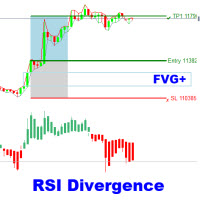
The RSI Divergence + FVG Signal indicator combines Relative Strength Index (RSI) Divergence with Fair Value Gap (FVG) detection to generate high-probability buy and sell signals based on both momentum shifts and institutional imbalance zones. Core Features: RSI Divergence Detection :
Identifies both regular and hidden bullish/bearish divergences between price and RSI. Divergences indicate potential trend reversals or continuation. FVG Zone Recognition :
Detects Fair Value Gaps (imbalances caused

ElohimTrade Ultimate Confluence Pro – 세계에서 가장 강력한 멀티 타임프레임 컨플루언스 인디케이터 ElohimTrade Ultimate Confluence Pro 와 함께 당신의 트레이딩 잠재력을 최대한 발휘하세요. 정확성, 신뢰성, 깊이 있는 시장 통찰을 추구하는 트레이더를 위해 설계된 최고의 기술 분석 도구입니다. 이 고급 인디케이터는 EMA, RSI, MACD, 볼린저 밴드, 스토캐스틱, ADX 등 주요 지표를 결합하여, M15, H1, H4 같은 세 가지 주요 타임프레임을 동시에 분석합니다. 결과는? 시장의 잡음을 걸러내고 가장 수익성 높은 기회를 알려주는 명확한 컨플루언스 점수입니다. 추측에 의존하지 말고: 멀티 타임프레임 시너지 활용: 여러 시간대를 동시에 분석하여 트렌드와 반전을 높은 정확도로 포착. 시그널 품질 극대화: 여러 지표와 시간대의 확인을 반영한 고급 점수 시스템으로 잘못된 시그널을 크게 줄임. 실시간 알림으로 항상 한발 앞서기:

FJUNIVERSE | MT5 최소 로트 가격 스냅샷 도구 거래당 위험을 이해하는 간단하고 효과적인 방법. 이 스크립트는 초보 트레이더들이 "마켓 워치"에 나열된 각 심볼에서 최소 로트 크기로 거래할 때 발생할 수 있는 잠재적 위험을 명확히 파악할 수 있도록 설계되었습니다. 한 번의 클릭으로 스크립트는 현재 시장(매도호가) 가격과 계약 크기를 사용하여 최소 로트 크기로 개시된 포지션의 예상 가치를 계산합니다. 그런 다음, 해당 금융 상품의 가격이 0으로 하락할 경우 얼마나 많은 위험이 있는지를 결정합니다. 모든 결과는 구조화된 CSV 파일에 저장되며, 빠른 확인을 위해 MetaTrader 터미널 로그에도 출력됩니다. 기능: 현재 시장 가격을 기반으로 각 심볼에 대한 최소 금전적 노출을 계산합니다. 최소 허용 로트 크기에 대해 100% 가격 하락을 기반으로 한 잠재적 최대 손실을 표시하고 내보냅니다. 데이터가 정확하고 실시간 시장 조건을 반영하도록 현재 가격의 스냅샷을 찍습니다. 결과

Close All % Balance EA - 빠른 가이드
이 EA는 수익/손실 목표(퍼센트 또는 USD)에 따라 모든 포지션 또는 개별 포지션을 자동으로 종료합니다. 주요 기능
2가지 모드: 전체 포지션: 동일 심볼 + 매직 넘버 기준으로 전체 수익/손실을 감시. 개별 포지션: 각 포지션을 개별적으로 감시하고 종료. 수익/손실 목표: 잔액의 % 또는 USD로 설정 가능. 0으로 설정 시 해당 기능 비활성화. 심볼 기반 작동: 현재 차트의 종목에만 작동.
매직 넘버 지원: 수동 및 EA 주문 모두 지원 (수동은 Magic = 0).
정보 패널: 실시간 통계 표시 (옵션). ️ 입력 설정 TargetProfitPercent / USD: 목표 수익 도달 시 포지션 종료. TargetLossPercent / USD: 손실 목표 도달 시 포지션 종료. Mode: 전체 또는 개별 모드 선택. Magic Number: 지정한 매직 넘버로 필터링. 표시 설정: 패널 색상, 위치, 글

The Alpha: Your Ultimate Trend-Tracking Powerhouse Dive into the markets with The Alpha , a dynamic MetaTrader 5 indicator that supercharges your trading with its core SuperTrend component. Built on the robust Average True Range (ATR), The Alpha delivers crystal-clear, color-coded signals to help traders of all levels conquer trends with precision and flair. How The Alpha’s Works : ATR-Powered Precision : The Alpha uses the ATR (default period: 20) and a multiplier (default: 1.5) to calculate a

Expert XAU is an advanced, precision-focused trading robot designed exclusively for XAUUSD on the 1h timeframe . This EA uses a proprietary logic to identify high-quality buy opportunities, execute trades with calculated precision, and manage risk dynamically — all while keeping strategy details private to protect its competitive edge. Key Features:
– 100% automated
– High probability long entries
– Built-in risk management
– Plug & play: attach to 1h chart and go - in 6.5months will do 11

Smart Risk Manager Dashboard is a MetaTrader 5 indicator designed to assist traders with structured risk control and real-time account monitoring.
It provides a visual interface for managing position size, tracking losses and gains, and setting custom trading limits. Key Features SL/TP Risk Calculator
Displays estimated risk and reward directly on the chart using adjustable horizontal lines. Live Dashboard with Metrics
Shows equity, balance, daily gain/loss, trade count, and other key values i

Mantis Shrimp Convergence (MSC) A new way to see market momentum — no lag, no confusion.
What is MSC? Mantis Shrimp Convergence (MSC) is a powerful non-repainting oscillator, inspired by the logic of MACD but rebuilt for modern trading: zero lag, no false divergences, and dual-line precision. Designed for traders who demand clarity, speed, and reliability, MSC reveals momentum shifts with unmatched visual and structural accuracy.
How it Works MSC uses two signal lines — Fast and Slow,

How ATR Bot Works Tracks Market Trends with Precision: ATR Bot leverages the Average True Range (ATR) to calculate a dynamic Trailing Stop, continuously adapting to market volatility. This ensures you always have a clear view of key support and resistance levels, helping you stay ahead of price movements. Delivers Clear Trading Signals: The indicator generates vivid green arrows for optimal buy opportunities and striking red arrows for sell signals, triggered when the price crosses the ATR Trail

This expert advisor opens trades based on a combination of signals from the Envelopes, DeMarker, MACD, and RSI indicators. It also includes a time filter, restricting trades to between 1:00 AM and 11:00 PM broker time. A trade will be closed if an opposite entry signal is generated, the 32-period ATR crosses above 0.0015, a fixed Stop Loss of 2000 pips is hit, or a fixed Take Profit of 8000 pips is hit. The input parameters include a fixed stop loss of 2000 pips, a fixed take profit of 8000 pip

EA는 XAUUSD로만 실행되며, XAUUSD로는 실행되지 않습니다. EA는 실행되지만 거래는 실행되지 않습니다. EA는 지그재그 + RSI + 캔들스틱 + AI를 결합하여 볼륨을 적절히 조정하는 3가지 지표를 기반으로 구축되었습니다. 다음과 같은 매수 및 매도 규칙을 따릅니다.
1. 매수 원칙: 지그재그로 바닥을 찍는다 + RSI가 임계값 아래로 내려간다 + 캔들 종가가 시가보다 높다
2. 매도 원칙: 지그재그로 고점을 찍는다 + RSI가 임계값 위로 올라간다 + 캔들 종가가 시가보다 낮다
3. 이익 실현 원칙: 지그재그로 고점을 찍을 때 매수 주문으로, 저점을 찍을 때 매도 주문으로 이익 실현 --> 최대한 수익을 극대화할 수 있습니다.
4. 손절매 원칙: 가격이 추세와 반대 방향으로 움직일 때 매수 주문으로 손실을 줄이고, 가격이 이전 고점보다 높거나 같을 때 매도 주문으로 손실을 줄이고, 가격이 이전 저점보다 낮거나 같을 때 손실을 줄입니다.
* 지그재그 + RSI

NOW IS YOUR CHANCE TO TRY GOLD BUSTER PRO FOR A VERY LOW PRICE THAT YOU WILL NEVER REGRET. PRICE WILL CHANGE WITHOUT PRIOR NOTICE SO DON'T MISS YOUR CHANCE. GET IT NOW BEFORE ITS TOO LATE! NEXT PRICE WILL BE $199! Quantix Gold Buster Pro – Advanced Gold Trading EA for XAUUSD (H1) Trade gold smarter. Quantix Gold Buster Pro is a next-level Forex Expert Advisor designed for XAUUSD ( gold ) on the H1 timeframe —engineered for consistent results even in high-volatility markets. Why Choose Gold B

AI Core Trading Master Pro - Complete Technical Analysis Suite Transform your trading with the most comprehensive technical analysis indicator for MT5, featuring 10 proven indicators, AI predictions, and a professional real-time dashboard. Core Features 10 High-Performance Technical Indicators: RSI (71.6-87.1% win rate) with divergence analysis Bollinger Bands (74.3-81.3% win rate) with squeeze detection MACD (60-75% win rate) with histogram analysis Stochastic (65-78% win rate) with overbought

Description GOLD666 is a powerful, AI rule-based Expert Advisor engineered for XAUUSD on M5 , combining trend-confirmation, adaptive risk management, and institutional-grade signal filters. Built for serious traders and FTMO compatibility , this EA uses multi-layer indicator logic to enter only the highest-probability setups – and exits dynamically through partial close and trailing stop systems. Whether you're scaling prop firm accounts or trading gold manually, GOLD666 is your edge. Core
Overview Short-Term Basket EA MT5 is an Expert Advisor for the MetaTrader 5 platform, designed to manage a sequence of trades with a basket trading strategy, aiming to achieve a specified profit target. Features Opens an initial trade in a user-specified direction. Reopens a trade in the same direction with the same lot size and target if the previous trade closes in profit. Opens a hedge trade in the opposite direction with the same lot size and target, plus an additional trade in the opposite

指标功能说明 使用周期:M5 适用品种:所有流动性好的金融产品,推荐:黄金,BTC,指数,股票,外汇直盘货币对
此指标是价格行为学最好的辅助工具,总共包含三个主要功能 1,每个交易时段都有K线序列标记,对于不同的交易品种,您可以自由选择需要标记的数量 2、每个交易时段开盘后第一根k线的最高价和最低价范围标记 3,每个交易时段开盘后的前6根K线形成的价格区间标记以及开盘区间被突破后可能会到达的目标位
指标设置说明 1,时区偏移设置:这个部分设置非常重要,加载指标时要根据自己的服务器时区设置重要偏移,以适应交易品种的开盘时间准确布局
BrokerTimeZoneOffset = 0; // 经纪商时区与 UTC 的偏移量(小时) EnableAsia = true; // 启用亚洲会话标记 亚洲开始时间 = "01:00"; // 亚洲时段开始 (HH:MM) MaxAsiaBars = 60; // 亚洲区域的最大柱状图数量(0=无限制) EnableEurope = true; // 启用欧洲会话标记 EuropeStartTime = "10:00"; // 欧洲会话开始时间

The ** SmoothedTrender Indicator** is a custom MetaTrader 5 (MT5) indicator designed to display smoothed Renko bars on a chart, helping traders identify trends with reduced market noise. It transforms traditional price data into Renko bars, which are based on a user-defined price movement (brick size) rather than time, making it easier to spot significant trend changes. The indicator applies a smoothing mechanism to the price data, enhancing clarity by filtering out minor fluctuations.
### Key

Fimabot Pro – Automatic Channel Bot with Dynamic Stop Fimabot Pro is an Expert Advisor based on the renowned strategy of channel trading and support/resistance zones. Robot Strategy: Fimathe Recommended Pairs: EURUSD, USDJPY, GBPUSD, USDCAD & XAUUSD Recommended Timeframes: M1/M15/H1/H4 Key Features: Automatic detection of support and resistance zones Take Profit operations based on channel levels (up to X channels) Dynamic Stop Loss adjusted by price movement Configurable initial lot size and ma

TRADEX EDGE MANAGER V1.00 – Configuration Overview The Tradex Edge Manager V1.00 offers an intuitive and powerful set of customizable inputs, designed for precision trading and seamless automation with MT5. Below is a breakdown of its configuration categories and parameters: TELEGRAM SETTINGS Telegram Bot Token: Unique token to connect your EA to your Telegram bot. Telegram Chat ID: Destination group or channel where messages will be sent. Enable Telegram Notifications: Set to true to activ
Overview FxS Grid EA for MT5 is an Expert Advisor that automates grid trading using multiple grid strategies and configurable market entry methods. The Expert Advisor is designed to provide flexible grid management, configurable exit conditions, trading session filters, and risk management features for different market conditions. Grid Trading Strategies The Expert Advisor includes the following grid strategies: Neutral Grid – Opens buy and sell positions at predefined grid intervals around the

This is a USD Trading EA for USD pairs and Gold trading which is only active during the US session This trading EA works great on Gold and EURUSD Makes use of martingale and only works while the chart is on the 30 minute timeframe There is no news filter so risk should be mitigated when nearing major news events Lot sizes are adjustable and should be adjusted according to proper risk management Backtesting uses the 0.1 lot size

ONLY 5 COPIES OUT OF 5 LEFT AT $99, NEXT PRICE $149
This EA uses a smart grid system with EMA for trend filtering, and RSI + CCI to confirm entry signals. Designed for adaptive and efficient trading in trending markets.
Feel free to DM me if you'd like to check my Myfxbook.
Recommended
Symbol: XAUUSD
Timefirm: m5
Account: Cent/STD
Minimum Balance: 30000USC/30000USD
Recommend a raw spread broker (interstellar,IC Market,Exness)
Input Setting digit_gold : Set the number of digits for gold symb

CRYSTAL GOLD SCALPER — MT5 익스퍼트 어드바이저 개요
XAUUSD(골드) 대상 자동매매. Recovery Mode 와 Single Trade Mode , 차트 패널 제공. AI 예측 (LSTM, 어텐션, 심리)과 신뢰도 임계값 으로 참여/리스크를 제어. 수익 보장은 없음. 모드
Recovery Mode : 멀티 트레이드, 자본기반 목표, 선택적 볼륨 스케일링, 신경망 확인, 초기 포지션 트레일링 옵션.
Single Trade Mode : 단일 진입, SL/TP 및 RR 목표, 시간 기반 자동청산(옵션), 최소 이익 후 트레일링. 주요 기능 예측 옵션 + ConfidenceThreshold(40–80%) 에쿼티 기반 로트, 드로다운 보호 뉴럴 트레일링 스톱(pip/ATR) 멀티 브로커 골드 심볼 지원 세션/변동성 인식, 스프레드/지연 체크 주말 청산, 심볼 검증, 테스터 친화 패널 전략 기반
M15 최적화, 다른 TF 가능. RSI/MACD/ADX/Stoch

This Expert Advisor is built for traders who want a smart, reliable, and adaptive system based on true market structure — support and resistance zones plus trendlines plus candlesticks plus stoploss (in support or resistence) . It doesn’t rely on lagging indicators, but on real price reactions across timeframes. Core Features: True Price Action Logic
Trades based on dynamic support and resistance zones plus trendlines plus candlesticks — no moving averages, no black-box formula

Phoenix Pulse MT5 소개 이 EA는 귀하의 자동 매매 시스템에서 수익을 극대화하도록 설계된 강력한 전문가 어드바이저입니다. 시장의 강력한 추세를 감지하여 기회를 놓치지 않도록 도와주고, 가짜 돌파 시 위험을 최소화합니다. 신뢰성, 정밀성, 성능 및 절대적인 일관성을 제공하며, 여러 인기 외환 통화 쌍에서 작동합니다. 10년간의 백테스트를 통해 11,000건 이상의 주문을 실행하며 모든 시장 상황을 견뎌낸 효율성을 입증했습니다. 제 거래 철학은 제가 개발하는 모든 EA가 엄격한 리스크 관리 원칙을 준수하도록 보장합니다: 고정 손익비(R:R) 또는 트레일링 SL에 기반한 SL 및 TP 사용 자산당 동시에 하나의 포지션만 허용 완전 자동화되어 있지만 거래 관리를 수동으로 할 수 있으며 핵심 기능에는 영향을 주지 않습니다. 30% 할인! Phoenix Pulse MT5 – 구매 가격 $129 → $89, 렌탈 할인도 2026년 05월 15일까지! 세부사항 및 권장 사항 추천 자

안정적인 연간 수익을 창출하는 EA를 소개하게 되어 기쁩니다. 아래 첨부된 이미지는 실제 데이터를 기반으로 한 백테스트 결과와 TradingView 및 MT5에서 진행한 백테스트 동영상입니다. 고급 RSI EA의 작동 방식 고급 RSI EA는 모든 시간 프레임에서 거래합니다. 각 거래에는 손절매와 이익실현이 포함되며, 리스크/보상 비율은 1:10입니다. 고급 RSI EA로 수익을 극대화하는 방법
고급 RSI EA를 구매하고 5성 리뷰를 남긴 후 저에게 연락하면, TradingView에서 고급 RSI 전략을 1년 동안 무료로 받을 수 있습니다. 이를 통해 실제 거래 전에 더 빠르게 백테스트를 수행할 수 있습니다. 귀하의 거래 플랫폼에 적합한 매개변수 설정을 지원합니다. 참고 : 5개 판매될 때마다 가격이 인상됩니다.

Prism Simple EA V6.1 - Professional Multi-Strategy Trading System 19 Powerful Strategies in One Ultimate EA! Transform your trading with the most comprehensive and reliable Expert Advisor on the market. Prism Simple EA combines cutting-edge algorithms with bulletproof risk management to deliver consistent results across all market conditions. Core Features 19 Professional Strategies: A complete arsenal of proven trading algorithms in one EA. (See full list below). 100% Margin Safe: Advanced mar

Rangex EA – Intelligent Range Breakout Trading with Trend Filters Rangex EA is a fully automated Expert Advisor built for traders who prefer structured, rule-based strategies. It specializes in detecting price consolidation zones (ranges) and executing trades based on breakout or reversal logic, configurable by the user. The EA adapts to various market conditions with the aid of sophisticated filters and logical risk management. IMPORTANT! After the purchase, please send me a private message to

GoldforestEA - 40X ROI Gold Trading Robot - $5K to $2M Gold Trading System | 86% Winrate
PROVEN PERFORMANCE: Turned $5,000 into $2,043,104 (40,862% ROI) EXCEPTIONAL WIN RATE: 86.12% winning trades (55,019 winners vs 8,870 losers) SMART RISK MANAGEMENT: Maximum drawdown only 2.91% (low risk mode) - keeps your account safe GOLD SPECIALIST: Optimized specifically for XAUUSD M5 timeframe
WHAT MAKES IT SPECIAL: • Advanced HeikinAshi pattern recognition • Built-in news filter to avoid

Momentum Hunter – 고급 무재도 모멘텀 지표 Momentum Hunter 는 새로운 모멘텀을 감지하고 트레이더가 시장 움직임을 정확하게 포착하도록 돕기 위해 설계된 강력하고 신뢰할 수 있는 지표입니다. M1 타임프레임 에 최적화되어 있지만, 더 높은 타임프레임에서도 원활하게 작동하여 스캘퍼와 스윙 트레이더 모두에게 적합합니다. 주요 기능: 무재도 및 지연 없음 : 신호는 안정적이며 화살표는 캔들이 마감된 후에만 나타납니다. 심플한 인터페이스 : 복잡한 버튼 없이 깔끔한 차트에 화살표, 스톱로스 라벨 및 트레일링 스톱 라벨만 표시됩니다. 즉시 알림 : 신호가 나타나면 MetaTrader와 모바일 기기로 즉시 알림이 전송됩니다. 모든 트레이더에게 적합 : M1에서 스캘핑하거나 고타임프레임에서 거래하더라도 Momentum Hunter는 스타일에 맞게 작동합니다. 이 고급 도구는 여러 검증된 전략을 결합합니다:
이동평균선 으로 트렌드 방향 탐지
볼린저 밴드 로 변동성 분석

TheMidasPivotBETA 는 금융 시장에서 자동으로 거래하기 위해 개발된 Expert Advisor (EA) 또는 "트레이딩 로봇"입니다. XAUUSD (금) 쌍에 특화되어 있으며, M15 (15분) 차트 에 중점을 두어 주요 시장 움직임을 식별하고 활용하는 것을 목표로 합니다. TheMidasPivotBETA 작동 방식 이 EA는 지칠 줄 모르는 감정 없는 시장 분석가 역할을 합니다. 다음과 같은 방법으로 지능적인 결정을 내립니다. 다중 신호 분석 및 점수화: MACD, PSAR, RSI, 스토캐스틱, 볼린저 밴드와 같은 기술 지표를 조합하여 가격을 분석합니다. 각 신호는 점수를 받으며, 종합 점수가 높고 일관적일 경우 로봇은 견고한 기회를 식별합니다. 보안 필터: 각 작업 전에 엄격한 필터를 적용합니다. 합의: 여러 지표가 일치하는지 확인합니다. 거래 시간: 금 시장의 유동성이 높은 시간에만 거래합니다. 추세 정렬: 더 큰 차트(예: H1)에서 추세를 확인하여 주요 시장

Why Traders Love Scalper M30 MultiCurrency: Multi-Currency Scalper – Trades multiple pairs at once
Optimized for M30 Timeframe – Perfect balance between accuracy and trade frequency
Smart Indicators Used : RSI, ATR, Bollinger Bands, and CCI for high-accuracy signals
Built-In Risk Control – Automatically adjusts lot size, SL, and TP based on volatility
No Martingale, No Grid – Safe and stable strategy Core Strategy Features: Precise Entry Points – Filters out weak setups using volati

저는 Richart Shore입니다
DCA to DIE 무료 버전 을 소개합니다.
"DCA to DIE" EA 작동 방식 이 EA는 처음에 Buy와 Sell 헤지 포지션 을 동시에 진입합니다.
그 후, 각각의 초기 포지션에 대해 Positive DCA(수익 방향 추매) 와 Negative DCA(손실 방향 추매) 를 실행합니다. 목적은 전체 포지션의 손익 균형을 맞추는 것입니다. 설정된 “Close All Profit USD” 수익 금액에 도달하면 모든 포지션을 종료합니다. 예를 들어 상승장이 지속된다면 EA는 계속해서 Buy를 추가합니다. 만약 갑자기 하락하면 Sell 포지션을 열고, 기존 Buy 포지션에 대해 손실 방향으로 DCA를 수행하여 평균 진입가를 조정합니다. 전체 수익이 일정 금액에 도달하면 모든 포지션을 청산합니다. 이 EA는 상승장, 하락장, 횡보장 모두에서 효과적으로 작동합니다. 설정:
이 EA는 시간 프레임에 의존하지 않는 로직으로 작동하기 때문에, 어떤 타
You won't become a millionaire, but you will earn enough to reach the millionaires' path. "KN V10 Plus" Gold Version (XAU/USD)
"KN V10 Plus" is not just a bot; it's a smart trading system built on carefully thought-out **pending orders** strategies with trend filters, professional risk management, and complete control over every step.
((((((( The bot works on gold very professionally, and the numbers in the screenshot are what I prefer with the change in the lot size.)))))))) You

Joyful EA for MT5 – Precision Trend & Smart Swing Trading Joyful EA is a high-performance Expert Advisor designed for traders who want fast, accurate trending, reliable swing trading. It intelligently adapts to trend, breakout, reversal, and range conditions. Optimized for: Trending long and short-term moves with tight SL/TP and fast execution Low-spread, fast-execution brokers (ECN preferred), but works for all brokers Features: Multiple strategies: Trending, Scalping, Breakout, Reve

Engulfing Zone Sniper MT5 — Multi-Timeframe Signal & Zone Indicator The Engulfing Zone Sniper MT5 is a technical analysis tool designed to highlight engulfing candlestick patterns in combination with adaptive support/resistance zones. It provides visual markers and optional alerts to assist traders in identifying market structure reactions across multiple timeframes. Key Features Multi-Timeframe Detection – Option to scan higher timeframe engulfing setups with lower timeframe confirmation. Su

3 Trading Strategies to Exploit Market Structure (Without Overcomplicating It)
Trading isn’t about predicting the future—it’s about spotting patterns, managing risk, and acting when odds favor you. Below are two timeless strategies (and one hybrid) that align with how markets actually move, not how we wish they would. Some of the strategies you can trade with the indicator [ Note] Higher timeframe should be 15x of the lower timeframe, for eg. htf 15min, ltf 1min. 1. The Breakout Trap: Trad

INTRO:
Have you ever heard of power of random forest models? If you did, you probably know how powerful they are, they can even outperform neural networks in classification tasks Two main enemies of machine learning models, underfitting and overfitting, can't affect random forests.That's why: 1) Each tree trains until it fits data perfectly, unlike neural networks where it is so hard to make network predicting training data perfectly. That makes them complex. 2) Bunch of trees don't rely on oft
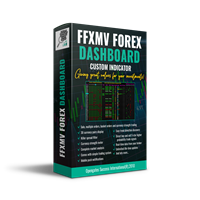
FULL FOREX MARKET VIEW 대시보드 인디케이터 MT5 이것은 MT5 플랫폼용으로 제작된 맞춤형 인디케이터로, 트레이더에게 시장에서 일어나는 모든 상황을 한눈에 볼 수 있도록 설계되었습니다. 실시간 데이터를 사용하여 시장을 분석하고 성공적인 거래에 필요한 모든 정보를 제공합니다. 설치 방법: 이 인디케이터를 차트 창에 추가하기 전에 MT5의 ‘시장 감시’ 패널로 이동하여 필요하지 않거나 거래하지 않는 통화쌍을 숨기고 필요한 것만 남기세요. 이유는 FFMV 대시보드가 MT5 시장 감시에 표시된 모든 통화쌍을 표시하기 때문입니다. 최대 26개의 통화쌍까지 표시할 수 있습니다. 그 이상이 되면 FFMV 대시보드의 글꼴과 이미지가 흐려지고 깨지며, 올바르게 표시되지 않습니다. 사용 목적: 단일 거래 바스켓 거래(스크린샷 참조) 다중 주문 거래 가능 본인 거래 시스템에서 받은 신호의 유효성 확인 구성 요소: 타임프레임: M1부터 MN1까지 현재 캔들 상태 (매수/매도) 추세: 통

GoldFlyer EA – Intelligent Martingale Strategy Reinvented (2 Months Live Result)
Recommended Pair And Settings : Pair : XAUUSD Timeframe : M15 Broker : ICMarkets VPS Close to the Server
GoldFlyer is not your typical martingale bot. This Expert Advisor is built for traders who is patience, strategy, and statistical probability based on backtest data, can make the difference. Developed and rigorously backtested since 2020 , GoldFlyer has been engineered with risk-awareness at its core , app
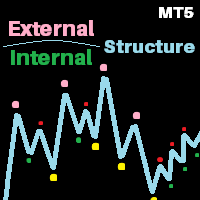
V2 of the Perfect structure.
What's Inherited from v1?
This is the finest structure marking you will ever find in any market. Indicator is coded considering the actual structure any trader would use. Indicator is coded based on actual candle breaks and not coded based on any pivot or predefined values or specific number of candles high and low. Please check out the screenshot. What's new in V2? AI based approach for High accuracy by calculating maximum bars with rapid switch algorithm. Dual tim
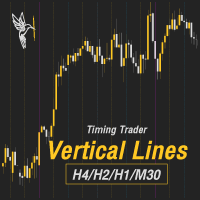
Trading hours, Market hours, Business hours, Forex trading hours, Trading schedule, Market open/close times, Trading time zones, Time zone indicators, Market clock, ICT, Asia KillZone, London Killzone, New York Killzone
**Prices tend to move and form every 2 - 4 hours.**
Traders should pay attention to the impact of trading time zones, as different market hours and trading volumes can directly affect the volatility and trading opportunities of a currency pair. To help traders understand the m
ZeroLag T 3 Signal Suite The Ultimate All-in-One Trading Companion for XAU USD 15-Minute Charts Join the Group Chat - Community Group Download the Free Simple Trade Utility making your pending order placement simple. Unlock the power of precision trading with the ZeroLag T 3 Signal Suite —an advanced indicator designed for traders who demand speed , accuracy, and actionable insights . Built on the renowned Zero Lag T 3 smoothing algorithm, this tool delivers lightning-fast trend d

JA Reverse Trade Tool - V1 Tired of buying when prices drop and selling when they soar?
Reverse Trade is your solution!
This smart tool flips the script: turn every "BUY" into a "SELL" and every "SELL" into a "BUY" to outsmart the market & solve your psychology problem!
Perfect for traders who feel cursed with bad timing.
Try Reverse Trade today and trade with confidence!
Key Features: Eight buttons (four BUY & four SELL) which lot size can be customized in EA's properties. One button to

Introducing XYLLOBOT - a powerful Expert Advisor, built to detect volatility-driven trade opportunities with precision and control.
Entry logic based on ATR and Spread thresholds Adaptive Stop Loss with dynamic ATR scaling Built-in Trailing Stop & Break-even protection Intuitive status panel for real-time entry feedback Day/time filtering, sound alerts, and full parameter control Compatible with both BUY and SELL direction Changing trade-direction after a user-defined, nu

This is a powerful indicator that groups multiple Expert Advisors (EAs) by strategy and displays aggregated performance results directly on the chart. Grouping is optional — you can use it even without organizing EAs into groups. It automatically calculates and visualizes performance within a specified aggregation period. You can exclude specific magic numbers or aggregate results across multiple magic numbers as a group. Additionally, by using partial string matching based on EA names, you can

Hello, I am HiPro_GoldMax. My focus is on gold. In this segment I only trade XAUUSD.
IMPORTANT! After the purchase please send me a private message to receive the setup instructions.
Using martingale strategy to get profits back on track, trailing stop for sl & tp. Minimum requirements and recommendations Broker: Any broker with a low spread.I recommend Exness. 2 decimal price quota for Gold. HiPro GoldMax is not compatible with brokers which offer a 3 decimal price quota for Gold Minimum ini
MetaTrader 마켓 - 트레이더를 위한 로봇 및 기술 지표는 거래 터미널에서 바로 사용할 수 있습니다.
The MQL5.community 결제 시스템은 MQL5.com 사이트의 모든 등록된 사용자가 MetaTrader 서비스에서 트랜잭션을 수행할 수 있습니다. 여러분께서는 WebMoney, 페이팔, 또는 은행 카드를 통해 자금을 예치하거나 인출하실 수 있습니다.
