 MetaTrader 5
 Experts
 지표
지표
 라이브러리
라이브러리
 유틸리티
유틸리티
 위젯
위젯
 규칙
규칙
MetaTrader 4용 새 Expert Advisor 및 지표 - 229
 트레이딩 로봇은 자동으로 시장거래를 수행하는 반면 지표는 가격을 더 잘 분석하고 가격 행동을 예측할 수 있게 해줍니다.
이러한 어플리케이션을 사용하면 MetaTrader 4에서 더 많은 기회를 포착하는 동시에 보다 정보에 입각한 방식으로 거래를 수행할 수 있습니다.
트레이딩 로봇은 자동으로 시장거래를 수행하는 반면 지표는 가격을 더 잘 분석하고 가격 행동을 예측할 수 있게 해줍니다.
이러한 어플리케이션을 사용하면 MetaTrader 4에서 더 많은 기회를 포착하는 동시에 보다 정보에 입각한 방식으로 거래를 수행할 수 있습니다. 
These are ideal entry points for quality The tool is quite easy to set up and use. The best options are set by default The tool was developed for the forex market ( it was also decided to test it on binary options and there is also a good result) The tool is suitable for both beginners and experienced traders and will be a great addition to your trading system or will become the basis for it Settings are just one parameter Perion Chanel = 1.0 This parameter filters out market noises and false le

The Expert Advisor is designed to work autonomously without human intervention.
The strategy is based on short-term forecasting of the nearest price extremes using dynamic calculations.
The author's system for monitoring open positions allows you to multiply the positive trading result. Support: https://www.mql5.com/en/channels/TrendHunter To choose the optimal broker, write me a request in private messages, please.
The default settings are suitable for trading instruments (5M): EURUSD; GBPU

Free scanner available here: https://abiroid.com/product/abiroid-ema-scalper
Basic Strategy: 1: MA Crossover Up/Down Arrow (Mandatory Check) Optional Checks: 2: If NRTR Check On (Optional): For BUY: Check if NRTR blue and For SELL: NRTR Red If NRTR Shadow Distance On (Optional): Check price for 'x' bars back: at Shadow distance (ATR Multiplier distance) from NRTR line. 3: If High Volume bar On: Check if High Volume or if Medium (if on) Volume bar 'x' bars back 4: If HTF Trend Align On (Optiona

This utility can compare simultaneously time frames of different instruments and keep under control the nine major time frames of an instrument. It is composed by two changers, a crosshair and some additional components : the multicharts time frames changer is designed to simultaneously compare time frames for up to thirty different sy th symbols with the keyboard or the button the multicharts symbols changer can link up to nine charts and control simultaneously the nine major time fra

Smart Channel is a non-redrawing channel indicator based on moving averages. The indicator is used to identify trends in financial markets and indicates the direction of price movement.
Smart Channel, in fact, is a miniature trading strategy, since, regardless of the construction methods, it uses the tactics of rebounding from the boundaries of the built channel, and the boundaries themselves are used as guidelines for the correct placement of stop loss and take profit orders.
The key differe

Trend indicator based on a combination of moving averages.
Symbols : BTCUSD, GBJPJPY, GOLD, GBPUSD Timframes M5-H4
The main advantage: an additional algorithm of auto-optimization. The indicator can adjust its parameters for any financial instrument and any timeframe.
During auto-optimization, the indicator calculates tens of thousands of combinations and finds the one that gives the best series of profitable trades. The best parameters are set by default
Indicator settings can be chang

An indicator for BUYs only, it is good to trade into the Crypto market and Indices or Stocks, for spot trader (non-leverage / 1-1) it is good to buy and hold for long-term and you can also use it to scalp on smaller time-frame if you receive a buy signal on higher time-frame, basically look for buys on smaller time-frame then, it purely depends on how you approach your trade, some people would take a top-down approach before taking a trade, and for leveraged trader it would be good to place stop
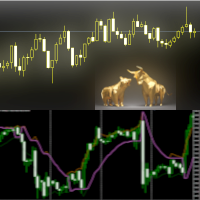
The Trends Change indicator can be used as an anticipator of the next trend, preferably confirmed by Price Action or another oscillator (RSi, Stochastic ..).
Great tool for indices, currencies and commodities.
It works on every timeframe.
Parameters
Range : setting to determine the speed of the indicator
Line_Up : higher RSI value
Line_Down : lower RSI value
Show_Bands : if TRUE shows RSI lines
MaxBars : analyzed bars
Change_Alert : pop-up alert Send App Notification: send notification on

Две стратегии в одном Советнике. Стратегия_1 хорошо работает во флэте по Н1-Н4 , Стратегия_2 дает хорошие результаты при тренде. Работа советника подробно показана в видео внизу. Убыточные ордера закрываются прибыльными ордерами, что уменьшает просадку. В Стратегии_2 одновременно с сеткой против тренда строится сетка по тренду, прибыльная сетка компенсирует просадку. Прибыльную сетку можно закрывать самим на максимумах, или выбрать для неё Take Profit на уровне сопротивления, поддержки, грани

- INTRO -
There are 3 versions of the SunCoin Expert advisor: Lite, Standard and Elite, each of those coming with a different price and performance.
For the moment i'm publishing only the Lite version, contact/email me for the other versions.
This is not a grid/martingale EA. Every order placed has a clear and tight stop loss and a trailing stop system.
This is an intense scalping EA for Gold pair (XAUUSD) on 4H timeframe and the result of many hours and hard work spent to optimize it.
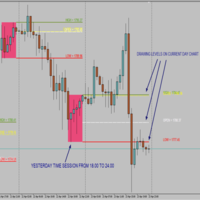
Time Session OPEN-HIGH-LOW-CLOSE This Indicator Will Draw Lines Of OHLC Levels Of Time Session Defined By User. It Will Plot Floating Lines On Current Day Chart. Time Session Can Of Current Day Or Previous Day. You Can Plot Multiple Session Lines By Giving Unique ID To Each Session. It Can Even Show Historical Levels Of Time Session Selected By User On Chart To Do Backdating Test. You Can Write Text To Describe The Lines.
FREE
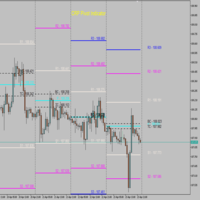
CPR Pivot Lines It Will Draw Pivot Point R1,R2,R3 S1,S2,S3 Tc Bc Best Part Is That You Can Even Add Values Of High,Low,Close Manually Also To Get Your All Levels On Chart. So If Your Broker Data Of High ,Low ,Close Is Incorrect Then You Don’t Have To Depend On Them Anymore. You Can Even Modify All Lines Style. It Will Show Line In Floating Style And Not Continues Mess.
FREE

This is a Bot which send notifications every hour at your MT4 platform. The notification consists of four part. <<Clock>> + Your Message + Symbols + profit + Total # of Orders + Total profit Here is an example : 21:00 Hodor: #US30 $+40.31 GOLD $-5.31 Total 5 Orders $+35.00 If there is no order : 21:00 Hodor: HODOR signals: https://www.mql5.com/en/signals/977796
There is a private message parameter where you can enter your own message also. Hodor_Comment_OnOff_Flag removes the "Hodor i
FREE

Mighty Scalper LightEA
A Trend Friendly EA There are different and complex logic mixed in it It begins to work, simply with a BreakOut strategy and Works in PARTIAL CLOSE and CLOSE TIME LIMIT you had never seen before in the market expert... It opens an order and use partial close in a specific levels and close order within a specific time ( if order still live ) No Martingale and hedging It works any kind of broker, but lower spread gets more gain Fast optimization for strategy tester ( for n

The Expert Advisor will help you forward all alert from MetaTrader 4 to discord channel. Parameters Discord url webhook - create webhook on your discord channel. Use multi webhook url - use file to input multi webhook url, with each line, input one link, input symbol before link to send only alert from the symbol to the channel. Example: EURUSD=link1 Forward alert - default true, to forward alert. Send message as caption of screenshot - default true, one message include alert and screenshot For
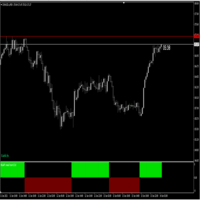
Follow Trend indicator , indicator works on Currencies , Indices ,Stocks Gold etc , good for follwoing trend on the markets suitable for scalping Buy Rules; When the histo changes to Blue you place buy order ,stop loss just below the previous swing low Sell Rules; When the histo changes to Red you place sell order ,stop loss just below the previous swing high Trade on a timeframe which best suits your trading style

This is the Pro version, which replaces the first Rsi version of Rsi I posted, which has great multipliers, average prices and entry points for all currency pairs. Most importantly, it has the ability to preserve capital for you. I wish you a favorable transaction, reaping many profits
Tutorial : Instruction for RSI Pro v1.0 1. Lot 1 st trade: volume for 1 st trade. 2. Max lot: Maximum volume for each trade. 3. DCA Step: Step between 2 trades 4. TP: Example: You have X orders with DCA step -1
Dailyfibobot -The Expert Advisor finds the best places to trade in the market and has built-in spread filters and slippage control algorithms.
The advisor does not need a news filter
Unique transaction tracking algorithm Risk: 0%, Profit: 40%, Drawdown: 0.5%, Leverage: 1: 500 Risk: 6%, Profit: 100%, Drawdown: 4%, Leverage: 1: 500 Risk: 10%, Gain: 200%, Drawdown: 7%, Leverage: 1: 500
IMPORTANT!
Trades ONLY EURUSD, GBPUSD (М1-М5-М15).
The minimum deposit is $ 100. The default setting
Strategy Overview The Previous Day Breakout EA attempts to take advantage of price movements when the price exceeds the high or low price from the previous trading day. The EA opens a position in the direction of the breakout with the hope that the price will keep moving in the same direction, and that this will occur often enough to be profitable over the long term.
Quick Testing: Use Symbol US500, Timeframe: Daily, and adjust set the start time and end time according to broker timezone (def
Новая серия индикаторов Veles Dynamic. Индикаторы не перерисовывают своих значений.
Эти индикаторы работают быстрее и точнее аналогичных по названию.
Индикатор Veles_dMA_Plus представляет собой динамическую МА, рассчитанную по текущим ценам инструмента.
Имеется возможность динамического сглаживания линии. Есть возможность отображения текущего трендового канала с изменением его волатильности.
Параметры: period - период динамической МА price - применяемая цена shift - сдвиг МА влево от текущи
Новая серия индикаторов Veles Dynamic. Индикаторы не перерисовывают своих значений.
Эти индикаторы работают быстрее и точнее аналогичных по названию.
Индикатор Veles_dMACD представляет собой разницу показаний между двух динамических МА, рассчитанных по текущим ценам инструмента.
Хорошо показывает разворотные моменты, позволяет точно определять дивергенции. Имеет цветовое сопровождение изменения показаний.
Параметры: period_Fast - период быстрой динамической МА period_Slow - период медлен

Новая серия индикаторов Veles Dynamic. Индикаторы не перерисовывают своих значений.
Эти индикаторы работают быстрее и точнее аналогичных по названию.
Индикатор Veles_dChannel представляет собой динамическую МА с расчетным каналом по текущим ценам инструмента.
Индикатор показывает полностью законченное движение в цикле.
Данный индикатор может использоваться в качестве установки и траллирования стопов при скальпинге.
Параметры: period - период динамической МА price - применяемая цена shif
Новая серия индикаторов Veles Dynamic. Индикаторы не перерисовывают своих значений.
Эти индикаторы работают быстрее и точнее аналогичных по названию.
Индикатор Veles_dTrend представляет собой гистограмму, рассчитанную на основе нескольких динамических алгоритмов,
использующих текущие цены инструмента.
Пока индикатор не покажет смену тренда, будьте уверены, что тренд продолжит свое направление.
Кроме этого, есть зоны принятия решения, которые ограниченны уровнями.В этих зонах будет самый
This Expert Advisor is a Trend Following as the name suggest using an indicator to open and close an order. Tested in EURUSD using default settings. Recommended to use this EA in higher TimeFrame with Higher TakeProfit and PipStep. InpMagicNumber - magic number to use for open orders, if -1, the all open orders for that specific instrument will be processed by this EA InpLotExp - lots multiplier for averaging down an open orders InpLots - initial lots, this will be based on InpDollarPerLots In

Аттракцион невиданной щедрости - треть цены!
Индикатор отображает на графике другой популярный индикатор XO, представленный на рисунке в подвале. Важно! Сигнальным является 0 бар - не перекрашивается! Параметры индикатора: Zone Range (Pips) - размер зоны в пипсах без учета количества знаков; Line or Histogram Width - ширина линий или гистограммы; Zone Draw Type - способ отрисовки зон: в виде гистограммы или линий на графике; Up Zone Color - цвет зоны BUY; Down Zone Color - цвет зо

Indotrend is a Smart indicator to detects the Trend and also view support & resistance, multiple timeframe to get validate the trend. it can be use for Forex,Index,Metal,Stock and Crypto. Parameters: Alerts - show popup alert message on Metatrader Hi Lo H1 Timeframe - Show LIne Hi/Low Price base on H1 timeframe Show Fibonaci level - Show Fibonaci retracement level
Show Support Resistance, - Show Support & Resistance H1 timeframe.
FREE

Fintech Deep Score Expert Advisor Main : BreakOut and Rejection Strategy (Sniper Method) ◾◾◾◾◾◾◾◾◾◾◾◾◾◾◾◾◾◾◾◾◾◾◾◾◾◾◾◾◾◾◾◾◾◾◾◾◾◾◾◾◾◾◾◾◾◾◾◾◾◾◾◾◾◾◾◾◾◾◾◾◾◾◾◾◾◾◾◾◾◾◾
does not use Martingale and Grid, All Trades are covered by Stop Loss and Take Profit. been tested for more than 11 years in Strategy Tester
◾◾◾◾◾◾◾◾◾◾◾◾◾◾◾◾◾◾◾◾◾◾◾◾◾◾◾◾◾◾◾◾◾◾◾◾◾◾◾◾◾◾◾◾◾◾◾◾◾◾◾◾◾◾◾◾◾◾◾◾◾◾◾◾◾◾◾◾◾◾◾ Live Trade : https://www.mql5.com/en/signals/999518 Symbol
EURUSD (Can be any pair)
Timefr
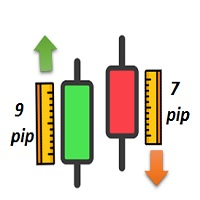
• Candle Length/Direction indicator •Show s the Length /direction of candle s : You can choose one of these two formulas to get the length/direction of candles in all time frames: 1- Open – Close 2- High – Low •Shows the Length of candles: It gives you a table showing the length of the candle of your choice in all time frames (in points). •Shows the Direction of candles: It uses color to indicate candles that are bullish (with positive points) or bearish (with negative points). • Add candle sh
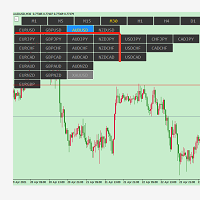
symbolchanger, It is a necessary analysis tool for manual transaction, which can find out the motive currency through different and interrelated currency pairs for better transaction. MT4 chart switching parameters
This is the index of MT4,
Chart quick switch,
Time cycle switching,
Currency pair selection,
Currency suffix,
K line remaining time display
Chart background color protection color on Selection

This EA uses Ichimoku Indicator using a number of well known high probability entry positions using Kumo Breakouts. Golden Ichimoku EA is a smart and fully automated Forex Expert Advisor for the Metatrader 4 trading platform.
The system tests the hypothesis of price fluctuations and provides the output related to the previous trends and processes the market using Kumo breakouts and the Ichomoku cloud's future.
This Forex Robot has excellent performance that is designed particularly for the XAU/U

NIGHT CROW EA!
I would like to introduce you my new robot. The robot searches for gaps in the market and opens transactions in them. Almost all deals open on Monday. At this point, the robot has 17 optimized currency pairs and each of them has obtained at least PF 3.0 during the test. (See Pictures For More Information). The tests were carried out with the greatest possible accuracy, DUKASCOPY Real Spread + minimum spread of 1.0 pips (FROM 2015 TO 2021). The average number of trades per week i

This EA is an automatic ea that obtains the results by combining the moving average with CCI, KDJ and other indicators. The EA model uses neural network model, Its currency pair is only EURUSD .The time period it hangs is an hour period.Lot 0.05 for 5000 USD account. signals: https://www.mql5.com/zh/signals/1725592?source=Site+Signals+From+Author In addition to modifying the parameters, other default settings. 止盈(take profit):20 对冲点数(step):15 手数(lot):0.05 马丁格尔倍率(Martingale ratio):1.2
MT4 Multi-timeframe Order Blocks detection indicator. Features - Fully customizable on chart control panel, provides complete interaction. - Hide and show control panel wherever you want. - Detect OBs on multiple timeframes. - Select OBs quantity to display. - Different OBs user interface. - Different filters on OBs. - OB proximity alert. - ADR High and Low lines. - Notification service (Screen alerts | Push notifications). Summary Order block is a market behavior that indicates order collection
Just imagine having 10 or more indicator windows on your Metatrader 4 chart and being able to show or hide them with a single click ... This useful tool allows you to organize all indicator sub windows automatically, keeping the chart as clean as possible. Now you can view only the indicators that you really need, when you need... with just a few clicks! If you are done with the indicators, hide them all quickly with just one click, don't waste any more time, use it now!
Summary With Organizer

MT4 Multi-timeframe Divergence and Overbougt/Oversold detection indicator.
Features - Fully customizable on chart control panel, provides complete interaction. - Hide and show control panel wherever you want. - Real time information about non-capitalized divergences. - Real time information about overbougt / oversold situations. - Real time information about regular divergences. - Real time information about hidden divergences. - Oscillators available for divergences detection: AO, RSI, CCI, MA

This wonderful tool will allow you to manage the risk of each operation in an easy and fast way. Its innovative interface allows you to calculate the number of lots and the risk-benefit ratio in seconds, keep your operations within the risk range you want and avoid bad times in your trade. Once you have open operations, the panel displays a section with the details of each operation and a summary of all specifying highly relevant data. Do not complicate yourself by opening a lot of windows, our

Steady Ranger EA – 스마트하고 안전한 채널 트레이딩 백테스트: 제공된 set 파일(댓글 섹션)을 사용하여 "시가만" 모드에서 테스트하세요.
영상: 자막이 포함된 영상을 시청하여 EA의 작동 방식을 이해하세요. 왜 Steady Ranger EA인가? 단기적인 과도한 이익이 아닌 장기적인 안정성과 철저한 리스크 관리 에 중점을 둔 트레이딩 시스템입니다. 다중 스톱 보호: 개별 거래별 스톱로스와 "손실 합계 제한"을 함께 사용하여 손실을 관리. 채널 기반 거래 전략: 가격 채널의 극단적인 수준에서 거래하고 유효한 신호에서 종료. 적응형 로트 크기 조정: 과도한 리스크를 방지하기 위해 동적으로 로트 크기를 조절. 멀티 타임프레임 필터: 강한 단방향 시장 움직임 중 거래를 방지. 검증된 전략: 포워드 테스트를 통과한 장기적 안정성을 위한 설계. 작동 방식 EA는 가격 채널을 따라 움직이며, 주요 레벨에서 포지션을 개설하고, 신호, 스톱로스, 또는 리스크 관리 조건에 따라 종료합

Watch Osw: 단순하고 효과적인 캔들 타이머 현재 캔들의 마감까지 남은 시간을 차트에 직접 표시하는 MetaTrader용 경량 지표입니다. 트레이더가 기술 분석에 추가적인 복잡함 없이 항상 새로운 바가 형성될 때까지 남은 시간을 시각화할 수 있도록 설계된 기본적이고 기능적인 도구입니다.
매개변수 가이드 (입력 메뉴) Watch Color: 차트의 타이머 텍스트에 지정된 색상. Text size: 화면에 표시되는 시간 숫자의 글꼴 크기. Text Font: 시간 표시기용 글꼴 유형. Candle End Alarm: 새로운 캔들 알림 활성화 또는 비활성화(True/False). Sound: 주기 변경 시 가청 알림을 위한 사운드 파일(.wav) 이름.
시각적 해석 및 기능 이 지표는 현재 매도 호가(Bid)를 동적으로 따르는 남은 시간 텍스트를 투사합니다. 타이머 형식은 열려 있는 차트의 기간에 따라 자동으로 조정됩니다.
초: 1분(M1) 주기에서 표시됩니다. 분 및 초:
FREE

Advisor NightTradeEA는 완전 자동이며 수동 개입이 필요하지 않은 야간 암표입니다. 주목! 실패한 2023년 이후 설정 파일이 변경되었습니다. 아래 링크에서 새 파일을 다운로드할 수 있습니다. 다음이 포함된 새 파일 설정 어드바이저는 미국 세션과 아시아 세션 사이에 2시간 동안만 주문을 엽니다. Advisor는 3년 이상 실제 거래 계좌에서 성공적으로 테스트되었습니다. NightTrade3 실제 계좌 신호 - 1년 반 만에 1000% 이상(위험 - 거래당 3~7%) 고문은 계정을 파괴하는 위험한 전략인 마틴게일과 그리드를 사용하지 않습니다. 모든 거래 주문은 Stop Loss로 보호됩니다. Advisor 에는 제안된 각 설정 파일을 사용자 정의할 수 있을 뿐만 아니라 설정이 배치되지 않은 쌍을 포함할 수 있는 많은 설정이 있습니다. 작업 정리에 대한 권장 사항: 최소한의 스프레드로 ecn 또는 원시 계정을 제공하는 브로커를 사용하십시오.
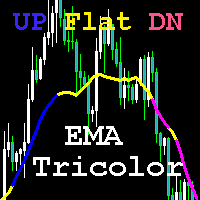
표시기는 오프셋 포인트 Point1과 Bar1(마지막으로 닫힌 막대) 간의 ClosePrice 차이를 Difer 상수와 비교합니다. 값이 양수이고 Difer를 초과하면 UP 추세에 해당하는 파란색 선이 그려집니다. 값이 음수이고 Difer를 초과하면 DN 추세에 해당하는 Magenta 선이 그려집니다. 추세가 없는 상태(플랫)는 노란색으로 표시됩니다. 빠르고 느린 MA를 교차하여 거래할 수도 있습니다. 이 옵션은 스캘핑에 적합합니다. 또한 새로운 막대의 시작 가격의 MA에 대한 상대적 위치를 고려하여 주 MA(및 빠른 MA의 교차점)의 색상을 고려하여 신호를 생성할 수 있습니다. 이 옵션은 중장기 거래에 적합합니다. 지표는 EMA 계산 공식을 사용하며 가격 변화에 빠르게 반응하지만 더 많은 노이즈를 포착합니다. 조심해. 작은 진폭으로 옆으로 이동할 때 MA 신호를 항상 신뢰할 수 있는 것은 아닙니다. 나는 이 인디카 2를 사용해 왔다 15년이 넘었지만 여전히 관
THEQ HAG Indicator. - THEQ HAG Indicator has p rofit maximization and loss minimization math algorithm displaying signals . Full description in video and screenshots. - Trading with the Trend with Signals and Take Profit Alert signals. - This Indicator never recalculates, Repaints, back Repaints, or Delays after bar is closed. - All Timeframes and Currency Pairs.
간단하면서도 효과적인 포지션 트레이딩 전략인 Order Blocks의 개인적인 구현. 가격 범위가 브레이크 아웃의 반대 방향으로 위반되지 않은 경우 거래자는 시장에 진입하거나 마지막 주문 블록 방향으로 거래를 찾아야 합니다. 명확성을 위해 열린 블록은 그려지지 않습니다.
[ 설치 가이드 | 업데이트 가이드 | 문제 해결 | 자주하는 질문 | 모든 제품 ] 강세 오픈 블록은 신시장 저점 이후의 첫 번째 강세 막대입니다. 약세 오픈 블록은 신시장 고점 이후 첫 번째 약세 막대입니다. 오픈 블록이 깨졌을 때 시그널이 나타나 오더 블록이 됨 오더블록이 반대편으로 깨지면 반전블록이 된다 표시기는 모든 종류의 경고를 구현합니다. 다시 칠하거나 다시 칠하지 않습니다.
입력 매개변수 기간: 새로운 고가 또는 저가를 생성하는 데 필요한 막대의 양입니다. 값이 작을수록 더 많은 신호가 발생합니다.
최소 ATR 필터: ATR의 승수로 표시되는 주문 블록 막대의 최소 본체 크기입니다. 최대 ATR 필

LINE TRADER is a versatile, semi-automatic Expert Advisor for trading vertical and horizontal levels.
The Expert Advisor actually consists of 4 buttons with which lines are drawn.
The Expert Advisor automatically works on any lines chosen by the trader. Lines can be drawn at any convenient angle. You just need to draw a line:
- OPEN - to open an order;
- STOP - stop loss;
- TAKE - to completely close the deal and fix all profits;
- CLOSE - closing an order (when crossing the line);

Position Manager
Automatic Takes Profits and automatic trailing stop
Managing your positions has never been easier! Now you can rest from the screens, Position Manager will take care of taking profit, moving the stop loss and taking care of your profits. Allows you to set 3 profit takings, setting distance in pips and percentage of lots to close. Manage up to 10 positions per chart. It allows you to graphically see the Take profit levels of each position. It allows managing operations entere

Dark Titan is a fully automatic Expert Advisor for Scalping Trading. This Expert Advisor needs attention, in fact presents a High Operating Frequency . Dark Titan is based on dark inversion indicator, these Trades can be manage with some strategies. The expert advisor is able to get a high-rate of winning trades. My tests were performed with the real tick date with 99,90% accuracy, actual spread, additional slippage and High commission. All the settings are external , so that everyone ca

Stairs Storm EA works on the principle of increasing the trading volume in a trend movement. The Expert Advisor must set SL and TP. Every day we try to improve the work of our advisor, therefore, over time, it will only get better.
Stairs Storm shows excellent results in the tester for 5 years, not a single month in the red. Average profit from 10 to 50% per month.
Recommendations
We recommend placing the EA on ECN accounts, 5 digits.
Currency pair EURUSD
Time frame M5, H1 Min. Deposit
FREE

It is an expert advisor that scans the last patterns on defined symbols and timeframes . Multi Symbols /pairs , Multi timeframes . There are 2 ways to specify symbols : Automatically scan all symbols available on the market watch (true/false) Type any symbols ,separated by comma. There are also 2 ways to specify timeframes : Automatically scan all timeframes available on mt4 (true/false) Type any timeframes,separated by comma.
Unlimited symbols available in an account and unlimited timefra
Developed to assist in binary options retracement operations, this indicator will show the assets with the best retracement percentages!
How it works: The indicator will calculate the total length of each candle from low to high, the total of the body and total of shadows (up and down) and calculate a total shadows percentage of various configurable assets. The counter is updated with each new candle.
ATENTION: Demo on the estrategy tester is not functional to show multiple assets.

World Trend is a hybrid trend indicator, as it is based on the signals of elementary indicators and a special algorithm for analysis. The indicator shows favorable moments for entering the market. The intelligent algorithm of the indicator determines the trend, filters out market noise and generates entry signals.
You can use the indicator as the main one to determine the trend. The indicator can work both for entry points and as a filter. Uses two options for settings. The indicator uses colo

The Generic Trend indicator is a trend type indicator. It smooths out price fluctuations when generating a signal by averaging the data and the signal only at certain moments! In those moments when you need to make a decision to enter a position and give the trader a direction. The indicator gives the trader the opportunity to visually determine which trend will be present at a particular time interval.
This indicator was created to quickly determine the situation in the market, reflect the st

The MelBar HedgeScalper FinTech RoboTrader
MAXIMUM LOTSIZE : 100 Lots (US$10,000,000) per TRADE/POSITION
FULLY TRIED, TESTED, PROVEN & VERIFIED ON A REAL LIVE TRADING ACCOUNT!
TRY OUT THE DEMO!
The Experienced Trader & Global Money Manager Version.
89% Trade Winning Percentage. 32.679% Profit Gain or ROI in 2 Trading Days. Profit Factor 3.59 Average Trade Length 1h 22m.
The MelBar HedgeScalper FinTech RoboTrader is easy to use. Has the Advantage of Retiring Unnecessary "Debt" Positi

The Fúria indicator was developed to work when the market is in trend, that is, you will rarely see any signs in consolidation zones. It can be used for both Forex and Binary Options.
The signs plotted on the graph do not repaint or recalculate, even if you close and reopen your MT4 / MT5 they will be there.
Wait for the signal to set on the candle before you can enter the next candle.
==================================================
* BUFFERS: 0 (CALL) and 1 (PUT); * TYPE OF ENTRY: next

Hi and welcome to Momentum Multiple,
The EA does not use martingale or grid. It only enters a trade with active orders and uses a stop loss for each trade!
This expert advisor works by comparing signals from Momentum indicators, more specifically the following : the relation between average Momentum - The current value - A specified user threshold (MomentumTrigger = 100 by Default). The number of bars taken in calculation for average and current Momentum can be changed by user

This is a professional Trend Sim indicator. The intelligent algorithm of the Trend Sim indicator accurately detects the trend, filters out market noise and generates input signals and exit levels. Functions with advanced statistical calculation rules improve the overall performance of this indicator.
The indicator displays signals in a simple and accessible form in the form of arrows (when to buy and when to sell). Knowing the entry point of each of the currencies is very important for every f
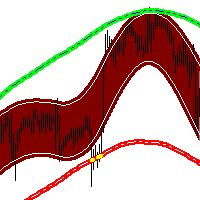
The market price usually falls between the borders of the channel.
If the price is out of range, it is a trading signal or trading opportunity.
Basically, Fit Channel can be used to help determine overbought and oversold conditions in the market. When the market price is close to the upper limit, the market is considered overbought (sell zone). Conversely, when the market price is close to the bottom range, the market is considered oversold (buy zone).
However, the research can be used to he

Fast Position Copier - Reciver Tool This is Fast and Simple position copier from MT4-----> MT4.
Copying positions requires two bots : Master/Slave. Master ( Sender Position ) Slave ( Reciver Position) This is a Master version (Sender) and you need to download a Slave version from HERE . This tool is suitable for using to copy positions and manage them from a MetaTrader on one or more MetaTraders located on a server or computer. MetaTraders must be installed side by side.
FREE
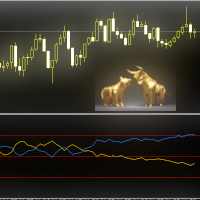
FX Flow indicator can be used as an anticipator of the next trend, preferably confirmed by Price Action or another oscillator (RSi, Stochastic ..).
It takes the money flows of the major currencies USD EUR GBP AUD NZD CAD CHF JPY into account, and processes them. Excellent tool for indices, but also for correlations between currencies. Works on each timeframes.
Blue line: Bull market Yellow line: Bear market
Note : if the indicator opens the window, but does not draw lines, load the historie

This EA has been developed, tested and traded live on NASDAQ H4 TF. Everything is ready for immediate use on real account. Very SIMPLE LONG ONLY STRATEGY with only FEW PARAMETERS. Strategy is based on the breakout of the BOLLINGER BANDS on the daily chart. It enters if volatility raise after some time of consolidation . It uses STOP pending orders with FIXED STOP LOSS and TAKE PROFIT. To catch more profits there is a TRAILING PROFIT function in the strategy. EA has been backtested

Fast Position Copier - Reciver Tool This is Fast and Simple position copier from MT4-----> MT4. Copying positions requires two bots : Master/Slave. Master ( Sender Position ) Slave ( Reciver Position) This is a Slave version (reciver) and you need to download a Master version from HERE . This tool is suitable for using to copy positions and manage them from a MetaTrader on one or more MetaTraders located on a server or computer. MetaTraders must be installed side by side.
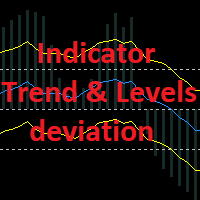
Growth and trend reversal indicator. It does not redraw in the bar calculation mode and can redraw on the 0th bar in the tick calculation mode. The trend line and level lines with their own settings are calculated separately. There are 2 types of arrows - for the intersection of trend lines and the reverse intersection of trend lines (reversal). The arrows are buffer and you can output signals to the Expert Advisor. The arrows can be duplicated with a sound signal, a message from the terminal,

The Trend Line indicator shows the potential trend direction based on the cyclical-wave dependence. The Trend Line can be used as the direction of potential market movement.
Thus, all rays of the intersection will be optimal rays in the direction of which the price is expected to move, taking into account the indicator period. But do not forget that the approach must be complex, the indicator signals require additional information to enter the market.

The Supernatural channel is determined using a special algorithm, marker points are used to determine the movement of the channel. The Supernatural channel consists of two lines, red and blue, that make up the channel. Simple, visual and efficient use. Can be used for intra-channel trading. The indicator does not redraw and does not lag. Works on all currency pairs and on all timeframes.

The Oscillator Trend indicators are most useful in identifying trend decay. Nobody canceled the divergence. Correct use of this signal will give you a certain head start in the market. When working in flat. The principle of operation of the oscillator is based on the measurement of fluctuations. The indicator tries to determine the maximum or minimum of the next swing - an exit from the overbought and oversold zones. Do not forget that these signals are most interesting at the borders of the fl

The signal indicator WITHOUT REDRAWING gives recommendations for the direction of trading.
When the price moves through the internal channel, it gives signals (red and blue arrows), recommending a possible change in the direction of the price movement up or down.
When the price crosses the external channel, it gives signals (yellow arrows), warning that a strong price movement is possible, which will not immediately turn the trading direction. When the price crosses the average, it is possibl

Australia Bank Functions: Navigates movements in the AUDUSD, a highly traded currency pair. Facilitates risk management and order adjustments based on your settings. Trades within specified hours with the AUDUSD pair, reducing noise. Please note: Trading involves risks. The Australia Bank expert advisor provides tools for analysis; however, results may vary. Use at your own discretion. The Australia Bank expert advisor is a user-friendly tool designed to assist you in your trading experience. Do
FREE
Indicator of fractals with adjustable indents. Designed according to an original simplified algorithm for use in EA.
The main ones in the indicator are lines showing the levels of the current fractals, which allows you to read the values of the last fractal in one operation.
It works on a closed bar, so it does not redraw and does not load the terminal with calculations.
It should be understood that the indicator is late with the detection of the fractal by the number of bars on the righ

Trades Protection v1
Trades Protection v1 is an Expert Advisor based on grid strategy, however it has been modified to protect trades by using hedging and closing positive versus negative trades partially. Partially closing trades allows you to profit during the cycle, realising margin and reducing the lot size of subsequent trades. It is a unique robot of its kind. We have subjected it to the big trends in 2020 on the XAUUSD pair and it can support up to 1200 pips with an aggressive setup (m
Product Description 4xZeovo is a powerful trading indicator system monitoring 24/7 financial markets. Metatrader4 tool designed to find the best buying/selling opportunities and notifies the user. Making life easy for traders in helping with the two most difficult decisions with the use of advanced innovate trading indicators aiming to encourage users to hold the winning positions and take profit at the best times. Equipped with a unique trading algorithm providing highly accurate buying/
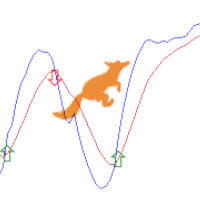
Lisek Stochastic oscillator indicator with Alarm, Push Notifications and e-mail Notifications. The Stochastic indicator is a momentum indicator that shows you how strong or weak the current trend is. It helps you identify overbought and oversold market conditions within a trend. The Stochastic indicator is lagging indicator, which means it don't predict where price is going, it is only providing data on where price has been !!!
How to trade with Stochastic indicator: Trend following: As long
FREE
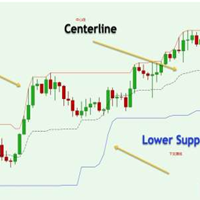
Donchian通道(唐奇安通道指标)是用于交易突破的最古老、最简单的技术指标之一。 一般来说,唐奇安通道的宽度越宽,市场波动就越大,而唐奇安通道越窄,市场波动性也就越小 。此外,价格走势可以穿过布林带,但你看不到唐奇安通道的这种特征,因为其波段正在测量特定时期的最高价和最低价。 交易实用必备工具指标 波浪自动计算指标,通道趋势交易 完美的趋势-波浪自动计算通道计算 , MT4版本 完美的趋势-波浪自动计算通道计算 , MT5版本 本地跟单复制交易 Easy And Fast Copy , MT4版本 Easy And Fast Copy , MT5版本 本地跟单复制交易 模拟试用 Easy And Fast Copy , MT4 模拟账号运行 Easy And Fast Copy , MT5 模拟账号运行 唐奇安通道指标计算: 唐奇安上阻力线 - 由过去N天的当日最高价的最大值形成。 唐奇安下支撑线 - 由过去N天的当日最低价的最小值形成。 中心线 - (上线 + 下线)/ 2 唐奇安通道信号 唐奇安通道常用作突破指标。它提供了两种主要类型的突破信号,一个是上阻力线或下支撑线
FREE
MetaTrader 플랫폼 어플리케이션 스토어에서 MetaTrader 마켓에서 트레이딩 로봇을 구매하는 방법에 대해 알아 보십시오.
MQL5.community 결제 시스템은 페이팔, 은행 카드 및 인기 결제 시스템을 통한 거래를 지원합니다. 더 나은 고객 경험을 위해 구입하시기 전에 거래 로봇을 테스트하시는 것을 권장합니다.
