 MetaTrader 5
 Experts
 지표
지표 라이브러리
라이브러리 유틸리티
유틸리티 위젯
위젯 규칙
규칙MetaTrader 4용 무료 Expert Advisor 및 지표 - 58
 트레이딩 로봇은 자동으로 시장거래를 수행하는 반면 지표는 가격을 더 잘 분석하고 가격 행동을 예측할 수 있게 해줍니다.
이러한 어플리케이션을 사용하면 MetaTrader 4에서 더 많은 기회를 포착하는 동시에 보다 정보에 입각한 방식으로 거래를 수행할 수 있습니다.
트레이딩 로봇은 자동으로 시장거래를 수행하는 반면 지표는 가격을 더 잘 분석하고 가격 행동을 예측할 수 있게 해줍니다.
이러한 어플리케이션을 사용하면 MetaTrader 4에서 더 많은 기회를 포착하는 동시에 보다 정보에 입각한 방식으로 거래를 수행할 수 있습니다. 
Good old snake with various options.
You can play directly on the chart. And you can play in a separate window.
You can not play at all, but set her speed of movement and run it on the machine, the snake itself will chase and devour apples.
You can turn on different sounds of eating apples, or you can completely turn off all sounds.
You can set the maximum length of the snake, and you can also set the number of dice on the game board.
In short - a lot of things are possible. Enjoy.. )
FREE

MayaTradeManager is a pure & 100% manual trade orders management. MayaTradeManager doesn't have any indicators or signals to be used together since all trades are done by the user only. MayaTradeManager is an good tool usually for whoever that has a signal at the user disposal but don't have the one-stop-center to manage their trades conveniently. MayaTradeManager brings all of the trades management into one simple panel in a very convenient way.
Just a quick note Lot size box is an editable bo
FREE

MQLTA Candle Timer is an indicator that can show you the details about a symbol/pair and alert you before the close of a candle. Used in swing trading and not only, it can help your strategies knowing and be ready before the close of a candle.
How does it work Simply add the indicator to the chart and set the notifications options. You can load a minimalistic interface or a full interface. The alert will be sent once per candle.
Parameters All the parameters, that you can see in the picture, a
FREE

this tool draws 4 groups of horizontal lines starting from a 4 prices you specify in the Inputs. you can draw Horizontal lines above or below or (both sides) the starting prices. Based on (The Quarters Theory by Ilian Yotov), this tool displays colored lines at fixed intervals which you can change from the inputs. you can use many sets of Horizontal lines each set of Horizontal lines has its own color and style.
FREE

Introducing "PropFirm Consistency Analyst" — your dynamic companion for achieving consistency in proprietary trading. This innovative Expert Advisor operates seamlessly, continuously calculating consistency metrics between two specified dates, providing real-time insights throughout the trading month.
Tailored specifically for prop traders, this tool serves as a dedicated ally in meeting the stringent consistency requirements set by some proprietary firms. By evaluating trading performance on
FREE

This utility keeps a watchful eye on your trading terminals and ensures that you are notified if any of them are disconnected. Simply attach the utility to a chart and connect to a monitoring service who can notify you.
We use UptimeRobot for both VPS and terminal monitoring; however, any service supporting heartbeat monitoring can be employed.
Many such services offer free plans and various notification methods, such as Cronitor.io
FREE

you can close all your positions in profit or lost when you use this robot. 1.you set your max profit and max lost for all your positions. 2.the robot show you in a window beside your chart. 3.when your equity reach your target close all your positions. 4.you can use one of them or both (profit or lost)togather. 5.this robot close all your positions. ((if you have any idea or want somthing i can help you)) i hope you win in all your times of life. best regard
FREE
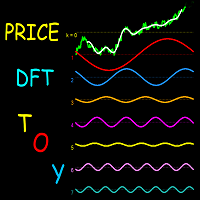
This indicator is a useful tool for visualising cyclic components in price. It calculates the Discrete Fourier Transform (DFT) of a price chart data segment selected by the user. It displays the cycles, the spectrum and the synthesised signal in a separate window. The indicator is intended as a learning tool only, being unsuitable for providing actual trade signals. Download the file - it is a free toy. Play with it to understand how signals can be transformed by controlling their cyclic comp
FREE

The utility opens an order in the opposite direction from already open positions on the currency pair on which it is launched, creating a lock of orders. The utility has a simple interface and is easy to use. MT5 version of the utility - https://www.mql5.com/en/market/product/78126 If you like this utility, take a look at my other products - https://www.mql5.com/en/users/nina_yermolenko/seller
FREE

Dear Friends ,
this EA helps u to automatically tracing (following) your opening trades .. the trades will opened manually .. you can set all parameters such as lot size sl
tp distance from open price to set the break even point (that's to keep your deal in safe from losing any funds in case of the market go on negative way that you expect ) trailng your trade by set the distance of pips u need
if u need any assistance , add me and contact me on my links in profile .
wish all the best f
FREE
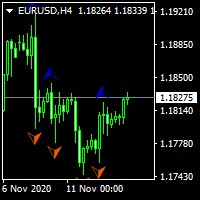
...................................................custom fractal............................................... .................................fractal is very help full to find waves and ............................... ...the defult fractal at meta trader dosent have input parameters and cant find any waves.. .............................................this is fractal with input......................................... ................................................for find any waves.......
FREE

Script for Delete all Pending Orders.
Usage:
- Enable Automate Trading
- Attach / Double click the script
ENJOY IT.
//+------------------------------------------------------------------+ //| Close ALL Pending.mq4 | //| Copyright 2015, SangBatosai-Code5 | //| https://www.mql5.com/en/users/mahakaya | //| Credit: | //| SangBatosai-Code5
FREE

UMNi-NTFY UMNi-NTFY is a lightweight Telegram notification tool for MetaTrader 4. It monitors trading activity and delivers fast, structured alerts directly to your phone — keeping you connected to your system without watching charts.
KEY FEATURES • Trade Open alerts (Entry, SL, TP) • Trade Close alerts (P&L outcome) • Session summaries • System Online / Offline status • Clean, structured message format • Works with all symbols and timeframes • Compatible with manual and
FREE

Pips Keeper is a sophisticated Forex trade manager expert advisor designed to enhance trading efficiency and optimize profit-taking strategies. With its intuitive functionality, this EA empowers traders to automate the process of closing profitable positions at predefined profit thresholds, thereby maximizing returns and minimizing risks.
Key Features:
1. Threshold-based Profit Closure: Pips Keeper enables traders to set customizable profit thresholds, allowing for the automatic closure of pr
FREE
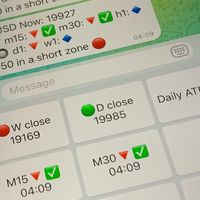
Did you know that additional telegram info panel will reduce your trade loosing? Today I was interested in completing a Telegram bot that shows the time of a confirmed exit from the overbought / oversold zones inside the buttons. Each button with timeframe will show where was used trade entry time signal. This happens at the close of the RSI period and also the closing of the bar in the opposite direction of the previous bar. There is also an indication of ATR level, Daily close price, Weekly c
FREE

EA Follower Version any Follow Copy Account (Acc. Number) need a open MT Terminal, download multiple times Step1: Open Master MT5 Terminal = install master- Version (on any Symbol just one Time) Step2: Open Follower MT5 Terminal = install follower- Version (on any Symbol just one Time) Step3: all Trades from any Symbol or any Robot are copy now to follow- Terminal immediately for simple copy set on Chart and Start no optimization. This Robot is a Trade Copier for MT5 that auto
FREE

Get This: The Ultimate Power Tool for Traders—Draw My Levels! Believe me, folks, this is BIG. This isn’t just some regular, everyday tool—this is *the* essential tool for your trading arsenal. “Draw My Levels” is a simple, elegant, and powerful script that’ll take your trading game to a whole new level. You want precision? You want control? You want to see where the real action is happening on the chart? Then this script is for you. Why Do You Need This Script? Let me tell you, if you’re a trade
FREE

FXRog = Forex Running On Growth
Expert Advisor description ShortTerm : Yes MidTerm : Yes LongTerm : Yes TargetProfit : By Money (fixlot mode), value can be changed in the parameter. 3% (volumelot mode) StopLoss : By Maximum Open Position, all position will closed when maxtrade is reach, value can be changed in the parameter optimum time frame H1 eurusd
Parameter description StartTrade : begining time to start trading EndTrade : last time ea to open a position MoneyManagement : 1 = FixLot,
FREE

The script allows selecting the required 'Filter level' value of the AIS-MTF indicator. Run the script on the required chart and selected timeframe. Once its operation is complete, the HPS.csv file will be created in the Files folder. Open the file. You will see three columns. The 'Filter lvl' column represents the value of the 'Filter level' for the AIS-MTF indicator. Am. dev. - degree and direction of the indicator's deviation from the price level (sorted in ascending order). Negative values i
FREE

The Expert Advisor allows to move the stop loss following the price, which gives you the ability to protect the floating profit from sudden price reversals. It is possible to use a simple trailing stop which moves the stop loss at the specified distance from the price, as well as based others based on various indicators.
Parameters Magic - unique magic number for identifying positions, if 0 - no number; Trailing - select the type of trailing stop: Simple, Fractals, ParabolicSar, ZigZag; Trailin
FREE

A very fast way to save your chart template.
Set the keyboard shortcut to further speed up the operation.
The script allows you to save a template with a specific prefix, with the current date or with the chart timeframe. The symbol is saved automatically. Script parameters: Prefix - prefix for the template name. Can be empty. With date - true = template name will containt current date With timeframe - true = template name will containt timeframe of the current chart
FREE
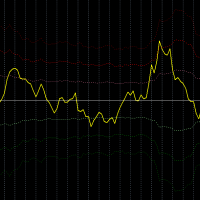
Description:
This indicator measures how far the price is away from Moving Average or multiple Moving Averages (from Lowest MA Period to Highest MA Period). also you can apply weighted factor that increase / decrease from lowest MA to highest MA period.
Inputs:
Lowest MA Period Highest MA Period Weighted factor for Lowest MA Period Weighted factor for Highest MA Period MAs method MAs applied price ATR Period 1st band factor 2nd band factor 3rd band factor indicator Applied price
FREE

Never miss an opportunity with a pending order But if market structure changes or during events it can act against you
It is better to place pending orders with expire time
This tool will be helpful for you with preset expire time
Buy Limit : This order is placed below the current market price. Traders use it when they anticipate a pullback or retracement before the price continues to rise. Sell Limit : This order is placed above the current market price. It’s used when a trader expe
FREE

Reward Multiplier is a semi-automatic trade manager based on pyramid trading that opens additional orders with the running profit of your trades to maximize return exponentially without increasing the risk. Unlike other similar EAs, this tool shows potential profit/loss and reward to risk ratio before even entering the first trade! Download full version here ( In the mini version. Starting lot is fixed at 0.01 (or minimum allowed lot size ) Guide + tips here MT5 version here You only open the
FREE

Recommended Broker and Utility Capabilities For optimal use of this utility, it is advisable to choose a broker like RoboForex or a similar one that offers fast order execution and low spreads. Utility Description: The purpose of this utility is to manage market orders, including opening new trades and optimizing losing positions using an internal algorithm. The utility incorporates trend filtering and various types of trailing stops and take profits, making it versatile for trading any instrum
FREE

Introduction
This will calculate the risk taken only on EURUSD on going trades (both market order or pending) in dollar or euro. The risk is depending upon the lot size and stoploss you choose for the trade. Trades it consider
Only EURUSD Types of Trades
Direct Market order Pending Trades Please note Customization is also available for the function. For more details feel free to contact.
FREE

The trading panel is designed to limit the risks of working advisors on one account, it is also possible to limit the risks of manually opened transactions.
The panel provides an opportunity for each advisor to select a part of the deposit in percentage or in the account currency that you can risk. When the specified values are reached, the trading panel will close the positions of this EA or deals opened manually.
You can set full account protection in percentage or account currency, under
FREE

"Statistics by magic pro" is a program that provides statistics after entering a magic number. You can simultaneously track up to 10 statistics for different magic numbers in one chart window. The program is very easy to use. The program should be run on any free chart. In the EDIT field on the chart, you should enter the magic number. Entering "0" will erase the statistics in that window. The operation of the program can be stopped by selecting the statistics off option. After selecting it, the
FREE

The Swap Detector is an essential MQL4 utility that displays the swap costs of any instrument when applied to a chart. It helps traders make informed decisions by visually indicating the swap value in customizable colors— green for positive (good) and red for negative (bad) by default. This tool ensures transparency in overnight holding costs, enabling better trade planning and risk management
FREE

Description:
This Free Indicator will allow you to monitor the Max/Min spread in a bar/candle. By running it 24h/24h will allow you to recognize which period of time having maximum spread, based on that you will understand the market more, and could develop/improve to have better trading strategy.
Parameters: limit: <specify the limit of spread, above which the indicator will mark the price, at which high spread occurs>
Note: Beside the price marked due to high spread above, the indicator al
FREE

It's an expert to open and close orders on specific day and time. Expert open and close orders only with the same symbol it attached. Can set time open and close orders based day of year or day of week. Expert can send market orders and pending (stop or limit). Each order can placed with take profit and stop loss. There is option to use trailing stop loss and break even. Expert can manage only own orders or all orders of account.
Information about the expert's parameters can find on the blog .
FREE
WalkForwardReporter is a script creating HTML reports from walk-forward optimization results generated by WalkForwardOptimizer (WFO) library. It allows you to easily view and analyze your expert adviser (EA) performance and robustness in unknown trading conditions of future. You may find more details about walk-forward optimization in Wikipedia . Once you have performed optimization using WFO, the library generates a CSV-file and special global variables with resulting data. Copy the CSV-file fr
FREE

Trading robot for EURUSD on the H1 timeframe. Despite working on this timeframe, it doesn't execute a trade per hour, only when the RSI and MACD coincide to give an up or down signal. After that, it performs DCA, i.e., it averages the entry prices. Using the same lot size. NO MARTINGALE.
Backtested from January 2020 to October 2025 to monitor its performance during the pandemic.
Target monthly 2%
Full recomendly ECN or RAW account If you test on demo, please write me to receive it for free +
FREE

RR Visualizer - Enhance Your MT4 Risk Management RR Visualizer is an essential MT4 utility for traders looking to optimize their risk management effortlessly. This tool calculates the ideal lot size based on your preferred risk percentage and the custom stop-loss distance you set, giving you full control over your money management. Designed with a user-friendly and attractive interface, RR Visualizer keeps the focus on your trading, not on complex calculations. Key Features Customizable Ris
FREE

Break-Even Pro * 3 BE modes: - RewardRisk_Single for single trade (only valid for positions with SL) - Points_Single for single trade - Points_DCA for multiple DCA trade * Start Value: value of RR or # points to start SL moving * Offset: distance in points between BE level & entry * Symbol Filter: Select All or a specific symbol * Partial Close (%): Close % initial volume when moving SL to BE (0 for no partial close) Join my telegram channel here for more useful free EAs. Thank yo
FREE

Stop exporting CSV files by hand. TX Journal Sync keeps your TX Journal trading diary up to date automatically: it reads your account history and open positions and securely pushes them to your journal at the interval you choose. Security first 100% read-only: this utility never opens, modifies or closes trades. Every upload is signed with HMAC-SHA256. Your Secret never leaves your terminal. Only trade data is sent: symbol, direction, volume, prices, times, profit, commission and swap. Nothing e
FREE

This free utility is a must to manage your risk.
Very easy to calculate a new position size (number of lots), based on: Your equity
Your risk per trade (% of equity) Your entry price Your stop loss This utility gives the right information to enter the market. A paid version is also available, Ofir Calculator+, to open the trade by a single click. Telegram Setup instruction
Open your Telegram APP and search for "BotFather" Type /start and click/type /newbot to create a new bot Give your bot
FREE

EA will trade base on manual entry. It will do martingale if your position in losses. There are no backtests available. This is a semi-automated EA that requires human intervention or initial order to be triggered by user. The main purpose of this EA is to open trade in the same direction with bigger lot size when initial trade losses. It is barely impossible for human being to trade like this 24 hours a day. This technique is well known to many trades and many use it to recover their losses. Ho
FREE

MA Reminder Overview MA Reminder is a versatile moving average indicator that provides visual cues and background coloring to help traders identify trend direction and potential trading opportunities based on MA crossovers. Key Features Multiple Moving Averages : Displays up to 4 configurable moving averages on the chart Background Coloring : Highlights chart background based on MA1 and MA2 crossovers Timeframe Flexibility : Choose between dynamic (follows chart timeframe) or fixed timeframe mod
FREE

A classic indicator with advanced features for more accurate display of the market situation. All settings of all moving averages are available, such as the moving average type and the priced used in its calculation. It is also possible to change the appearance of the indicator - line or histogram. Additional parameters provide the ability of fine tuning.
Distinctive features Does not redraw. Additional parameters for fine tuning. Displayed as a line or as a histogram. Works on all timeframes a
FREE

Golden Sizer By SKPAD – Calculateur et Gestionnaire de Position Intelligent Golden Sizer est bien plus qu'un simple outil de trading : c'est un assistant stratégique complet pour la gestion des risques et des positions. Conçu pour s'adapter à tous les styles de trading – du débutant au professionnel, du swing trader au scalpeur – il transforme votre approche des marchés grâce à une interface intuitive, une précision de calcul optimale et une exécution rapide. Compatible avec tous les marchés (F
FREE

The Order Selective Delete is a multi-symbol multi-timeframe script used to delete simultaneously various pending orders. General Description
The Order Selective Delete possesses three operation modes (Intersection, Union and All) that control the way as three pending order features (symbol, magic number and type) are used. The modes, available through the Selection Mode input parameter, relate to the features, available through the “Select by Feature” and “Feature” input pa
FREE

You can send MetaTrader screenshot easily to your identified telegram channel via press the send button that on the chart. TelegramBotToken: Telegram API credentials. You can create API credentials on my.telegram.org web page ChatId: Your telegram chatId. Secreenshots will be sending this channel - Please do not press the button repeatedly. This may cause your bot or ip address to be blocked. - You have to add telegram api address ( https://api.telegram.org ) in Option > Expert Advisors > Allow
FREE
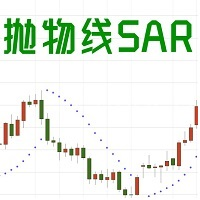
1. EA basic This EA is an EA that trades based on the SAR indicator. When the SAR appears at the top of the K line short or close a long order, and when the SAR appears at the bottom of the K line, long or close a short order. Sar is more useful when the trend is strong. It can clearly tell you when to enter or exit. Please see bottom pictures. EA does not have the ability to judge the trend, so you need to judge the trading direction by yourself. You should decide to choose long or short in
FREE

QuantumAlert CCI Navigator is a free indicator available for MT4/MT5 platforms, its work is to provide "alerts" when the market is inside "overbought and oversold" regions in the form of "buy or sell" signals. This indicator comes with many customization options mentioned in the parameter section below, user can customise these parameters as needful. Join our MQL5 group , where we share important news and updates. You are also welcome to join our private channel as well, contact me for the pri
FREE

Introducing IT Divergence EA, your ultimate ally in maximizing profits across financial markets. Our Expert Advisor (EA) leverages the potent MACD and RSI indicators to automate trading with unparalleled accuracy.
Key Features :
Divergence Detection Strategy : IT Divergence EA is built on a robust strategy that harnesses the power of MACD and RSI indicators to spot divergences in the markets. Divergences serve as powerful signals for identifying potential buy or sell opportunities. Intellig
FREE

Bingo – Smart Exit Automation for MT4 In the realm of trading, having a reliable exit strategy is just as crucial as finding the right entry. Bingo, an expert advisor for MT4, is designed to automate your trade exits with precision—ensuring you lock in profits and minimize losses without second-guessing your decisions. With advanced trailing take profit and stop loss, Bingo takes the complexity out of trade management, helping traders maintain discipline and execute their strategies flawlessly.
FREE
This trading advisor works with strong movements of currency pairs. He can use different indicators for trading, calculate and draw trend lines according to the extremes of the price movement. It is a free, simplified version of ColdStream Expert Advisor, it has enough customizable parameters for optimization, but a little less than in the full version. Also, the maximum lot is limited to 0.1. Nevertheless, you can use almost any currency pairs and timeframes for trading. Do not forget to optimi
FREE

차트를 얼마나 움직이든 상관없이 선택한 시간 포인트로 즉시 포커스를 이동할 수 있으며, 원하는 시점을 손쉽게 확인할 수 있습니다. Focus Time Line Player는 조작이 간단하여 필요한 시간에 빠르게 집중할 수 있습니다.
【기능】 ・Focus Mode: SingleLine (기본 표시) ・Crt FocusLine: 원하는 시간에 포커스 라인 1개 생성 ・Position: 표시 위치 전환 ・Focus: 생성한 포커스 라인으로 차트 화면 이동 ・X 버튼: 프로그램 종료
【조작 방법】 ・Focus Mode는 기본 SingleLine으로 사용 ・Crt FocusLine 버튼을 눌러 FocusTimeLine 1개 생성 ・Position 버튼으로 표시 위치 선택 ・Focus 버튼을 눌러 차트를 선택한 포커스 지점으로 이동 ・X 버튼으로 프로그램 종료 에디션별 기능 비교 본 제품( Player Edition )과 상위 모델( Full Version )의 기능 차이는 다음과 같
FREE
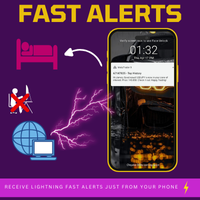
Fast Alerts MT4 — 한 번 구매, 평생 알림. 한때 시장에서 앞서 가기 위해서는 매달 고가의 플랫폼에 가입해야 했습니다…
20달러, 50달러 — 하루에 몇 번의 알림을 받기 위해서요. 가치는 없었고, 대안이 없어서 지불했을 뿐입니다.
이제 그 시대는 끝났습니다. 트레이더가 트레이더를 위해 만든 이 도구는 관심 있는 가격에서 알림을 자유롭게 설정할 수 있게 해주며, 가격이 관심 영역에 들어올 때 밀리초 단위로 알림을 받습니다. 차트에 가격 영역을 설정하고, 화면을 떠나도 가격이 그 영역에 들어올 때 실시간 알림을 받는 모습을 상상해 보세요.
놓친 움직임 없이, 월별 요금도 없습니다. 왜 Fast Alerts MT4인가요? 당신의 거래 수준에 맞춘 맞춤형 가격 알림
제한된 알림에 대한 월별 구독비용이 더 이상 필요 없습니다
한 번의 구매로 평생 사용
진짜 트레이더가 만든 도구, 구독료를 받으려는 회사가 아닙니다
무료 데모를 다운로드하고 직접 확인해 보세요 — 실제
FREE

MT4 거래의 오픈, 종료, 부분 종료 및 수정에 대한 실시간 알림을 discord로 자동 전송합니다. 이 유틸리티는 16개 언어를 지원합니다: 영어, 프랑스어, 독일어, 힌디어, 인도네시아어, 이탈리아어, 카자흐어, 한국어, 네덜란드어, 폴란드어, 포르투갈어, 러시아어, 스페인어, 터키어, 우크라이나어, 베트남어. 이 제품은 터미널을 지속적으로 모니터링하지 않고도 discord 알림을 받아야 하는 트레이더를 위해 설계되었습니다. Expert Advisor 사용자는 물론, 여러 심볼로 거래하는 트레이더와 VPS 사용자에게 적합합니다. 전체 및 부분 포지션 종료가 정확하게 감지되며 (예: 0.10 / 0.30 lot), 중복 메시지 방지 기능이 구현되어 있습니다. 알림은 계좌의 모든 심볼에 대해 전송하거나, 유틸리티가 적용된 차트의 심볼에 대해서만 전송할 수 있습니다 (선택 사항).
Test Discord 버튼을 통해 채팅 기능을 확인할 수 있으며, 설정 후 차트에서 숨길 수 있습니다
FREE

BillWill 지표는 Bill Williams라는 책에서 가져온 자료를 기반으로 합니다. 거래 혼돈. 이익 극대화를 위한 전문 기술. 각 막대 상단의 지표 판독값은 막대의 1/3에 대한 시가 및 종가의 위치를 기반으로 계산됩니다. 막대는 세 부분으로 나뉩니다. 막대의 아래쪽 1/3은 3번, 중간 1/3은 2번, 막대의 위쪽 1/3은 1번(1)입니다. 표시기 판독값의 첫 번째 숫자는 막대의 세 번째에 대한 시가의 위치이고, 두 번째 숫자는 막대의 세 번째에 대한 종가의 위치입니다. 각 막대 하단의 표시기 판독값은 이전 막대의 극한값을 기준으로 막대 중앙의 위치로 계산됩니다.
지표 판독값 정의 1-1 시가 및 종가는 바의 상단 1/3에 위치 2-2 시가와 종가는 바의 중간 3분의 1에 위치 3-3 시가와 종가는 바 하단 1/3에 위치 3-1 시가는 막대의 하단 1/3, 종가는 상단의 1/3 2-1 시가는 막대의 중간 1/3, 종가는 막대의 상단 1/3 3-2 시가는 하단 1/3,
FREE

SA Assistant is an intuitive tool without complicated settings, designed to facilitate the trading operations in the MetaTrader 4 terminal. SA Assistant is not designed for working in the strategy tester. The demo version works only on the USDCAD pair. Please test the EA on a demo account before using it on a live account.
The SA Assistant EA is visually divided into 4 blocks: 1. "Information" - displays in real time: trading account balance leverage spread of the instrument the EA is attached
FREE

CurrencyStrength – 실시간 통화 강도 순위 표시 CurrencyStrength 는 8대 주요 통화(USD, EUR, JPY, GBP, CHF, AUD, CAD, NZD)의 강도를 실시간으로 수치화하고, 등락률을 기반으로 시각적으로 순위화해 패널에 표시하는 유틸리티 EA입니다.
초 단위로 통화 강도를 자동 시각화하여, 수동·자동 거래자 모두에게 통화쌍 선택과 매매 판단의 정확도를 크게 높여줍니다. 주요 기능 8개 주요 통화의 강도를 실시간 계산 및 자동 갱신(기본값: 1초마다) 각 통화의 등락률을 최근 종가와 이전 종가의 차이로 산출하여, 순위 패널로 표시 통화명과 등락률(예: USD +0.23) 표시, 강한 통화는 상위, 약한 통화는 하위에 배치 이전(1봉 전) 순위도 동시에 표시되어, 통화별 흐름과 변화를 한눈에 파악 가능 상위 3개 통화는 녹색, 하위 3개 통화는 빨간색, 중간 통화는 흰색 또는 회색으로 표시해 가독성 강화 패널 위치, 크기, 시간 주기, 글꼴 크기
FREE

Simple Grid Dynamic Engine – Expert Advisor for Automated Grid Trading Simple Grid Dynamic Engine is a flexible grid-based trading Expert Advisor designed for traders who want structured order management and dynamic position expansion in trending or ranging markets. Signal https://www.mql5.com/en/signals/2364992 Important Note: This is ideally to be used with a trade pad which will close the positions and if needed accrue a basket to TP/SL at a profit.
Compatibility with manual trade panels suc
FREE

MerkaStudent is a basic version of an expert advisor that allows us to understand part of the behavior of a chart in historical time.
It uses some basic parameters in trading, which allows us to understand mathematically how a chart moves and thus know what is our mathematical expectation in the historical period analyzed. Starting from a mathematical logic, we can create a strategy to evaluate its results.
FREE
This multi-timeframe indicator identifies the market's tendency to trade within a narrow price band. [ Installation Guide | Update Guide | Troubleshooting | FAQ | All Products | Get Help ] It is easy to understand Finds overbought and oversold situations Draws at bar closing and does not backpaint The calculation timeframe is customizable The red line is the overbought price The green line is the oversold price It has straightforward trading implications. Look for buying opportunities when t
FREE

Created for signal providers, advisor job , as well as for participation in various forex contests(and not only), opens the required number of orders on the RSI (Relative Strength Index) indicator. It can trade in a multi-currency variant. A series of experts: Lucky Star RSI,Lucky Star RSI and MACD, Lucky Star WPR, Lucky Star MA, Lucky Star SO, Lucky Star MACD, Lucky Star MA and SO, Lucky Star MA and MACD , Lucky Star SO and MACD the probability of winning real money in management or bonuses
FREE

Dark & Light Themes for MT4.
The Dark & Light Themes indicator helps you switch the MT4 chart display between dark and light color schemes. It also includes a watermark showing the current currency pair (symbol) and the active timeframe.
This simple and clean interface makes it more comfortable for traders to analyze charts using any indicator.
FXDragunov Indonesia.
FREE

Chaos Trader Lite attempts to use aspects of chaos theory to place trades in the marketplace. This Expert Advisor, in particular, draws upon theories made by Bill Williams. Every version of MetaTrader contains the Bill Williams indicators. I wondered why was he deemed so important as to have his own set of indicators added to MetaTrader with name attribution. Conducting research I found that Bill Williams wrote a book using chaos theory to trade the markets. The Bill Williams indicators are usef
FREE

Alfa for MT4: 당신의 스마트 트레이딩 커맨드 센터 지루한 작업에 작별을 고하고, 의사 결정에 집중하세요. 여러 차트 창을 옮겨 다니느라 지치셨나요? 주문 관리가 어려워 기회를 놓치거나 손실을 본 적이 있으신가요? Alfa 가 이를 위해 만들어졌습니다. 이것은 단순한 도구가 아닌, MT5/MT4 플랫폼에 배치된 당신의 트레이딩 커맨드 센터 로, 반복적인 작업에서 해방시켜 시장 기회를 포착하는 데 집중할 수 있도록 자동화와 지능화를 제공합니다. 핵심 기능, 트레이딩 핵심 문제점 해결 파노라마式 포지션 관리
"한 눈에 전체 상황 파악, 한 번의 클릭으로 효율적인 청산."
모든 주문과 포지션을 실시간으로 집약하여 손익 현황을 한눈에 파악할 수 있습니다. 한 번의 클릭으로 전체 청산 , 수익 포지션만 청산 , 손실 포지션만 청산 을 지원하여 시장 변동 시 빠르게 대응하고 이익을 단단히 고정시키는 데 도움을 줍니다. 심화된 손익 통계
"통계 그
FREE

BIG CHIEF
Big Chief is an Expert Advisor that runs its own 2 proprietary analysis & algorithms. No indicator is used to analyze the entry point in the first method and the second method has an Ichimoku Indicator with proprietary settings. For the exit plan, it uses the proprietary Sequence Method & implement the cutlosses-let-profit-run strategy. You will be surprised that at the closing of all trades, almost most of them are having a positive profit and almost half of them are
FREE

The indicator calculates the current spread for each tick using the formula Spread=(ASK-BID)/Point. Schedule of changes in the boundaries spread over the timeframe displayed in a separate window from the date of accession of the indicator. Two lines corresponding to the minimum and maximum spread values are displayed. The indicator window is self-adjusted according to the minimum and maximum values from the moment of launch. The minimum and maximum values for the entire period of the indicator o
FREE
Is Zero Lag profitable? Not always, different system is for different pairs. You can play around with this indicator from Mladen, I have modified it with Bollinger Bands over T3.
You can change the period and how it calculate. MT5 version is available too.... Please leave a review , it helps us and we will share more indicators. .... Thank you and happy trading
FREE
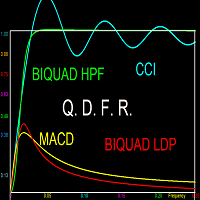
This indicator does not process the price chart data and does not provide trading signals. Instead, it is an application to compute and display the frequency response of many conventional indicators. Moving averages like the SMA, LWMA and EMA, and oscillators like the MACD, CCI, Awsome Osc, all have the form of digital filters. Electronic engineers use a special method to characterise the performance of these filters by studying their frequency response. Two important quantities of the freque
FREE
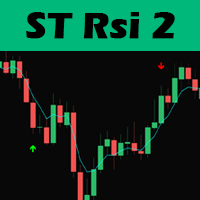
Hello traders, this trading strategy is based on the the Larry Connors RSI-2 strategy, We begin with a 200 periods EMA to find the direction of the market. This is important because we only trade in the main trend direction.
We then look for pull backs using the RSI with a period of 2 to get entry signals. Trades are then exited using the 5 EMA.
Lot size should be calculated using 1% of 1 the ATR value and positions can be added as long as the entry criterion is met.
TRADING IS RISKY AND I D
FREE
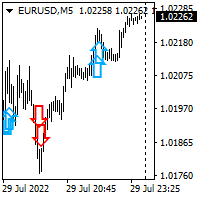
Hello all. This indicator helps you to open a trade, when break out occurred, also you can add to your position and ride it if trend continued. I use it on 1-5 min chart, as you can use short stop loss. Also profit target should be small as well. It is better to enter few small position, so you can book some profit early and ride the rest for bigger gains. Look at the past to have a plan. Enjoy.
FREE
Special Trailing Sl is a automatic trailing stop_loss. first It will try to free risk your trade then save the profits. first step is to move the SL 50 points below current price for long trades , and 50 points above current price for short trades.First step will happen when the trade get to minimum profit per point. second step : SL will follow the current price with a dynamic distance. This trailing stoploss has been used in my products.
FREE
红黄绿简明指示趋势与震荡指标升级版。 使用红黄绿三色来标示上升趋势 、震荡、下跌趋势。 红色表示空头趋势(下跌)。 绿色表示多头趋势(上涨)。 黄色表示震荡区域。 从黄色转变为红色时,行情可能从震荡转变为下跌趋势。一段连续的红色,说明下跌趋势很强。 从黄色转变为绿色时,行情可能从震荡转变为上升趋势。一段连续的绿色,说明上升趋势很强。 指标的上半部分区域和下半部分区域若同步为红色,表明下跌趋势已经形成共振,接下来大概率走出一段空头趋势。 同时,红绿黄分为上下两部分:
若上下部分同时为绿色,表明上涨趋势已经形成共振,接下来大概率走出一段多头趋势。 若上下部分同时为红色,表明下跌趋势已经形成共振,接下来大概率走出一段空头趋势。
若上下同时为黄色,表明当前行情为震荡。 升级版2.0: 新增两条快慢线。 当慢线(Blue/Red线)为蓝色时,视为多头行情。当慢线为红色时,视为空头行情。 当快线(DarkGray线)从下方向上穿过慢线时,作为参考做多信号,激进交易者可进场做多。反之亦然。
参数可调。 //+---------------------------------------------
FREE
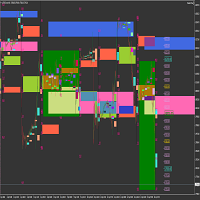
Market Viewer This utility seeks to assist the trader in identifying potential areas of interest on the price chart. Different components integral to decision making have been automated, allowing the user to engage with perfectly calculated levels. Some components include the weeks initial balance, session Min and Max areas and a round number indicator altogether forming templates providing confidence to the trader. Have a look at the screenshots for a sneak peak into the components. The utility
FREE
트레이딩 전략과 기술 지표를 판매하기에 가장 좋은 장소가 왜 MetaTrader 마켓인지 알고 계십니까? 광고나 소프트웨어 보호가 필요 없고, 지불 문제도 없습니다. 모든 것이 MetaTrader 마켓에서 제공됩니다.
