모든 주문
모든 주문
 규칙
규칙
명시
HELLO,
I have an EA based on two indicators . I need one of them to be modify and the changes should be also apply in the EA file for it to continue working properly .
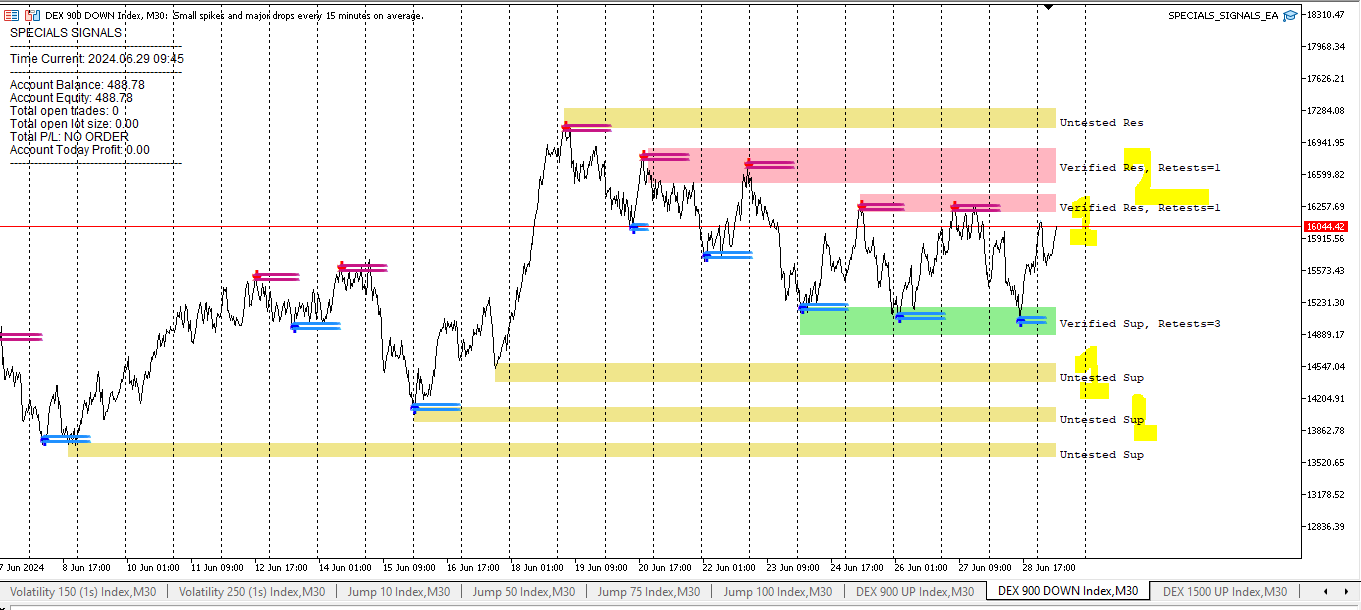
If you can please add the possibility of numbering the different types of support and resistance which is given by the indicator from 1 to 3 depending on where the price is :
-
I should see :
- 1st upper Untested support
- 2nd upper Untested support
- 3rd upper untested support
- 1st lower Untested support
- 2nd lower Untested support
- 3rd lower untested support
And it will be like this for each category of zones . With the possibility to choose a color for each number of each zone . For example: The first "upper Verified resistance" can be Blue and the second "upper Verified resistance" which appears on the same chart can be Pink.
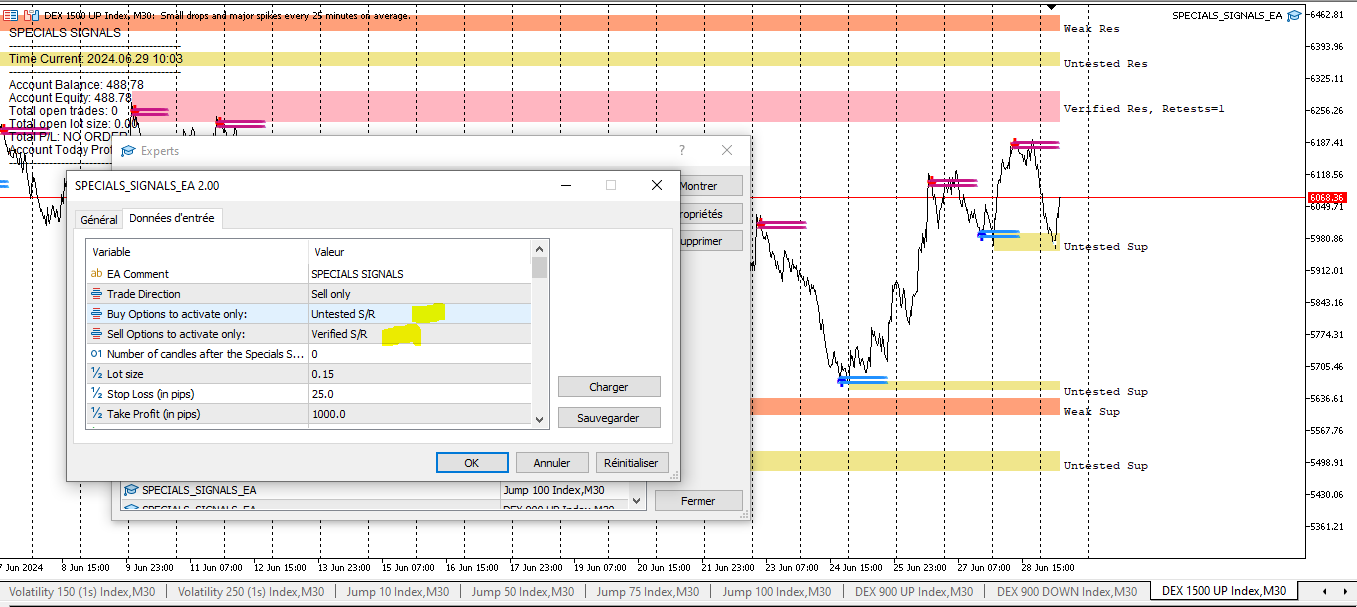
After passing this task , you will need to integrate int he EA mq5 file this upgrade of having the possibility of to choose which types of support and resistance which is given by the indicator from 1 to 3 you need to choose in the options: "BUY options activate only" or " SELL options to activate only" .
It should appear like this in the EA:
We should have the possibility to choose each group of zones like this , in the "BUY options to activate ONLY" , :
- 1st upper Untested support
- 2nd upper Untested support
- 3rd upper untested support
- 1st upper Proven support
- 2nd upper Proven support
- 3rd upper Proven support
- 1st upper Weak support
- 2nd upper Weak support
- 3rd upper Weak support
- 1st upper Verified support
- 2nd upper Verified support
- 3rd upper Verified support
- 1st upper Verified resistance
- 2nd upper Verified resistance
- 3rd upper Verified resistance
We should have the possibility to choose each group of zones like this , in the "SELL options to activate ONLY" , :
- 1st lower Untested support
- 2nd lower Untested support
- 3rd lower untested support
- 1st lower Proven support
- 2nd lower Proven support
- 3rd lower Proven support
- 1st lower Weak support
- 2nd lower Weak support
- 3rd lower Weak support
- 1st lower Verified support
- 2nd lower Verified support
- 3rd lower Verified support
- 1st lower Verified resistance
- 2nd lower Verified resistance
- 3rd lower Verified resistance
I will upload first a picture of how it should be counted on the chart .
Second a picture of where it will appear in the EA
Third, it will be first the indicator file .
When you will finish to modify the indicator, I will give you the EA file to add those modifications connected to the indicator file you just modifed .