Currency Strength Meter Pro for MT5
78 USD
Versione demo scaricata:
561
Pubblicato:
5 maggio 2020
Versione attuale:
7.20
Non hai trovato un robot adatto?
Ordina il tuo
su Freelance
Vai alla sezione Freelance
Ordina il tuo
su Freelance
Come acquistare un Robot di Trading o un indicatore
Esegui il tuo EA
hosting virtuale
hosting virtuale
Prova un indicatore/robot di trading prima di acquistarlo
Vuoi guadagnare nel Market?
Come presentare un prodotto per venderlo con successo

Ti stai perdendo delle opportunità di trading:
- App di trading gratuite
- Oltre 8.000 segnali per il copy trading
- Notizie economiche per esplorare i mercati finanziari
Registrazione
Accedi
Accetti la politica del sito e le condizioni d’uso
Se non hai un account, registrati
By default it configured best to trade piranhaprofits strategies https://www.piranhaprofits.com/ (Adam Khoo).
Watch this videos to know how to use Currency Strength Meter:
https://www.youtube.com/watch?v=cnYUb2VOPQI
https://www.youtube.com/watch?v=MVI7Jm_abrg
If you trading timeframe M15 than look currency strength meter at H1...
If you trading timeframe H1 than look currency strength meter at H4... And so on.
You should buy strong currency (Currency Strength Meter 60+) and sell weak currency (Currency Strength Meter 40-).
Also if you have your own strategy you can back-test. Find winning trades on history data and setup CSM to this date and look what are CSM values were at that time. Do this at least 10-20 times. Calculate average value. And when you want to take a trade look to CSM if it shows about same value you should take a trade if not skip this trade. If you will do this your win rate must increase.
If you want to use history data you should enable "Display history line" on property page. Thus you can see history line. Move it to view CSM data at this history.
When you find the best CMS values according to you strategy you can config notifications. Thus you will be notified when market will have such conditions.
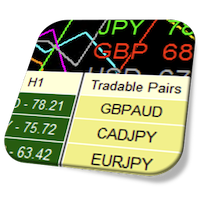
How to know how is the system determine the "Tradable Pairs"?
You can changed it as you want.
As I'll develop new version of indicator you'll get notification from MQL in this MQL messenger (messenger where you are reading this message).
Also you can add me to your friends and you will be able to get notifications from all of my activities at MQL portal.
Thanks and Take profit!
Hello,
Is it possible to give a version that base currency and quote currency lines different from other currency's line? So that we can see the trend clearly. Thanks!!!
Hello,
Is it possible to give a version that base currency and quote currency lines different from other currency's line? So that we can see the trend clearly. Thanks!!!
Hello, you mean make lines for current chart different from other lines?
Hello, you mean make lines for current chart different from other lines?
yes. for example base and quote currency's line could be solid line. other currency's line could be dotted line. Thanks!!! Sorry for late reply!!!
yes. for example base and quote currency's line could be solid line. other currency's line could be dotted line. Thanks!!! Sorry for late reply!!!
Hello, yes it's possible to do. I'll add this feature to my next version.
Hello, yes it's possible to do. I'll add this feature to my next version.
Thanks!!!
New Version 1.10 of Currency Strength Meter Pro for MT5 includes list of improvements:
1) Added auto detection of symbols suffix.
2) Restore dashboard state when change chart symbol, timeframe, reconnection to the server and changing indicator properties.
3) Added highlighting of graph lines for current chart instruments.
4) Added scale ration parameter for RSI algorithm.
5) Fixed showing of graph lines if selected "Chart Symbols" for "Symbol Type" property.
Take profit!
Comparison my CSM indicator data with Adam's Khoo CMS indicator data
Watch this instruction to get know how to install MT4 indicator or Experts from market on MacOS:
Take profit!Hi Aleksandr, just purchased the indicator and
- I wish placing the dashboard in the main chart window and turning off the graph was an option.
- It looks like graph timeframe must always set to ‘current’, otherwise it does not show the correct value.
- I believe it would be much better if the ‘tradable pairs table’ could contain more columns for different timeframes.
Thanks
RegardsHi Aleksandr, just purchased the indicator and
- I wish placing the dashboard in the main chart window and turning off the graph was an option.
- It looks like graph timeframe must always set to ‘current’, otherwise it does not show the correct value.
- I believe it would be much better if the ‘tradable pairs table’ could contain more columns for different timeframes.
Thanks
RegardsHi,
1. I believe it would be much better if the ‘tradable pairs table’ could contain more columns for different timeframes.
Ok, This feature I will be able to add (Good idea).
2. It looks like graph timeframe must always set to ‘current’, otherwise it does not show the correct value.
I have checked it on my terminal and everything is working fine. Can yo make a screenshot or record a video please.
3. I wish placing the dashboard in the main chart window and turning off the graph was an option.
About this feature I'm not sure. For that purpose there is a different indicator. I'll think about it.
Hi,
1. I believe it would be much better if the ‘tradable pairs table’ could contain more columns for different timeframes.
Ok, This feature I will be able to add (Good idea).
2. It looks like graph timeframe must always set to ‘current’, otherwise it does not show the correct value.
I have checked it on my terminal and everything is working fine. Can yo make a screenshot or record a video please.
3. I wish placing the dashboard in the main chart window and turning off the graph was an option.
About this feature I'm not sure. For that purpose there is a different indicator. I'll think about it.
I just sent you the screenshots.
Thank you
* Fixed typo mistakes;
Watch demo video of current update:
Take profit!
Take profit!The graph is covering the reading. How could I adjust this?
Please help.
Regards,
Emmanuel
The graph is covering the reading. How could I adjust this?
Please help.
Regards,
Emmanuel
Resolved.
Thanks
Resolved.
Thanks