SMC Smart Zones MT4
- Indicatori
- Versione: 1.31
- Aggiornato: 8 novembre 2026
- Attivazioni: 5

Smart Zones is a comprehensive, institutional-grade price action indicator designed specifically for MetaTrader 4 (MT4) traders utilizing Smart Money Concepts (SMC).
Whether you trade Forex, Gold (XAUUSD), or indices, Smart Zones automates your technical analysis by mapping out institutional order flow directly on your MT4 charts—saving you hours of manual charting and eliminating emotional bias.
🚀 Key Features & Capabilities:
-
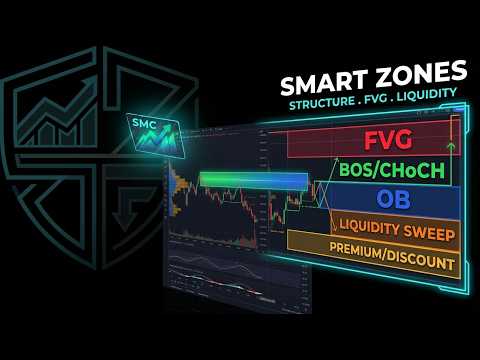
Dual Market Structure (Swing & Internal): Automatically detects and plots high-probability Break of Structure (BOS) and Change of Character (CHoCH).
-
Fair Value Gap (FVG) Engine: Scans and highlights market imbalances using customizable ATR filters and mitigation tracking.
-
Institutional Order Blocks & Liquidity: Automatically flags high-confluence Order Blocks (OB) and tracks live Buy-Side/Sell-Side Liquidity sweeps (BSL/SSL).
-
Premium & Discount Arrays: Real-time equilibrium and discount/premium zone mapping for optimal entry placement.
-
Professional On-Chart Dashboard: Live spread, bid price, session momentum panels (Asia, London, New York), and real-time market bias tracking.
-
Fully Customizable: Adjust color schemes, alert settings (Push, Email, Popup), and timeframes to fit your precise trading style.
⚙️ How to Install & Set Up:
-
Purchase or rent the indicator on the MQL5 Market.
-
Open MetaTrader 4 -> Go to File -> Open Data Folder -> MQL5\Indicators (or MQL4\Indicators for MT4).
-
Place the downloaded file into the Indicators folder.
-
Restart MT4, attach the indicator to your desired chart, and configure your parameters!
Disclaimer: Trading carries high financial risk. This indicator is an analytical tool to assist with price action analysis and does not guarantee financial profits.