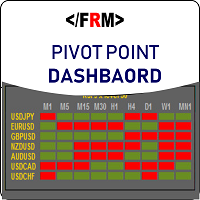
Pivots Dashboard
79 USD
Versione demo scaricata:
389
Pubblicato:
25 agosto 2017
Versione attuale:
1.20
Non hai trovato un robot adatto?
Ordina il tuo
su Freelance
Vai alla sezione Freelance
Ordina il tuo
su Freelance
Come acquistare un Robot di Trading o un indicatore
Esegui il tuo EA
hosting virtuale
hosting virtuale
Prova un indicatore/robot di trading prima di acquistarlo
Vuoi guadagnare nel Market?
Come presentare un prodotto per venderlo con successo

Ti stai perdendo delle opportunità di trading:
- App di trading gratuite
- Oltre 8.000 segnali per il copy trading
- Notizie economiche per esplorare i mercati finanziari
Registrazione
Accedi
Accetti la politica del sito e le condizioni d’uso
Se non hai un account, registrati
Good afternoon Mr Oswald Please, can you tell me how I have to do it so that when you open a graph it shows me the daily PP and not the weekly one in the Novice mode.... in the professional mode, too much data appears on the screen.... and not allows you to see it clearly.
I am attaching a graph of the problem.
Thank you very much for your attention
I am interested in doing it in H1 graphs, now I have to put it in M15, so that it shows it correctly
Good afternoon Mr Oswald Please, can you tell me how I have to do it so that when you open a graph it shows me the daily PP and not the weekly one in the Novice mode.... in the professional mode, too much data appears on the screen.... and not allows you to see it clearly.
I am attaching a graph of the problem.
Thank you very much for your attention
Change the Default Chart TimeFrame(onClick) . 15 Min , 5min and 1 min will display D1 lines. M30 , H1 will display W1 lines . H4 and D1 and W1 will display MN1 lines