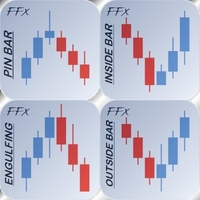
FFx 4 Patterns Alerter MT5
3 030 USD
Versione demo scaricata:
660
Pubblicato:
31 maggio 2017
Versione attuale:
1.2
Non hai trovato un robot adatto?
Ordina il tuo
su Freelance
Vai alla sezione Freelance
Ordina il tuo
su Freelance
Come acquistare un Robot di Trading o un indicatore
Esegui il tuo EA
hosting virtuale
hosting virtuale
Prova un indicatore/robot di trading prima di acquistarlo
Vuoi guadagnare nel Market?
Come presentare un prodotto per venderlo con successo

Ti stai perdendo delle opportunità di trading:
- App di trading gratuite
- Oltre 8.000 segnali per il copy trading
- Notizie economiche per esplorare i mercati finanziari
Registrazione
Accedi
Accetti la politica del sito e le condizioni d’uso
Se non hai un account, registrati
You must set different X and/or Y shift in the indicator display parameters (inputs tab). So each applied dashboard will be on a different place on the chart. X/Y are in pixels.
No specific setups. My own preferred are the default ones.
Thank you for your confidence.
If you need something to be coded, feel free to contact me in private so we can discuss about details.
Hi Eric , i just bought this indicator. your overview first picture misguides about indicator, after bought the indicator i got to know you have to select manual pattern. and picture is misguiding about it. regards
I don't understand your display issue. Could you please send me a private message so I can help you with this.
Thank you for your confidence.
I don't understand your display issue. Could you please send me a private message so I can help you with this.
Thank you for your confidence,
Thank you Eric you solved my problem. regards
Why dont you make scanner of this indicator?
Will put in the ToDo list in case of future release.
Hi Sir , if you will update amount/figures on TP1 and TP2 Stoploss or sellstop as well, it will be great