KKStack
- Experts
- Versione: 1.31
- Attivazioni: 10

KKStack — Gold trend-stacking EA (XAUUSD)
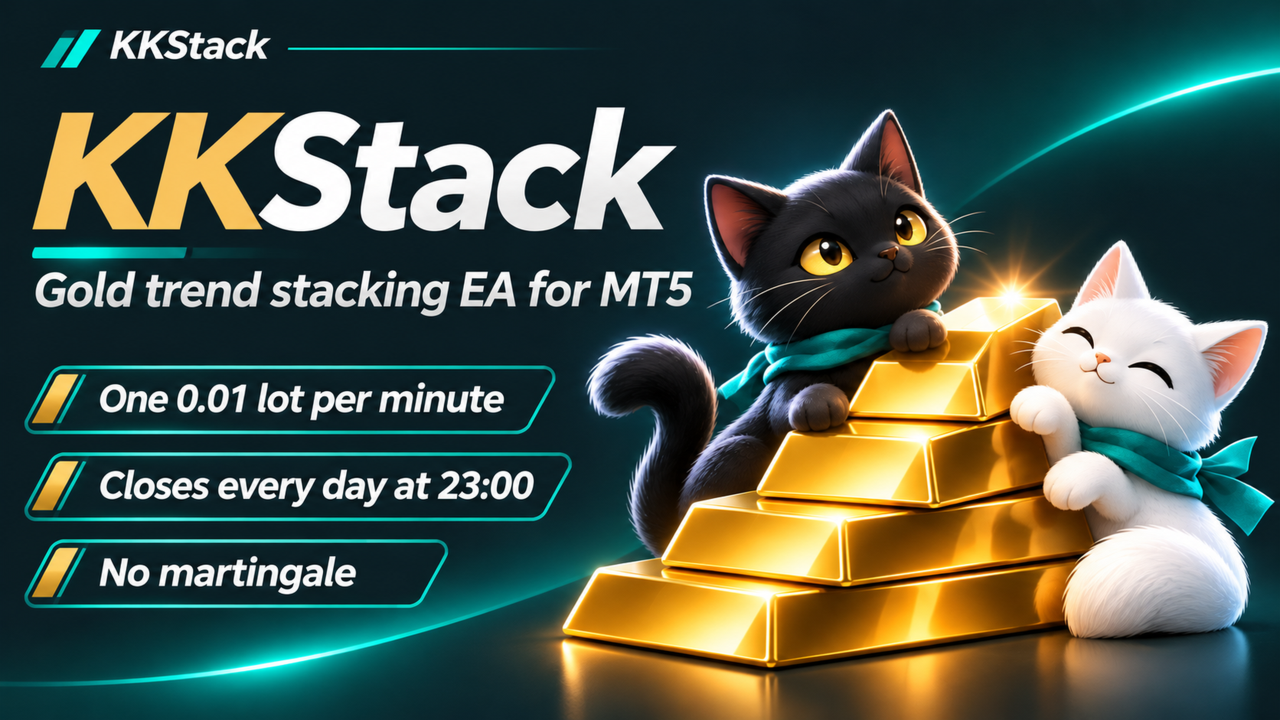
KKStack follows the gold trend and builds a position step by step: one 0.01-lot trade per minute, up to 150–300 positions. It closes everything every day at 23:00 (GMT+2/+3 clock, one hour before the New York close), so nothing is held overnight. It makes most of its money when gold moves a lot, and it earns little when gold is quiet. Please read the risks below before buying.
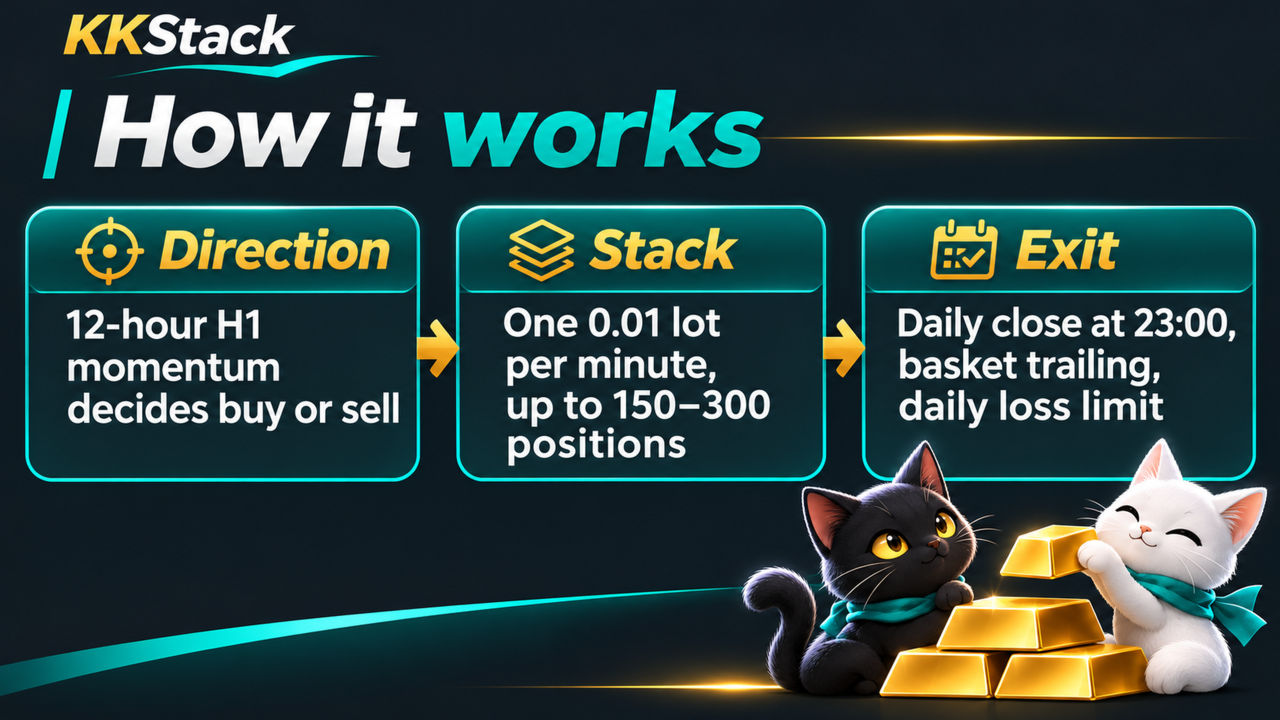
HOW IT WORKS
- Direction: it checks the trend and only buys in an uptrend, or only sells in a downtrend.
- Entry: one position per minute, only when the short-term move agrees with the trend and the spread is not wider than usual.
- Size: up to 150 positions. On quiet days it allows more (up to 300), based on daily ATR. It never goes above your broker's limit.
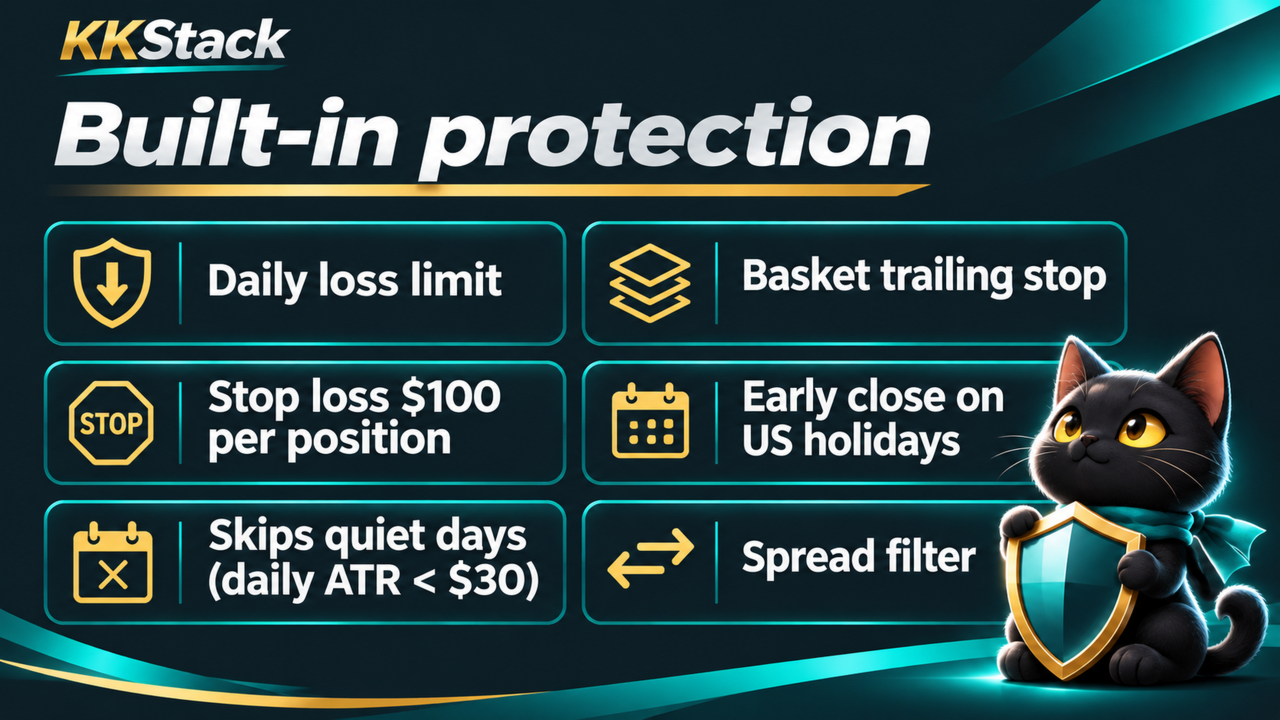
- Exit: all positions are closed every day at 23:00 on a GMT+2/+3 clock. Also: a daily loss limit, a profit trailing stop for the whole basket, a 100 USD stop loss per position, and an early close at 19:30 on US holidays when gold closes early. No new positions after 21:00 on Fridays.
- It does not trade on days when the daily ATR is below 30 USD.
No martingale. No grid against the trend. Every position has the same lot size.
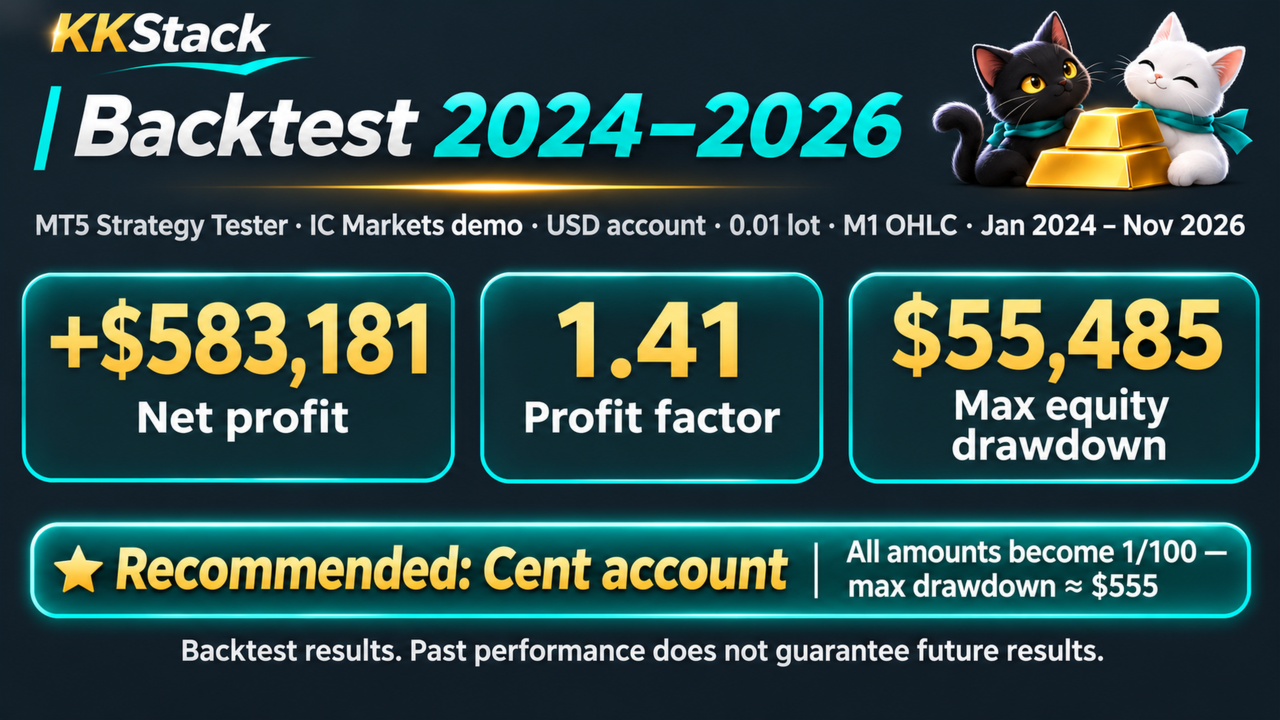
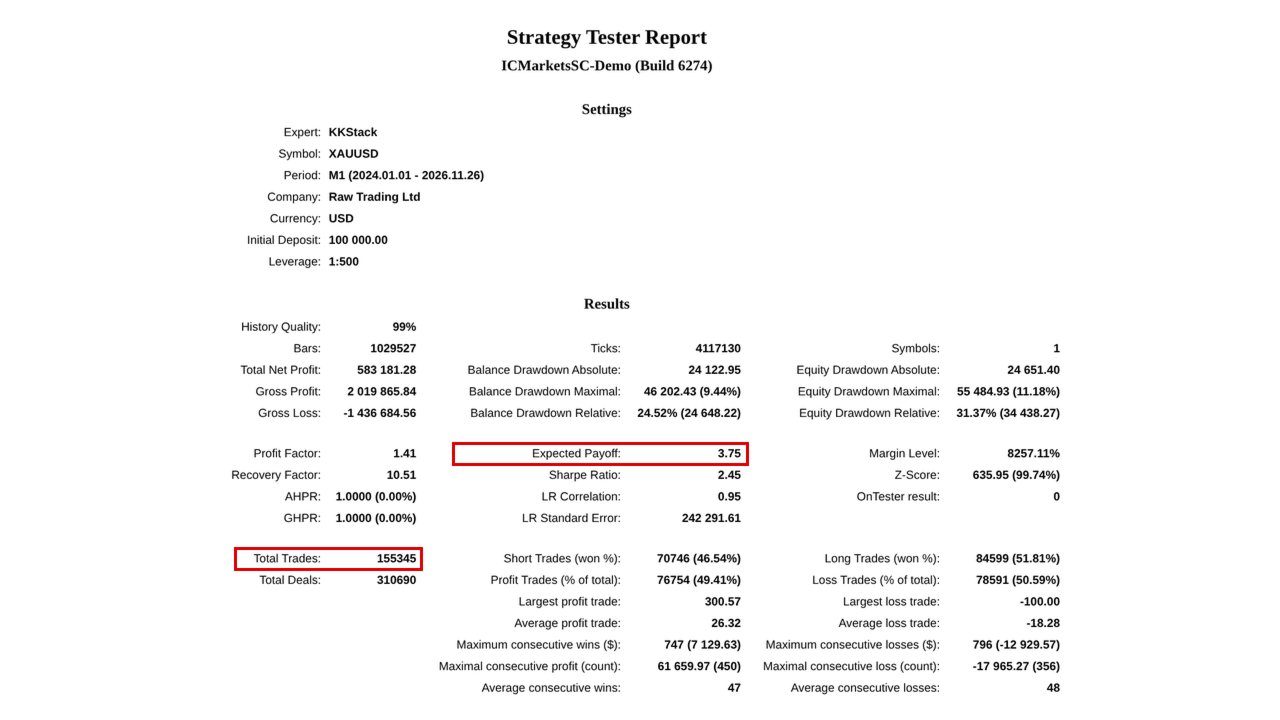
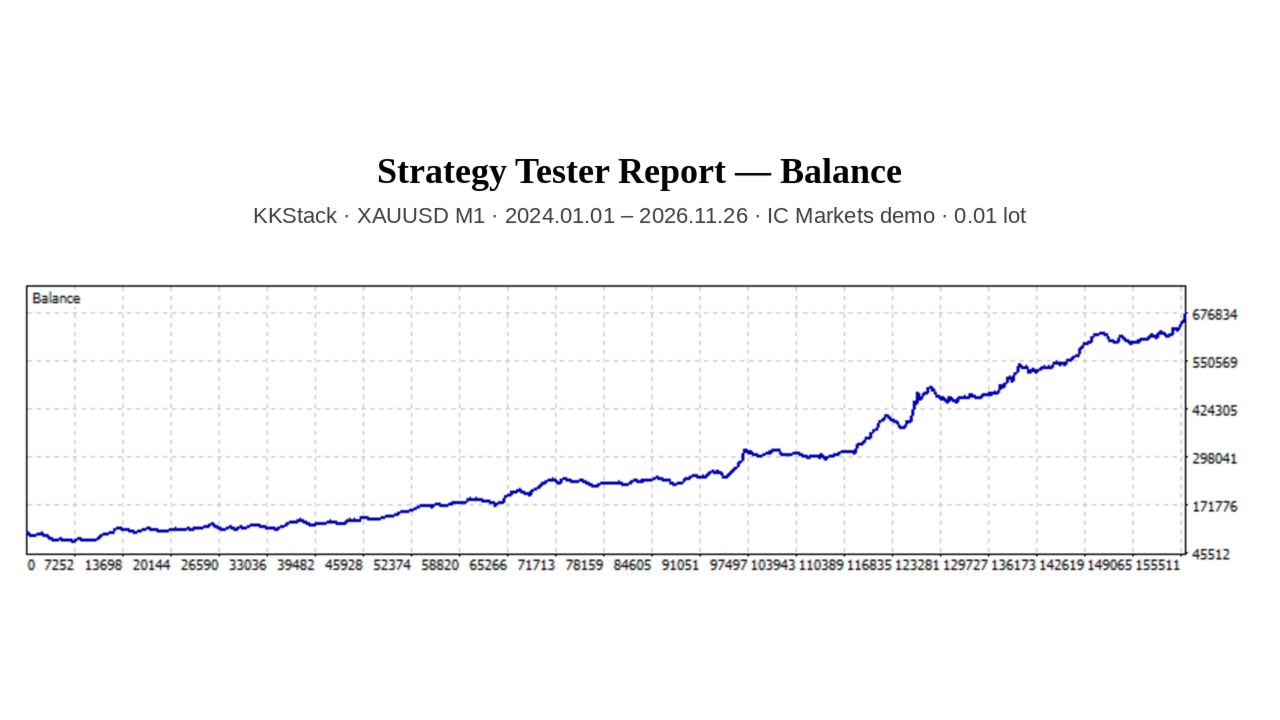
BACKTEST (MT5 Strategy Tester, IC Markets demo, USD account 100,000, 0.01 lot, 1-minute OHLC, January 2024 – November 2026)
- Net profit: +583,181 USD
- Profit factor: 1.41
- Max drawdown: 46,202 USD (balance), 55,485 USD (equity)
- Trades: 155,345
Commission was 0 in this test. On a cent account, divide every amount by 100.
Results by year (USD), from a separate test with the same settings starting in April 2017. Every position is closed each day, so the 2024–2026 rows are the same in both tests:
- 2017–2019: 0 (no trading: daily ATR below 30 USD)
- 2020: +15,664
- 2021: −20,513
- 2022: +7,888
- 2023: +6,749
- 2024: +48,217
- 2025: +154,828
- 2026 (to Nov 26): +380,137
- Total: +592,970
Over the full period from April 2017, the max drawdown was 50,253 USD (balance) and 55,485 USD (equity), with a profit factor of 1.35.
Past results do not guarantee future results. Most of the profit comes from 2025–2026, when gold was moving much more than usual.
RISKS — PLEASE READ
- Long flat periods: from August 2020 to April 2024 (about 3 years and 8 months) the account stayed below its previous high. 2021 was a losing year.
- Big daily swings: on bad days the daily loss limit closes everything (8,000 USD at 0.01 lot on a standard account, 80 USD on a cent account). This can happen several times a month.
- Days that go up and then come back down are losing days. This is part of how the EA works and cannot be removed.
- When gold becomes quiet, profit becomes much smaller. Below a daily ATR of 30 USD the EA does not trade.
- Costs matter: every position pays the spread. Accounts with a minimum commission per trade will lose money. Use an account where commission is proportional to lot size.
- The early months can be negative. In our test starting in January 2024 (100,000 USD, 0.01 lot), the account fell by up to 24,123 USD in the first 4 months before recovering.
- The backtest above uses 1-minute OHLC data, not 100% real ticks.
REQUIREMENTS
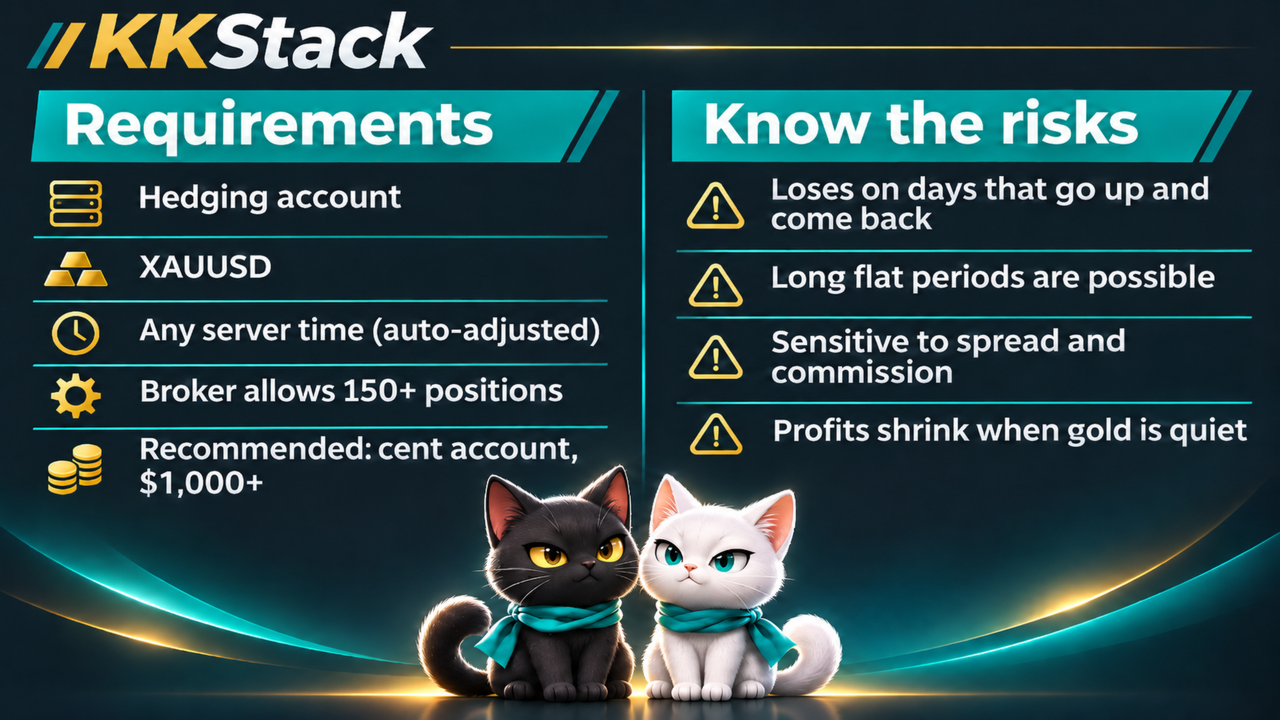
- Hedging account. XAUUSD (gold). Any chart timeframe.
- Any server time. The EA detects your broker's GMT offset and runs all time rules on a GMT+2/+3 clock (New York close = 00:00), including US daylight saving changes. In the Strategy Tester the offset cannot be detected, so it assumes GMT+2/+3 (IC Markets, Vantage, HFM and many others). If your broker uses another fixed offset, set 3-14 to the fixed option and enter the offset in 3-15 before testing.
- At least 150 open positions allowed by the broker.
- Recommended: a cent account with 1,000 USD or more (1,500–2,000 USD is more comfortable). Standard account at 0.01 lot: 60,000 USD or more.
WHY WE RECOMMEND A CENT ACCOUNT
We recommend running KKStack on a cent account.
- The swings are large. At 0.01 lot on a standard account, the max drawdown in the backtest was 55,485 USD and the daily loss limit is 8,000 USD. On a cent account the same trades are 100 times smaller: about 555 USD and 80 USD.
- You can start with about 1,000 USD and still run the default settings (150–300 positions of 0.01 lot). On a standard account the same settings need about 60,000 USD.
- KKStack can go through long flat periods and several bad days in a row. A small, separate cent account lets you watch how it behaves in your own conditions before you put in more money.
- Check before you start: the broker must allow 150 or more open positions (some cent accounts allow 200–300), use a hedging account, and charge commission in proportion to the lot size (no minimum fee per trade).
MAIN INPUTS
All inputs are numbered (for example "1-3 Max positions"). The default values are the settings used in the backtest. The ones most people change:
- 1-1 Lot per position
- 1-6 to 1-9 Automatic max positions by daily ATR
- 3-14 / 3-15 Server clock adjustment (Auto by default)
- 4-5 / 4-6 Profit trailing (in total width, USD; 0.01 lot: 1 USD width = 1 USD)
- 5-1 Skip days when daily ATR is below 30 USD
- 5-4 Daily loss limit (in total width, USD; the same number works on any account)
- 6-5 to 6-9 Panel language (English / Japanese), colors and position
PANEL
The panel appears at the top left of the chart, in English by default. You can change the language, the color theme (4 themes) and the corner in 6-5 to 6-9.
- Market: trend direction, current mode, daily ATR.
- Positions: number and floating profit of buys and sells, total width, trailing status (the start level, or the peak and exit level once it is active), and today's max positions.
- Account: balance, equity, and closed profit for today, this week and this month.
Buttons:
- Auto: the EA chooses buy or sell from the trend (default).
- Buy / Sell: manual direction. One position opens right away, then one per minute in that direction, but only when the short-term move agrees. In manual mode the trading hours, the daily ATR filter and the usual-spread filter are not used. The 23:00 daily close, the daily loss limit, the Friday stop and the holiday close still apply. The mode is kept after the chart is reopened, so set it back to Auto when you are done.
- Stop: no new positions. Open positions stay.
- Stop new entries: pauses new positions without changing the mode. Press again to resume.
- Close buys / Close sells / Close all: closes those positions immediately. These buttons do not stop new entries, so press Stop or Stop new entries first if you want the EA to stay flat.