RatioFang Pro Harmonic Pattern Scanner
- Indicatori
- Versione: 1.1
- Attivazioni: 5

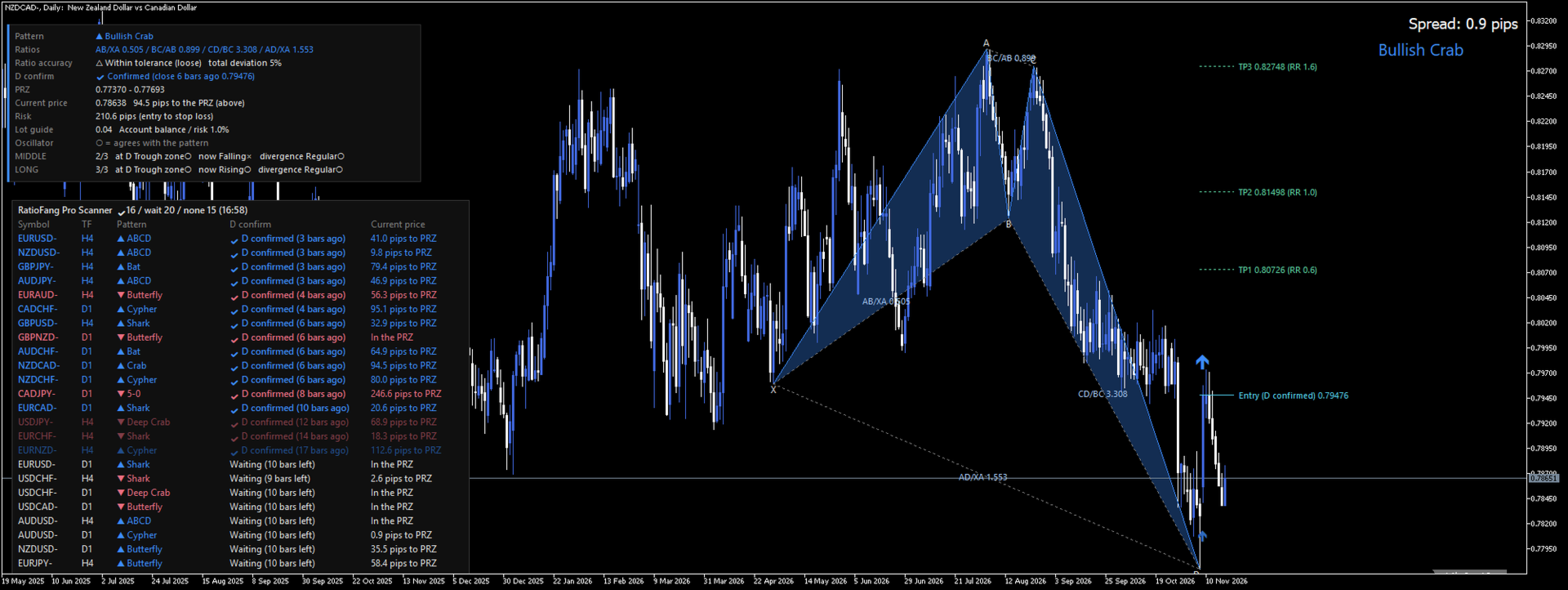
RatioFang Pro detects harmonic patterns and helps you enter after the reversal is confirmed by a bar close, not the moment price touches D. It shows how accurate each pattern is, marks invalidated patterns automatically, and watches 28 major pairs in one scanner list. It is a display-only indicator: it never places, modifies or closes orders.
Why "D confirmation"?
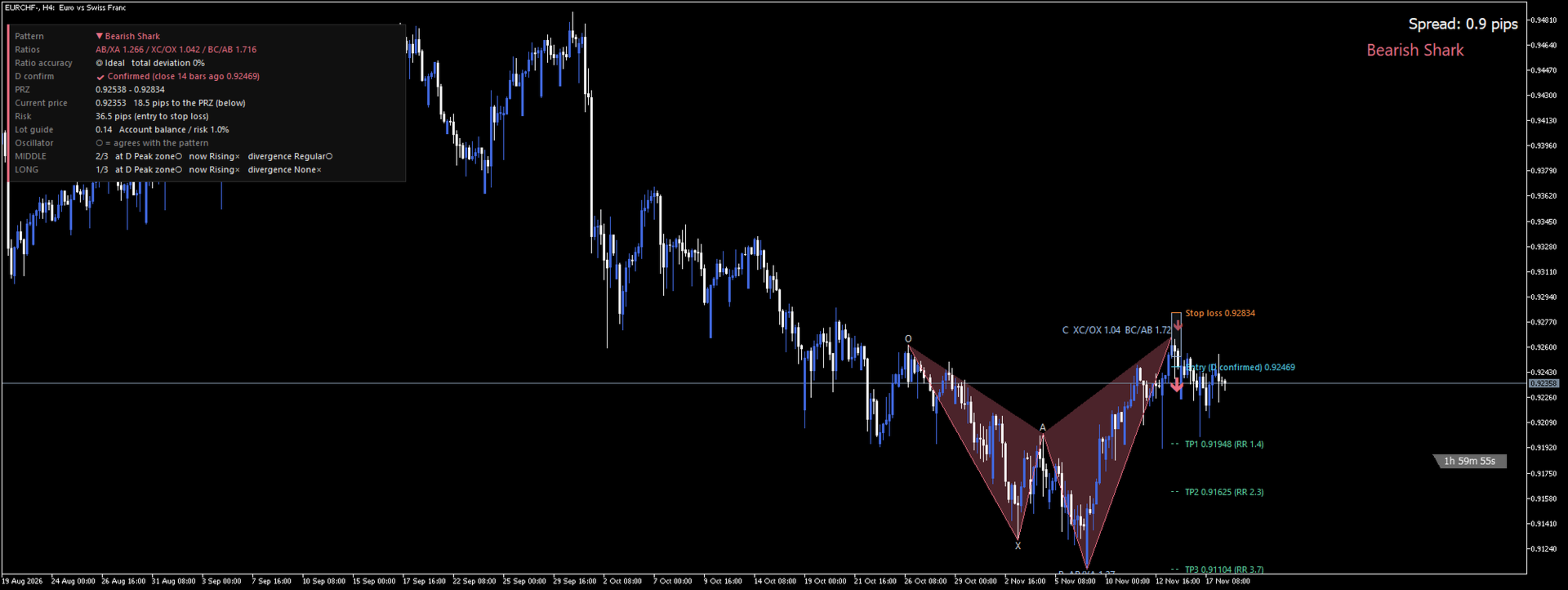
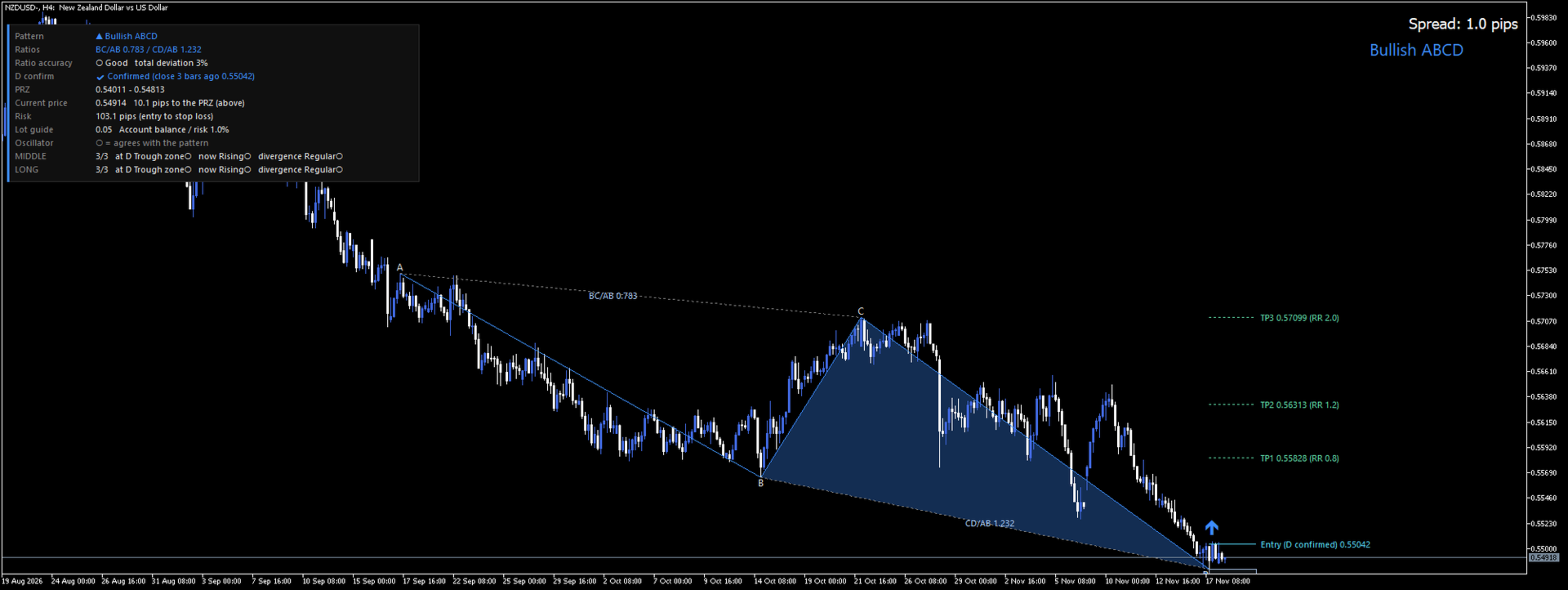
Point D is where a reversal is expected, not where it has started. Price often runs through D and the pattern stretches further. RatioFang Pro waits until a closed bar after D closes beyond the high of the D bar (bullish) or the low of the D bar (bearish). Only then does it mark the pattern as D confirmed and draw an arrow on that bar. Until then the D confirmation line shows the level to watch. The forming bar is never used, so a wick alone does not give a signal.
Precision
- Ratio accuracy in numbers: the info panel shows how far each ratio is from the ideal range for that pattern (Ideal / Good / Within tolerance / Edge of tolerance) with the total deviation in percent.
- D confirmation by bar close: status Waiting, Confirmed (with the close price and how many bars ago) or Expired.
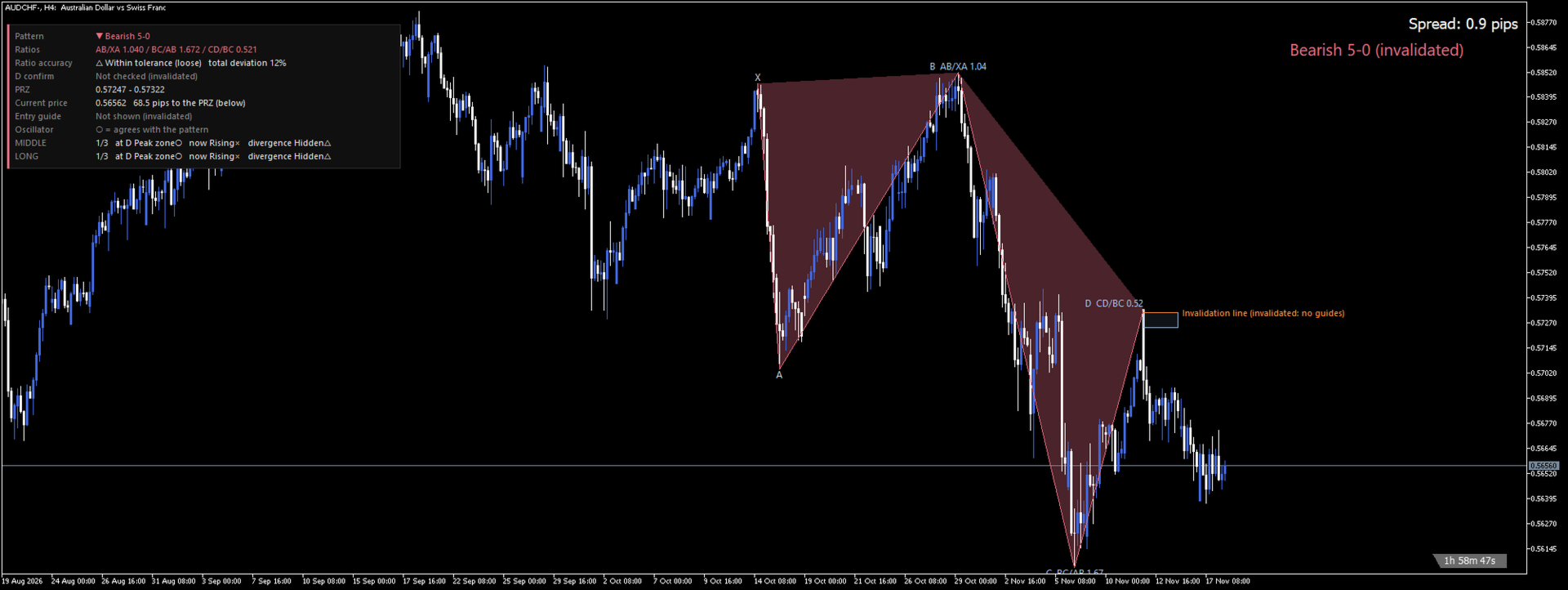
- Automatic invalidation: when price moves beyond the invalidation line, or D overshoots it, the pattern is marked "(invalidated)" and no guides are shown, so you do not trade a broken pattern by mistake.
- History marks: when D moves with new bars the pattern is redrawn, but the marks of past D confirmations stay on the chart for review.
Convenience
- Scanner: lists 28 major pairs on H4 and D1 (symbols and timeframes can be changed), sorted D confirmed (newest first), then waiting. Click a row and that chart opens with the same look and settings.
- Guides: PRZ band and center line, entry, stop-loss and three take-profit lines with the risk/reward of each target.
- Lot guide: from the account balance (or a fixed amount) and your risk percent.
- Alerts: pop-up, push notification and e-mail when price enters the PRZ and when D is confirmed.
- Spread and bar countdown: see at a glance how long until the bar closes.
Research behind the D confirmation (past data, not a guarantee)
We fixed the rules in advance and counted every signal, with no discretionary filtering. On H4 for 28 major pairs, entering at the close of the D-confirmation bar, with the stop at the invalidation line and the target at 2 times the stop distance, spreads included:
- Broker 1 data (Mar 6 – Oct 27, 2026): average +0.33R over 184 trades
- Broker 2 data (Mar – Nov 14, 2026): average +0.26R over 230 trades
R is the result in units of the stop distance (+0.3R = 0.3 times the risk per trade on average). In the same data, entering as soon as price reached D averaged lower. These are past results and do not guarantee future results; losing streaks happen.
Patterns
Gartley, Bat, Alt Bat, Butterfly, Crab, Deep Crab, Cypher, Shark, 5-0, ABCD, Three Drives and Nen Star, bullish and bearish.
How to use
- Set "Operation mode" to "Both (panel + list)" and look for "D confirmed" rows in the scanner.
- Click the row, then check the shape, the ratio accuracy and the PRZ on the chart.
- Enter near the close of the confirmation bar, with the stop beyond the invalidation line and a target from TP1-TP3 or a chart level. Skip "Waiting" until it confirms, and skip "(invalidated)".
Input parameters (all in English)
- Operation mode: chart / scanner / both
- Detection, patterns on/off, what to show, design (colors, fonts, panel)
- Entry guide: entry basis (D-confirmation close, D price, PRZ center or current price), TP ratios, min stop distance, lot guide (account balance or fixed amount, risk %)
- D confirmation: bars allowed after D, alerts, history marks
- Scanner: symbols, timeframes, re-scan interval, list position and font, template
- Oscillator check, alerts, spread and bar countdown
Notes
- MetaTrader 5 desktop (Windows). Works on any symbol and timeframe; the research above is for H4 only. Shorter timeframes show more patterns and more false signals.
- The scanner needs the price history of each symbol from your broker; the first scan of a new symbol or timeframe takes a little time. In the Strategy Tester the scanner is off and only the chart display works.
- Harmonic patterns and the guide lines are not trading advice or a promise of profit. Trading involves risk of loss. Test on a demo account first.
- No DLLs, no external files, no web requests.
- An order panel EA with the same detection built in is available separately as "RatioFang Pro EA".