NatTrade TrendLines EA
- Experts
- Versione: 1.0
- Attivazioni: 5

NatTrade Trend Lines EA - Automatic Trend-Line Pullback Trading with a Live Control Panel
The EA finds and confirms trend lines on its own, trades the bounce, scales out at six targets, and lets you control everything from an on-chart panel without recompiling or re-attaching it.
WHAT IT DOES
NatTrade Trend Lines EA is a fully automatic MT5 Expert Advisor for trend-line pullback trading. No manual line drawing is needed.
1. Finds swing points automatically. A percentage-based zigzag is calibrated on the symbol's own history at startup (600 bars by default).
2. Builds and confirms trend lines. A line is traded only after it has been touched the required number of times. Broken lines are dropped automatically.
3. Trades the bounce. After a confirmed touch it waits a configurable number of bars, then enters.
4. Sets the stop from volatility. The stop distance (1R) is ATR x a multiplier, so the exit plan scales with each symbol. A classic "stop beyond the trend line" mode is also available.
5. Manages the trade in stages:
- Six targets at 0.5R, 1R, 1.5R, 2R, 2.5R and 3R (step and count are adjustable). The last target is the final take-profit.
- 15% of the volume is closed at each of targets 1 to 5; the rest closes at the final take-profit.
- The stop moves to the entry price at target 1, then to the previous target at each new one.
- A time exit closes a trade that has gone nowhere, but only while price is on the stop-loss side of entry. A trade running toward its targets is left alone.
THE CONTROL PANEL
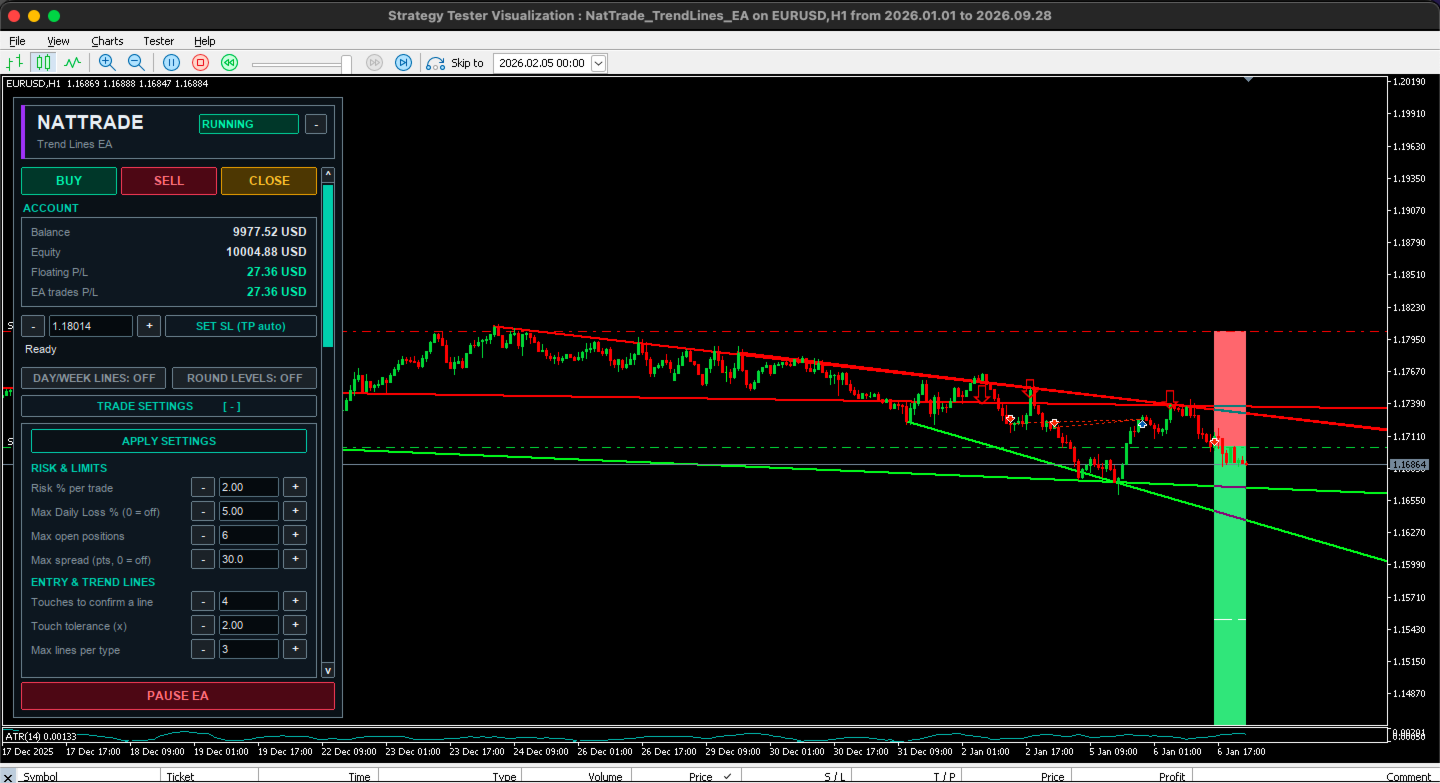
A panel on the chart gives you control of the EA while it runs:
- PAUSE / RESUME: stops new automatic entries at any moment. Trades already open keep being managed.
- Manual BUY / SELL / CLOSE buttons. Each action asks for confirmation, and manual trades are sized from your risk % with a stop and take-profit calculated for you.
- SET SL (TP auto): type a stop price, or step it with the - / + buttons, and the take-profit is recalculated for the EA's trades on the symbol.
- Live trade settings: risk %, daily loss limit, maximum open positions, maximum spread, touches to confirm a line, entry delay, target step, number of targets, % closed per target, maximum bars in a trade, and more. Change a value with - / + or type it, then press APPLY.
- ON/OFF switches: buy lines, sell lines, news filter, no-Friday, staged exits, time exit.
- Account block: balance, equity, floating P/L, and the EA's own P/L.
- Status and protection overview: active line types and open positions, symbol, spread, zigzag threshold, news filter, weekend protection, daily kill switch (OFF / ACTIVE / TRIPPED) and session filter.
- Chart tools: DAY/WEEK lines and ROUND LEVELS overlays (display only).
- The panel can be folded, scrolled, and it remembers its settings and state between restarts.
- Some deeper options, such as the stop mode and the ATR multiplier, are in the EA's Inputs tab.
Note: by default the EA trades downtrend lines only (sells). Buy trading can be switched on from the panel.
MORE FEATURES
- On-chart overlay: trend lines, entry arrows, risk zone (red), reward zone (green) and white dashed target lines.
- Risk-based position sizing (% of balance) with optional ATR volatility scaling that never exceeds the risk % you set.
- Daily loss kill switch: stops new entries and closes the EA's trades when the daily loss limit is hit. The state survives a terminal restart.
- Optional filters: maximum spread, trading sessions, high-impact news (MT5 calendar) and a no-Friday option.
- Safety checks before every order: broker stop and freeze levels, free margin, and whether the symbol is open for trading.
- Automatic order retries, and recovery of open-trade management after an EA or terminal restart. Bars missed during a disconnect are replayed.
REQUIREMENTS AND BROKER CONDITIONS
Platform: MetaTrader 5 (recent build).
Account type: HEDGING account. On netting accounts the EA stops with a message, because positions would merge.
Validated symbol: EURUSD on H1. Other symbols and timeframes are not validated; test them yourself before using them.
Spread: default limit is 30 points. Low-spread ECN / Raw accounts work best.
Execution: any filling mode; the EA detects the symbol's mode itself.
History: at least 600 bars on the chosen timeframe.
Trading sessions: the symbol must have trading sessions defined (standard on regulated brokers).
Recommended: a VPS for 24/5 operation, with automated trading enabled.
Balance: about $1,000 or more is suggested. Use a smaller risk % on smaller balances.
Note: the news filter uses the MT5 economic calendar, which is not available in the Strategy Tester.
TESTING AND RESULTS
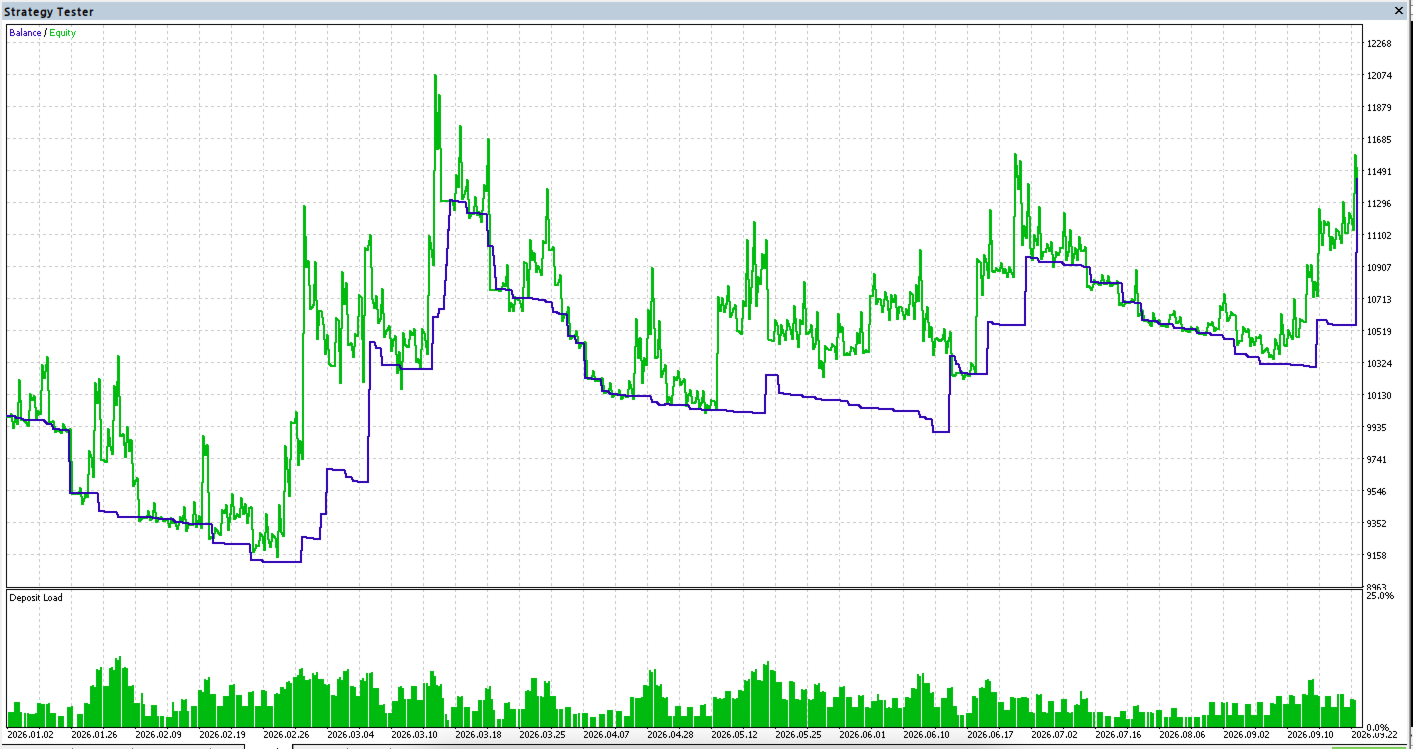
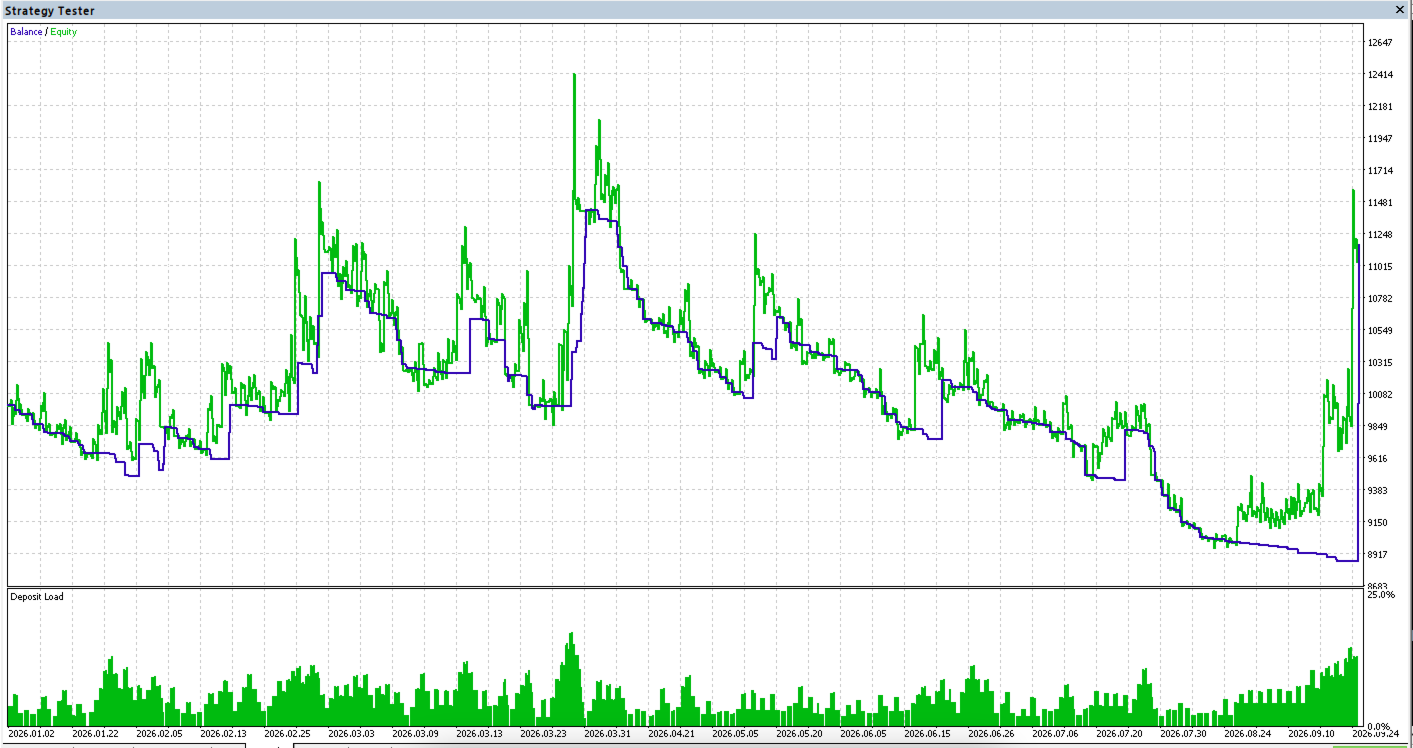
The EA was developed and tested on EURUSD H1. Results depend heavily on the symbol, the direction traded, the broker's spread and the settings, and they are not guaranteed to repeat. Other pairs and gold did not show a consistent edge in our own tests, so the EA is not recommended for them without your own testing. Always run your own Strategy Tester backtest first and start on a demo account with a low risk % (1% or less).
RISK WARNING
Trading leveraged products carries a high risk of loss. This EA does not guarantee profit, and results vary by broker, spread and settings. Test on a demo account before going live.