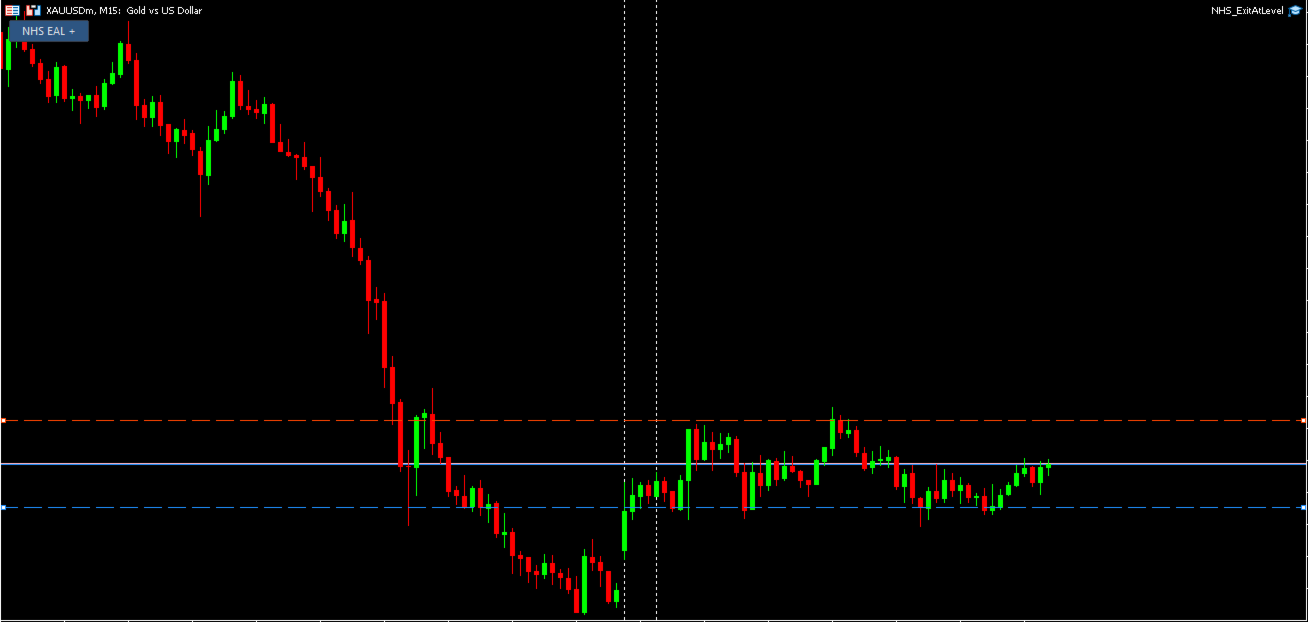
NHS ExitAtLevel
- Utilità
- Versione: 1.0

NHS Exit At Level v1.00
NHS Exit At Level closes the trades on one symbol the moment price reaches a level you choose, whatever strategy, EA or magic number opened them. It never opens trades and it does not change stop-loss or take-profit levels. It is an exit tool, nothing more.
Built for traders who want one reliable, rule-based exit at a price that matters: a daily or weekly level, a news level, a prop-firm safety level, or a manual "get me out here" line.
Key settings
| Input | Default | What it does |
|---|---|---|
| Symbol | Chart symbol | Symbol to monitor. Leave blank for the chart symbol. |
| Price level | 1.0850 | The exit price, normalised to the symbol's precision. |
| Direction | Both | Buys, sells or both, for the trades that will be closed. |
| Trades | Market and pending | Open positions, pending orders or both. |
| Profit | Any | Any, only profitable, or only losing open positions. |
| Trigger | Auto | Auto crossing, price rising to the level, or price falling to the level. |
| Second exit level | Off | Optional second level with its own line and its own Direction, Trades and Profit settings. |
| After closing | Stay idle | Stay idle, re-arm for the same level, or remove the EA from the chart. |
| Confirm CLOSE NOW | On | The dashboard button asks for a second press within 5 seconds. |
| Max slippage | 20 points | Maximum deviation for close requests. It does not guarantee a fill at the level. |
| Instance ID | Blank | A unique ID when running several instances on the same account, symbol and level. |
| Dashboard, level line, dragging, alerts | On | Display and alert options. |
How it closes
- Auto trigger: fires when price crosses the level from the side it was on when the tool started. Attaching it after price has passed the level closes nothing by surprise.
- Rise or fall trigger: fires when price reaches the level in that direction. If price is already past the level at start and trades are targeted, they close immediately.
- Correct side pricing: buys are tested on the Bid and sells on the Ask, the prices at which they actually close.
- No trades at the level: the tool stays active and waits for price to move back off the level, so new trades are not closed instantly.
- Profit filter: profit is checked when the level is reached. Once closing starts, the selected trades stay targeted even if their profit changes.
- Safe dragging: moving a level line never closes trades at once. After the move, price must first be on the waiting side of the new level.
- Both levels at once: if price reaches both levels together, the trades targeted by either level are closed.
- Pending orders first: matching pending orders are deleted before any positions are closed.
Hedging and netting accounts
On hedging accounts every matching position is handled individually. On netting accounts a symbol has one net position, which is closed as a whole. "Buy only" then applies only while the net position is long, and "Sell only" only while it is short. The tool logs the account mode when it starts.
Dashboard
A compact panel starts collapsed as one NHS EAL + button. Expanded, it shows the status (ARMED, IDLE, CLOSING or OFF), the level prices, and CLOSE NOW. CLOSE NOW starts closing the trades targeted by the current levels at once, without waiting for price to reach them. The panel rebuilds itself if it is deleted.
Reliable closing and restarts
- Every close and delete request is verified by its trade-server result. Rejected requests are retried with a short back-off.
- The armed state, the dragged level, the profit-filter selection and unfinished closes are saved. They resume after a terminal restart, a timeframe change or a recompile.
- Removing the tool from the chart clears its saved state.
Requirements
The tool works only while it runs inside a connected MetaTrader 5 terminal. If the terminal is closed or disconnected, price is not watched and no trade is closed during that time. A VPS or an always-on computer with a stable internet connection is strongly recommended if you rely on the exit while you are away from your desk.
If price passes the level while the terminal is down and the tool was armed for that level, the trades close as soon as the tool runs again.
Important notes
- Trades close at market once the level is reached. This is not a guaranteed-price order, so fills can differ from the level because of slippage, gaps or fast markets.
- The level is checked on ticks and on a short timer, so a very brief spike that never appears in the quotes can be missed.
- Other EAs may open new trades after a close. The tool closes them again only if it is armed for another trigger.
- It does not guarantee any trading result. You are responsible for choosing the level, direction and settings that match your plan and your firm's rules.
Start on a demo account and never risk money you cannot afford to lose. Test the settings carefully before live use.