Sales Manager
- Utilità
- Versione: 1.0

1. Product Overview & Description
Sales Manager EA is an intuitive, fast-execution utility tool designed for MetaTrader 5 traders who value speed, precision, and automated risk control. Built directly on your chart, Sales Manager eliminates the multi-step process of manually setting trade volumes, Stop Loss (SL), and Take Profit (TP) levels during live market trading.
Whether you trade market orders or set pending limit orders, Sales Manager ensures every single execution is protected immediately according to your defined parameters.
Key Features
-
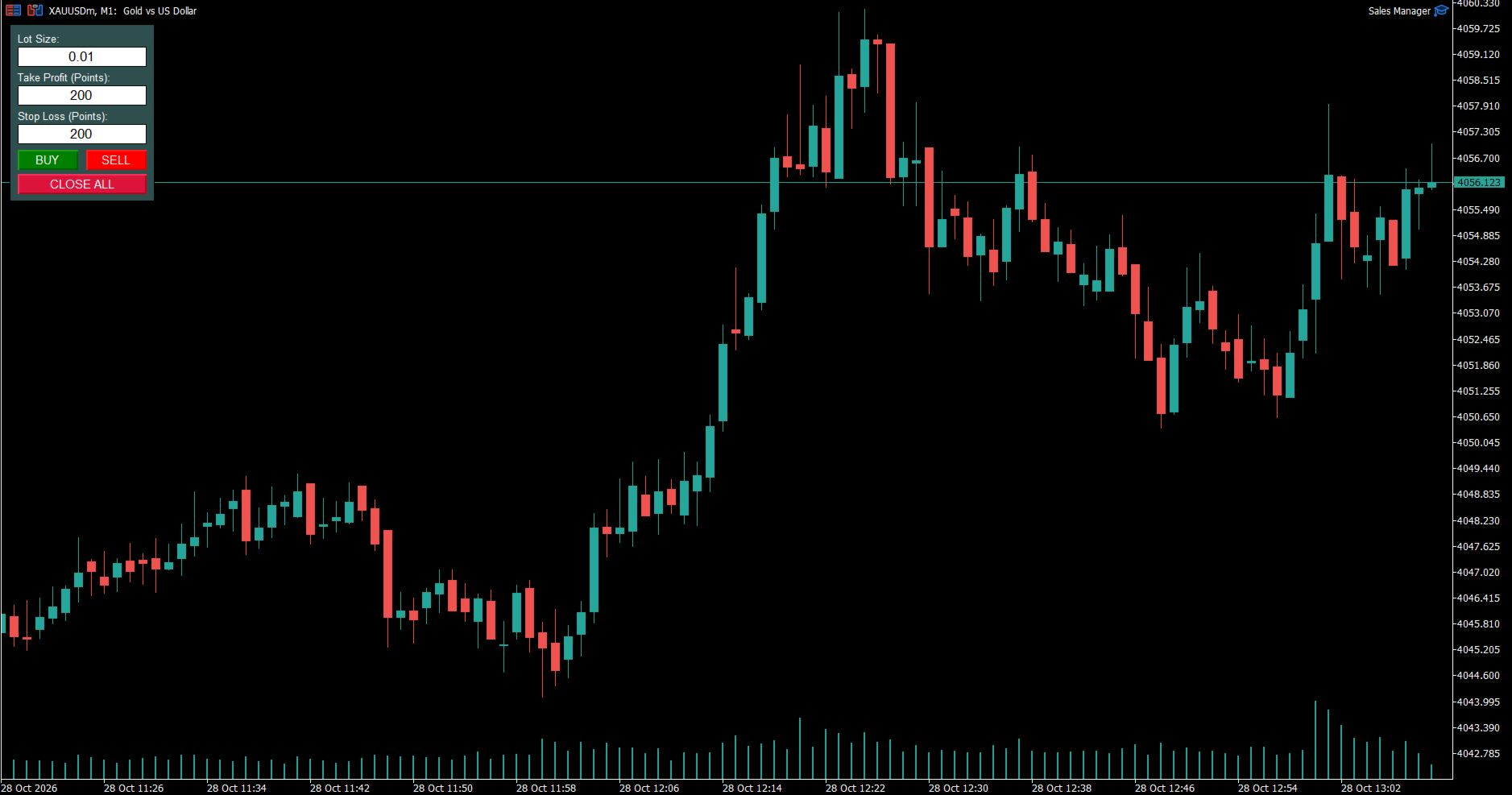
One-Click Execution Panel: Instant BUY, SELL, and CLOSE ALL position buttons rendered directly on your MT5 chart.
-
On-the-Fly Parameter Adjustment: Easily adjust Lot Size, Take Profit (in points), and Stop Loss (in points) directly from the interface without opening EA properties.
-
Automatic Market Order Protection: Every market order opened via the panel automatically applies your pre-set SL and TP values in real time.
-
Smart Pending Order Handling: Placed Buy Limit, Sell Limit, Buy Stop, or Sell Stop orders that get triggered while the EA is running automatically receive your predefined TP and SL levels the moment they convert into active positions.
-
Lightweight & High Performance: Clean MQL5 native implementation with zero chart lag or complex dependencies.
2. Controls Guide
Input Fields
-
Lot Size: Enter the order volume (e.g., 0.01 , 0.10 , 1.00 ).
-
Take Profit (Points): Set your desired Take Profit distance in points. (Set to 0 to disable automatic TP).
-
Stop Loss (Points): Set your desired Stop Loss distance in points. (Set to 0 to disable automatic SL).
Action Buttons
-
BUY: Executes a instant Market Buy order with the specified Lot, SL, and TP.
-
SELL: Executes an instant Market Sell order with the specified Lot, SL, and TP.
-
CLOSE ALL: Immediately closes all open positions for the active chart symbol.
3. How It Works: Pending Order Auto-Protection
-
Place Pending Orders: Set your Buy Limit, Sell Limit, Buy Stop, or Sell Stop orders manually on your chart or via the terminal as usual.
-
Trigger Event: When market price hits your limit/stop price, MT5 fills the order into an active position without default TP/SL.
-
Automatic Assignment: Sales Manager continuously monitors open chart positions. On the exact tick the order is triggered, the EA detects the missing TP/SL and automatically applies the point values currently entered in the Take Profit and Stop Loss input fields.
4. Troubleshooting & FAQs
-
Buttons don't respond / trades don't open: Check that the Algo Trading button at the top of MT5 is turned ON (Green arrow icon).
-
Point vs Pip conversion: On standard 5-digit Forex pairs, 10 points equal 1 pip. For a 30-pip Stop Loss, enter 300 in the Stop Loss field.
-
Does it manage orders on other charts? Sales Manager operates on the specific symbol of the chart it is attached to. To manage multiple assets, attach the EA to each respective chart window.