Custom Trade Panel

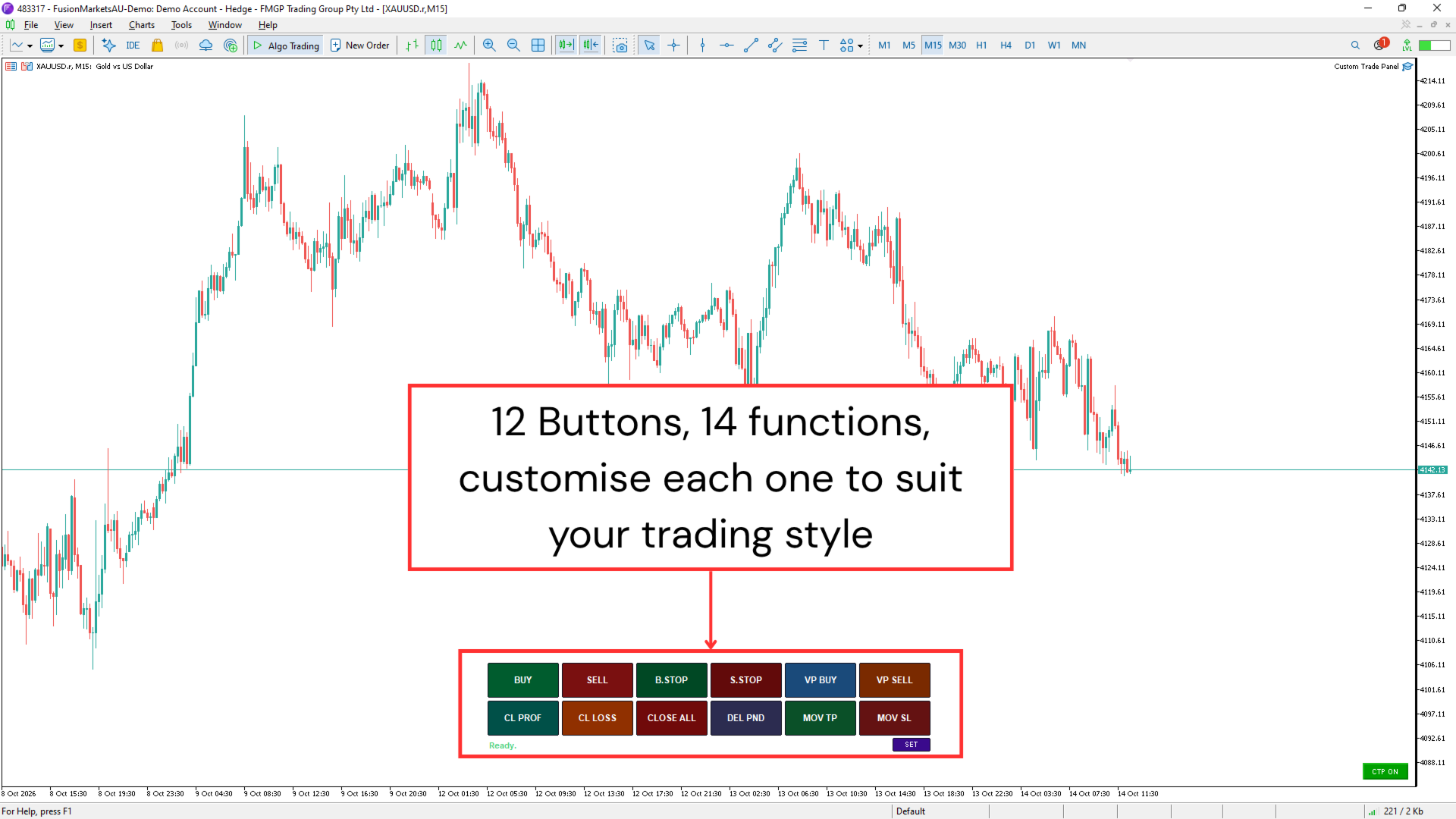
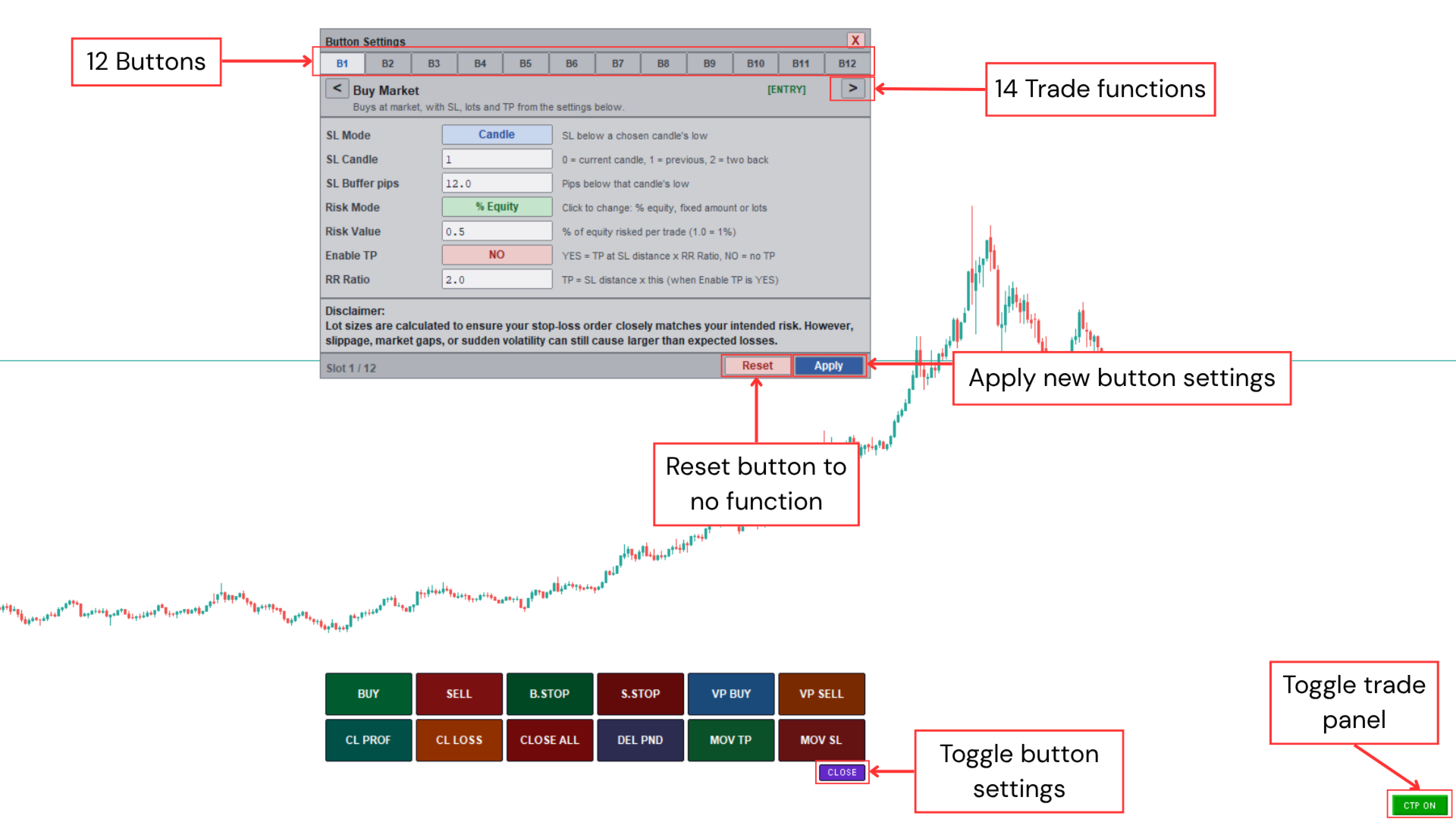
Custom Trade Panel is a trading panel for all traders that you customise to suit your own style. Choose anywhere from 1 to 12 buttons, assign each one to any of fourteen functions, and arrange them in whichever layout fits how you trade.
Every trade is sized from the risk you choose. Set a percent of your equity, a fixed amount, or a fixed lot size, add your stop loss, and the panel works out the lot size for you.
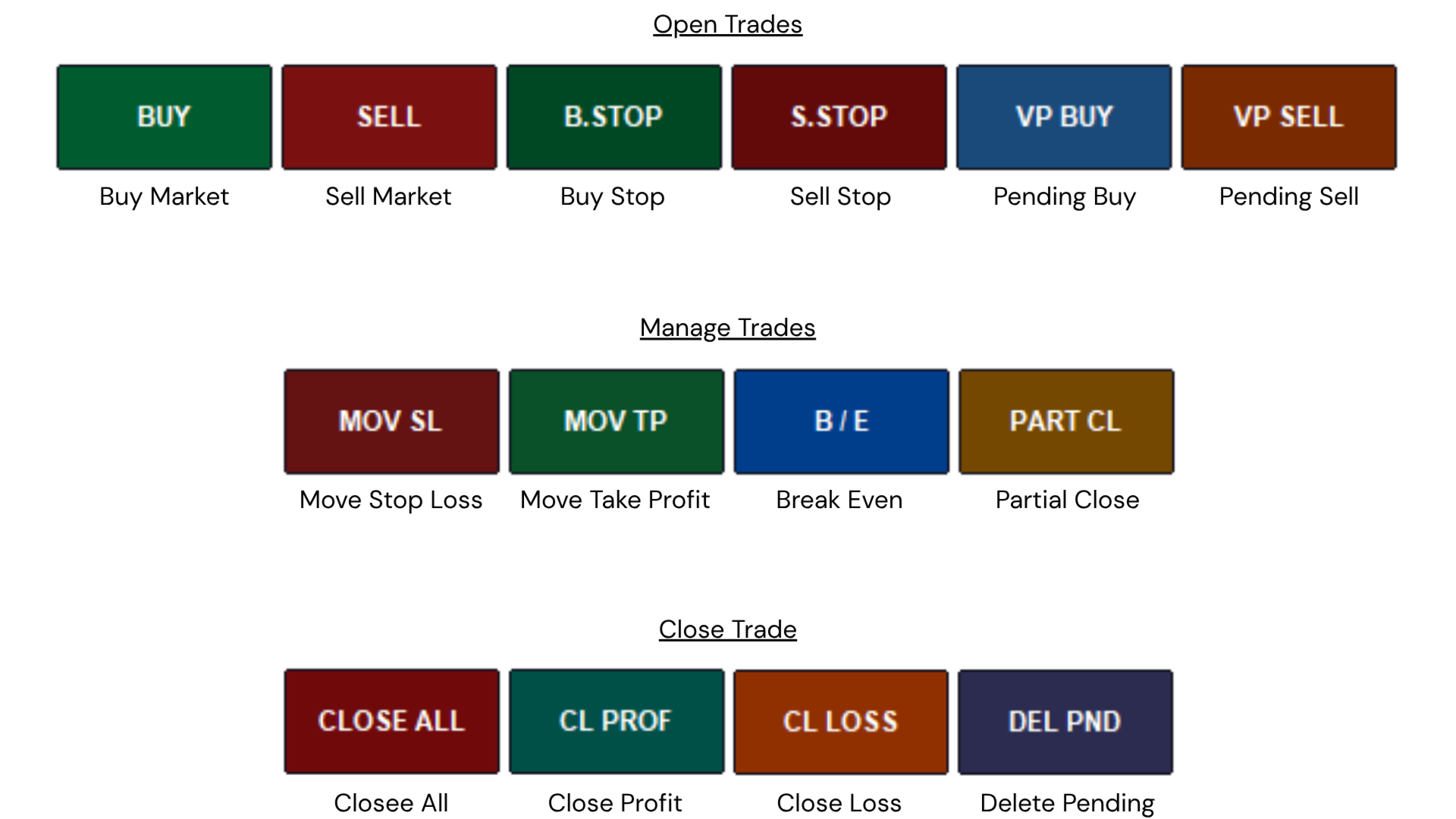
All fourteen functions:
Open trades:
- Buy Market
- Sell Market
- Buy Stop
- Sell Stop
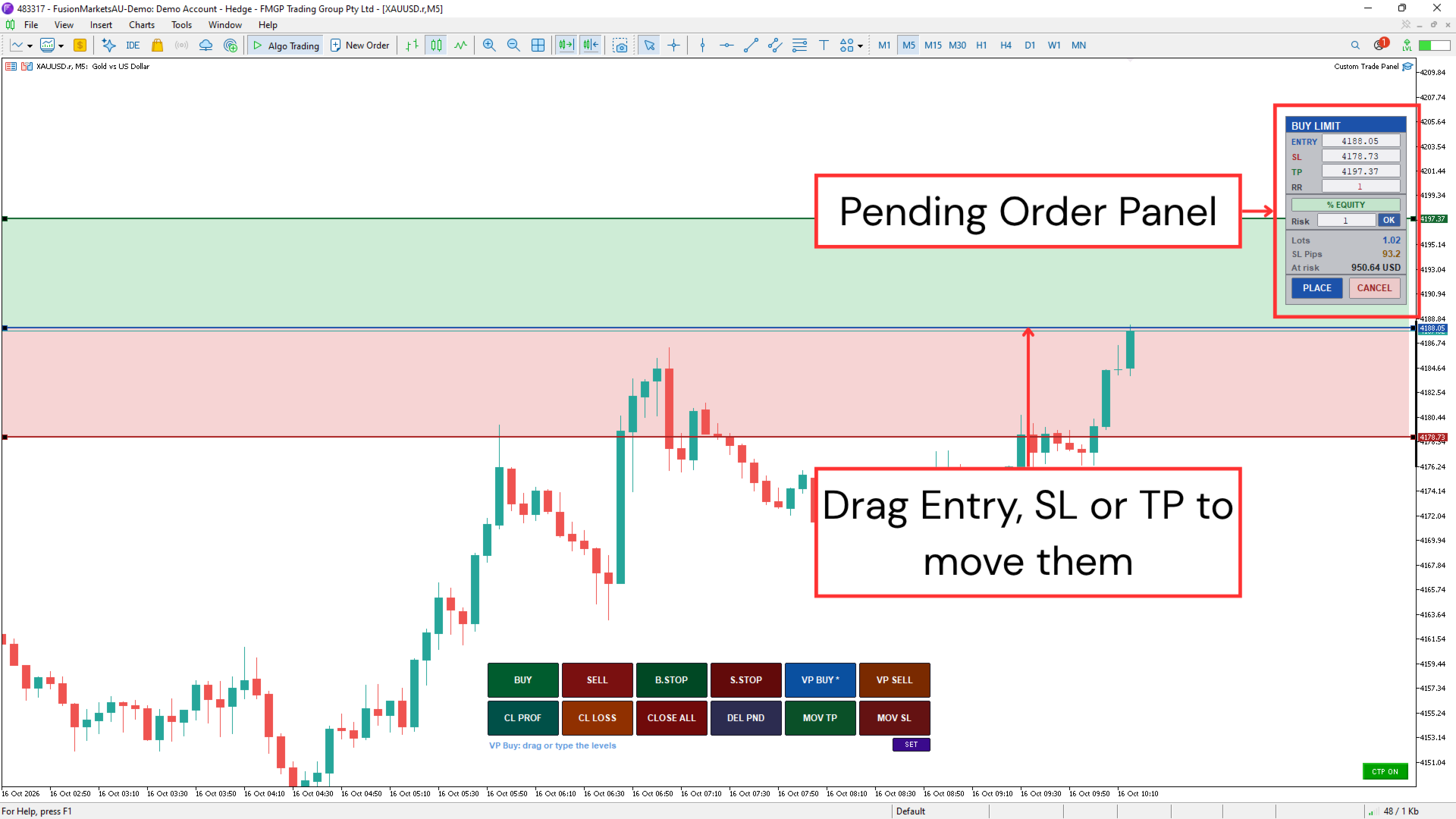
- VP Buy (Pending order buy), drag a pending order onto the chart
- VP Sell (Pending order sells), drag a pending order onto the chart
Disclaimer: Lot sizes are calculated to keep your loss close to your intended risk if your stop loss is hit. Slippage, gaps, and volatility can still cause a larger loss than planned.
Manage trades:
- Move Stop Loss
- Move Take Profit
- Break even
- Partial Close
Close trades:
- Close All
- Close Profit
- Close Losing
- Delete Pending
Set it up your way that suits your trading style.
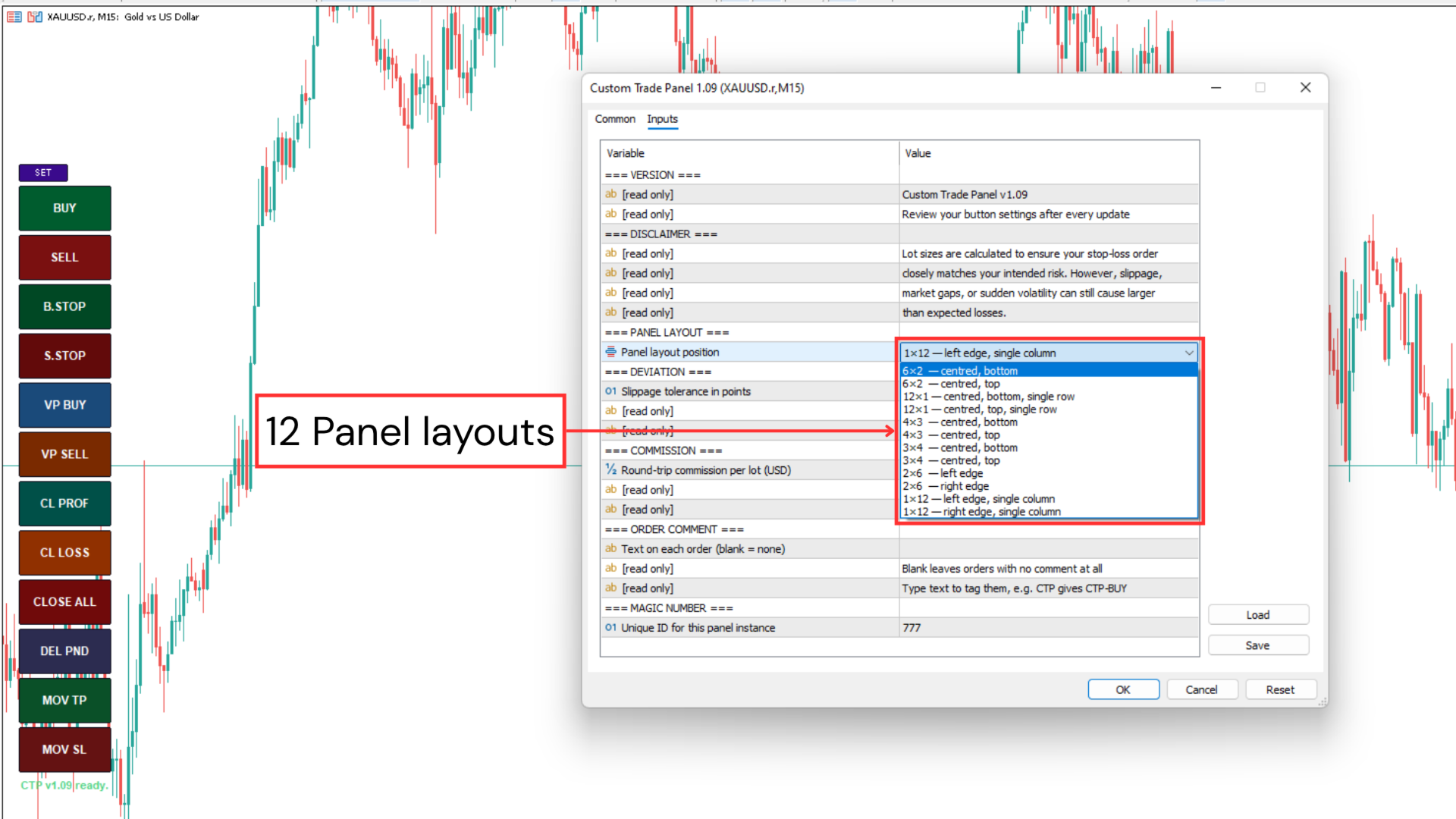
Not every trader wants all twelve buttons on screen. Leave any slot on None and its button disappears, so the panel can run with as few as one button or as many as twelve, whatever you actually use.
Twelve arrangements are built in:
- Horizontal, one, two, three, or four rows across the top or bottom of the chart
- Vertical, one or two columns down the left or right edge
Pick whichever suits your monitor and how you like to trade. Hide the whole panel and bring it back later without losing a setting.
Runs entirely on your own computer. No DLL calls, no internet connection, no files read or written.
A free demo is available through the Market, testable in the Strategy Tester before you buy or rent.
This is a trade execution tool, not financial advice. It only acts when you press a button. Trading carries real risk of loss.
Every trade is sized from the risk you choose. Set a percent of your equity, a fixed amount, or a fixed lot size, add your stop loss, and the panel works out the lot size for you.
All fourteen functions:
Open trades:
- Buy Market
- Sell Market
- Buy Stop
- Sell Stop
- VP Buy (Pending order buy), drag a pending order onto the chart
- VP Sell (Pending order sells), drag a pending order onto the chart
Disclaimer: Lot sizes are calculated to keep your loss close to your intended risk if your stop loss is hit. Slippage, gaps, and volatility can still cause a larger loss than planned.
Manage trades:
- Move Stop Loss
- Move Take Profit
- Break even
- Partial Close
Close trades:
- Close All
- Close Profit
- Close Losing
- Delete Pending
Set it up your way that suits your trading style.
Not every trader wants all twelve buttons on screen. Leave any slot on None and its button disappears, so the panel can run with as few as one button or as many as twelve, whatever you actually use.
Twelve arrangements are built in:
- Horizontal, one, two, three, or four rows across the top or bottom of the chart
- Vertical, one or two columns down the left or right edge
Pick whichever suits your monitor and how you like to trade. Hide the whole panel and bring it back later without losing a setting.
Runs entirely on your own computer. No DLL calls, no internet connection, no files read or written.
A free demo is available through the Market, testable in the Strategy Tester before you buy or rent.
This is a trade execution tool, not financial advice. It only acts when you press a button. Trading carries real risk of loss.