Personal Assistant Tool

300 USD
Versione demo scaricata:
85
Pubblicato:
18 gennaio 2016
Versione attuale:
2.20
Non hai trovato un robot adatto?
Ordina il tuo
su Freelance
Vai alla sezione Freelance
Ordina il tuo
su Freelance
Come acquistare un Robot di Trading o un indicatore
Esegui il tuo EA
hosting virtuale
hosting virtuale
Prova un indicatore/robot di trading prima di acquistarlo
Vuoi guadagnare nel Market?
Come presentare un prodotto per venderlo con successo

Ti stai perdendo delle opportunità di trading:
- App di trading gratuite
- Oltre 8.000 segnali per il copy trading
- Notizie economiche per esplorare i mercati finanziari
Registrazione
Accedi
Accetti la politica del sito e le condizioni d’uso
Se non hai un account, registrati
Hi
I bought the EA, when I try to open en order, I got "error code=133". Please help
Karal
Hi
Error 133 mean Trading is disabled
The problem usually based on one of this reasons:
if you have any ideas to make the product better please tell me
have a nice day.
thank you for your prompt reply.
None of the above reasons were the reason. I had an other indicator running which causes the problem.
Karal
Hi Omar, still using this fantastic tool and loving it...
Is there any chance that you can incorporate a trailing stop loss feature as I feel this would be a great addition to an already great EA.
Many thanks
Zennor
Hi Omar, disregard my last comment, did not realise that the feature already exists.
Apologies..
Zennor
Hi Omar, disregard my last comment, did not realise that the feature already exists.
Apologies..
Zennor
:)
never mind that's my fault
Omar, is there any chance that when you select the B, S buttons: to place a buy or sell order and where you can set the parameters such as SL PL risk and reward ratios you can add the Trailing stop parameters as well because despite the fact that I have set a Trailing stop in the EA and enabled the Trailing stop in the EA the trailing stop function appears to not be working. Also when I select the O button and enable the trailing stop feature nothing happens.
Many thanks
Zennor
Omar just to clarify what I am trying to do.
Place an order with a 15 Pip SL and no Take Profit, this I can do very easily with the EA.
What I would then like to happen is for an immediate trailing stop loss to work on the 15 SL and move in 1 pip steps.
I have tried this and the SL appears but the Trailing SL does not move.
Many thanks
Zennor
In parameters you will see trailing stop after
that mean trailing will work after x partial close count you declare
In parameters you will see trailing stop after
that mean trailing will work after x partial close count you declare
Ah so what you are saying is that you can only use the Trailing stop IF you set a partial close?
If this is the case then can the EA be altered to initialise a Trailing stop immediately set on the initial SL which is set?
Many thanks
Zennor
Ah so what you are saying is that you can only use the Trailing stop IF you set a partial close?
If this is the case then can the EA be altered to initialise a Trailing stop immediately set on the initial SL which is set?
Many thanks
Zennor
yes i will do in next update
You are a true gentleman Omar,
Many thanks
Zennor
The New Update ..
Waiting to confirm
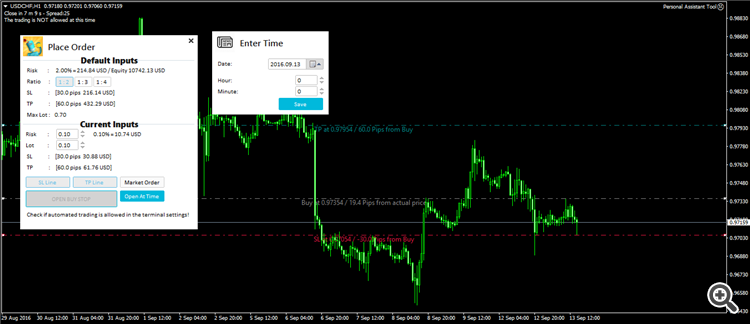
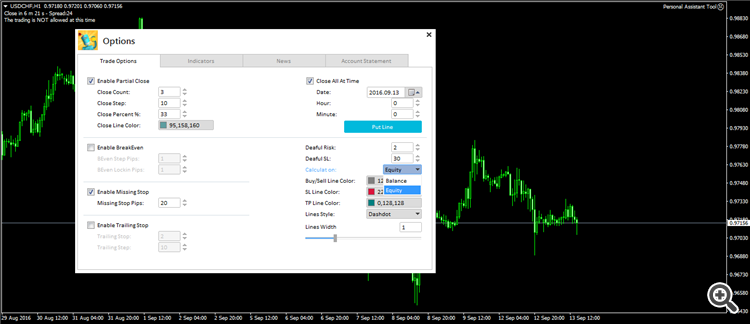
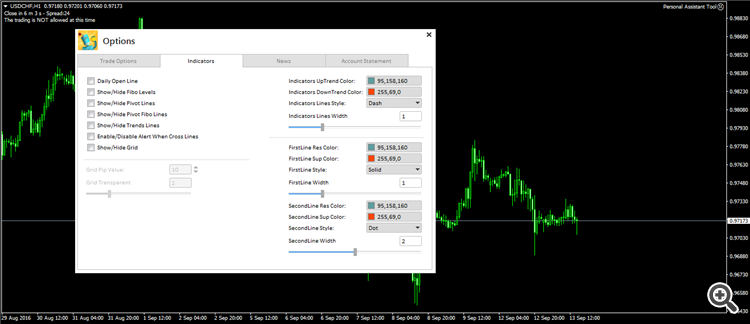
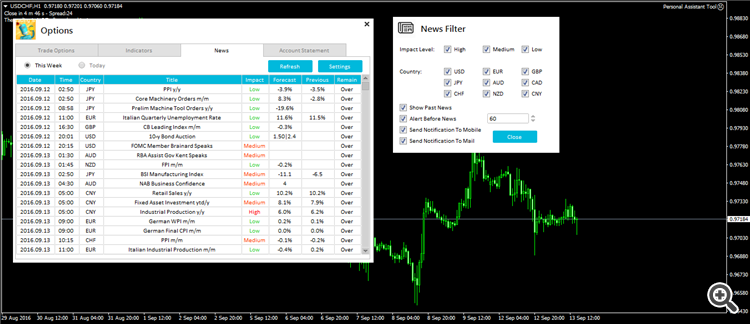
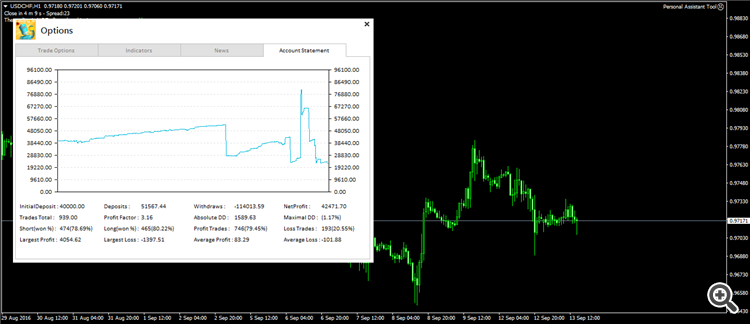
OMG Omar...
These updates are just out of this world, absolutely fantastic and cannot wait for this update to be released.
Brilliant just brilliant.
Omar loving the new updates..
Couple of things, not dead important..
Trade Options:
Can you set the default in the EA for the Close All at Time to be un-ticked as the default.
Couple of spelling mistakes: Deaful Risk should read Default Risk, Deaful SL should read Default SL, Calculat On should read Calculate On.
Hi Omar,
the new version 1.3.
I am only able to place it on one chart, whenever I try to place it on another chart it just will not stay on the chart...
2016.09.24 15:39:56.549 Expert Personal Assistant Tool NZDJPY,H1: removed
2016.09.24 15:39:54.883 Expert Market\Personal Assistant Tool NZDJPY,H1: loaded successfully
Edit:
Found the problem, tried to put it onto a chart which previously had version 1.2 on. By loading my default template and then placing the EA it went on without a problem..
hello traders
i need your help to improve this tool
Feel free to give your opinion about the tool ,
inform me if you face any problems,
and please inform me of any improvements needed to be done.
If you like it, rate it.
in next update these functions will be added:
1- you will be able to place grid of orders with many of Lot size calculation .
2- close all orders at specific profit or loss
best regards
Hi Omar... Just downloaded latest version onto a new demo account and cannot get the EA to work..
Journal reports: 2016.12.13 19:14:13.022 Personal Assistant Tool AUDCAD,H4: uninit reason 8
Any ideas as to why this is?