Trend Line Super Order
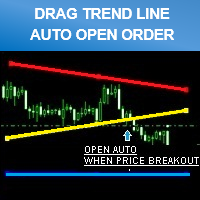
30 USD
Versione demo scaricata:
286
Pubblicato:
14 agosto 2015
Versione attuale:
2.1
Non hai trovato un robot adatto?
Ordina il tuo
su Freelance
Vai alla sezione Freelance
Ordina il tuo
su Freelance
Come acquistare un Robot di Trading o un indicatore
Esegui il tuo EA
hosting virtuale
hosting virtuale
Prova un indicatore/robot di trading prima di acquistarlo
Vuoi guadagnare nel Market?
Come presentare un prodotto per venderlo con successo

Ti stai perdendo delle opportunità di trading:
- App di trading gratuite
- Oltre 8.000 segnali per il copy trading
- Notizie economiche per esplorare i mercati finanziari
Registrazione
Accedi
Accetti la politica del sito e le condizioni d’uso
Se non hai un account, registrati
Hi, I purchased. How can I stop loss for my position? If it Sell lines; I dont want to open new position with sell position. I only see take profit line. Maybe you can can add only stop loss line. No new reversed position.
Demonstration Video
https://www.youtube.com/watch?v=FnotJ7bM0Ro
Hi kutsalgizemler.
If you can't see all line (take profit , stop loss) you should to adjusting the vertical Scale in Metatrader 4.
Demonstration video to adjusting the vertical Scale in Metatrader 4
https://www.youtube.com/watch?v=YhWWk9PSIDI
Best regard.
Demonstration Video
https://www.youtube.com/watch?v=FnotJ7bM0Ro
I already watched this video. But your stop loss (yellow line) creates new position (reversed). isnt it? I tested. If you loss money after buy position, you cant stop when touching sell line. But when it touch it creates new position.
You 're using 2 way mode right?
In 2 way mode will auto open position when price hit sl opposite way.
If you don't want that ,you should use normal mode
- "Buy line" just for open long position.
- "Sell line" just for open short position.
Or if you want want set buy and sell order in same currency > open 2 chart separate.
Each chart for buy breakout order (chose buy line mode).
Each chart for sell breakout order (chose sell line mode).
Best Regard.
puts lines on charts but I cant move them how do I fix this?
Hello remeron you must double click line that you want to move first.
You can see on the video.
https://www.youtube.com/watch?v=FnotJ7bM0Ro
Best regard.
Hello remeron If double have double click line and still can't move that line.
Please make sure you have the right setting.
Menu > Tools > Option > Expert Advisor
- Then make sure you have enable Automated Trading on the screen.
- After finish these setting try to reopen new chart and insert the EA.
Hello,
Can I also place a buy limit or sell limit order?
Thank you for an answer.
Best Regards from Germany
Hello,
Can I also place a buy limit or sell limit order?
Thank you for an answer.
Best Regards from Germany
We're sorry for inconvenient but trend line breakout strategy made for higher,lower breakout price only
so impossible to place buy limit , sell limit order for trend line trading strategy.
Demonstration Video
https://www.youtube.com/watch?v=FnotJ7bM0Ro
If you looking for place buy limit , sell limit order please try this one.
https://www.mql5.com/en/market/product/11287
Thank you.
Best Regard
I know you have a great product and that you have helped me online to get it up and running. The email that I sent you was the wrong info about a different product.
So my problem is that I did not use your program for awhile and went I went to go use it I could not find it under experts folder, so I downloaded it again from the MQL5 site and it did not show up.
So I really need you help to get this going again. Please help soon....thanks.
I know you have a great product and that you have helped me online to get it up and running. The email that I sent you was the wrong info about a different product.
So my problem is that I did not use your program for awhile and went I went to go use it I could not find it under experts folder, so I downloaded it again from the MQL5 site and it did not show up.
So I really need you help to get this going again. Please help soon....thanks.
Every EA, Indicator,Software have purchase on MQL5 market , Those never show on experts folder sir.
Please learn more , read about MQL5 rule
Best Regards.
Dear bigfoot1954:
After download finished EA will be show on "Market tab of Metatrader" and ready to work.
Best Regards.
***** Promotion price *****
59$ > 19$
(14 Mar 2017 - 31 Mar 2017)
Hi this EA looks promising.
Nevertheless I have some suggestion.
1. If you flip around the default trendlines (left-right), then its easier to modify the lines to "ray" If you dont want to miss out your sl or tp later on. Of course it could be done manual also. No big problem.
2. I wish it also had a" 2 way line reverse/bounce " mode , then you could for example trade inside a channel or triangel. I guess you maybe can move around the lines as and workaround? Im not shure but a default mod would be nice.
3. Some default sl or tp. I know that then it is not a trendline trader anymore but it always fine to have a pending stopp loss if something goes wrong. By exampel the VPS shut down or the trade slips away between the lines if they are not long enough.
Great product :)
No I already had a crash on my VPS because of some issues with another EA.
When the program launches again all the lines on the Trend Line EA was gone from the chart, even if a trade was filled and running.
I put on a manual stop loss to protect my trade.
I then cleared the chart, put on the EA again and tried to make a new set up with a buy line.
I get the message that something was running and I had to cansel the trade trade to put on the lines.
I answered yes and the new set up closed my old trade with a loss.
This is very dangerous, I hope you fix the EA to save all the lines and restore by init.
And If you have a new set up, is it neccesary to automatic closed the old trades?
If I had a good entry and wanted to manage it manual from there this should be nice.
No I already had a crash on my VPS because of some issues with another EA.
When the program launches again all the lines on the Trend Line EA was gone from the chart, even if a trade was filled and running.
I put on a manual stop loss to protect my trade.
I then cleared the chart, put on the EA again and tried to make a new set up with a buy line.
I get the message that something was running and I had to cansel the trade trade to put on the lines.
I answered yes and the new set up closed my old trade with a loss.
This is very dangerous, I hope you fix the EA to save all the lines and restore by init.
And If you have a new set up, is it neccesary to automatic closed the old trades?
If I had a good entry and wanted to manage it manual from there this should be nice.
Hi again, when you have time to answer the other question I also wonder if the EA used on several chart but on different pair could make any problem if they have the same magic number?
best regards
Hi again, when you have time to answer the other question I also wonder if the EA used on several chart but on different pair could make any problem if they have the same magic number?
best regards
First Question.
- Sorry for inconvenience It not possible to restore all line if Metatrader crash.
- I recommend if you run another EA together , please separate metatrader windows to avoid that problem. , use good VPS.
- Trend line trading strategy it can't finding what is exactly stoploss pips , because price movement always change , so it should to close by following the line what you placing.
- so please use good computer, no crash ploblem that important.
Second Question
- No problem even same magic number.
Regards.
First Question.
- Sorry for inconvenience It not possible to restore all line if Metatrader crash.
- I recommend if you run another EA together , please separate metatrader windows to avoid that problem. , use good VPS.
- Trend line trading strategy it can't finding what is exactly stoploss pips , because price movement always change , so it should to close by following the line what you placing.
- so please use good computer, no crash ploblem that important.
Second Question
- No problem even same magic number.
Regards.
Thank you for your answer. Im not shure how exactly to handle crashes but they will appear, and the MT4 need to be restarted now and then.
I think the solution after a crash might be to set manual tp and sl on the working trades and then change the magic number if Im going to use the EA on the same pair.
Its not easy to test :)
Anyway I will still suggest a static SL and TP in your next version. Like a safety belt. Placed with some headroom. Then I dont have to worry about crash.
It is possible to init those values when the trades are initiated. And then they will not depend of the trend lines. The manual sl and tp dont have to move around if they have some headroom.
Anyway this EA I like because I use trendlines all the times and i love to trade from them directly.
Thank you for your answer. Im not shure how exactly to handle crashes but they will appear, and the MT4 need to be restarted now and then.
I think the solution after a crash might be to set manual tp and sl on the working trades and then change the magic number if Im going to use the EA on the same pair.
Its not easy to test :)
Anyway I will still suggest a static SL and TP in your next version. Like a safety belt. Placed with some headroom. Then I dont have to worry about crash.
It is possible to init those values when the trades are initiated. And then they will not depend of the trend lines. The manual sl and tp dont have to move around if they have some headroom.
Anyway this EA I like because I use trendlines all the times and i love to trade from them directly.
New Version 2.1 released.