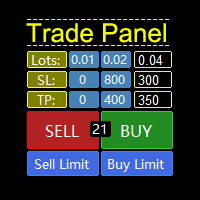
TradePanel 4
FREE
Publié:
27 janvier 2021
Version actuelle:
1.3
Vous ne trouvez aucun robot qui vous convient ?
Commandez le vôtre
dans la section Freelance
Aller à la section Freelance
Commandez le vôtre
dans la section Freelance
Comment acheter un robot de trading ou un indicateur
Exécutez votre EA sur
hébergement virtuel
hébergement virtuel
Test un indicateur/robot de trading avant d'acheter
Vous voulez gagner de l'argent sur Market ?
Comment présenter un produit pour qu'il se vende bien

Vous manquez des opportunités de trading :
- Applications de trading gratuites
- Plus de 8 000 signaux à copier
- Actualités économiques pour explorer les marchés financiers
Inscription
Se connecter
Vous acceptez la politique du site Web et les conditions d'utilisation
Si vous n'avez pas de compte, veuillez vous inscrire
Subject: Technical support request for Expert Advisor after Windows update
Dear ,
I would like to report an issue regarding your Expert Advisor "TradePanel", which I purchased through the MetaTrader 4 Market.
Following a recent Windows 11 update, my MT4 terminal generated a new folder with a different terminal ID, and the Expert Advisor is no longer loading correctly. Specifically, I’m receiving error messages such as “cannot load” or “invalid name,” even though the file is present in the correct directory.
I understand that reinstalling the EA from the Market consumes a new activation, due to the license being linked to the specific system environment. However, I would like to point out that when an EA is updated by the vendor (via the Market) and the update is automatically detected by the terminal, it does not consume a new activation.
For this reason, I kindly ask if you could:
Provide a minor technical update to the EA, so that it can be detected as an update rather than requiring a reinstallation;
or
Manually reset the activation, or suggest an alternative to avoid using one of my remaining activations unnecessarily.
Thank you in advance for your attention and support. I look forward to your kind reply.
Best regards,
Giardini Stefano