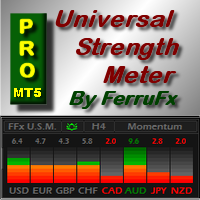
FFx Universal Strength Meter PRO MT5
3 030 USD
Démo téléchargée:
451
Publié:
12 mai 2017
Version actuelle:
1.1
Vous ne trouvez aucun robot qui vous convient ?
Commandez le vôtre
dans la section Freelance
Aller à la section Freelance
Commandez le vôtre
dans la section Freelance
Comment acheter un robot de trading ou un indicateur
Exécutez votre EA sur
hébergement virtuel
hébergement virtuel
Test un indicateur/robot de trading avant d'acheter
Vous voulez gagner de l'argent sur Market ?
Comment présenter un produit pour qu'il se vende bien

Vous manquez des opportunités de trading :
- Applications de trading gratuites
- Plus de 8 000 signaux à copier
- Actualités économiques pour explorer les marchés financiers
Inscription
Se connecter
Vous acceptez la politique du site Web et les conditions d'utilisation
Si vous n'avez pas de compte, veuillez vous inscrire
Hey!
I try to get data from the indicator using the iCustom and CopyBuffer function
I can not get the values
Is there a way to do this?
Hey!
I try to get data from the indicator using the iCustom and CopyBuffer function
I can not get the values
Is there a way to do this?
Values aren't available through iCustom ... If really needed, you can retrieve them through the objects on chart directly.
Values aren't available through iCustom ... If really needed, you can retrieve them through the objects on chart directly.
Thanks!
Is it possible to retrieve them using an object also in the back testing mode?
What command should I use?
Thanks!
Is it possible to retrieve them using an object also in the back testing mode?
What command should I use?
Yes sure.
ObjectFind(...), etc ...
This is the first mt5 indicator that I purchased. When I drop this on the chart. I'm getting these errors repeatedly. Also do you have any instructions on how to activate this indicator? I would like to add this indicator on a different computer. This seems like a good indicator if I can make it all work. Thanks
Eric,
This is the first mt5 indicator that I purchased. When I drop this on the chart. I'm getting these errors repeatedly. Also do you have any instructions on how to activate this indicator? I would like to add this indicator on a different computer. This seems like a good indicator if I can make it all work. Thanks
Please contact me in private and I will help you to sort it out.
How can I switch between time frames using this indicator?
It seems as if I need to go into the indicator properties and change the strength time frame variable manually.
By default, there's a value of M5,H1,H4 which on the indicator lists at MTF.
How can I switch between time frames using this indicator?
It seems as if I need to go into the indicator properties and change the strength time frame variable manually.
By default, there's a value of M5,H1,H4 which on the indicator lists at MTF.
Yes TFs are selectable in the indicator properties box. On chart it is only informative ... showing the selected one(s).
Hi,
Is there a way to make the time frame whatever the current time frame is? You have this option in the free version.
Hi,
Is there a way to make the time frame whatever the current time frame is? You have this option in the free version.
The timeframes can be set in the popup inputs tab. The chart dropdown menu is only informative showing the one(s) set.
The free version isn't MTF ...
Good day,
I bought your product and installed on MT5 but the display is too small for reading. Please could you help on how to enlarge it?
Regards,
Emmanuel
Good day,
I bought your product and installed on MT5 but the display is too small for reading. Please could you help on how to enlarge it?
Regards,
Emmanuel
I suspect you are using a high resolution display. If that's the case, close your platform ... then right click on the terminal.exe (or its shortcut) > Properties > Compatibility tab > Check "ovveride high DPI" and select it to " system". Apply ... Then restart your platform.
Eric
It generally solves the display issue.