Position Calculator Pro MT5
- Utilitaires
- Version: 1.0
- Activations: 20

Position Calculator Pro MT5 is an institutional-grade position sizing and trade execution panel designed for fast, disciplined risk management directly on your MetaTrader 5 chart.
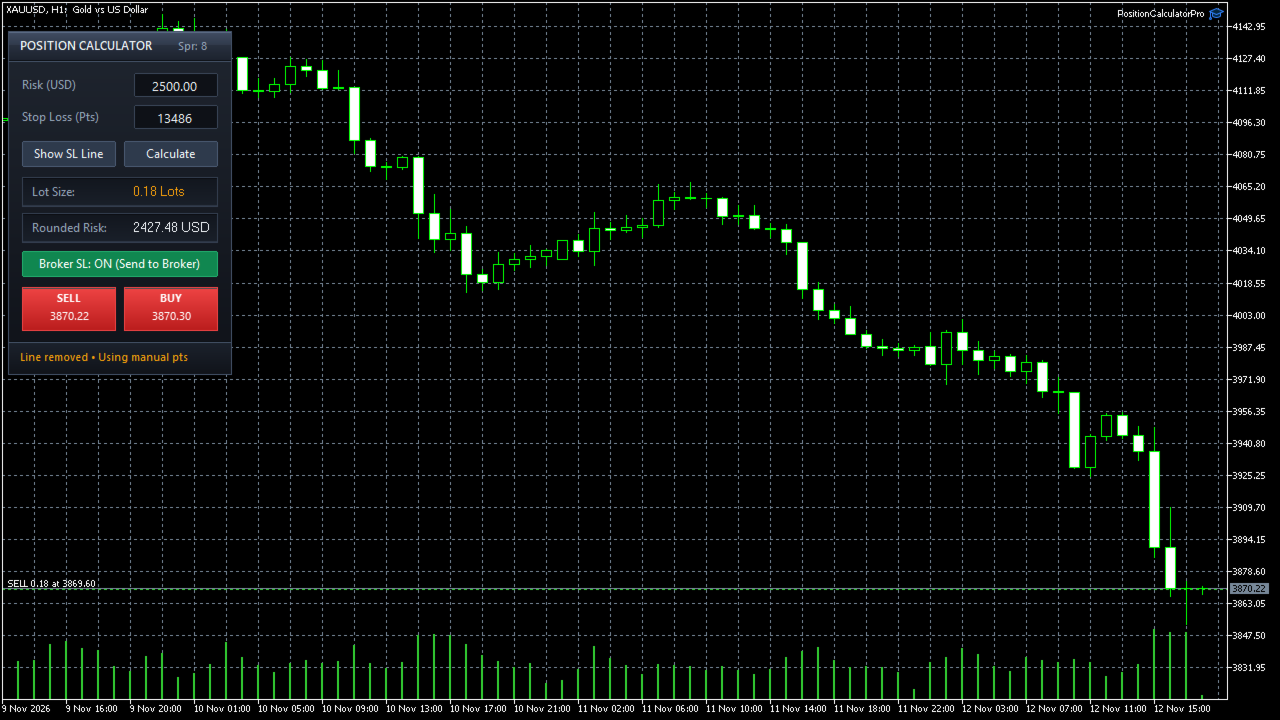
Instead of manually calculating lot sizes or risking oversized positions due to broker volume rounding, the panel computes your exact volume in real time using live market prices, symbol tick values, and current spread—allowing you to execute market orders in one click or through a live-updating confirmation dialog.
Key Features
-
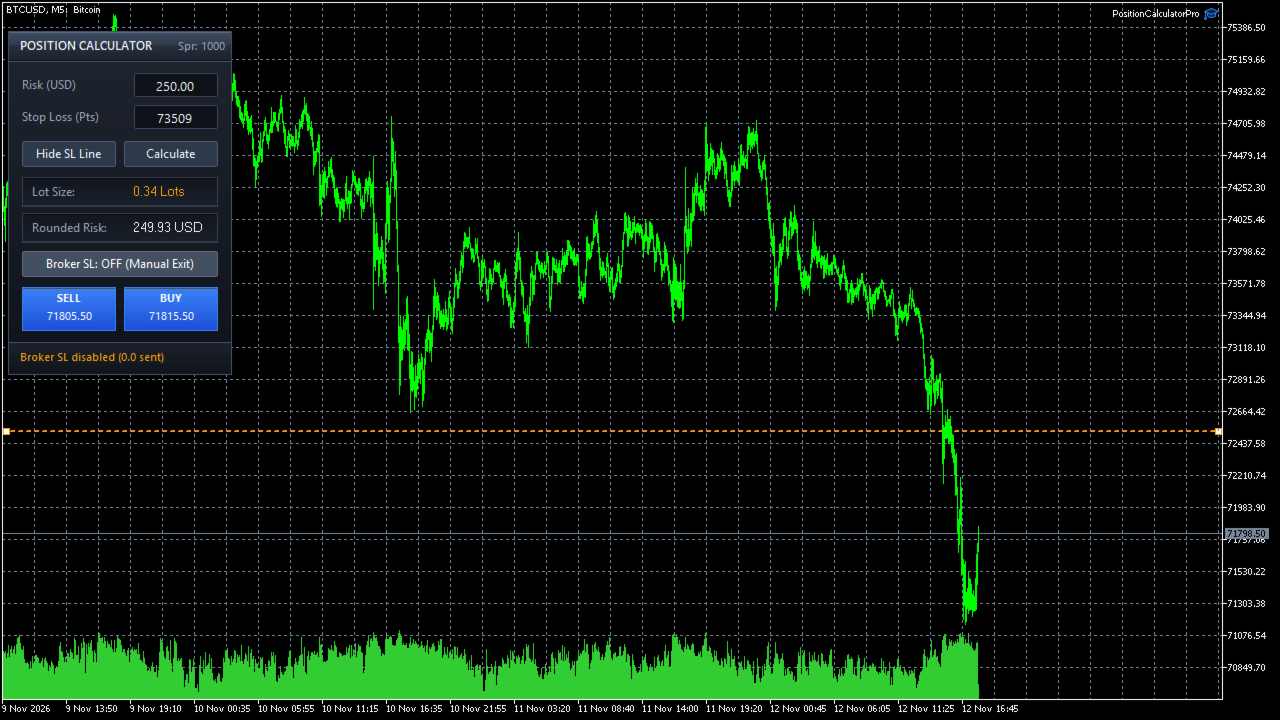
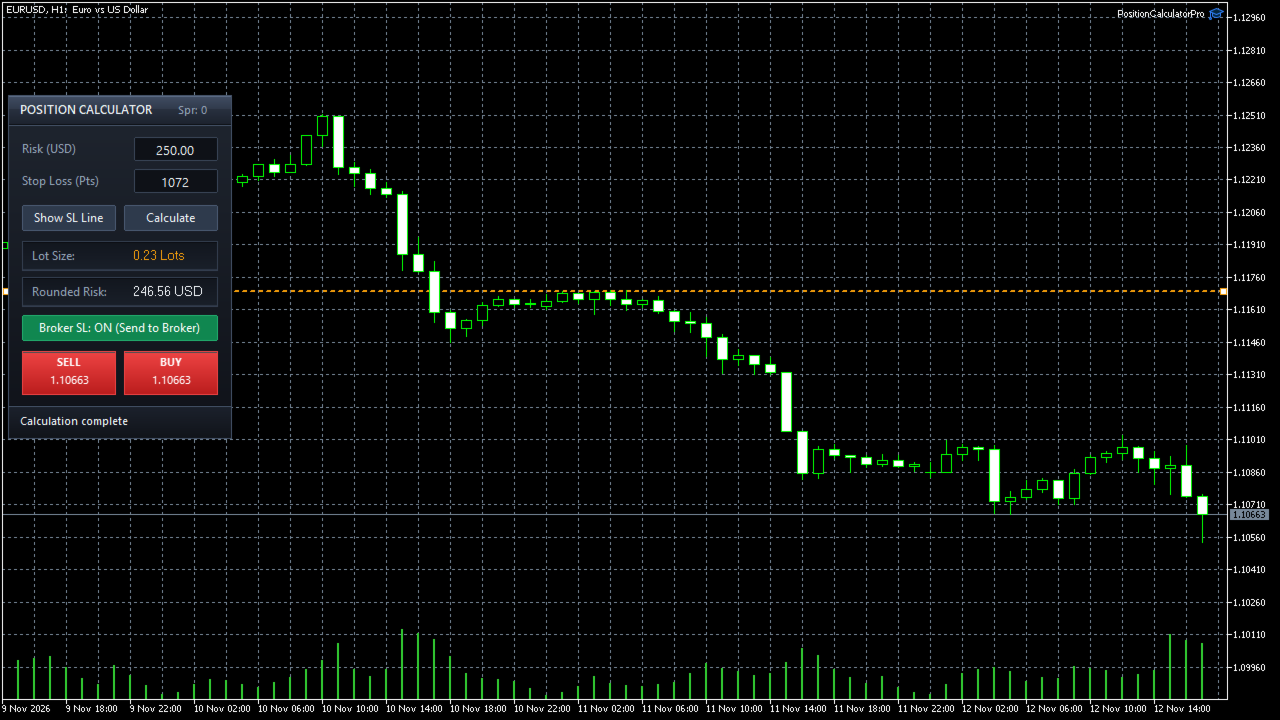
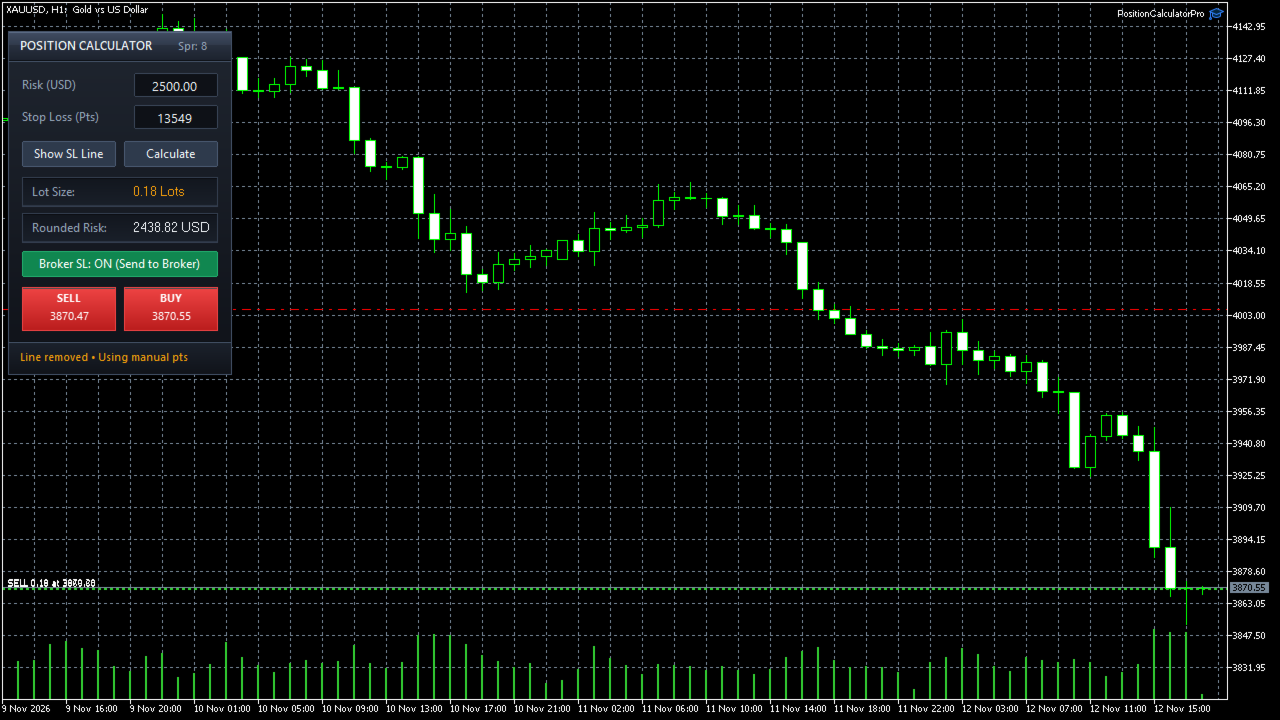
Interactive On-Chart Stop-Loss Line: Drag the visual horizontal SL guide line (SC_SL_Line ) directly on the chart to automatically synchronize the Stop Loss distance (in points) and recalculate your lot size on every move. You can also hide the line at any time to type a manual point distance.
-
Rounded Risk Transparency: Brokers restrict order sizes to discrete volume steps (e.g., 0.01 lots). Alongside your floored Lot Size, the panel displays a dedicated Rounded Risk readout showing the exact monetary loss in your account currency after volume rounding, ensuring you never exceed your maximum risk cap.
-
Spread-Inclusive Stop Validation: Automatically combines the live symbol spread with the broker's minimum stop level (SYMBOL_TRADE_STOPS_LEVEL ) to warn you if a Stop Loss is placed too close to the current price, preventing order rejections.
-
Universal Multi-Asset Calculation Engine: Uses SYMBOL_TRADE_TICK_VALUE_LOSS and native ACCOUNT_CURRENCY normalization to deliver accurate position sizing across Forex majors, cross pairs, Gold (XAUUSD ), indices, commodities, and crypto on any account currency (USD , EUR , GBP , JPY , etc.).
-
Two-Step Live Confirmation or One-Click Execution:
-
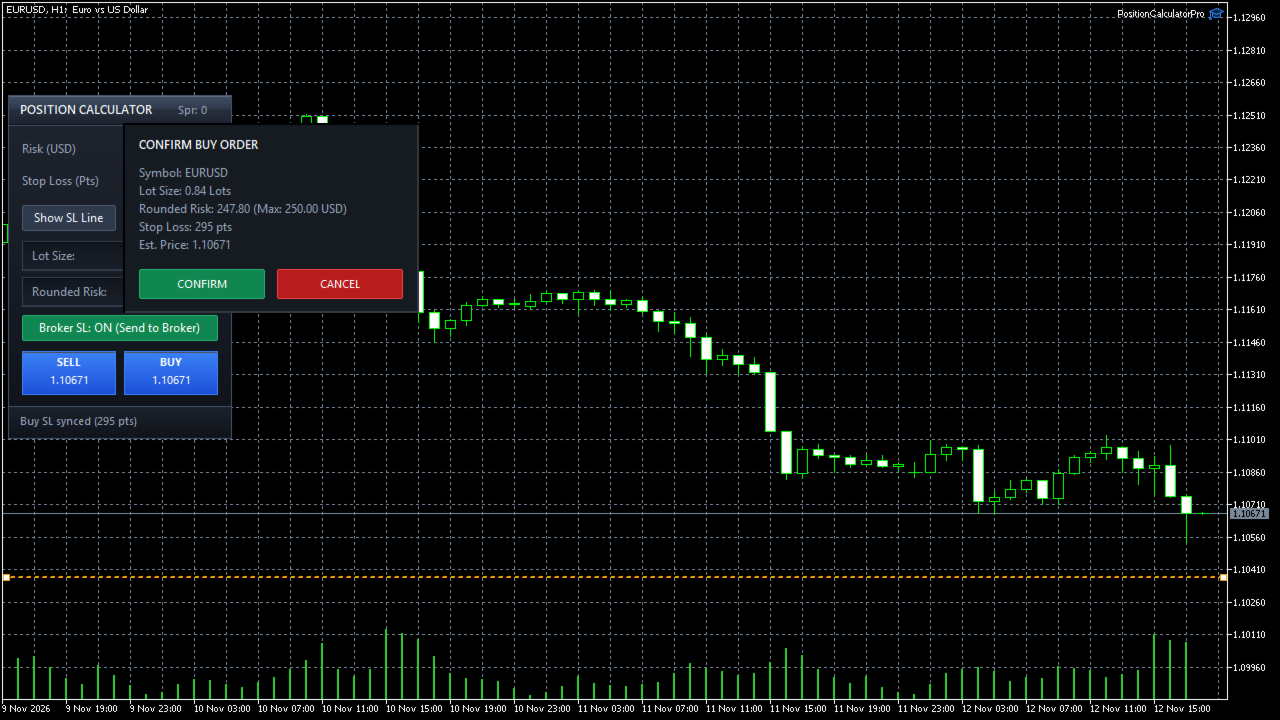
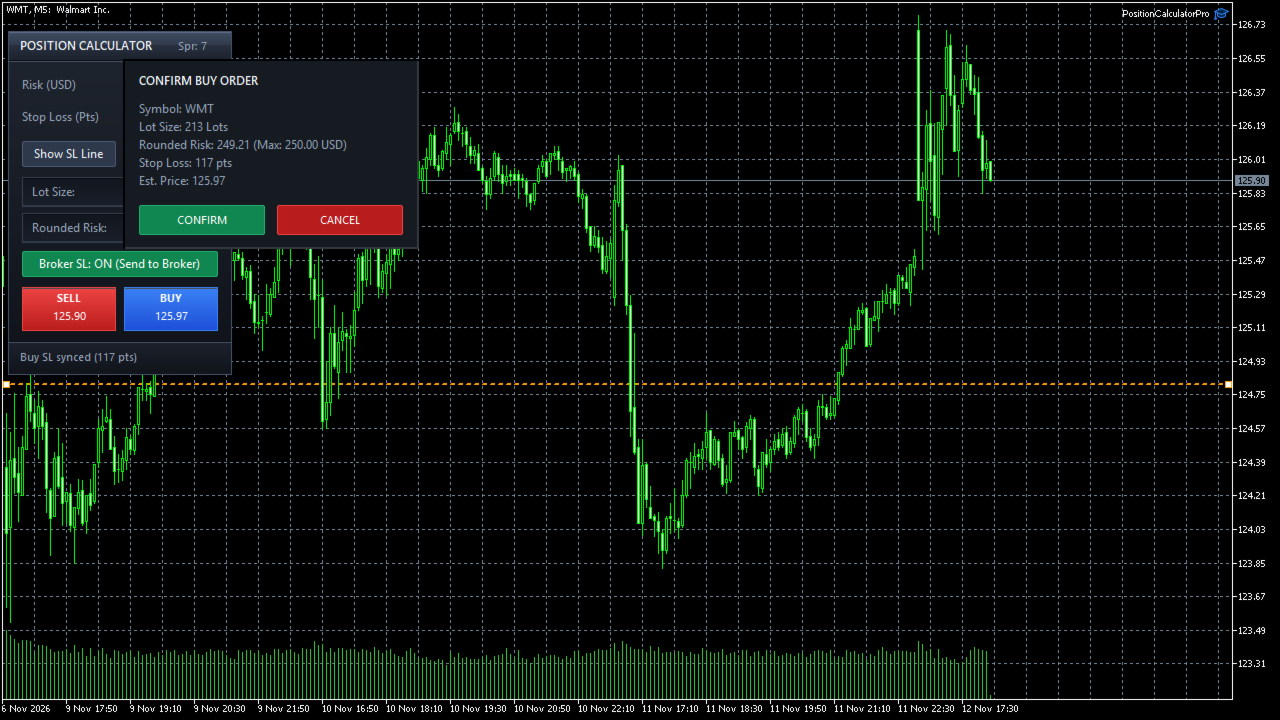
Two-Step Mode (Default): Opens a live confirmation window displaying the symbol, lot size, rounded risk vs. max risk, stop-loss distance, and estimated execution price—updating dynamically on every tick until you click CONFIRM.
-
One-Click Mode: Executes BUY or SELL orders immediately at market price when enabled in the inputs.
-
-
Broker SL Toggle: Switch between Broker SL: ON (attaches the Stop Loss price directly to the broker order) and Broker SL: OFF (sends 0.0 SL for traders managing exits manually).
-
Automatic Broker Filling & Margin Guards: Auto-detects each symbol's supported filling policy (FOK , IOC , or RETURN ) and verifies Algo Trading permissions and available free margin before transmitting any order.
-
Adaptive Chart Layout: Automatically adjusts its vertical position when MetaTrader 5's built-in One-Click Trading panel is shown or hidden.
How to Use
-
Attach Position Calculator Pro MT5 to any chart and ensure Algo Trading is enabled in MetaTrader 5.
-
Enter your desired Risk (in your account currency) and Stop Loss (Pts), or drag the dashed amber Stop Loss line on the chart.
-
Verify the calculated Lot Size and Rounded Risk inside the panel.
-
Click BUY (at Ask) or SELL (at Bid) to review the live confirmation dialog and execute your trade.
Input Parameters
-
One-Click Execution: Set to false for the two-step confirmation dialog, or true for instant market execution.
-
EA Magic Number: Unique identifier assigned to orders opened by the panel.
-
Max Slippage / Deviation (Points): Maximum allowed price deviation during order execution.
-
Order Comment: Custom text comment attached to executed trades.
-
Default Risk Amount: Initial monetary risk value loaded when the panel starts.
-
Default Stop Loss Distance (Points): Initial Stop Loss distance in points loaded on startup.
-
Panel Horizontal Offset (Pixels): Distance in pixels from the left edge of the chart.
Note: Please test the utility on a demo account first to familiarize yourself with its workflow and your broker's symbol specifications.