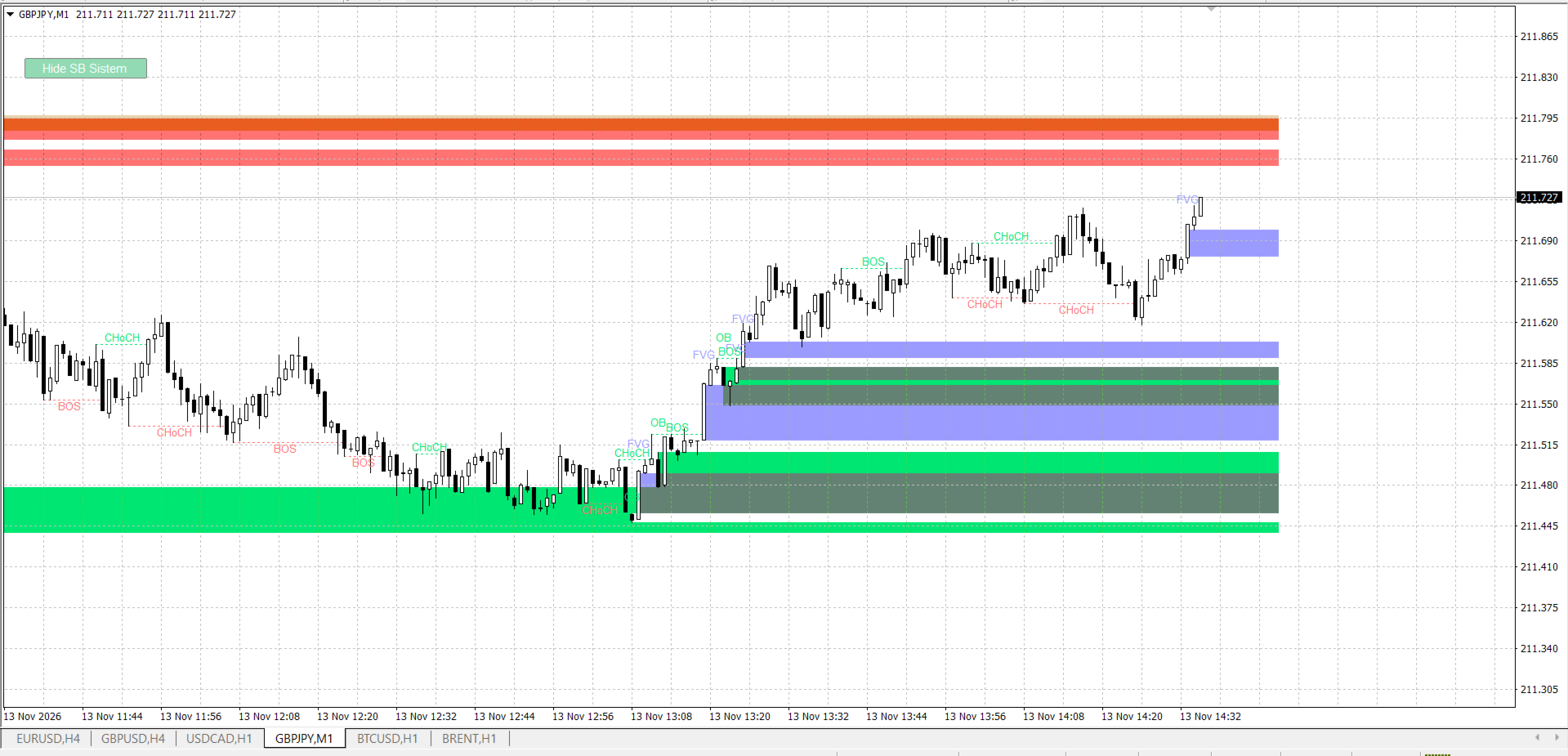
Smart Block Sistem
- Indicateurs
- Version: 2.0
- Activations: 5

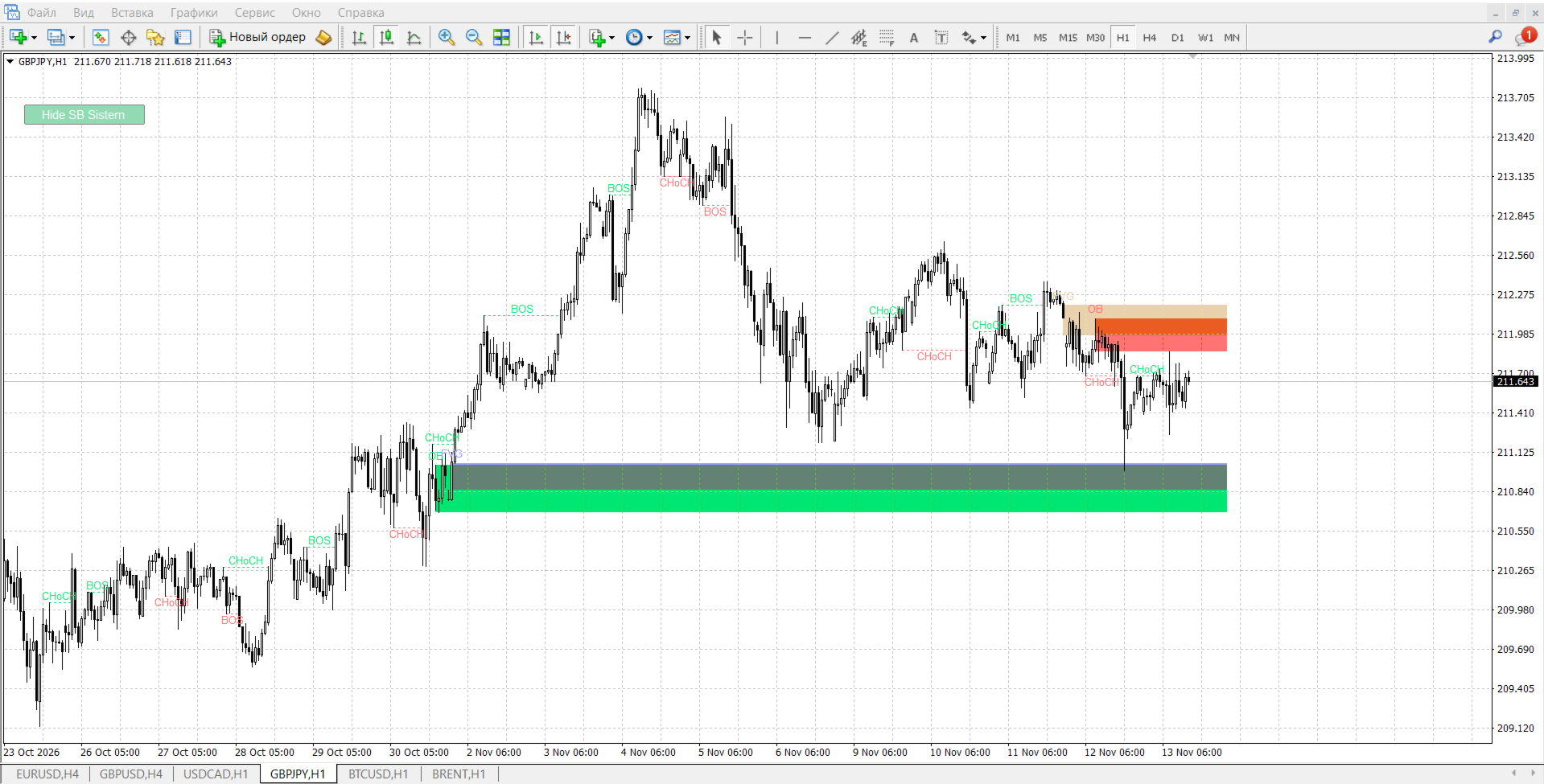
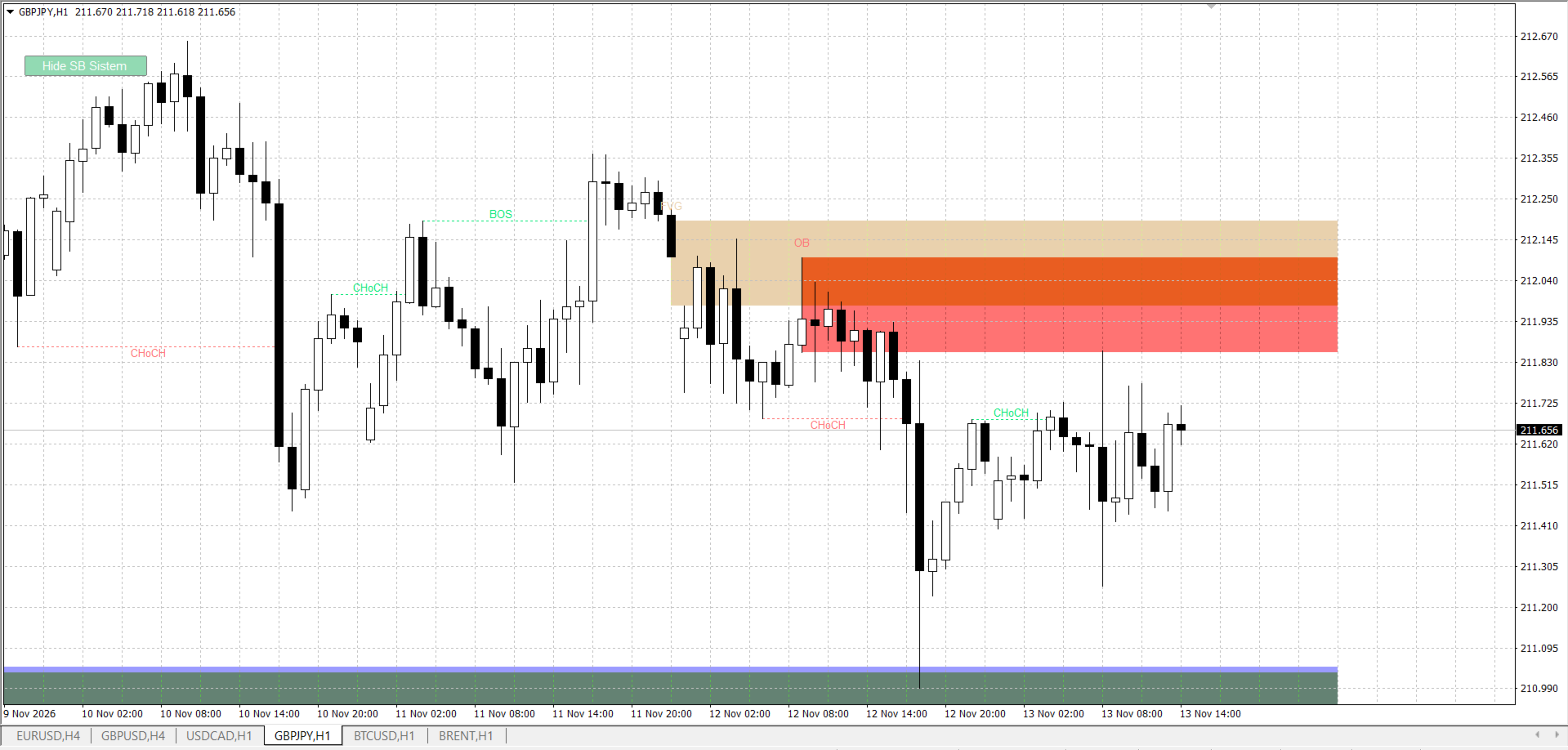
LuckyTrade OB Zone is an indicator for MetaTrader 4 that automatically finds and draws "smart money" zones on the chart: Order Blocks (OB), Fair Value Gaps (FVG), Breaks of Structure (BOS/CHoCH), and liquidity sweeps. Simply put, it shows the places on the chart where a large player likely entered the market or left a "footprint," and where price may return.
The indicator does not repaint: all calculations are performed only on closed bars. This means the signal you see will not disappear or change retroactively.
Important: this is an indicator, not a "holy grail." It shows zones, but the decision to enter a trade is yours to make.
How it works in simple terms
The indicator runs on several independent "engines," each searching for its own type of event:
1. Swings (local extremes)
The indicator looks for bars whose high/low prices are above/below neighboring bars on the left and right (InpSwing parameter). These are the market's "anchor points" from which all other events are subsequently built.
2. Order Blocks (OB)
When price breaks a previous swing (e.g., the previous high), the indicator looks at the last candle against the direction of the breakout. Its range becomes the OB zone. The logic: before a upward surge, a large player was accumulating a position on a down candle — this zone may "push" price again.
If the breakout was against the current trend — it's a CHoCH ("changed mind," possible reversal).
If it was with the trend — it's a BOS ("keep it up," continuation).
3. Fair Value Gaps (FVG)
If a "gap" formed between candle i-2 and candle i (by lows/highs), and its size exceeds a specified fraction of ATR — it's an imbalance. The market often returns to "close" such a gap and frequently bounces from this zone.
4. Liquidity sweeps (optional)
When a candle wick pierces an old swing but the close returns back — it's a sweep. A sign that "weak hands" had their stops taken out and price may move in the opposite direction.
5. Mitigation (zone removal)
Each zone lives until price "works it off." The removal method is configured separately for OB and FVG:
TOUCH — the wick touched the near edge (very early, many false signals);
MID — the wick reached the middle of the zone (a compromise);
WICK — the wick went beyond the far edge of the source (default);
CLOSE — the candle closed beyond the zone (the strictest).
The zone is removed immediately on the current bar, without waiting for it to close — so you see the reaction in real time.
6. Higher timeframe (optional)
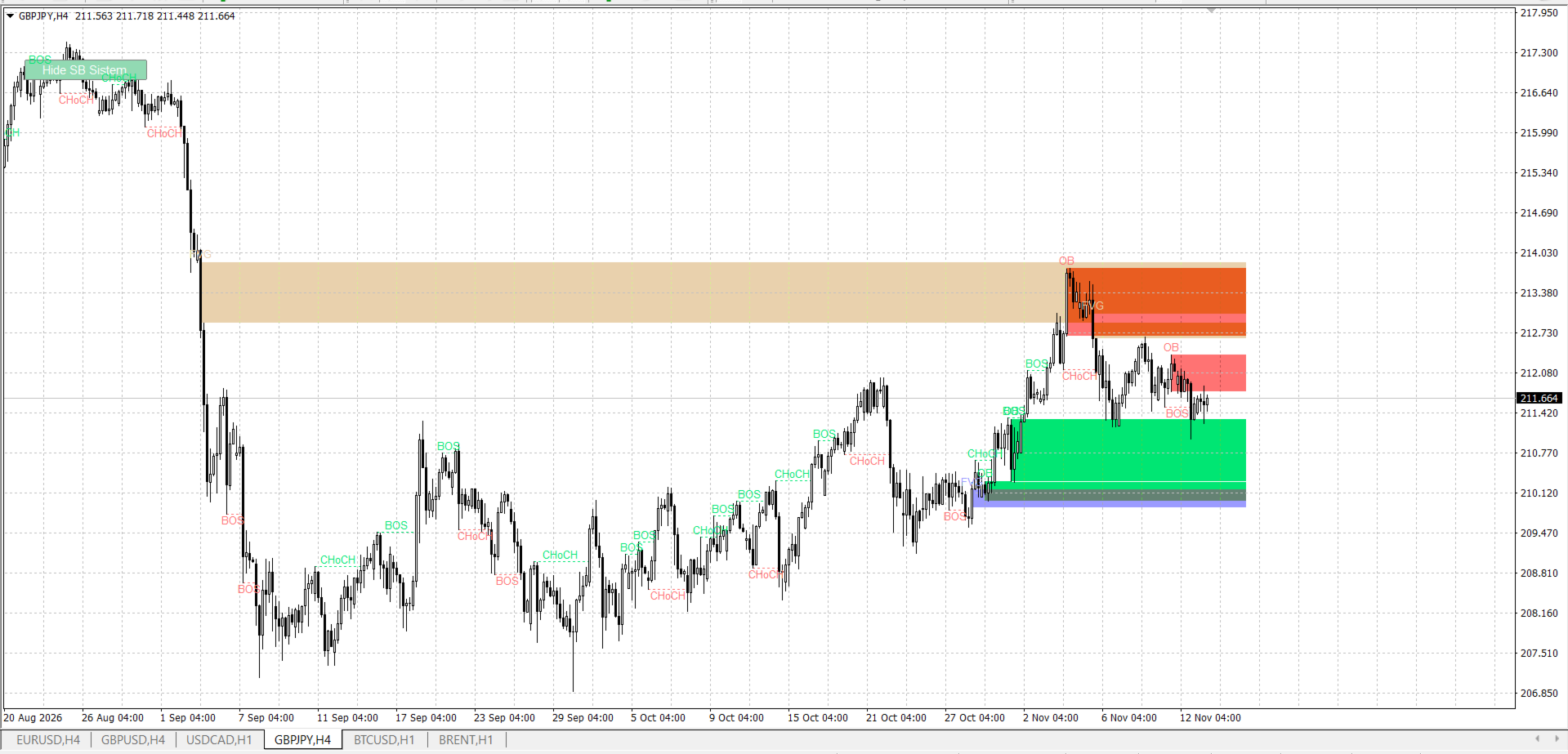
You can enable drawing zones from a higher timeframe (e.g., H4 on M15) — they are drawn with an outline in a different color.
7. Filters and limits
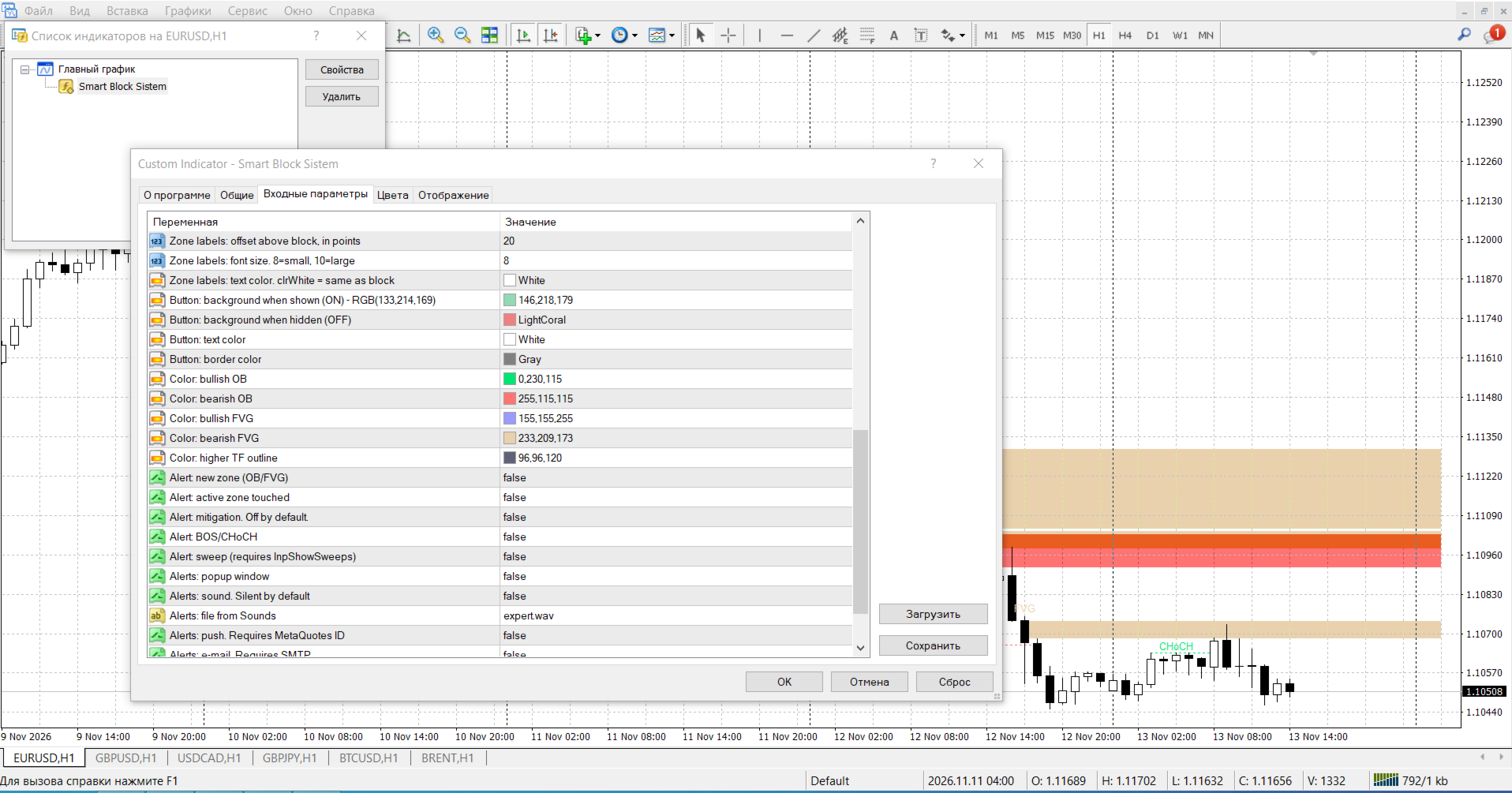
Distance filter to current price (in pips) — distant zones are not drawn, to avoid cluttering the chart.
Zone count limit — the newest ones are shown first.
History depth limit.
Optional trading session filter.
8. "Hide/Show" button
There is a button on the chart that hides/shows all indicator objects. Double-clicking it toggles the button's "draggable" mode — you can move it with the mouse, and the position is remembered.
9. Alerts (all disabled by default)
You can enable notifications for new zones, touches, mitigation, BOS/CHoCH, sweeps — via pop-up window, sound, push, or e-mail.
Advantages
Does not repaint. Closed bars only — signals don't "disappear" retroactively.
One file, no dependencies. No .mqh files, everything in a single .ex4 — easy to install and transfer.
Live mitigation. Zones are removed instantly when the current candle touches them, not after it closes (you can also set it to after, all available in settings).
Flexible zone removal settings. Four mitigation modes separately for OB and FVG — from "early" to "strict."
Clean chart. Distance filter in pips, zone limit, history limit — doesn't turn the chart into a "rainbow."
Market structure. BOS and CHoCH with labels — you can immediately see whether the trend is continuing or reversing.
Higher timeframe. H4/D1 zones right on M15 — context without switching charts.
Optional sweeps. You can see where liquidity was taken and price returned.
Alerts on demand. All notifications are disabled by default — they don't interfere until you enable them yourself.
Convenient button. Hide/show with one click, dragging with position memory.
Error protection. Input parameter validation at initialization — it won't start with incorrect settings.
Resource savings. Configurable redraw throttle (ms) — you can reduce load on weak hardware or on higher timeframes.