MACD Pro ArBrain Multi
- Indicateurs
-
Bahtiyar Arniyazov
 Проработал в строительстве гражданских и промышленных объектов более33 лет на разных должностях.
- Version: 2.0
- Activations: 5
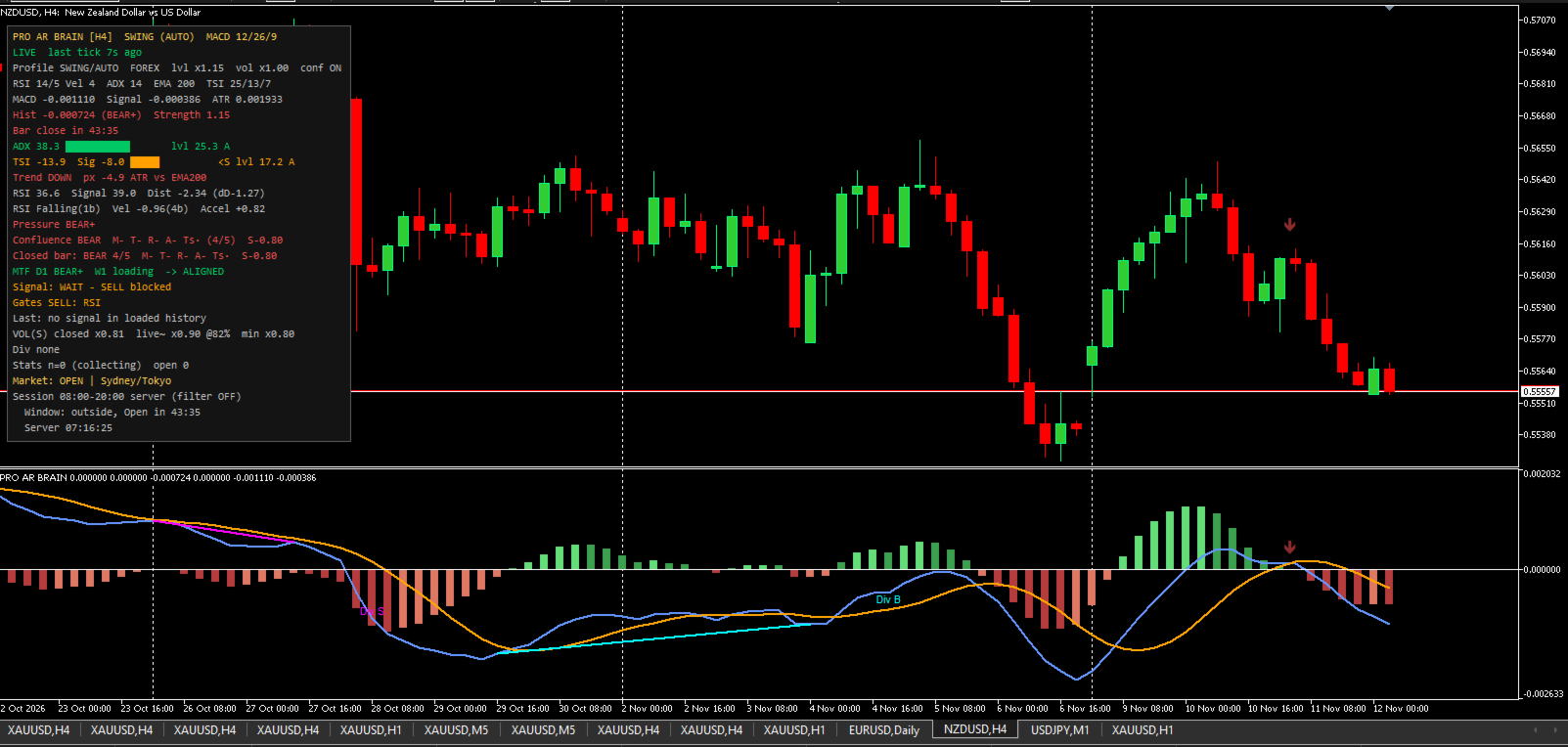
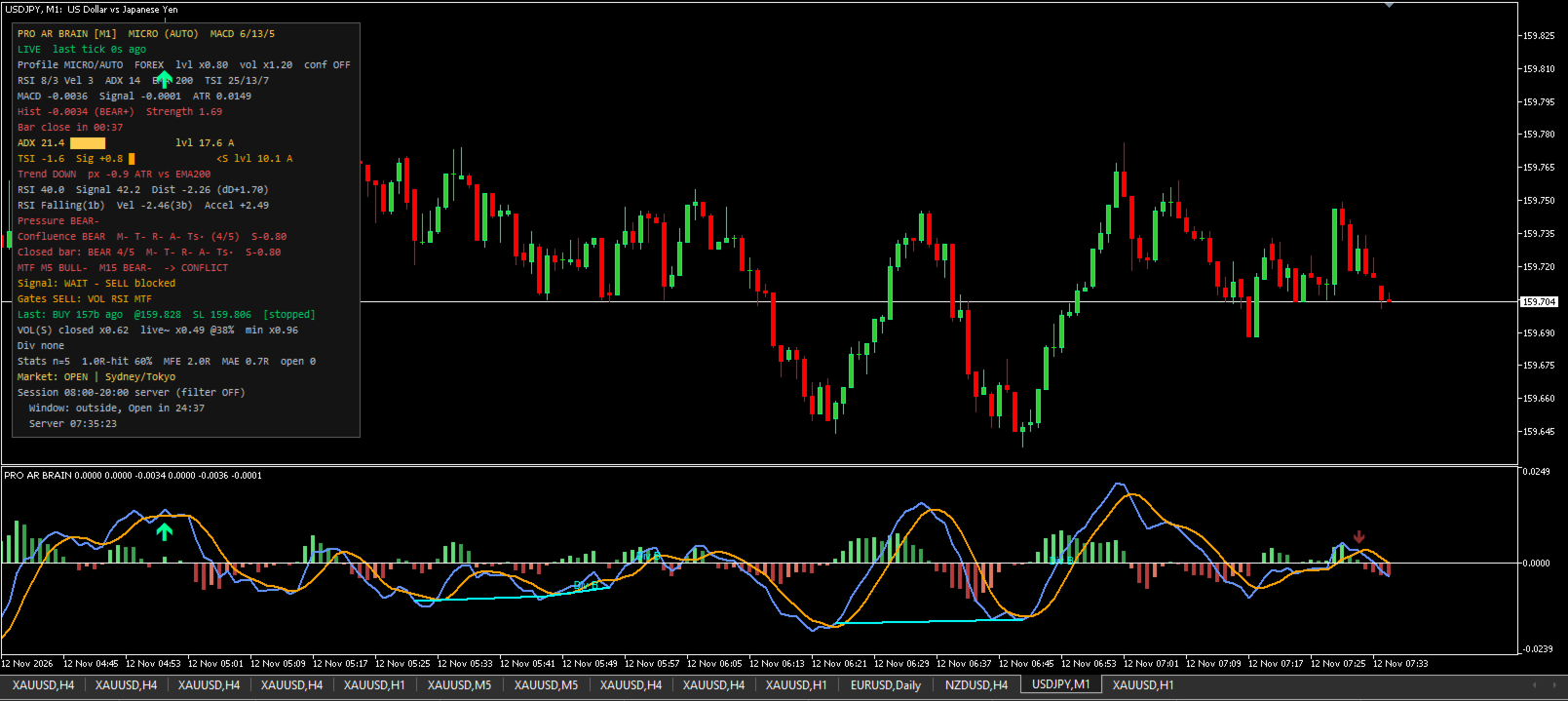
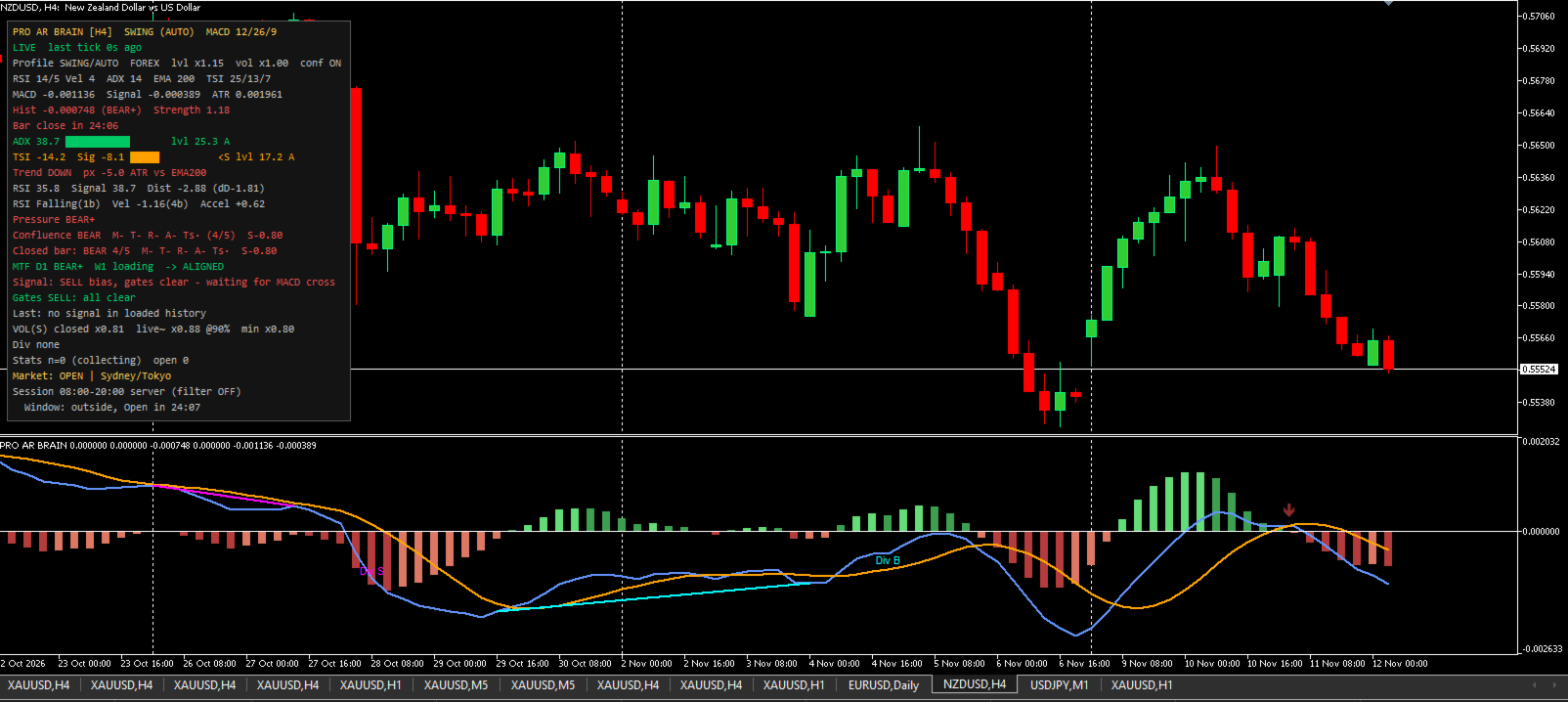
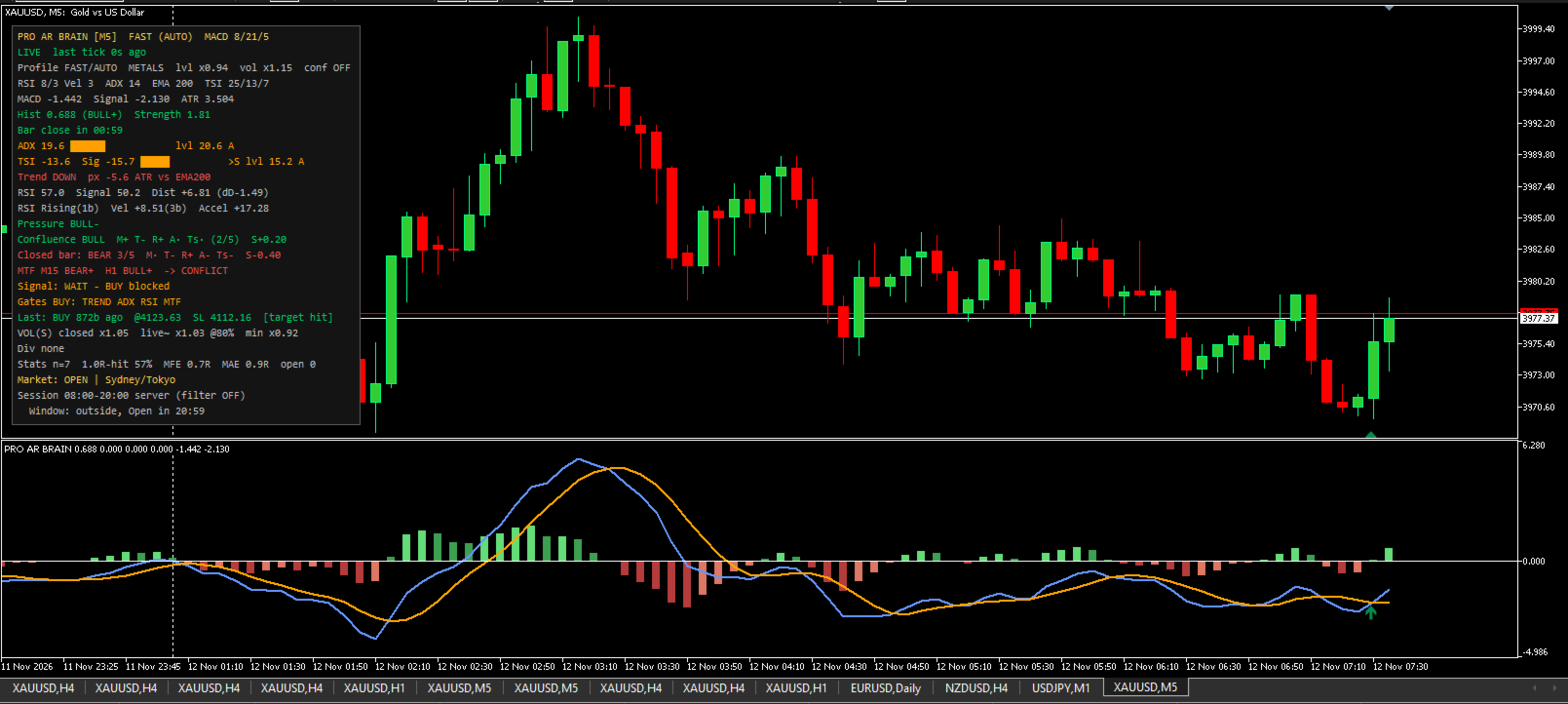
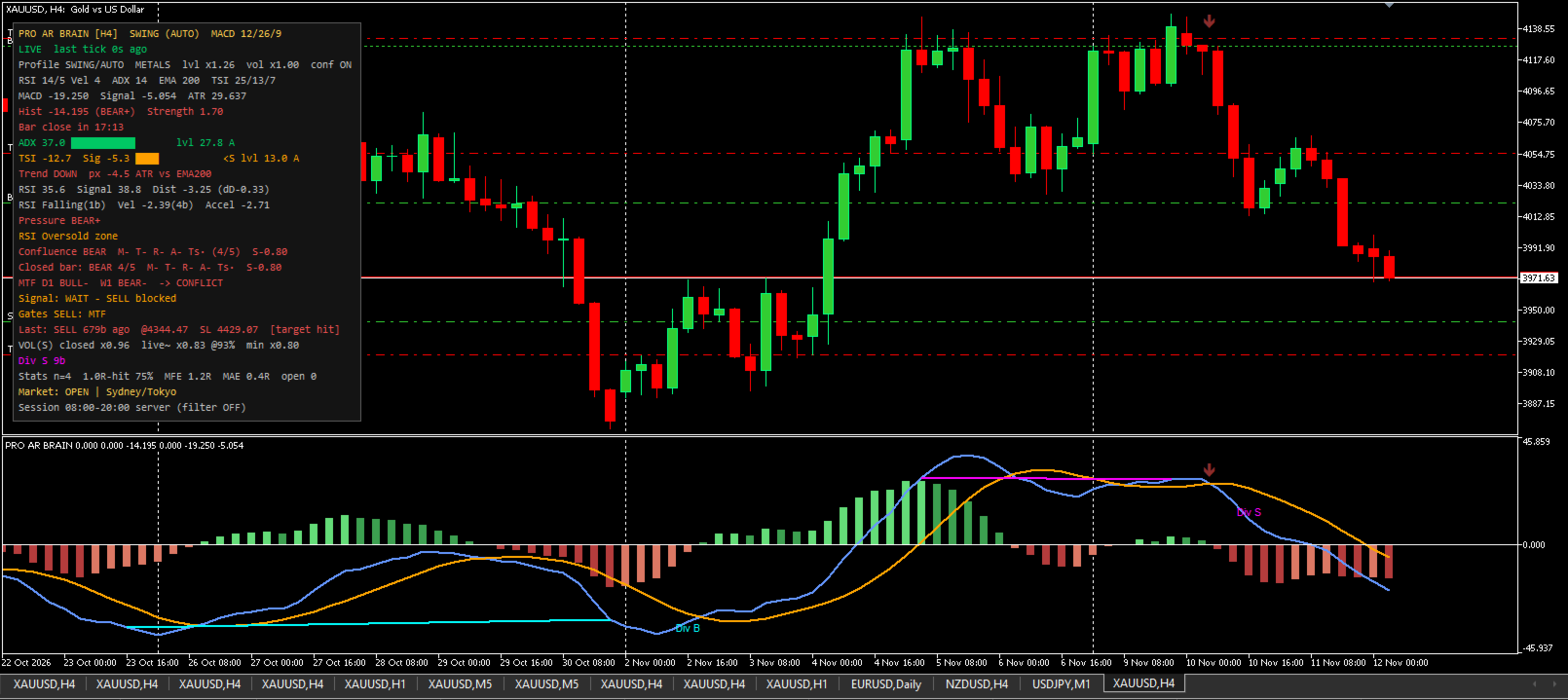
**MACD Pro ArBrain Multi** is an advanced multi-factor decision-support indicator built around MACD. Instead of firing signals on every minor fluctuation, it filters market noise so you only see setups where MACD direction is confirmed by trend strength, RSI pressure, TSI momentum, volatility, volume, and higher timeframes.
**Key Features:**
* **4-Phase Histogram:** Splits MACD histogram into *Bull Growing*, *Bull Fading*, *Bear Growing*, and *Bear Fading* to visualize both market direction and momentum phase.
* **5-Factor Confluence Engine:** Evaluates independent votes from MACD (M), EMA Trend (T), RSI Engine (R), ADX/DI (A), and TSI (Ts) with weighted scoring.
* **11 Independent Filters (Gates):** Includes Volume (with seasonal baseline), Flat/Range, Trading Session, EMA Trend, ADX, TSI, RSI Engine, Divergence block, Confluence score, Multi-Timeframe (MTF), and Cooldown.
* **Adaptive Thresholds:** Automatically calculates dynamic thresholds using historical percentiles (default 500 bars), making presets universal across Forex, Metals, Indices, and Crypto.
* **Non-Repainting Closed-Bar Logic:** All confirmed signals, divergence lines, and crossing markers are strictly evaluated on closed bars.
* **Smart Status Panel:** Draggable, auto-fitting HUD displaying active factors, blocking filter masks, MTF alignment, ATR stop levels, virtual signal statistics (MFE/MAE), and live market sessions.
* **Multi-Channel Alerts:** Supports Popups, Sound, Push notifications, and E-mail for confirmed signals, divergences, and raw MACD/Signal crosses.
---
### How It Works
1. **Trigger & Confirmation:** A MACD/Signal line cross on a closed bar acts as a trigger. In confirmation mode, the indicator waits for the next closed bar to verify momentum continuation before checking filters.
2. **Crossing Markers (Independent Layer):** Every MACD/Signal cross is plotted as an arrow. Colored arrows align with the macro context (price vs. EMA & MACD vs. zero), while grey arrows indicate weak counter-context crosses.
3. **ATR Risk Management:** Automatically plots a protective stop-loss line based on ATR multipliers and tracks virtual performance (Target Hit / Stopped / Timeout).
---
### Input Parameters
**Profile & Core Settings**
* **Profile** (`AUTO`) — Automatic timeframe presets (*MICRO, FAST, SHORT, BASE, SWING, POSITION, MACRO, CLASSIC, MANUAL*).
* **MACD core / RSI preset** (`AUTO`) — Quick period presets or manual configuration.
* **Asset class** (`AUTO`) — Auto-adjusts volatility thresholds for *Forex, Metals, Indices, Crypto*.
* **Confirmation bar** (`AUTO`) — Require next-bar momentum confirmation.
* **Fast / Slow / Signal EMA** (`12 / 26 / 9`) — Periods used in MANUAL mode.
**Filters (Gates)**
* **Volume filter / Min ratio** (`true / 0.80`) — Checks tick volume against moving or seasonal baseline.
* **Trend filter (EMA) / Strict** (`true / false`) — Blocks counter-trend trades (strict mode also blocks flat markets).
* **Flat filter / ATR share** (`true / 0.50`) — Filters out low-volatility consolidation.
* **ADX filter / Level** (`true / 22.0`) — Minimum trend strength threshold.
* **TSI filter / Level** (`true / 12.0`) — True Strength Index directional filter.
* **RSI engine filter / Min distance** (`true / 3.0`) — Requires RSI pressure and momentum alignment.
* **Divergence filter / Block bars** (`true / 10`) — Blocks entries against fresh opposite MACD divergences.
**MTF & Adaptive Settings**
* **Threshold mode** (`Adaptive`) — Choose between historical percentiles (`Adaptive window = 500`) or fixed levels.
* **Enable MTF / MTF filter** (`true / true`) — Checks 1 or 2 higher timeframes (closed bars only) to prevent trading against the higher trend.
**Visuals, Panel & Alerts**
* **Draw ATR stop / Multiplier** (`true / 1.50`) — Displays stop-loss line and tracks virtual R-multiples.
* **Draw signal arrows / Cross markers** (`true / true`) — Show filtered signals and raw crossings on chart and subwindow.
* **Show panel / Auto-fit rows** (`true / true`) — Configure HUD position, font, and colors.
* **Alerts** (`Popup, Sound, Push, Email`) — Configure notifications for signals, divergences, and line crosses.
---
### Important Notes
* This is an analytical decision-support indicator; it does not execute trades automatically.
* No external DLLs, WebRequests, or third-party files are used.
* Current bar panel readings update in real time; closed-bar signals never repaint.