Answer Gold Edge Advanced
- Experts
- Version: 2.2
- Activations: 5

Answer Gold Edge Advanced
Less time watching charts. Automated Gold trading on MT5.
Gold, Answered.
Don’t want to watch Gold charts and manage every trade yourself? Answer Gold Edge Advanced handles qualifying entries and trade management through a predefined trading process.
Built for XAUUSD on MetaTrader 5, the EA operates on the M2 timeframe. It combines proprietary market-condition screening, automated execution and three-position trade management while your terminal remains connected.
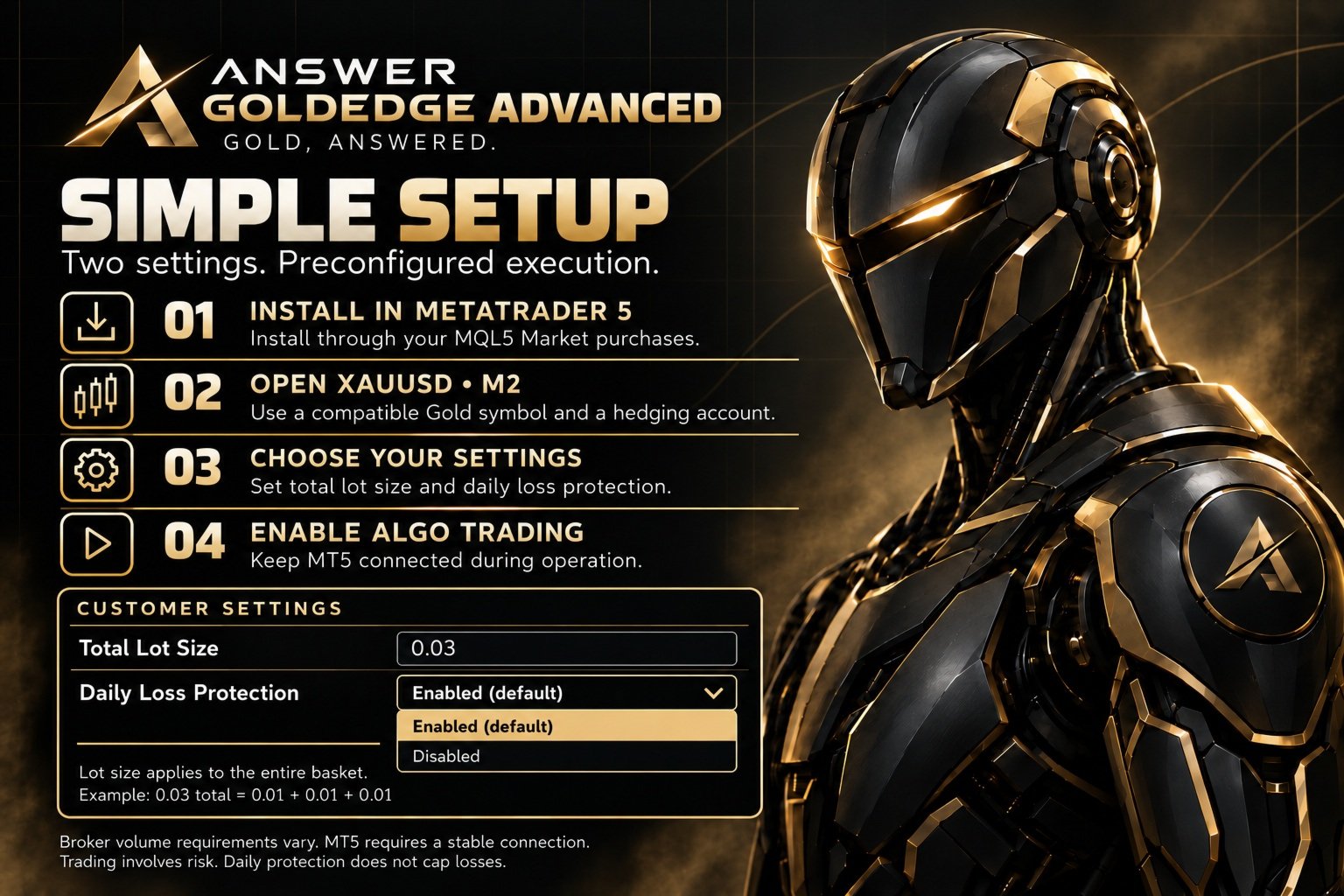
Choose your total basket lot size and whether to enable daily loss protection. The trading logic is preconfigured.
A more selective approach
Advanced builds on the GoldEdge platform with additional market-condition filters, refined entry qualification and optional daily loss protection.
The focus is on selecting qualifying opportunities and managing trades through a consistent process. Trading frequency varies with market conditions. The EA does not force a daily trade quota.
You select the exposure. GoldEdge handles the execution.
Key features
- Dedicated XAUUSD trading on MetaTrader 5.
- M2 execution with proprietary market-condition filters.
- Automated entry and ongoing position management.
- Three-position baskets with predefined targets and protective levels.
- One GoldEdge basket at a time.
- Optional daily realized-loss entry pause.
- Two straightforward customer settings.
Exact entry rules, filter settings and internal management logic remain proprietary.
Historical performance
Review the historical evidence before deciding. The product gallery includes performance summaries, original balance curves and month-by-month results, including losing periods.
| Historical test | Full 2025 | January–August 2026 |
|---|---|---|
| Net profit | $4,016.07 | $6,681.04 |
| Profit factor | 1.32 | 1.63 |
| Recovery factor | 12.63 | 24.07 |
| Maximum relative equity drawdown | 10.69% | 9.40% |
| Completed baskets | 1,065 | 918 |
| Individual positions | 3,195 | 2,754 |
| Profitable months | 11 of 12 | 8 of 8 |
These reference tests used XAUUSD, M2, a USD 1,000 initial deposit, 1:100 leverage, fixed total basket volume of 0.03 lots and daily loss protection enabled. Reported history quality was 99% real ticks for 2025 and 100% real ticks for 2026.
These are MT5 Strategy Tester simulations, not live results. Balance curves do not show floating equity drawdown. Results vary with historical data, spreads, swap charges, broker specifications and execution conditions.
Historical results are not an earnings forecast or a guarantee of future performance. The test deposit is not a recommended account balance.
Two settings. Preconfigured execution.
Total Lot Size
This setting controls the total volume of the entire basket, not the volume of each position.
For brokers with a minimum volume and volume step of 0.01:
| Total Lot Size | Three-position allocation |
|---|---|
| 0.03 | 0.01 + 0.01 + 0.01 |
| 0.06 | 0.02 + 0.02 + 0.02 |
| 0.09 | 0.03 + 0.03 + 0.03 |
Under these specifications, 0.03 is the minimum total volume needed to open all three positions. Broker requirements vary.
Minimum trading volume does not establish a suitable minimum account balance. Account size, leverage, available margin and tolerance for losses all matter. Higher volume increases both potential gains and potential losses.
Daily Loss Protection
Options: Enabled (default) / Disabled
Optional daily loss protection pauses new entries after the configured daily realized-loss threshold is reached.
The threshold scales automatically with total basket volume. On a USD account:
- 0.03 total lots: $90.
- 0.06 total lots: $180.
- 0.09 total lots: $270.
When enabled, the system monitors the broker day’s realized net trading P/L attributable to this EA on its symbol. Once the threshold is reached, new normal and recovery entries are paused for the remainder of that broker day. Existing positions continue to be managed.
The pause is reconstructed from trading history after a restart. Entry eligibility resets at broker midnight, subject to the system’s other requirements.
The dashboard displays “Daily loss pause active” once the entry check detects the pause. Following a restart, this message may not appear until the next entry check.
This is not an account-wide equity stop or a guaranteed maximum loss. Floating losses do not trigger the pause. Existing positions, execution and slippage can take losses beyond the threshold. The feature does not guarantee improved results or prevent losing days.
Requirements and setup
- Platform: MetaTrader 5 desktop or a compatible VPS environment.
- Market: Compatible XAUUSD/Gold symbol.
- Timeframe: M2.
- Account: Hedged account supporting separate positions.
- Operation: Stable connection, Algo Trading enabled and sufficient free margin.
To get started:
- Install Answer Gold Edge Advanced through your MQL5 Market purchases.
- Open the compatible Gold symbol on an M2 chart.
- Attach the EA and select Total Lot Size.
- Set Daily Loss Protection to Enabled or Disabled.
- Enable Algo Trading and check the Experts/Journal tabs for successful initialization.
Keep MT5 connected while the EA operates. A VPS can support continuous operation without keeping your personal computer running. Restarting MT5 may reset a pending recovery opportunity. After any restart, confirm that the terminal has reconnected, Algo Trading is enabled and the EA is active.
Broker spreads, pricing, volume requirements and execution conditions affect operation and results. The supplied tests used a USD account. Check symbol and account-currency compatibility before live use.
Test before you decide
The official MQL5 demo is free to try in the MT5 Strategy Tester.
Explore trading activity, historical results and drawdown under your chosen test conditions before committing to a rental.
The demo cannot trade on a live chart. Live use requires an active paid rental through the MQL5 Market.
Support
Support is available through MQL5 product comments and private messages for installation, activation, settings, compatibility and technical troubleshooting.
For assistance, provide the relevant chart screenshot and Experts/Journal messages. Never share account passwords or payment security details.
Trading involves risk, including loss of capital. No performance guarantees, personalized financial advice or account-management services are provided.
Answer Gold Edge Advanced
Gold, Answered.