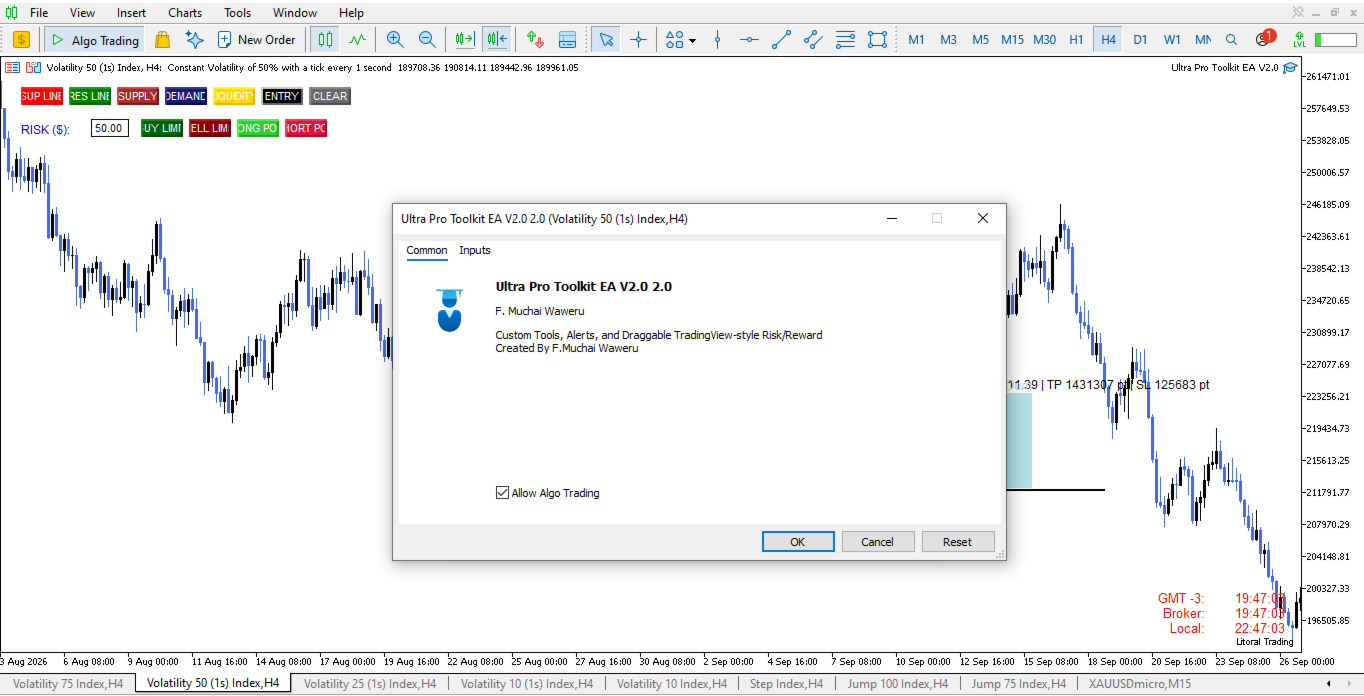
Ultra Prokit Tool
- Utilitaires
- Version: 2.0
- Activations: 5

Draw it. Size it. Execute it.
Most charts are buried under tools that refuse to talk to each other. You mark a level in one place, work out your lot size somewhere else, then hand-type an order and hope you remembered the stop.
Ultra Pro Toolkit EA puts the entire workflow on one panel: sketch your market structure, tell it how many dollars you are willing to lose, and let it handle the arithmetic and the order routing.
🛠️ This is a manual trading cockpit, not a signal robot. You stay the decision maker. The EA takes care of the drawing, the alerts, the risk maths, and the execution.
🔥 WHY TRADERS KEEP IT PINNED TO THE CHART
-
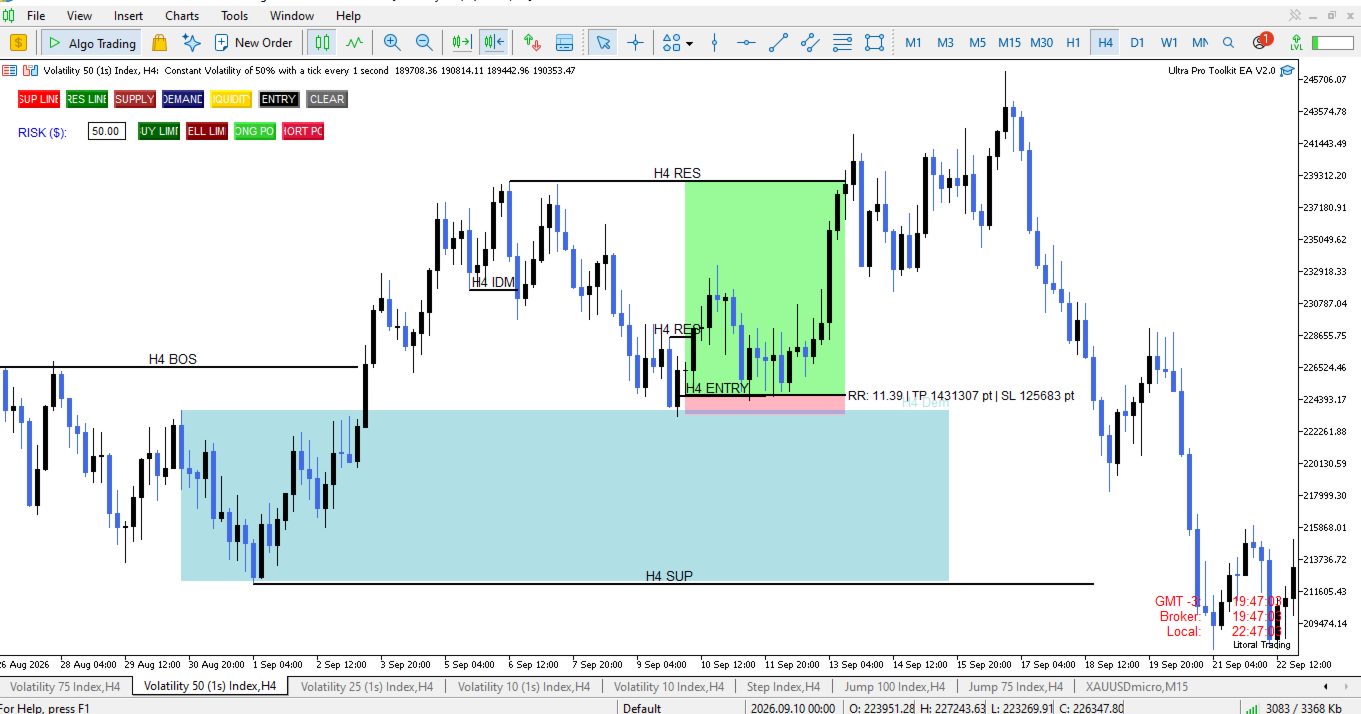
🎨 Instant Chart Drawing: Draw support, resistance, liquidity, and entry lines plus supply/demand zones straight onto the chart — no dialogs, no property windows.
-
✏️ Inline Text Editing: Every object is labelled, and every label is editable: click it, type, press Enter . Press Esc to throw the edit away.
-
🚨 Smart Alerts: Get alerted the moment price touches a level — or the moment a candle CLOSES across a liquidity line, which is a very different and far more useful thing.
-
📊 Risk/Reward Planner: Build a TradingView-style risk/reward box with draggable Entry, Take Profit, and Stop Loss. The R:R recalculates live while you drag.
-
💵 Dollar-Based Sizing: Size your position from a dollar figure instead of guesswork.
-
⚡ One-Click Execution: Fire a pending order, complete with stop loss and take profit, in a single click.
🎛️ THE TOOLBAR
📈 Market Structure Row
-
SUP / RES — Support and resistance lines, labelled with the timeframe they were drawn on.
-
LIQ — A liquidity line that alerts you when a candle closes through it.
-
ENTRY — A clean, unmistakable entry marker.
-
SUPPLY / DEMAND — Two-click zones with fill, in the colours you choose.
-
TEXT — Draggable notes for your own annotations.
-
CLEAR — Wipe everything the toolkit created with a single click.
🚀 Execution Row
-
RISK ($) — The exact amount you are prepared to lose on this trade.
-
BUY LIMIT / SELL LIMIT — Spawn a draggable, fully calculated order blueprint.
-
LONG POS / SHORT POS — Spawn a visual risk/reward planner (planning tool only; these two do not place an order).
🎯 THE ORDER BLUEPRINT
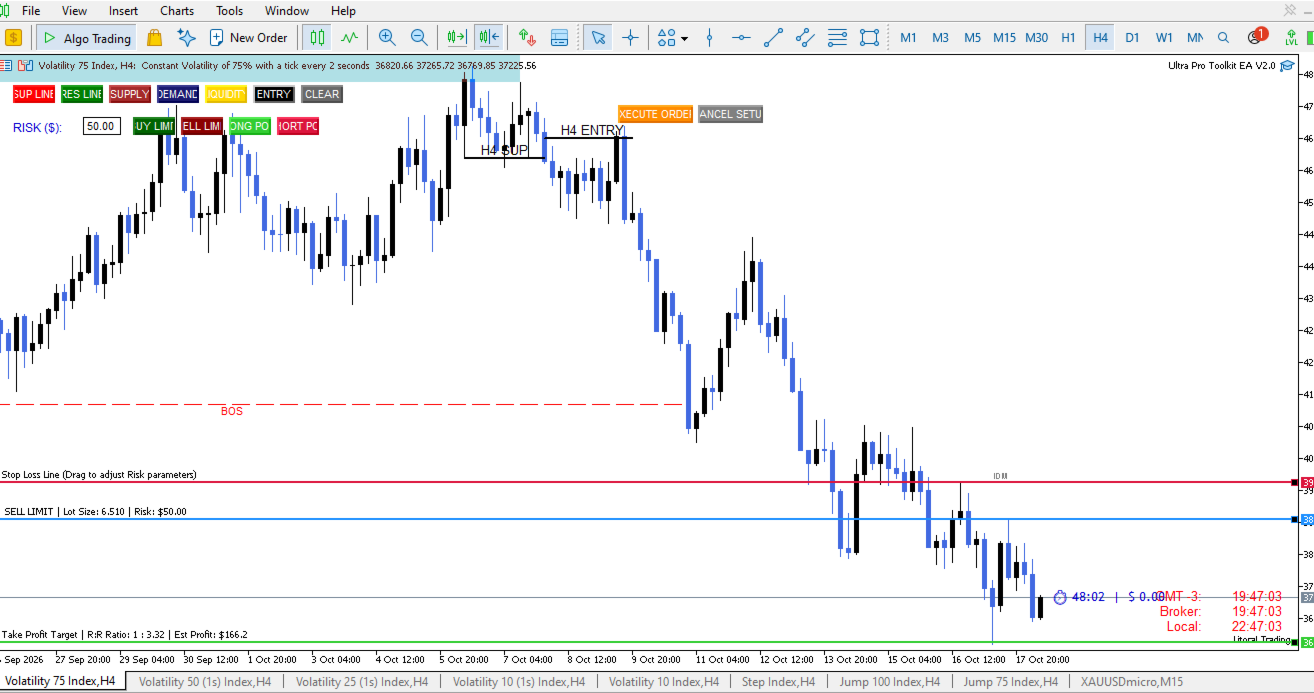
Press BUY LIMIT or SELL LIMIT and three draggable lines appear on the chart: Entry, Stop Loss, and Take Profit.
Put them wherever your analysis says. They stay level, they follow each other, and they print the whole trade on the chart for you:
-
📌 The side and the calculated lot size
-
💰 Your actual cash risk
-
📈 The live R:R ratio and the estimated profit at target
EXECUTE ORDER to send it. CANCEL SETUP to bin it. Nothing reaches your broker until you say so.
🛡️ THE RISK ENGINE
This is where manual traders quietly lose money — and where this toolkit earns its keep.
-
Precision Lot Sizing: You enter a dollar amount. The EA works out the lot size from the real distance between your entry and your stop.
-
Safe Rounding: Size is always rounded DOWN to your broker's volume step, so the trade can never risk more than you asked for.
-
Volume Clamping: Volume is clamped to your broker's minimum, maximum, and per-order limits.
-
Tick Alignment: Prices are snapped to the symbol's tick size.
-
Stop Distance Check: Your broker's minimum stop distance is respected, so you are not rejected for "invalid stops".
-
Margin Safeguards: Free margin is checked before anything is sent.
-
Validation & Diagnostics: Entry, stop, and target are validated against each other for the order type you chose.
-
Clear Error Reporting: The EA confirms trading is actually switched on (terminal, account, EA, and symbol) and tells you precisely which one is blocking it if it isn't. Every rejection is reported with the broker's own return code and comment, and your blueprint STAYS on the chart so you can correct it instead of redrawing from scratch.
⚙️ WHAT YOU CAN CONFIGURE
Fully customizable settings for:
-
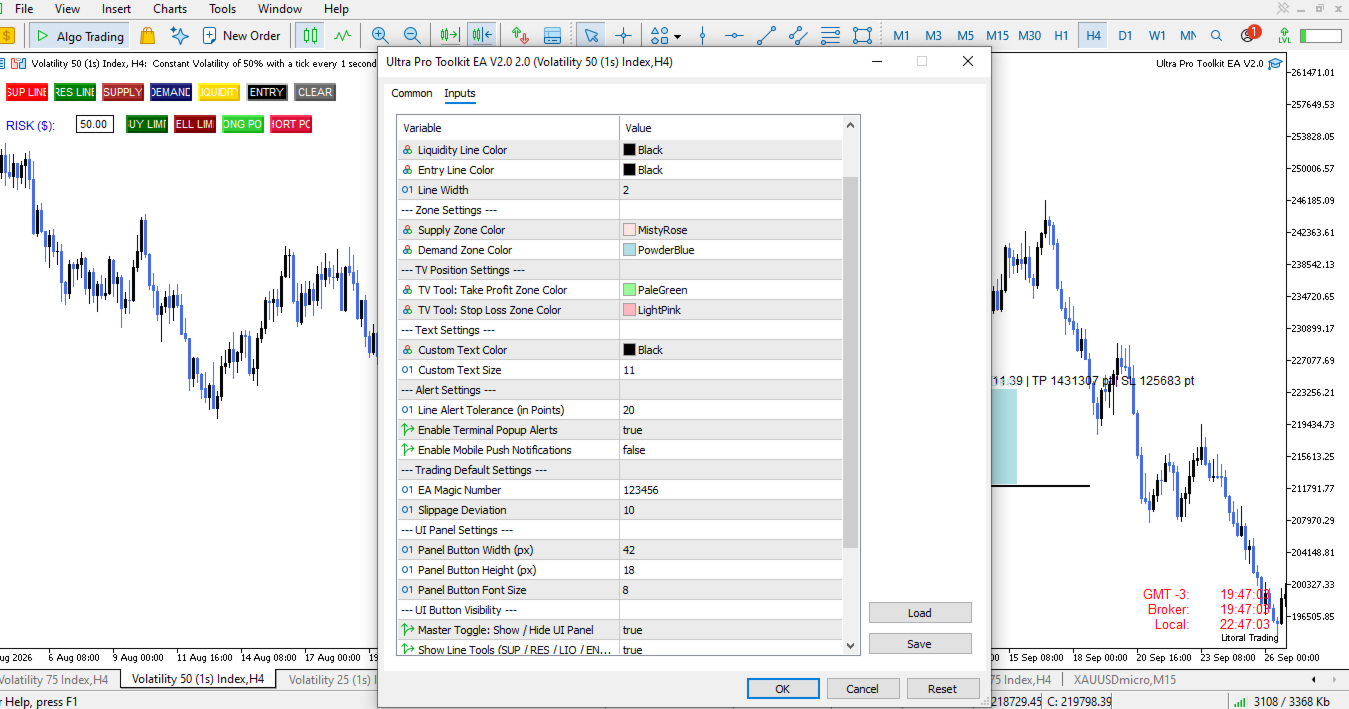
Colours: Every line, zone, note, and risk/reward element
-
Dimensions & Styling: Line widths, panel button width, height, and font
-
Alerts: Alert tolerance in points, terminal popup alerts, and mobile push notifications
-
Execution Parameters: EA magic number and slippage
-
Clean Display: Independent visibility toggles let you hide the line tools, zone tools, text tool, clear button, risk box, or trade buttons so you can leave yourself a pristine chart.
🕹️ HOW A TRADE LOOKS
-
Draw your supply zone and the liquidity level sitting below it.
-
Wait for the alert.
-
Setup — Press BUY LIMIT, drag Entry / SL / TP into place, type your risk, and check the R:R printed on the chart.
-
Execute — Press EXECUTE ORDER.
No calculator. No tab-switching. No "how many lots was that again?".
💡 GOOD TO KNOW
-
🖥️ Platform: MetaTrader 5 only.
-
🌐 Scope: Any symbol, any timeframe.
-
🔀 Accounts: Works on netting and hedging accounts. The EA opens pending orders with your stop loss and take profit attached — nothing else.
-
⏱️ Throttle: Alerts are deliberately throttled to one per bar per object, so a fast market can't spam your phone overnight.
-
🔄 Persistence: Your drawings survive a timeframe change or a recompile; the toolkit re-adopts them automatically when it reloads.
-
🛡️ Clean Code: No DLLs, no WebRequest, no outside servers. It runs entirely inside your terminal.
⚠️ RISK DISCLOSURE
Ultra Pro Toolkit EA is a charting and execution utility. It does not generate trading signals, it does not trade on its own, and it makes no claim about your results. Every entry is your decision and your responsibility.