Ecfx Xau Sentinel
- Experts
-
Jarrod Emery
 I’m the founder of ExpertCodeFX and an MQL5 Expert Advisor developer focused on practical, testable automation for MetaTrader 5.
 - Version: 2.20
- Activations: 5
Ecfx Xau Sentinel
Naming note: Ecfx Xau Sentinel is the MQL5 listing name for the Ecfx XAU Warden R2 project. Our demonstration videos use the Warden name. Please check the version shown in each video, as its settings and features may differ from the current release.
Ecfx Xau Sentinel is a multi-engine Expert Advisor for MetaTrader 5, developed around automated trading on gold. It combines price-level breakouts, time-based session trading, and a collection of technical strategies within one application.
The system uses three separately controlled trading engines. Each engine has its own entry rules, settings, trade identifiers and position-management logic. They operate on the same account, so they share balance, equity and available margin. This structure allows the user to evaluate the engines individually or test them together as a portfolio.
The EA is intended for traders who want detailed control over strategy selection, position sizing, execution filters and trade management, and who are prepared to validate their settings with their own broker before live use.
Architecture and design
Sentinel is implemented in MQL5 and uses MetaTrader 5 market data, trade operations and event handling. Its main structure separates signal generation, order placement, trade management and chart presentation.
At startup, the EA checks its settings, enabled engines and trade-identifier ranges. It then initializes the selected engines. Market ticks drive the principal trading routines, while timer and trade-transaction events support the relevant management and state updates.
Each engine uses a distinct range of magic numbers to identify its trades. This lets it distinguish its own positions and pending orders from those belonging to the other engines. The combined initialization routine checks for overlapping identifier ranges.
The design supports independent strategy ownership, but the engines are not financially isolated. A loss in one engine changes account equity and may affect another engine's sizing or equity-based controls. Enabling more engines does not necessarily reduce risk, particularly when several models are exposed to the same gold movement.
The supplied configuration requires a hedging account so that separate strategy positions can remain distinct. A netting account combines positions on the same symbol and does not preserve this model of ownership.
Engine A: price-level breakout portfolio
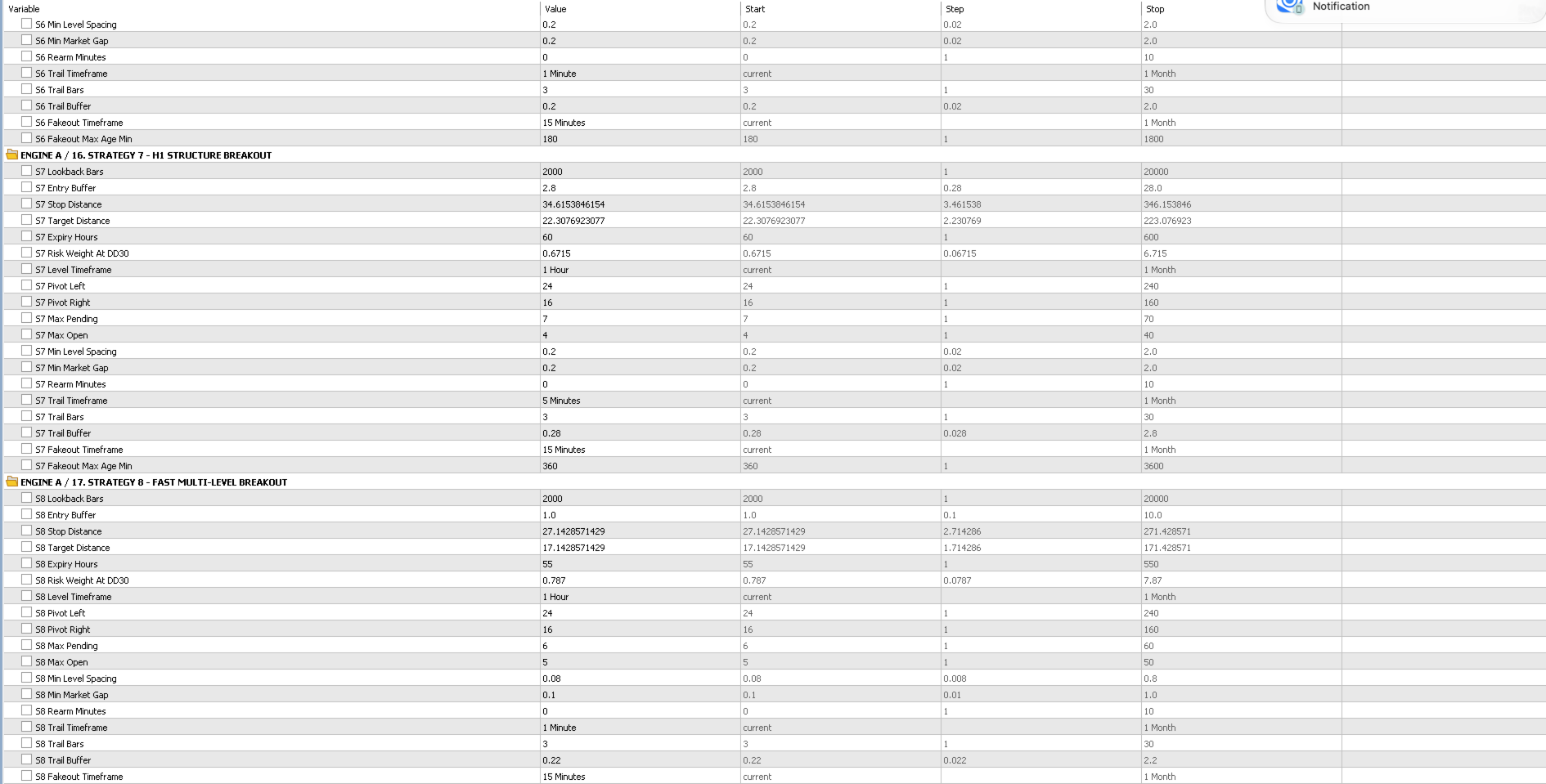
Engine A contains nine configurable strategy profiles. Their settings define how price levels are identified, how far orders are placed from those levels, and how positions are managed after entry.
Depending on the profile, the engine examines historical highs and lows, confirmed pivots and strategy-specific timeframes. It can place buy-stop orders above qualifying levels and sell-stop orders below qualifying levels. Price must reach the pending-order level before that order becomes a position.
A prospective order is assessed against the relevant filters and exposure limits. These include allowed direction, spread, minimum distance from the market, spacing between levels, pending-order limits, open-position limits and re-entry timing.
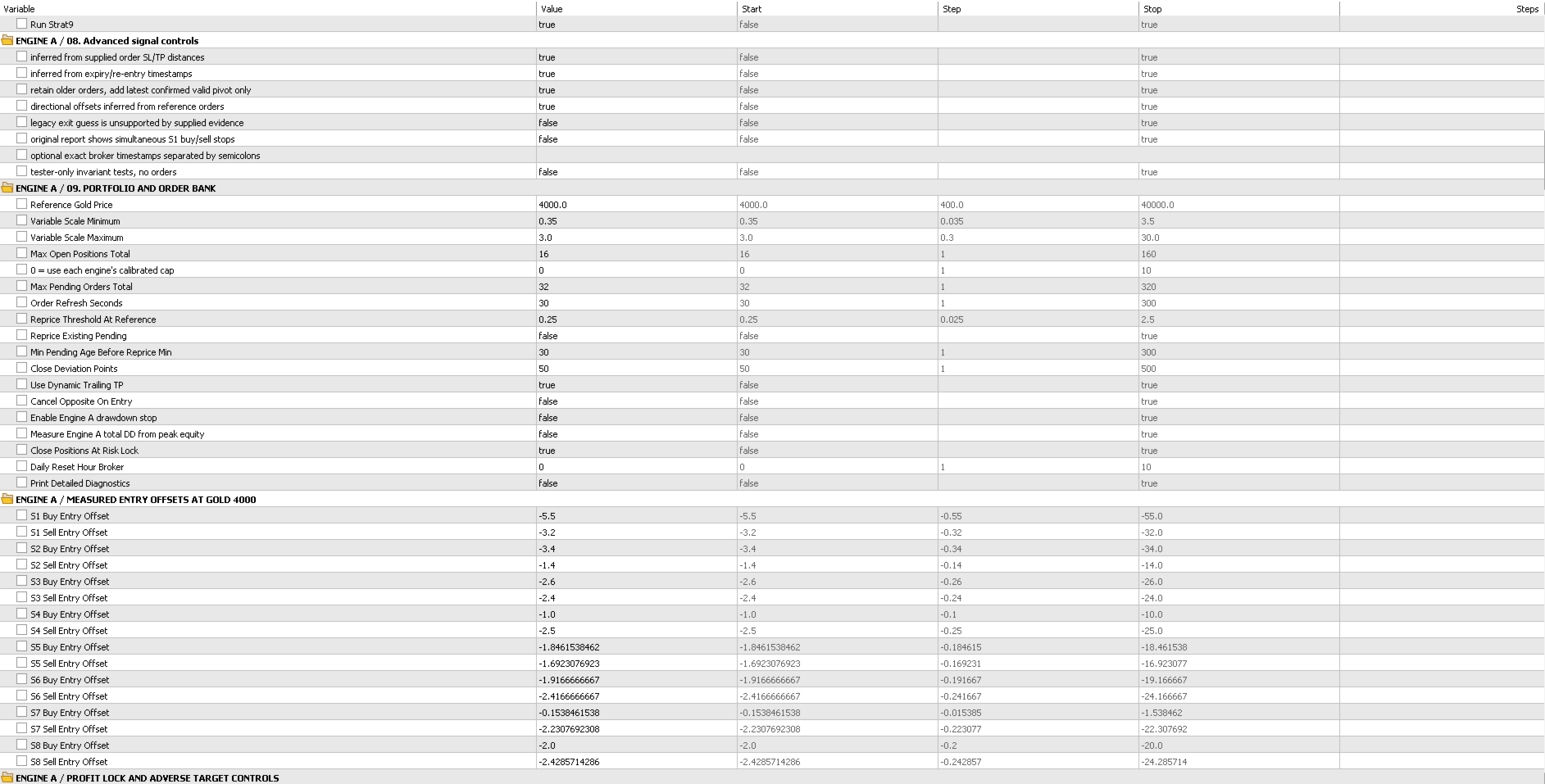
The order bank can retain more than one qualifying level. Pending orders on the chart therefore represent planned entries; they are not all open positions. Each profile can have its own expiration period and management settings. Optional repricing controls determine whether existing orders are updated as levels change.
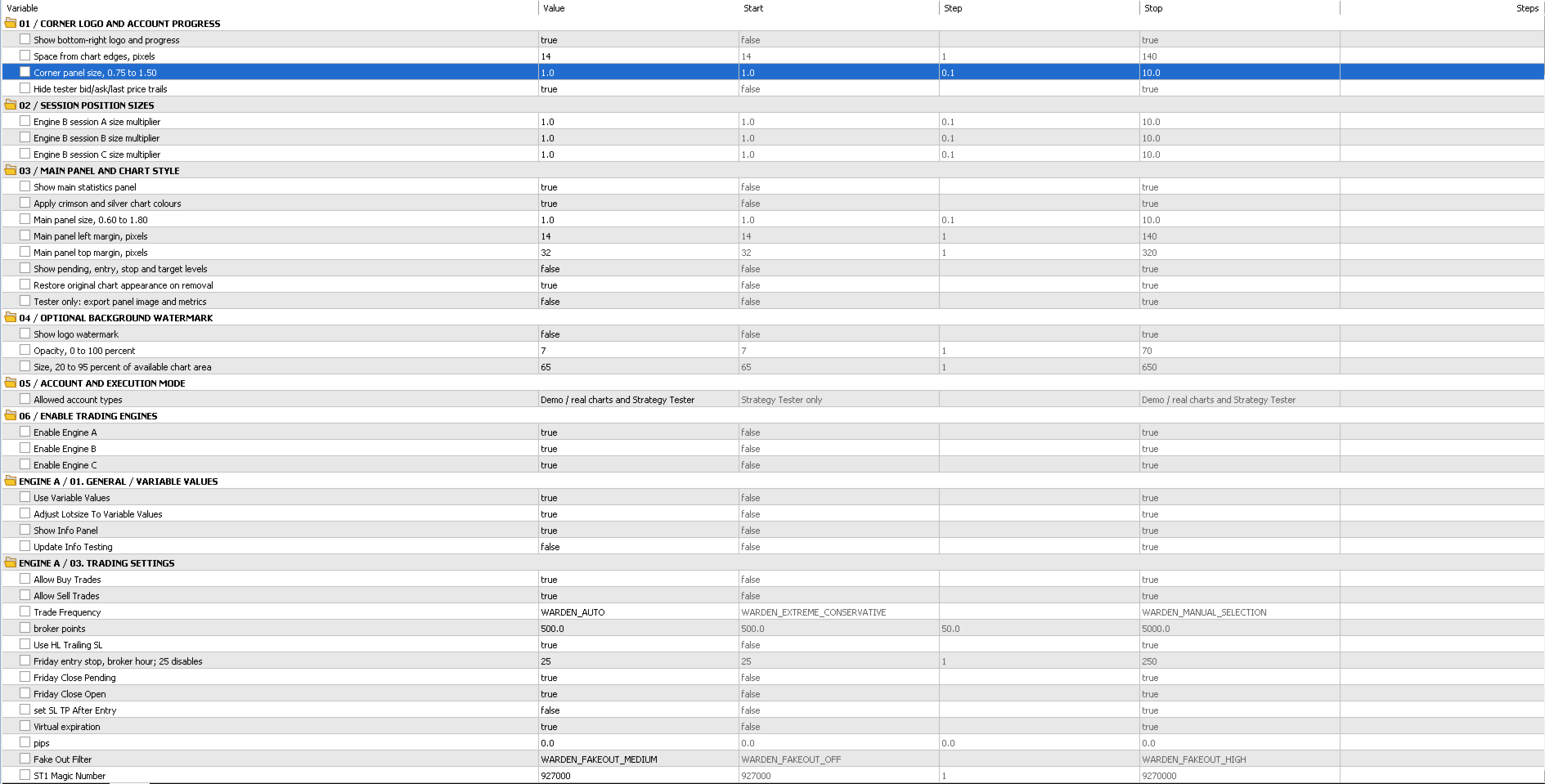
Engine A supports several trading-frequency modes and individual strategy switches. Automatic selection also considers the configured drawdown-sizing value and the balance used for selection. Consequently, changing that value may change both position sizing and the number of active profiles.
Price-distance scaling
Engine A can scale its configured price distances relative to a reference gold price. When previous-daily-open scaling is enabled, it uses the previous daily open as the scaling anchor. Minimum and maximum scaling bounds constrain the adjustment.
This is proportional price-level scaling. It is not a guarantee that a fixed risk profile will be maintained through every volatility regime. The reference price, scaling bounds, stop distance and sizing mode should be assessed together.
Position sizing and management
The available sizing methods include a starting-lot mode, a risk-per-strategy mode and a weighted model based on the configured drawdown-sizing reference. Settings also control whether sizing uses balance, equity or a manually specified balance.
Position management includes profile-specific stop-loss and take-profit distances, high/low-based trailing stops, and optional dynamic take-profit adjustments. Entry and management offsets can be adjusted separately.
The optional high-water sizing setting can retain a previous higher balance or equity as the sizing basis after losses. Users should understand its effect before enabling it: it does not necessarily reduce position size during a drawdown.
Engine B: session and scheduled trading
Engine B provides three separately selectable trading components, with the first two enabled in the supplied source defaults.
The session-breakout component constructs a range during its configured time window. After that range is established, it can enter when price breaks above or below it, subject to the previous daily candle-body filter and entry-time restrictions.
The scheduled component is a time-based buy model. Its current rules allow entry during a defined window from Tuesday through Friday, with a configurable holding period. It can also close its position when an eligible opposing sell signal occurs.
The third component is an optional multi-day breakout and momentum model. It compares price with highs and lows from completed daily bars and checks movement over a specified interval. This component is disabled by default.
Engine B uses market entries rather than the same pending-order structure as Engine A. Its settings include stop distances expressed as percentages, scheduled exits, balance/equity sizing choices and optional spread and equity-loss filters.
A seeded variation feature can apply bounded changes to timing, levels, stop distances and position sizes. It is a repeatable configuration mechanism, not an assurance of improved returns or compliance with a third-party trading programme.
Session timing is an important part of this engine. Broker-server time and any session shift must be checked before comparing results from different brokers.
Engine C: technical and volatility-based strategies
Engine C combines a technical-strategy collection with additional breakout modules. Its components use separate identifiers, exposure checks and management settings.
Technical-strategy collection
The source includes twelve signal models covering:
- Moving-average and relative-strength conditions.
- Moving-average crossovers.
- Trend-line retests and parabolic stop-and-reverse signals.
- Breaks of market structure.
- Bollinger-band compression and volatility expansion.
- Average-true-range momentum and relative-strength mean reversion.
- Fibonacci pullbacks and liquidity sweeps.
- Double-pattern formations and volatility-shock fades.
The models use internally assigned timeframes ranging from five minutes to four hours. Attaching the EA to an H1 chart does not make every component an H1 strategy.
A detected condition must still pass the applicable direction, session, spread, cooldown and exposure checks before an order can be placed. A directional-lane filter can restrict which model/direction combinations are allowed. The existence of a strategy switch does not mean every signal model trades under the default filter.
This collection includes controls for concurrent exposure, same-direction positions, daily trade counts and balance-based lot scaling. Its management routines can move stops toward break-even and apply volatility-based trailing after configured progress thresholds are reached.
Additional breakout modules
The trend-channel component uses moving-average alignment together with 48-bar and 72-bar breakout levels. Average true range is used in its entry and management calculations. It includes entry-hour restrictions, pending-order expiration, maximum holding time and configurable break-even and trailing behavior.
The additional structural breakout module implements strategy profiles 2, 3 and 4 in this version. These use recent bar extremes and average-true-range-based distances, with their own risk, margin, spread and expiration controls. Other exposed profile switches should not be interpreted as additional implemented trading models in this build.
Some inputs are retained for compatibility with earlier configurations. Not every compatibility input represents an active feature, and an option labelled as an NFP filter in a compatibility group should not be assumed to protect all Engine C entries.
Risk controls and their scope
Sentinel offers several layers of configurable risk management, but they have different purposes and scopes. A sizing parameter, a new-entry filter and a liquidation rule are not interchangeable.
Engine A includes optional daily equity-loss and total-drawdown enforcement. Its `MaxAllowedDD` value also participates in weighted sizing and automatic strategy selection. In the supplied source defaults, total-drawdown enforcement is disabled and the daily drawdown limit is zero. The displayed drawdown-sizing value is therefore not an automatically enforced account-loss ceiling.
Engine B has its own optional equity-drawdown closing control. That switch is disabled in the supplied source defaults. The combined EA rejects its setting for closing all account positions, maintaining separation between engine-owned trades.
Engine C has equity-based limits and additional controls for its subgroups. Its shared limits manage Engine C-owned exposure; they do not provide a universal close-all rule for Engines A and B. Some of these calculations observe account equity, so losses from another engine can still affect when they trigger.
Engine C also exposes a backtest bypass for its permanent maximum-drawdown lock. That bypass is enabled in the supplied source defaults. For a representative comparison, explicitly check this setting and test the intended execution configuration rather than assuming default backtest and live behavior are identical.
Multiple positions can be open at the same time. Aggregate exposure, correlation and available margin remain important even when each component has its own limits. Stop orders and software controls cannot guarantee an exact maximum loss during gaps, slippage, rejected operations or interrupted execution.
News, trading hours and broker conditions
Engine A includes an NFP filter with configurable exclusion periods and options for closing its positions or cancelling its pending orders around the event.
The implementation can use calendar information and manually supplied event timestamps. Historical testing may use an approximate first-Friday schedule when exact timestamps are not supplied. Holiday changes and broker-time differences can therefore affect a historical news-filter comparison.
This should not be described as universal filtering of every high-impact announcement. Engine B and Engine C have their own rules and should not be assumed to inherit Engine A's news protection.
Broker contract specifications matter. Gold symbols may differ in digits, point size, tick size, tick value, minimum volume, volume increment, stop-distance requirements, commission, swaps and trading hours. Settings calibrated for one feed should be checked before use on another.
Engine C exposes a separate price-distance unit and broker-to-UTC offset. Its test-time offset is explicitly configured. Other components use broker-clock or subgroup-specific daily boundaries. Review these settings before interpreting daily limits or session behavior.
On-chart monitoring
The chart interface provides a combined view of the running system. It includes account balance and equity, Warden-owned floating and closed results, position and pending-order counts, spread, drawdown observations and engine status information.
Presentation controls include panel scale and position, the crimson-and-silver chart theme, optional trade-level display and a configurable logo watermark. These display choices do not by themselves increase or reduce trading risk.
The panel is an operational aid. It should be read together with the Experts and Journal logs, particularly when an engine is waiting for history, rejecting an order, observing a trading restriction or holding a risk lock.
Installation and initial setup
1. Install the purchased product through MetaTrader 5 and open your broker's gold symbol. Use a hedging account compatible with the EA's ownership requirements.
2. Start with one instance on the intended symbol. H1 is a practical initial chart layout for reviewing the combined system; internal strategy timeframes remain separately defined.
3. Load the exact MT5 preset intended for your account and broker. A cTrader preset is not an MT5 setup file.
4. Check the engine switches, execution mode, sizing basis, lot settings, spread limits, time offsets and enabled drawdown controls before allowing trades.
5. Ensure enough historical data is available for the internal timeframes. Confirm initialization in the Experts log and review any warnings or rejected parameters.
6. Test on a demo account before considering live use. Keep the terminal connected and running while software-managed exits, trailing and timed actions are required.
If using several instances, assign non-overlapping magic-number ranges. Avoid changing identifiers while positions remain open, because the EA relies on those identifiers to recognise its trades.
Do not assume that removing the EA closes every position. Review its stop/removal settings and any remaining positions and orders explicitly. Existing broker-held protection and software-managed actions are different mechanisms.
There is no universal minimum deposit suitable for every broker and configuration. Capital requirements depend on contract size, minimum tradable volume, leverage, enabled strategies, stop distances and acceptable combined exposure.
How to backtest and assess the system
Use the MetaTrader 5 Strategy Tester with the exact EA build and preset you intend to evaluate. Select your broker's gold symbol, account model, initial deposit, currency, leverage and historical period explicitly.
Use “Every tick based on real ticks” where suitable broker history is available. Check the trading costs and test settings rather than assuming a result generated from simplified price data will reproduce under another model.
First run a short visual test. Confirm that the expected engines initialize, orders use plausible volumes and stop distances, the session times match the intended clock, and the Journal does not show repeated execution errors.
Then complete a longer test covering different market conditions. Examine maximum floating-equity drawdown, balance drawdown, net profit after costs, margin usage, trade count, average trade outcome, losing sequences and the duration of recovery periods. A final profit figure alone is not sufficient to describe risk.
Test Engines A, B and C separately as well as together. Their standalone profits cannot simply be added to predict the combined result, because shared equity, sizing, margin and risk controls can change subsequent decisions.
If optimizing parameters, reserve a separate historical period for evaluation. Test sensitivity to nearby parameter values and realistic changes in costs. Forward testing should follow the historical assessment before a live decision.
Save the completed report, exact preset and logs for each test. Any video or screenshot of a Strategy Tester run should be understood as a historical simulation using its stated conditions, not as evidence of future returns.
Support and operating expectations
For support, use the MQL5 product comments or private messages. Include the product version, broker, exact symbol, account type, preset, test dates and relevant Experts or Journal messages. Do not include passwords or account-access credentials.
Sentinel provides a configurable framework for gold trading across several methods. Its purpose is to make the entry rules, sizing choices and management behavior testable and observable. It does not guarantee profitability, uninterrupted account growth, a fixed drawdown ceiling or compliance with a proprietary-trading programme.
Historical results depend on the data, settings, execution model and costs used. Live outcomes can differ, and trading gold can produce substantial losses.