Trend Recognizer XploreC
- Indicateurs
- Version: 2.1
- Activations: 5

XploreC Trend Recognizer is a MetaTrader 5 technical indicator designed to identify market trend direction across multiple timeframes. It gives traders a clear visual overview of whether selected timeframes are moving Up or Down, helping them understand the broader market structure before making trading decisions.
The indicator is built for both beginner and experienced traders who want a simple, structured way to monitor trend behavior without using an automated trading robot. It does not open or close trades. Instead, it provides visual trend information, reference lines, and multi-timeframe signals that can be used as part of a discretionary trading strategy.
Key Features:
- Multi-timeframe trend recognition
- Clear Up/Down trend status display
- Historical trend scanning with error analysis
- Interactive chart controls for adjusting trend detection levels
- High and low reference structure for detailed market reading
- Compatible with forex pairs, metals, stocks, indices, and cryptocurrencies
- Works on any MetaTrader 5 chart and timeframe
- Designed for traders who want visual confirmation before planning entries
- Email notification function to send trend details directly to the trader
- Email notification function to send trend details directly to the trader
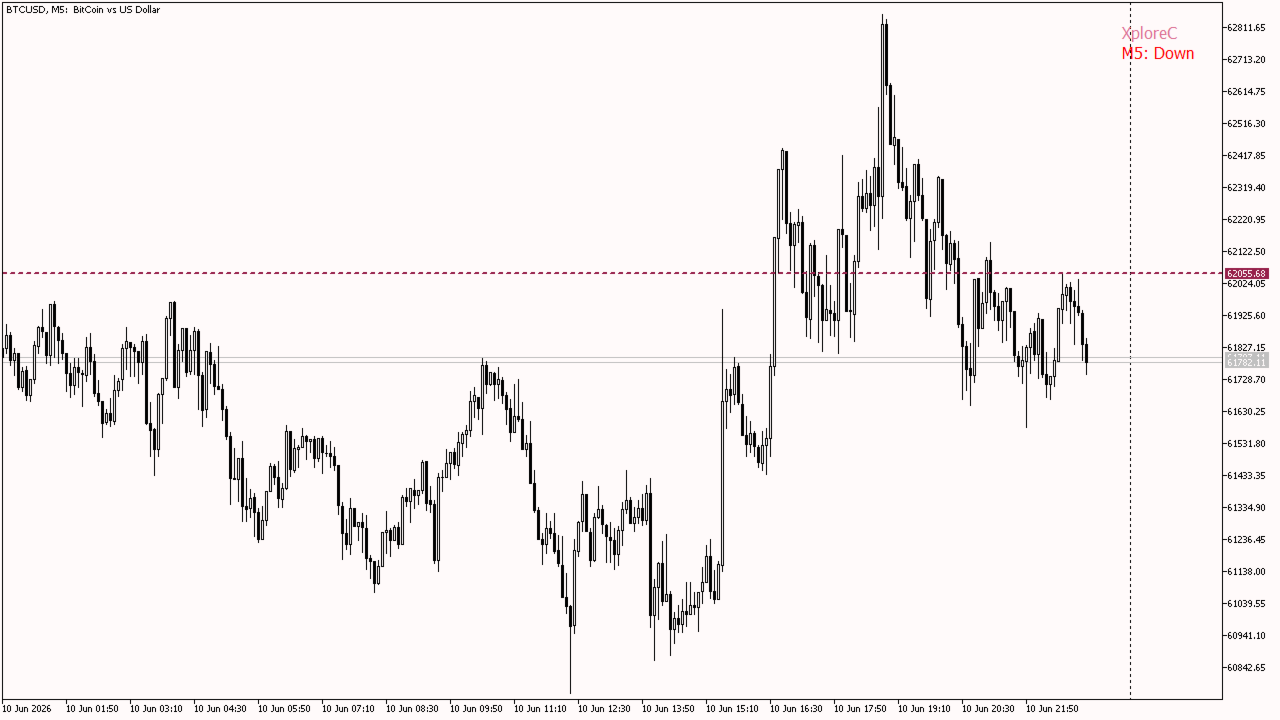
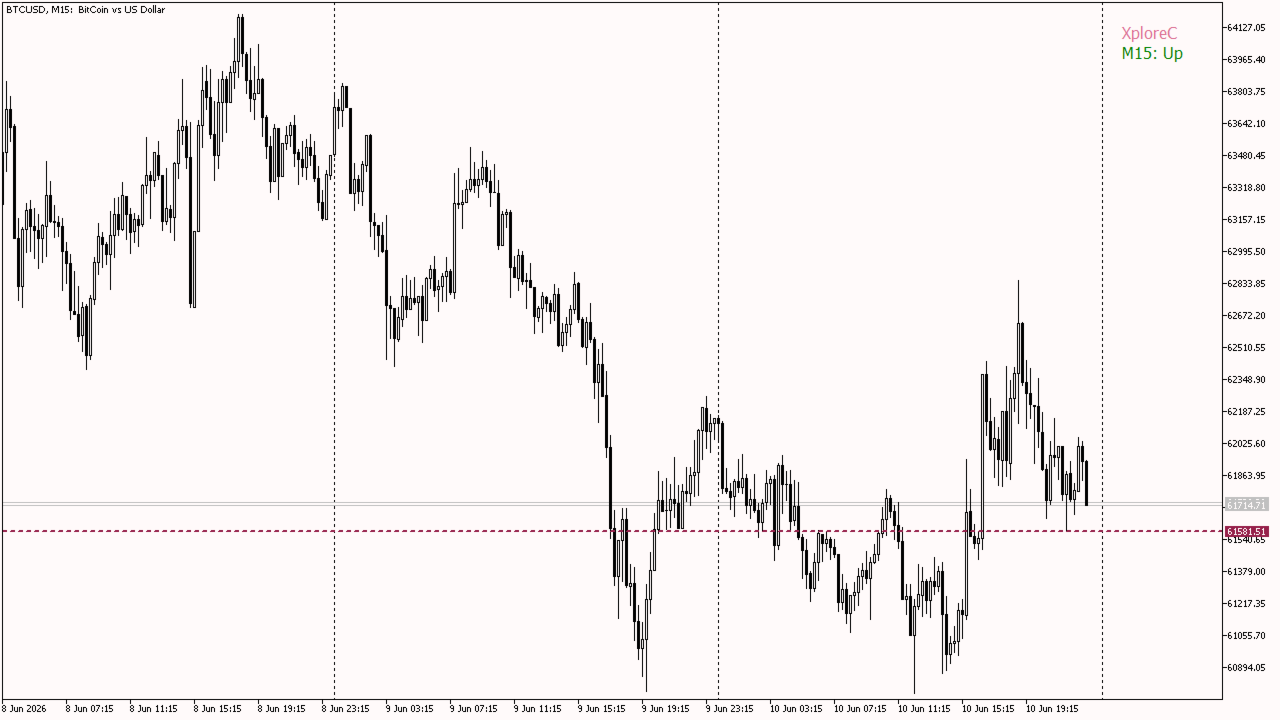
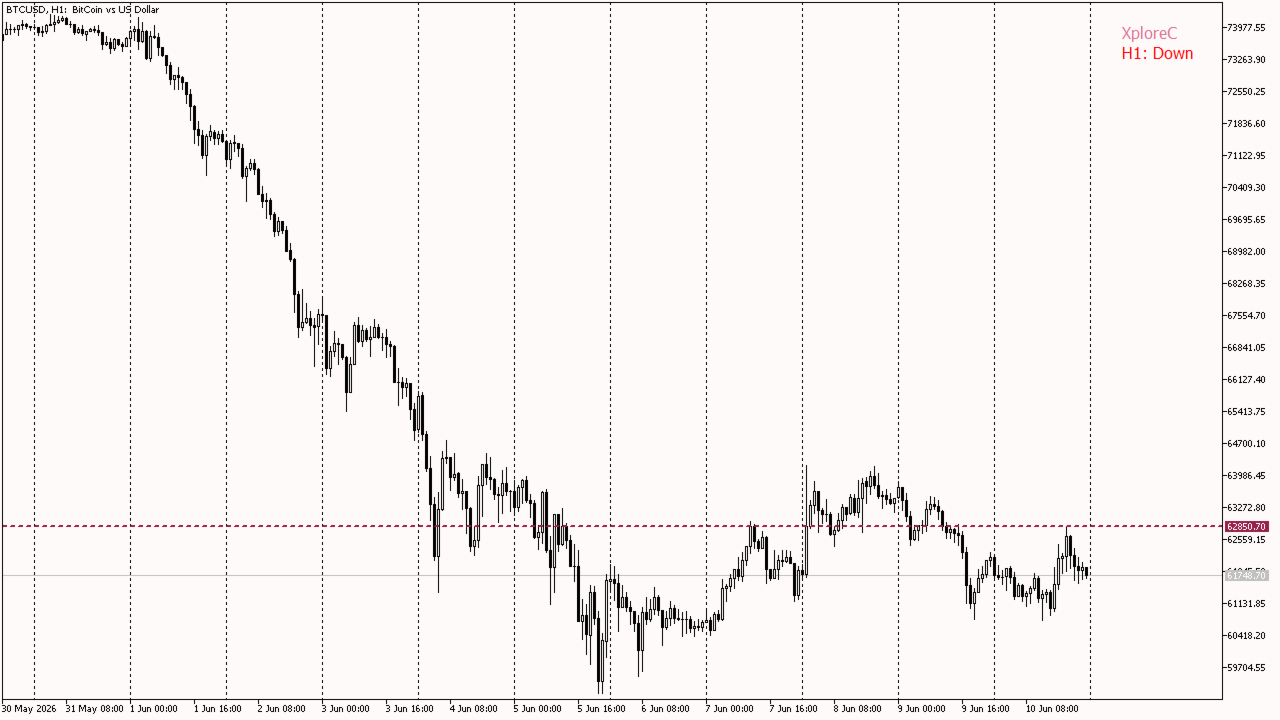
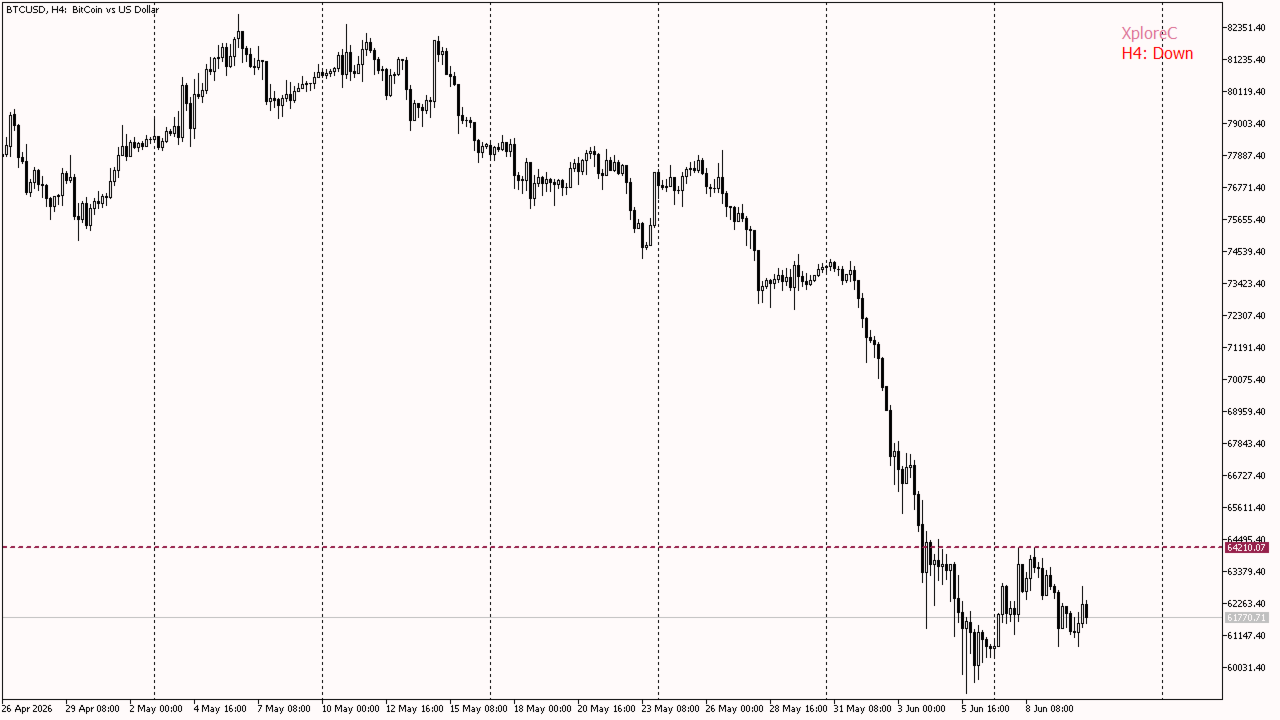
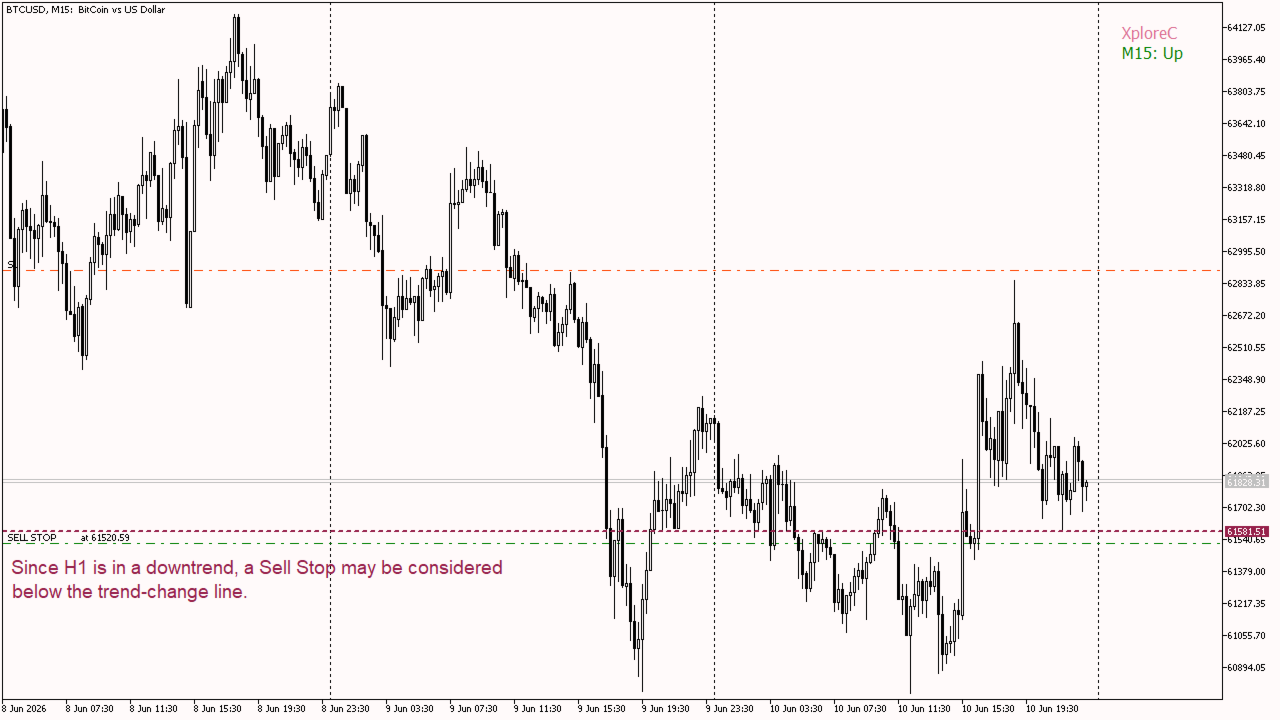
The default trend-change line highlights the area where market direction changes from Up to Down or from Down to Up. Traders can use this line as a reference for trend transitions, potential breakout zones, and market structure across their selected timeframes.
Example on BTCUSD:
M5: Down
M15: Up
H1: Down
H4: Down
In this example, the short-term M15 timeframe is moving up, while M5, H1, and H4 remain down. If H1 is selected as the main trend timeframe, the current H1 state is Down. Therefore, a trader may consider placing a Sell Stop below the trend-change line.
Suggested Usage:
Choose your main trend timeframe and your trade execution timeframe. For example, a trader may use H1 as the main trend timeframe and M15 or M5 for trade timing. When the selected trend timeframe is in a downtrend, traders may watch for Sell Stop opportunities below the trend-change line. When the selected trend timeframe is in an uptrend, traders may watch for Buy Stop opportunities above the trend-change line.
Recommendations:
For best results, make sure sufficient historical data is loaded for all selected timeframes. The indicator can be used on a VPS for continuous market monitoring and real-time visual overview.