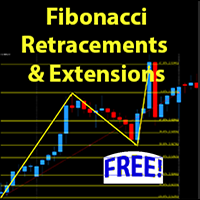
Fibonacci Retracements and Extensions MT4
30 USD
Demo downloaded:
12
Published:
24 February 2023
Current version:
1.0
Didn't find a suitable robot?
Order your own one
on Freelance
Go to Freelance
Order your own one
on Freelance
How to buy а trading robot or an indicator
Run your EA on
virtual hosting
virtual hosting
Test аn indicator/trading robot before buying
Want to earn in the Market?
How to present a product for a sell-through

You are missing trading opportunities:
- Free trading apps
- Over 8,000 signals for copying
- Economic news for exploring financial markets
Registration
Log in
You agree to website policy and terms of use
If you do not have an account, please register
Thank You! This is just what I needed! More than 7 levels of Fibonacci great job! You made it simple to put your custom fib level in.
Great. Glad you like it! I appreciate the feedback.
I have downloaded this indicator, but I can't see it on my chart after I select the tool from Custom and click ok, nothing appears.
When you add it to your chart, you should see two buttons on the bottom right corner. Zoom out on your screen at first, then click the green button and a fibonacci will appear on your chart. The pink button is to delete any fibonaccis on your chart.
Greetings! Not all systems provide the same level of success, particularly with misuse or poor risk management. Based on my experience, this system stands out for its impressive returns and low drawdown. It also comes with an audited account. Please review the attached file from the author.