Super helper
30 USD
Demo downloaded:
34
Published:
27 September 2022
Current version:
1.1
Didn't find a suitable robot?
Order your own one
on Freelance
Go to Freelance
Order your own one
on Freelance
How to buy а trading robot or an indicator
Run your EA on
virtual hosting
virtual hosting
Test аn indicator/trading robot before buying
Want to earn in the Market?
How to present a product for a sell-through

You are missing trading opportunities:
- Free trading apps
- Over 8,000 signals for copying
- Economic news for exploring financial markets
Registration
Log in
You agree to website policy and terms of use
If you do not have an account, please register
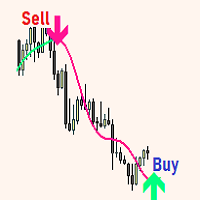
Hello everyone, to automate the trading of arrow indicators, you need to complete a few steps.
1. You need to find the arrow buffer numbers in your indicator.
Let's consider an example, the numbers of buffers in this indicator are 3 and 4, which corresponds to the color of the arrow on the chart.
2. Enter the exact name of the indicator in the Expert Advisor settings, in my case it is T8 Double Speed AA MTF TT, you enter your indicator name.
3. Enter the buffer numbers of the buy and sell arrows of the indicator in the EA settings.
The expert will start working.
I hope this instruction will help you figure out the settings. If you have any questions, write.
Написал вам в личных сообщениях