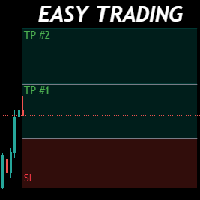
Trade Easily
FREE
Published:
29 January 2022
Current version:
1.10
Didn't find a suitable robot?
Order your own one
on Freelance
Go to Freelance
Order your own one
on Freelance
How to buy а trading robot or an indicator
Run your EA on
virtual hosting
virtual hosting
Test аn indicator/trading robot before buying
Want to earn in the Market?
How to present a product for a sell-through
Version 1.10
2022.08.25
1. Shortcuts for Buy and Sell have been added: b for Buy and s for Sell
2. Set default Pending value 0 or 1
3. Debugging pending price line position (now is set in the middle of char)
4. Set Position of Expert anywhere you want by pixel
5. Now, you can set your Risk by an amount, not just a percentage
6. Set default Risk value by percent or value
7. Set default SL(points) value
8. Set your TPs value based on SL. For example TP_V1 = 1.5, it means your TP1 = 1.5 * SL
2. Set default Pending value 0 or 1
3. Debugging pending price line position (now is set in the middle of char)
4. Set Position of Expert anywhere you want by pixel
5. Now, you can set your Risk by an amount, not just a percentage
6. Set default Risk value by percent or value
7. Set default SL(points) value
8. Set your TPs value based on SL. For example TP_V1 = 1.5, it means your TP1 = 1.5 * SL

You are missing trading opportunities:
- Free trading apps
- Over 8,000 signals for copying
- Economic news for exploring financial markets
Registration
Log in
You agree to website policy and terms of use
If you do not have an account, please register