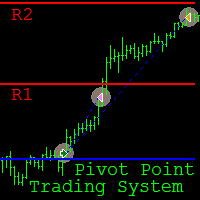
Pivot Point Trading System
40 USD
Demo downloaded:
288
Published:
10 February 2019
Current version:
4.414
Didn't find a suitable robot?
Order your own one
on Freelance
Go to Freelance
Order your own one
on Freelance
How to buy а trading robot or an indicator
Run your EA on
virtual hosting
virtual hosting
Test аn indicator/trading robot before buying
Want to earn in the Market?
How to present a product for a sell-through
Version 3.413
2019.02.24
Adaptation for 4-digit quotes has been done. For trading on such quotes, it is necessary to reduce the values of all deviations and trailing stops by 10 times.
Example:
SL deviation 120 -> 12
Breakout candle Open price deviation 30 -> 3
Breakout candle Close price deviation 3 -> 0
TP deviation (breakout strategy) 110 -> 11
Trailing stop (breakout strategy) 450 -> 45
TP deviation (rebound strategy) 50 -> 5
Trailing stop (rebound strategy) 250 -> 25
Example:
SL deviation 120 -> 12
Breakout candle Open price deviation 30 -> 3
Breakout candle Close price deviation 3 -> 0
TP deviation (breakout strategy) 110 -> 11
Trailing stop (breakout strategy) 450 -> 45
TP deviation (rebound strategy) 50 -> 5
Trailing stop (rebound strategy) 250 -> 25
Version 2.411
2019.02.21
The new version of the EA proposes special time settings. An active time range for trading differs from one currency pair to another. However, changing the settings of first and last hour for a trading time range is not enough. Because of different terminal time set in different terminals of different brokers from different time zones, formed bars and calculated levels also differ. Therefore, trading results can also be different. In order to avoid incorrect trades due to time differences the new tool for time zone management has been embedded to the EA.
The “Time difference” parameter works as follows...
If your terminal time corresponds to New York time GMT-5 and you want to trade according to Eastern European time GMT+2 you should set the “Time difference” parameter to 7
Logic: GMT-5+7=GMT+2
If your terminal time corresponds to Tokyo time GMT+9 and you want to trade according to Eastern European time GMT+2 you should set the “Time difference” parameter to -7
Logic: GMT+9+(-7)=GMT+2
NOTE!!! “Time range start hour” and “Time range last hour” correspond to the time zone you set, BUT “Hour for message sending” corresponds to your terminal time.
The “Time difference” parameter works as follows...
If your terminal time corresponds to New York time GMT-5 and you want to trade according to Eastern European time GMT+2 you should set the “Time difference” parameter to 7
Logic: GMT-5+7=GMT+2
If your terminal time corresponds to Tokyo time GMT+9 and you want to trade according to Eastern European time GMT+2 you should set the “Time difference” parameter to -7
Logic: GMT+9+(-7)=GMT+2
NOTE!!! “Time range start hour” and “Time range last hour” correspond to the time zone you set, BUT “Hour for message sending” corresponds to your terminal time.

You are missing trading opportunities:
- Free trading apps
- Over 8,000 signals for copying
- Economic news for exploring financial markets
Registration
Log in
You agree to website policy and terms of use
If you do not have an account, please register