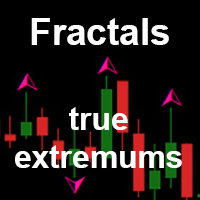
Fractals true extremums MT5
Demo downloaded:
180
Published:
6 July 2018
Current version:
2.1
Didn't find a suitable robot?
Order your own one
on Freelance
Go to Freelance
Order your own one
on Freelance
How to buy а trading robot or an indicator
Run your EA on
virtual hosting
virtual hosting
Test аn indicator/trading robot before buying
Want to earn in the Market?
How to present a product for a sell-through
Version 2.1
2018.07.24
Optimized the indicator operation
Version 2.0
2018.07.17
1. The indicator now show multi-timeframe information. You can choose up to 3 higher timeframes - fractals from these timeframes are shown as lines forming levels. If you do not need any of the levels, set its timeframe to the current or lower one.
2. Added an option for drawing a fractal after the close of a bar (in addition to the current bar used in the standard Fractals). In this case, the fractal will be drawn later, but it will not be redrawn. This is especially relevant for higher timeframe levels. If you do not wait for the bar to close, a level may appear and disappear if the fractal of the higher timeframe disappears. This behavior of the indicator is not an error. If you need to avoid redrawing of the levels and fractals, set the parameter "To wait bar closing" to true. The level will be drawn later, but will not changed.
Parameters
To wait bar closing - only show Fractals on closed bars. Fractals of the current bar and higher timeframes will be shown one bar later, but will not be redrawn.
TIMEFRAME_1 - choose timeframe for drawing level 1.
TIMEFRAME_2 - choose timeframe for drawing level 2.
TIMEFRAME_3 - choose timeframe for drawing level 3.
If any of the lines is not used, set it to the current or lower timeframe.
2. Added an option for drawing a fractal after the close of a bar (in addition to the current bar used in the standard Fractals). In this case, the fractal will be drawn later, but it will not be redrawn. This is especially relevant for higher timeframe levels. If you do not wait for the bar to close, a level may appear and disappear if the fractal of the higher timeframe disappears. This behavior of the indicator is not an error. If you need to avoid redrawing of the levels and fractals, set the parameter "To wait bar closing" to true. The level will be drawn later, but will not changed.
Parameters
To wait bar closing - only show Fractals on closed bars. Fractals of the current bar and higher timeframes will be shown one bar later, but will not be redrawn.
TIMEFRAME_1 - choose timeframe for drawing level 1.
TIMEFRAME_2 - choose timeframe for drawing level 2.
TIMEFRAME_3 - choose timeframe for drawing level 3.
If any of the lines is not used, set it to the current or lower timeframe.

You are missing trading opportunities:
- Free trading apps
- Over 8,000 signals for copying
- Economic news for exploring financial markets
Registration
Log in
You agree to website policy and terms of use
If you do not have an account, please register