Ejike Currency Basket
40 USD
Demo downloaded:
42
Published:
25 April 2017
Current version:
2.0
Didn't find a suitable robot?
Order your own one
on Freelance
Go to Freelance
Order your own one
on Freelance
How to buy а trading robot or an indicator
Run your EA on
virtual hosting
virtual hosting
Test аn indicator/trading robot before buying
Want to earn in the Market?
How to present a product for a sell-through
Version 2.0
2021.11.28
Changes that improve the workings and also makes the application more interactive have been made is areas such as:
1. Indicator Parameters:
(a) Two parameters - "Date Time Seek" and "Seek Strength to the nearest" have replaced the former "ECBindex" parameter bringing two new improvements. Now instead of using candle shift to find out past state of strength information, all the trader needs is to simply enter a datetime string. Secondly, the trader can now track past state of strength information down to the nearest time by configuring the "Seek Strength to the nearest" parameter.
(b) Another parameter "Hide Graph and Number data" enables trader to collapse the interface to display less information, please check this out.
2. The Interface:
(a) The filter "LS" which stood for LAST versus STAT (or end of LAST period state of strength data versus beginning of new period state of strength data) has become more current (or dynamic) in its operation. It is now "LR" standing for LAST versus REAL, comparing end of LAST period with current or real time data. The change improves forecast, it is no longer a static prediction as "LS" was used to being.
(b) The above change also means that filter "F" will now report alignment of "LR", "SR" and "RR" while the more restrictive (than "F") filter "LSSRX" becomes "LRSRX". Remember "X" is more restrictive than "RR".
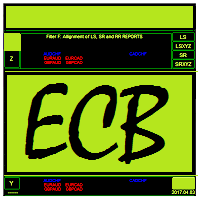
(c) ECB now displays its computed data without the need to click on button "Z" as was the case with earlier version. Therefore, at a glance, the trader can view this information. But once the interface is collapsed, the trader can still display the information by clicking the then visible "Z".
(d) Graphical representation of the data is a new feature for those traders who are more graphic oriented. For each currency the bars are arranged from top down as LR, SR and RR, representing the numbers within brackets ordered from left to right.
(e) Lastly, for the purpose of confirmation when the trader is viewing past state of strength information, the date at the top right corner has now being enlarged to show the hour and minutes. It used to simply read the date in the earlier version in which the trader was only able to back track information accurate to the size of the "Strength Computation Timeframe" parameter configuration.
1. Indicator Parameters:
(a) Two parameters - "Date Time Seek" and "Seek Strength to the nearest" have replaced the former "ECBindex" parameter bringing two new improvements. Now instead of using candle shift to find out past state of strength information, all the trader needs is to simply enter a datetime string. Secondly, the trader can now track past state of strength information down to the nearest time by configuring the "Seek Strength to the nearest" parameter.
(b) Another parameter "Hide Graph and Number data" enables trader to collapse the interface to display less information, please check this out.
2. The Interface:
(a) The filter "LS" which stood for LAST versus STAT (or end of LAST period state of strength data versus beginning of new period state of strength data) has become more current (or dynamic) in its operation. It is now "LR" standing for LAST versus REAL, comparing end of LAST period with current or real time data. The change improves forecast, it is no longer a static prediction as "LS" was used to being.
(b) The above change also means that filter "F" will now report alignment of "LR", "SR" and "RR" while the more restrictive (than "F") filter "LSSRX" becomes "LRSRX". Remember "X" is more restrictive than "RR".
(c) ECB now displays its computed data without the need to click on button "Z" as was the case with earlier version. Therefore, at a glance, the trader can view this information. But once the interface is collapsed, the trader can still display the information by clicking the then visible "Z".
(d) Graphical representation of the data is a new feature for those traders who are more graphic oriented. For each currency the bars are arranged from top down as LR, SR and RR, representing the numbers within brackets ordered from left to right.
(e) Lastly, for the purpose of confirmation when the trader is viewing past state of strength information, the date at the top right corner has now being enlarged to show the hour and minutes. It used to simply read the date in the earlier version in which the trader was only able to back track information accurate to the size of the "Strength Computation Timeframe" parameter configuration.

You are missing trading opportunities:
- Free trading apps
- Over 8,000 signals for copying
- Economic news for exploring financial markets
Registration
Log in
You agree to website policy and terms of use
If you do not have an account, please register