Tkturbo
- Experts
-
Cence Jk Oizeijoozzisa
 A Forex market specialist with over 7 years of experience in the field. Expert in programming and developing Expert Advisors (EAs).
For advice before purchasing or collaborating, you can contact us via the following methods:
ID telegram : @Ebtradetk1 - Version: 1.0
- Activations: 5
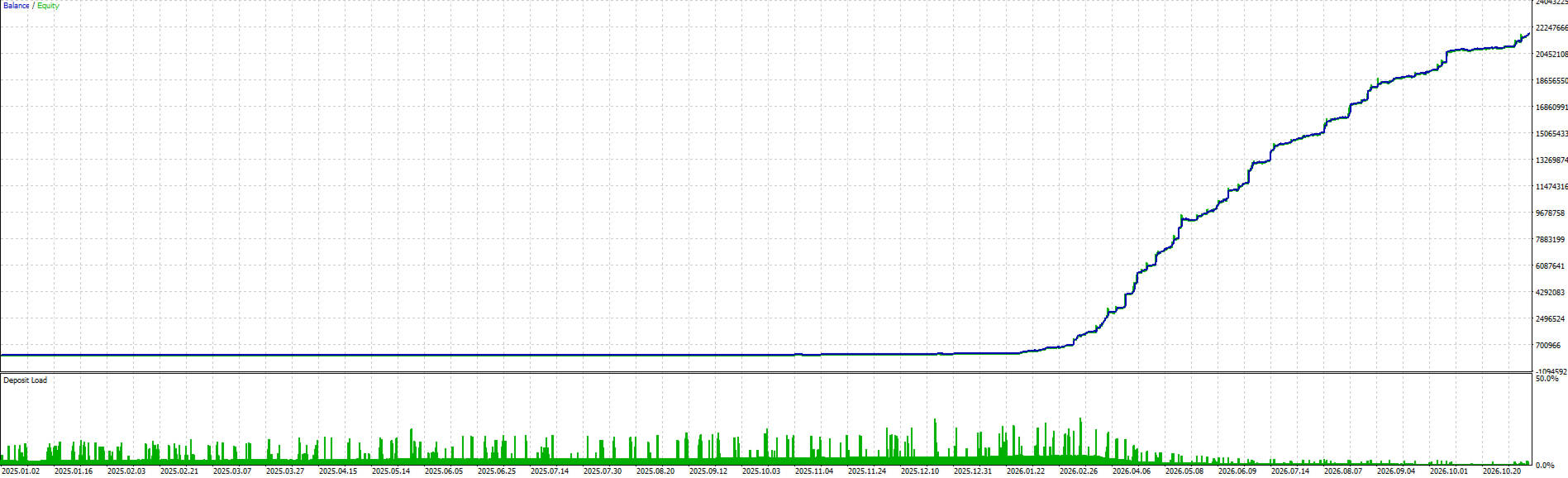
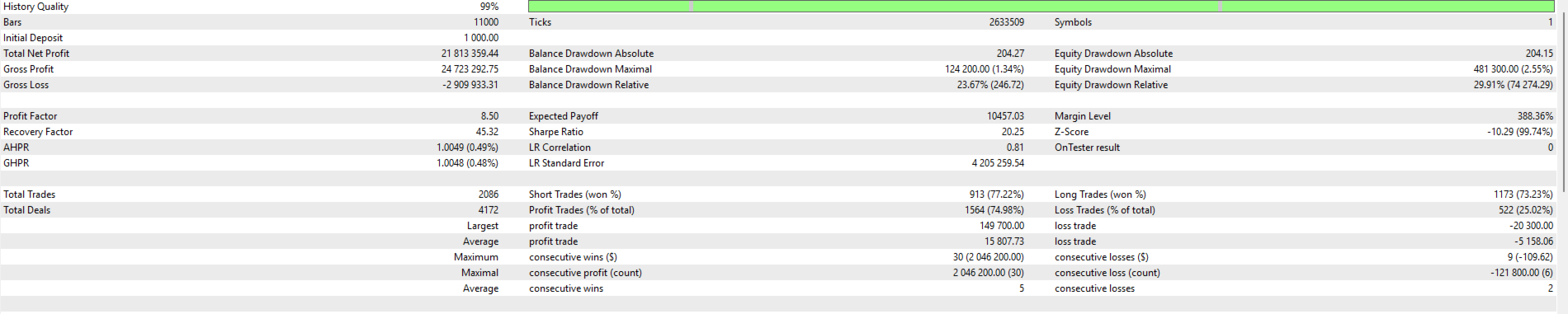
TK TURBO is an automated trading system developed for MetaTrader 5, specifically designed for trading Gold (XAUUSD) on the H1 (1-Hour) timeframe.
The EA features a non-Grid and non-Martingale trading architecture, with configurable position sizing, trade protection, profit management, and advanced account protection settings.
Technical Specifications
-
Platform: MetaTrader 5 (MT5)
-
Trading Instrument: XAUUSD (Gold)
-
Timeframe: H1 (1 Hour)
-
Recommended Account: ECN
-
Recommended Execution Environment: VPS
-
Operation: 24/7 automated monitoring
-
Execution: Low-ping connection recommended
-
Grid Trading: No
-
Martingale: No
Input Settings & Configuration
1. Trade ID (Magic Number)
-
Configure a unique Magic Number for each chart.
-
Legacy Magic Number compatibility settings.
2. Lot Size Management
-
Fixed Lot: Set a specific trading volume.
-
Custom Risk: Calculate position size based on risk percentage.
-
Maximum Risk Lot: Set a maximum lot limit.
3. Trading Modules
-
Individual ON/OFF switches for Nova, Apex, Zenith, Pulse, and Eclipse.
4. Take Profit Settings
-
Independent take-profit configuration for Apex.
-
Separate take-profit settings for the other modules.
5. Profit Lock
-
Enable or disable automatic profit protection.
-
Configure the profit activation threshold.
-
Set the percentage of peak profit to protect.
6. Stop Loss & Trailing Protection
-
Configurable virtual trailing protection modes.
-
Preserve virtual protection settings after terminal restart.
7. Trading Sessions
-
Configure trading start and end times.
-
Enable or disable trading-hour restrictions.
-
Optional pending-order removal outside trading hours.
8. Weekend Shield
-
Automatic weekend trading protection.
-
Configurable Friday closing and Monday reopening times.
-
Broker-session, fallback, and custom scheduling options.
9. Economic News Shield
-
Optional economic calendar filter.
-
High-impact and moderate-impact news filters.
-
Customizable pause duration before and after news.
-
Optional pending-order protection during news events.
10. Major Economic Events
-
Dedicated controls for NFP, CPI, and FOMC.
-
Independent trading permissions and protection windows.
11. Daily Loss Limit
-
Configurable daily loss percentage.
-
Optional automatic position closing.
-
Optional pending-order removal.
12. Prop Firm Protection
-
Profit target configuration.
-
Daily and maximum drawdown limits.
-
Static or trailing drawdown options.
-
Daily reset configuration.
-
Maximum exposure control.
-
Automatic trading restrictions when limits are reached.
13. Automatic Lot Growth
-
Balance-based or equity-based lot scaling.
-
Custom balance steps and lot increments.
-
Maximum lot restrictions.
-
Persistent settings after terminal restart.
14. Order Comments
-
Custom order comments.
-
Automatic module identification.
-
Optional blank order comments.
15. Chart Dashboard
-
On-chart trading dashboard.
-
Recent closed-trade execution comparison.
-
Customizable dashboard position.
16. Execution Quality Rating
-
Trade execution quality monitoring.
-
Slippage-based performance classification.
-
Excellent, Good, Normal, and Poor execution ratings.
Recommended Setup
For optimal execution conditions, we recommend an ECN account with competitive spreads and a reliable VPS running 24 hours a day with a low-ping connection.
TK TURBO | No Grid. No Martingale.