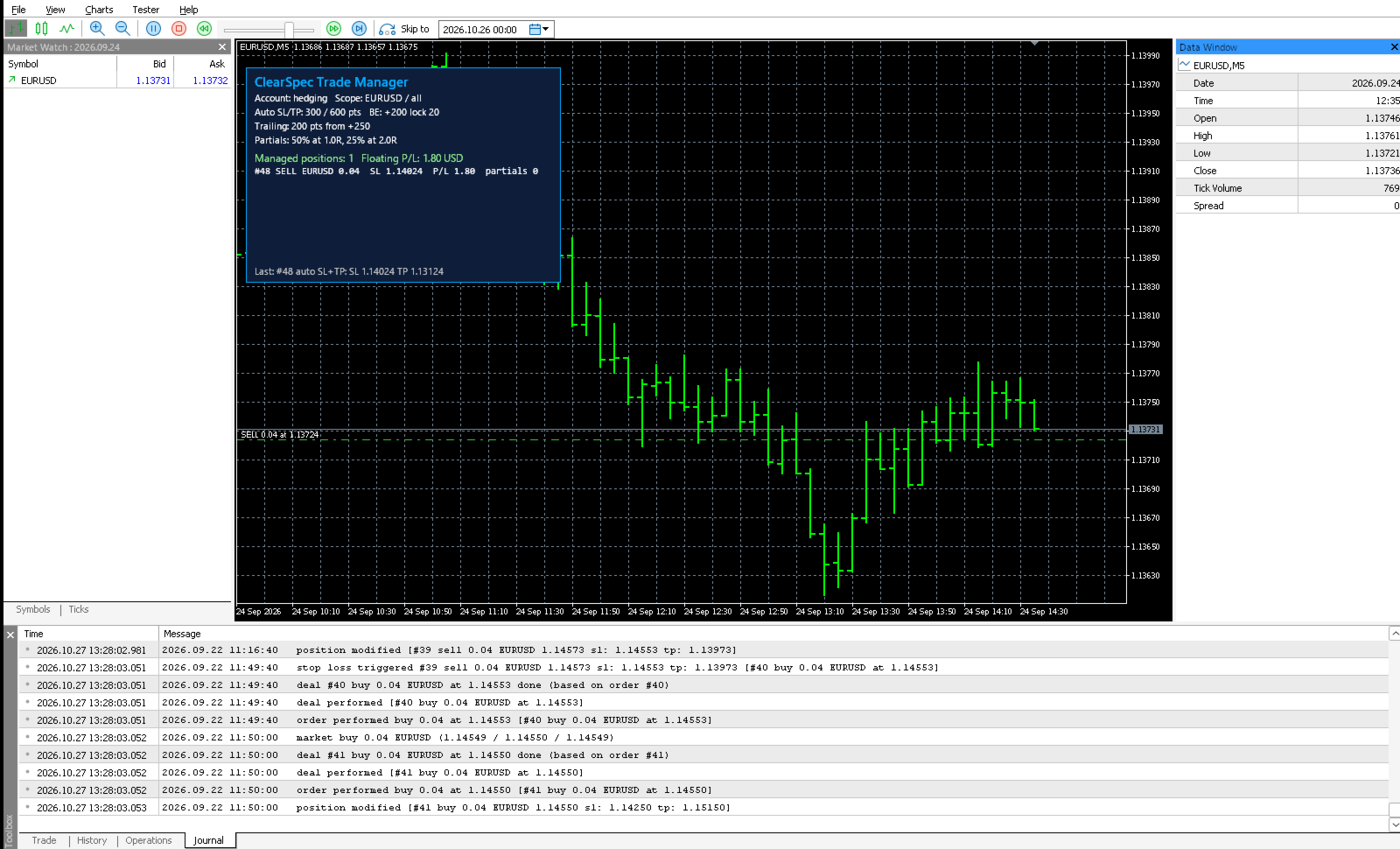
ClearSpec Trade Manager MT5
- Utilities
- Version: 1.0
- Activations: 5

Manages your open trades for you: automatic SL/TP, break-even, trailing stop by points or ATR, and partial closes at R levels. It works with manual trades and trades from other EAs, and shows its status in an on-chart panel.
ClearSpec Trade Manager is a utility. It does not look for entries and does not open trades on a live chart. You open trades the way you normally do, by hand, from your phone, or with another EA, and the manager handles the exits by the rules you set.
What it does
- Automatic SL / TP. If a position has no stop-loss or take-profit, it gets one at your distance in points.
- Break-even. Once the trade reaches the profit you set (in points), the stop moves to the entry price, plus a few points locked in if you want.
- Trailing stop. Fixed distance in points, or ATR × multiplier on any timeframe, with a start level and a minimum step so the broker isn't flooded with changes.
- Partial closes at R levels. R is the trade's first stop distance. For example, close 50% at 1R and another 25% at 2R. Volumes are rounded to the broker's lot step, and at least the minimum lot stays open.
- Filters. Chart symbol only or all symbols; all positions, manual only, or one magic number.
- Panel. Account type, the active rules, every managed position with its stop, P/L and partials done, and the last action taken.
Built for real broker conditions
- Respects the stops level and freeze level and never sends a change that would be rejected or that changes nothing.
- Never moves a stop backwards.
- Works on hedging and netting accounts, and on Forex, metals, indices and crypto CFDs (tick-size aware).
- Keeps the R value and partial-close progress if the terminal restarts.
- No DLLs, no web requests, no hidden settings.
Strategy Tester
Utilities can't be clicked in the tester, so when the input "Tester demo trades" is on (the default), the manager opens small sample trades in the Strategy Tester only, so you can watch the SL/TP, break-even, trailing and partial logic work in visual mode. This never happens on a live or demo chart.
Quick start
- Attach it to any chart and turn on Algo Trading.
- Set your distances in points. On 5-digit Forex, 10 points = 1 pip.
- Open trades as usual. The panel shows each one the manager is handling.
Notes
- This is a trade-management tool. It does not predict the market and gives no guarantee of profit. Stops can slip on gaps and news.
- Keep the terminal running (a VPS is recommended) so the rules are applied.
- Try every setting on a demo account first.
Questions or a custom version: send a private message to the seller on MQL5.