RiskPanel Visual Risk Based Order Panel
- Utilities
- Version: 1.0
- Activations: 5

RiskPanel lets you plan a trade visually and sizes the lot so that hitting the Stop Loss costs no more than the risk you choose.
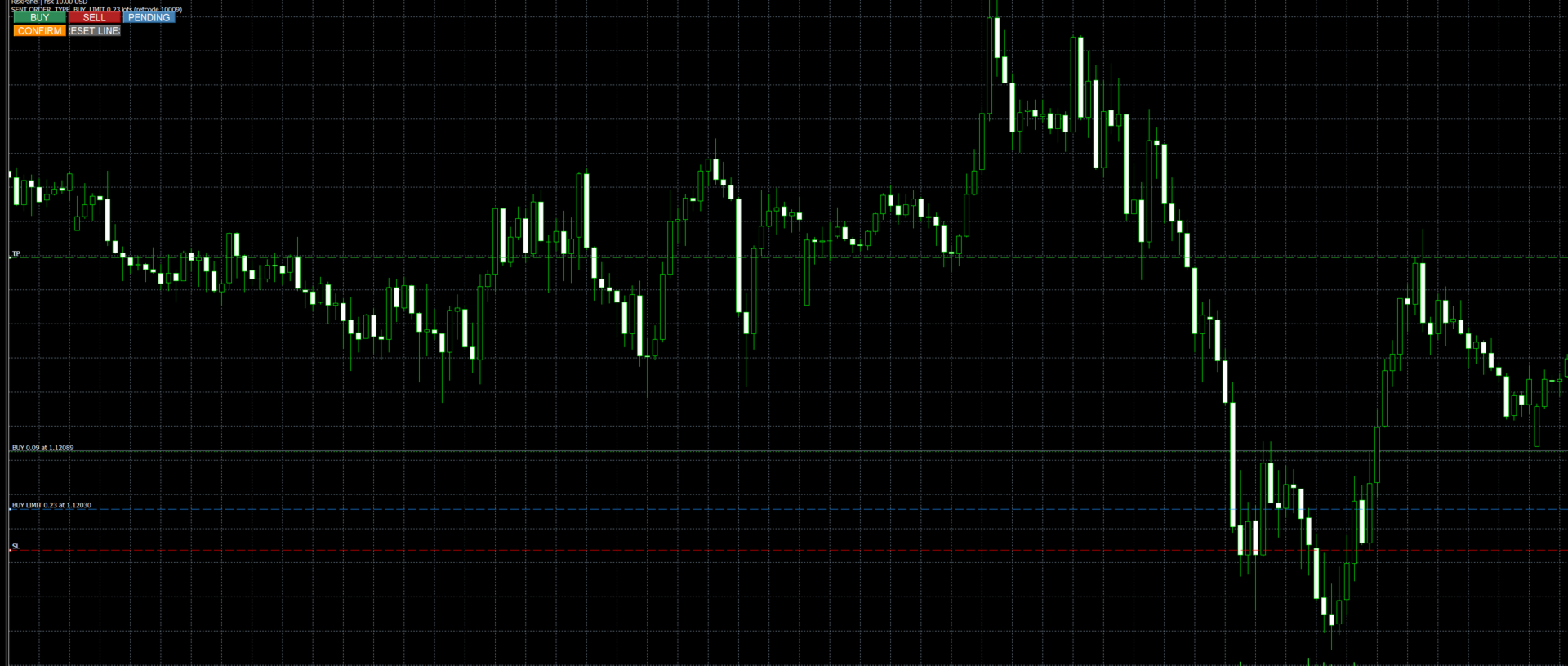
Drag three lines on the chart: Entry (blue), Stop Loss (red) and Take Profit (green). RiskPanel calculates the lot from your risk, either a percentage of balance or a fixed amount of money, using the broker's own tick value, so it works on forex, JPY pairs, metals and indices.
Two-step sending: no surprise orders
- Press BUY, SELL or PENDING. Nothing is sent yet. The panel shows exactly what would be sent: order type, lot, price, SL, TP and the estimated loss at the Stop Loss.
- Press CONFIRM to send it. If you move a line after preparing, the preparation is cancelled and you must prepare again.
Features
- Risk as % of balance or as a fixed money amount.
- The lot is always rounded down to the broker's volume step, so the risk is never exceeded by rounding.
- If even the broker's minimum lot would risk more than allowed, the order is rejected with a clear message instead of being sent anyway.
- PENDING chooses Buy Limit, Buy Stop, Sell Limit or Sell Stop automatically from the position of the Entry and SL lines relative to the current price.
- Optional maximum lot cap, magic number and order comment. The initial Take Profit line is placed at a risk:reward multiple of the SL distance (0 = no TP), and you can drag it anywhere.
- A Take Profit placed on the wrong side is dropped, never inverted.
- RESET LINES puts the three lines back around the current price.
Inputs
- Risk unit (percent of balance / money) and Risk value.
- Default SL distance in points and risk:reward for the initial lines.
- Maximum lot (0 = broker maximum), magic number, comment.
- Tester demo orders: in the Strategy Tester only, places simple orders on each new bar so you can see the sizing working. It has no effect on live or demo accounts.
Validation
In the Strategy Tester, the sizing self-check passed on every trade: EURUSD with a 100 USD risk (15 trades, e.g. 99.00 risked against a 100.00 limit) and GBPJPY (127 trades, all within the limit). With a 0.50 USD risk the minimum lot would have risked 3.00 USD, so every order was rejected as designed. On a live demo account the panel sent a market Buy and a Buy Limit with the lots, SL and TP shown in the panel (for example, 0.23 lots with an estimated 9.66 USD loss at SL for a 10 USD risk).
Note: the estimated loss assumes the Stop Loss fills at its price. Slippage and gaps can make a real loss larger. RiskPanel is an order-entry tool. It does not give signals and does not promise any profit.