Flip pro
- Experts
- Version: 1.0

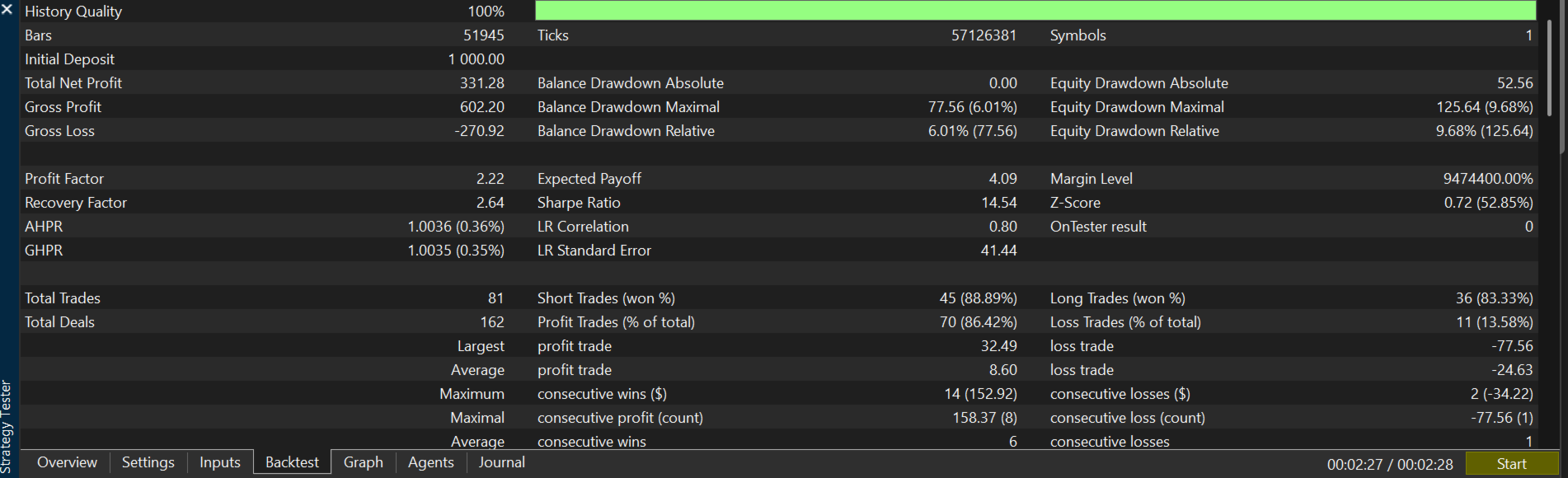
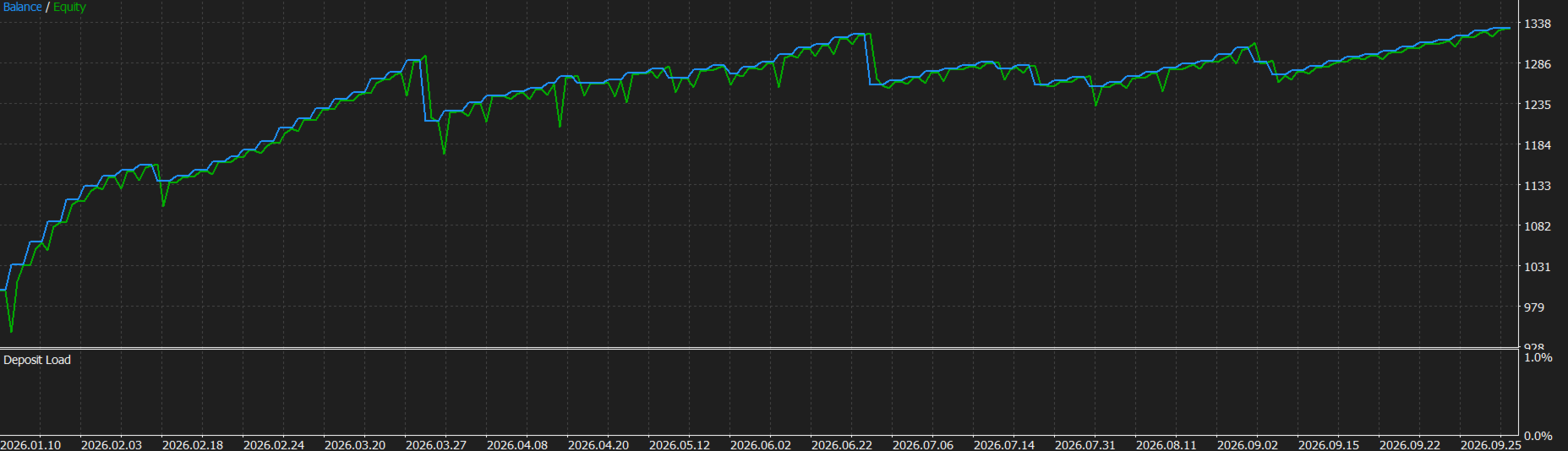
Flip Pro is an Expert Advisor for XAUUSD and XAGUSD on MetaTrader 5. It trades only on the last closed bar, so the signal does not change while a bar is forming. It contains no random elements. The same settings on the same history give the same result every time.
How a trade is decided
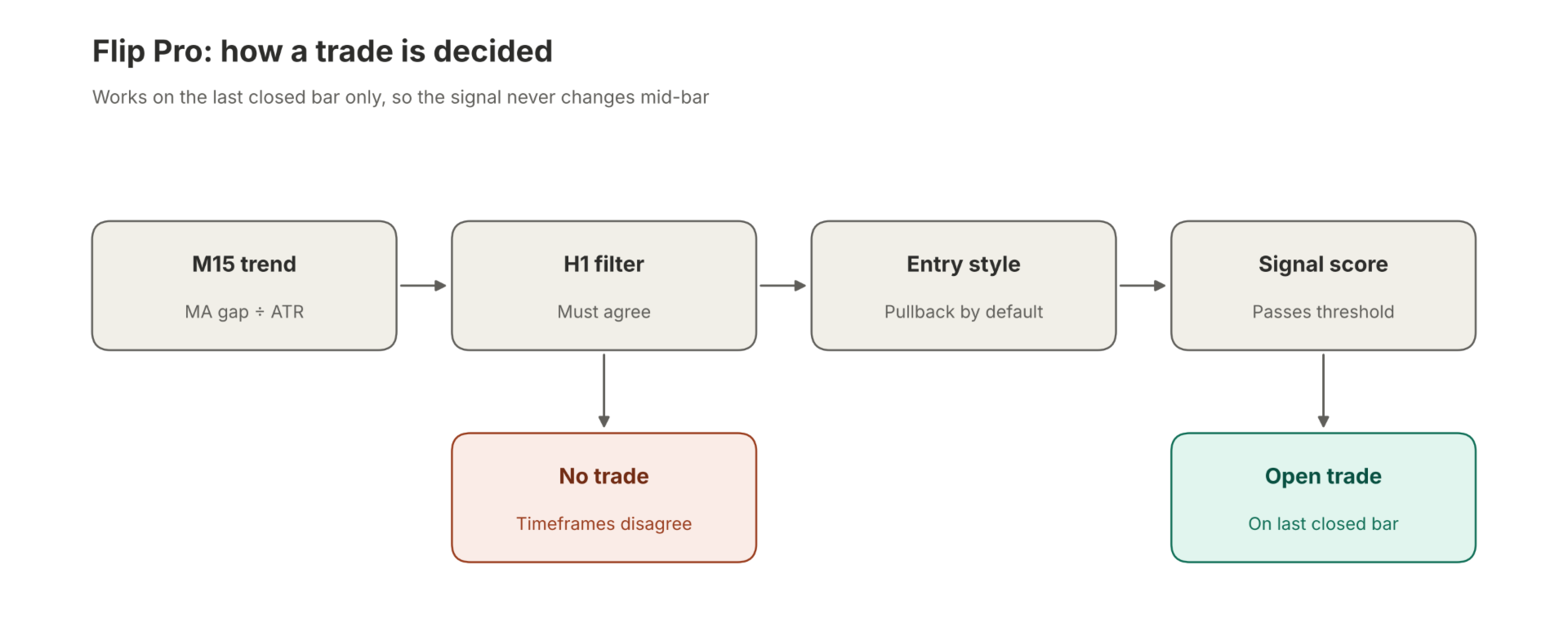
The EA works on one analysis timeframe, M15 by default. It first measures the trend with a fast and a slow moving average, 50 and 200 periods. The gap between them is divided by the current ATR, so the trend strength is comparable across symbols and volatility levels. A higher timeframe filter, H1 by default, must point in the same direction. If the two do not agree, there is no trade.
Inside a confirmed trend, the default entry style looks for a pullback. It combines the RSI and the recent price drift, and it scores a short move against the trend as a chance to enter with the trend. Two other styles are available. Momentum enters with the short-term move. Trend only uses the trend direction alone. A trade opens only when the combined score passes the signal threshold.
Filters that block entries
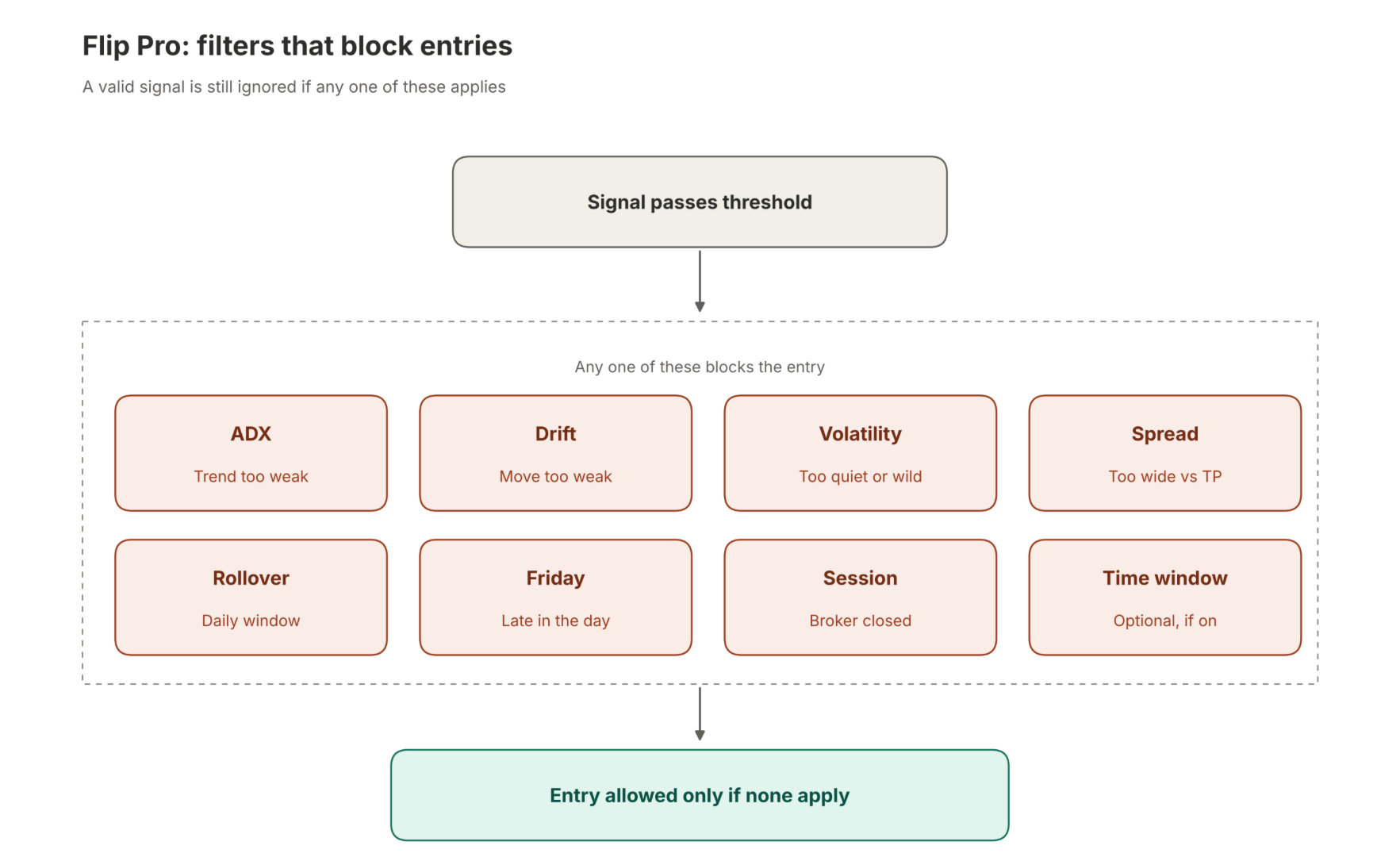
The EA stays out of the market when any of these conditions apply:
- The trend strength measured by ADX is too low.
- The recent drift is too weak.
- Volatility is unusually quiet or unusually wild, measured by the ATR percentile over the last 200 bars.
- The spread is too large compared with the take profit distance.
- The server time is in the daily rollover window.
- It is late on Friday.
- The broker session is closed.
An optional session window can also be switched on.
Risk and position size
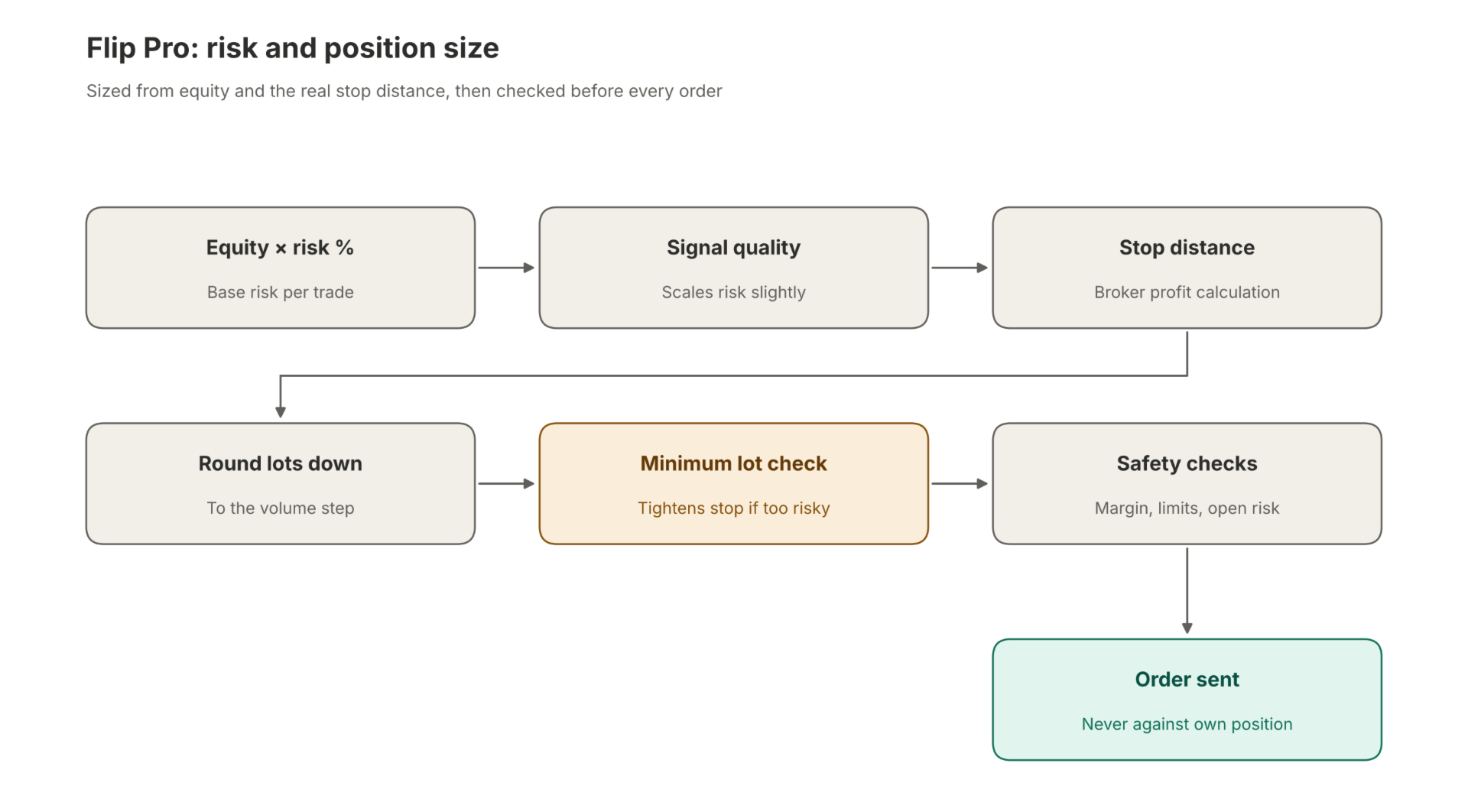
Each trade is sized from a percentage of account equity and the real distance to the stop loss, using the broker’s own profit calculation. The risk is scaled slightly by signal quality, and lots are rounded down to the volume step. If the minimum lot would risk more than the set limit, the stop loss is tightened instead of the trade being rejected. Margin use, symbol volume limits and the total open risk are also checked before each order. The EA never opens a position against its own open position.
Stop loss, take profit and exits
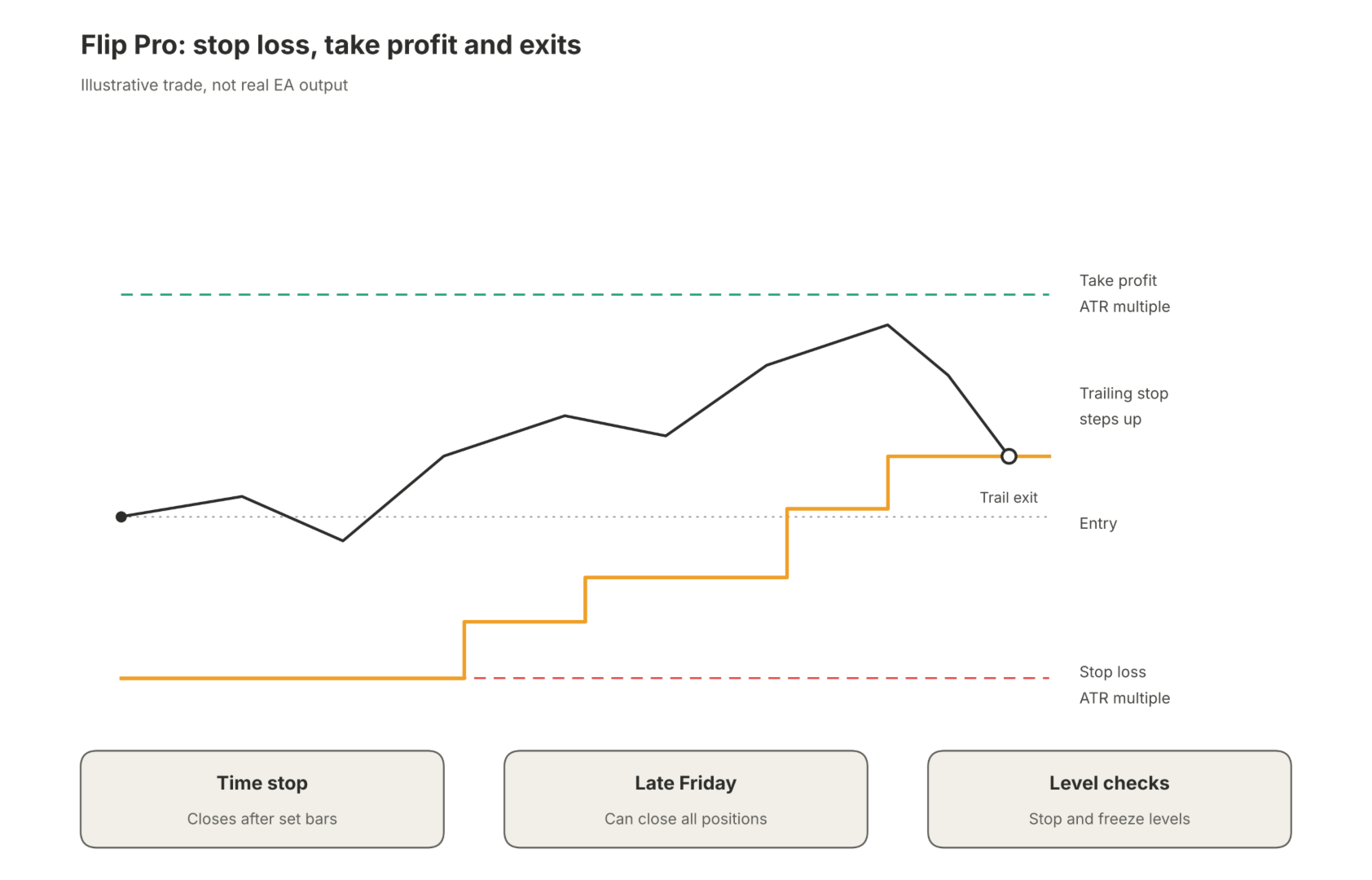
The stop loss and take profit are multiples of ATR. Separate presets for Gold and Silver are applied automatically, including on symbol names with a suffix. An ATR trailing stop follows the trade once it is in profit, and its distance widens when the price drift is strong. A time stop can close a trade after a set number of bars. All positions can be closed late on Friday. Stop and freeze levels are checked before every modification, so the EA does not send requests the server will refuse.
Capital protection
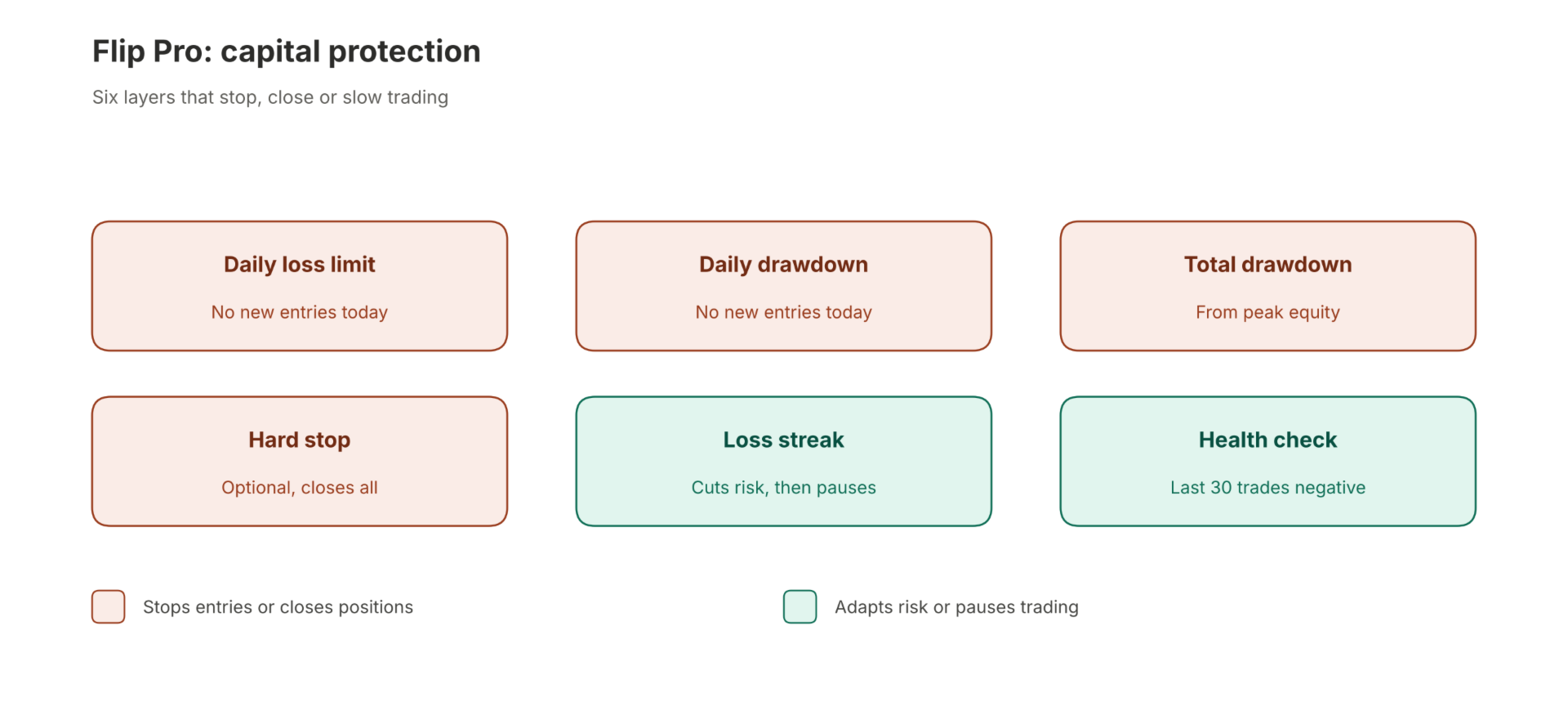
- A daily loss limit and a daily drawdown limit stop new entries for the rest of the day.
- A total drawdown limit measured from peak equity stops new entries.
- An optional hard stop closes all positions at a set drawdown.
- After consecutive losses the EA reduces its risk and pauses for a set number of bars. The risk is restored step by step after wins.
- A rolling health check pauses trading when the last 30 closed trades have a negative net result.
Practical information
The EA uses a magic number and manages only its own positions. On netting accounts it holds one position at a time. On hedging accounts the number of open positions is limited by an input. Spread, commission and execution quality differ between brokers and change results, so test on your own broker’s data and start with the smallest risk setting. Trading leveraged instruments carries a high risk of loss, and past or tested results do not predict future results.
Journal lines starting with QGST| record the entry values and exit reason of each trade, which helps with your own analysis.