Discussion of article "Studying the CCanvas Class. Anti-aliasing and Shadows"
Surprisingly good article, congratulations.
The pictures are very illustrative.
Surprisingly good article, congratulations.
The pictures are very clear.
Why surprisingly good?
The article is good, but the use of shadows has almost no practical application in trading.
Vladimir, when will you please us with classes for drawing graphics (charts, line graphs, etc., like in excel in general)? If anyone can make them, it is you.
The article is cool, canvas is a great thing.
You can, by the way, just take a BMP resource with the right alpha channel for the desired type of shadow (even triple wave) and just bang an array of pixels (you can stretch the fragment to the desired size).
But the shadow variant proposed by me is suitable only for rectangular areas.
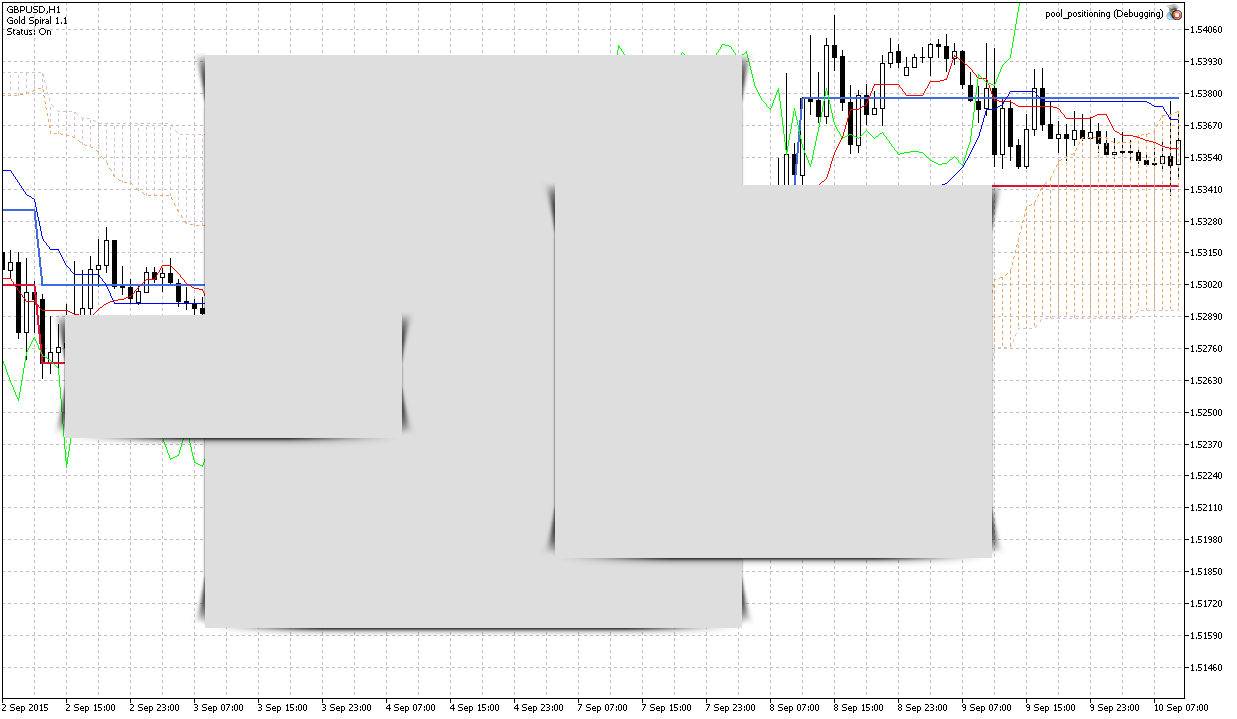
Example: I took a transparent PNG image from the online collection of shadows for the site:

Translate it into BMP with alpha channel, programmatically cut it into 9 parts and can pull on the box of any size, here's what came out (but had to fiddle with the calculation of transparency of objects lying in the canvas on top of each other):
Why surprisingly?
It's personal, don't mind )
I don't really like Vladimir's style of narration, it' s a bit boring
But here it turned out quite vivid.
The article is good, but the application of shadows has practically no practical application in trading.
Vladimir, when will you please us with classes for drawing graphics (charts, line graphs, etc., like in excel in general)? If anyone can make them, it is only you.
And what can be the practical application of graphics in trading?
Many people even talk about the impracticality of trend lines, not to mention any line charts or shadows.
The closest to practice is buying and selling, and you can make buttons for them. So they can be more beautiful with the help of shadows ;)
Example: I took a transparent PNG image from an online shadow collection for a website:
Convert it to BMP with alpha channel
OFF: here is a great topic for 'video tips from Barabashka' - how to convert transparent PNG to BMP32. The topic is relevant only for MQL-coders (thank MetaQuotes), and Vladimir specialises in MQL-graphics. There are several options, you can make several clips or 1 summary clip
I have only one way to convert *.png 32 bit with transparency to *.bmp with transparency. It is done with a small programme AlphaConv.exe, by Adam Najmanowicz.
I have only one way to convert *.png 32 bit with transparency to *.bmp with transparency. It is done with a small programme AlphaConv.exe, by Adam Najmanowicz.
I tried it and other variants about a year ago - only Photoshop worked with my original pictures, out of all the variants
It's personal, don't mind )
I don't really like Vladimir's style of narration, it' s a bit boring
But here it is quite vivid.
What practical application of charts in trading can there be?
Many people talk about the impracticality of trend lines, not to mention any line charts or shadows.
And the closest to practice is buying and selling, and you can make buttons for them. So they can be prettier with the help of shadows ;)

- Free trading apps
- Over 8,000 signals for copying
- Economic news for exploring financial markets
You agree to website policy and terms of use
New article Studying the CCanvas Class. Anti-aliasing and Shadows has been published:
An anti-aliasing algorithm of the CCanvas class is the base for all constructions where anti-aliasing is being used. The article contains information about how this algorithm operates, and provides relevant examples of visualization. It also covers drawing shades of graphic objects and has a detailed algorithm developed for drawing shades on canvas. The numerical analysis library ALGLIB is used for calculations.
I believe that displaying various dynamic effects is one of the issues that can be solved when drawing with the CCanvas class. For example, implementing graphic constructions through the anti-aliasing algorithm gives them a more attractive look. Or drawing a new style of displaying the indicator line called spline. Or maybe drawing a dynamic indicator in a separate window, somehow similar to drawing frequency characteristics on the oscilloscope. In any case, drawing opens up new horizons of application in personal developments.
3. Shadow of objects
Drawing shadows gives softer contour outline to graphic objects, thus creating a minor volume effect, so graphic objects stop looking flat. Furthermore, shadows have a very interesting and beneficial property: shadows of the objects normally are transparent, and upon superposition of graphics with shadows additional volume is created.
3.1. Types of shadows
The most common types of shadows are shown below:
Fig. 4. Types of shadows
Author: Karputov Vladimir