Frank William Jr Colbert
  • Information
4 Jahre
Erfahrung
19
Produkte
0
Demoversionen
0
Jobs
0
Signale
0
Abonnenten
Hello everybody! I've thought of making some trading tools, utilities, and in-depth analyzers to make trading safer and easier for myself, and I hope these can also help others on their forex trading, analyzing and risk management Journey.
I've built all these tools for the purpose of discovering any potential edges in either manual or automated trading strategies that can be proven profitable. I want to have as much control of my trading Idea setups for MT4 and MT5 as possible.
I want to control what profit and risk type I'm looking for across my own or other EA strategies I come across. I hope others can find some useful ways to utilize these and help them further manage, improve or gain an edge in their own trading.

I thought of taking a different approach to trading based on market behavior and reaction to a set of rules put in place that will meet my personal trading and risk management preference.
How will These forex pairs do under these specific rules and setup environments and what performance edge can I discover from them. What are the strengths and weaknesses of trading these pairs within these environment conditions.
I thought of some tools and utilities to help me set up trades and easily analyze and review a large net of different strategies and EAs to build a portfolio of raw trade performance only optimizing market performance.
Freunde 1
Frank William Jr Colbert
Equity Performance Analyzer MT5

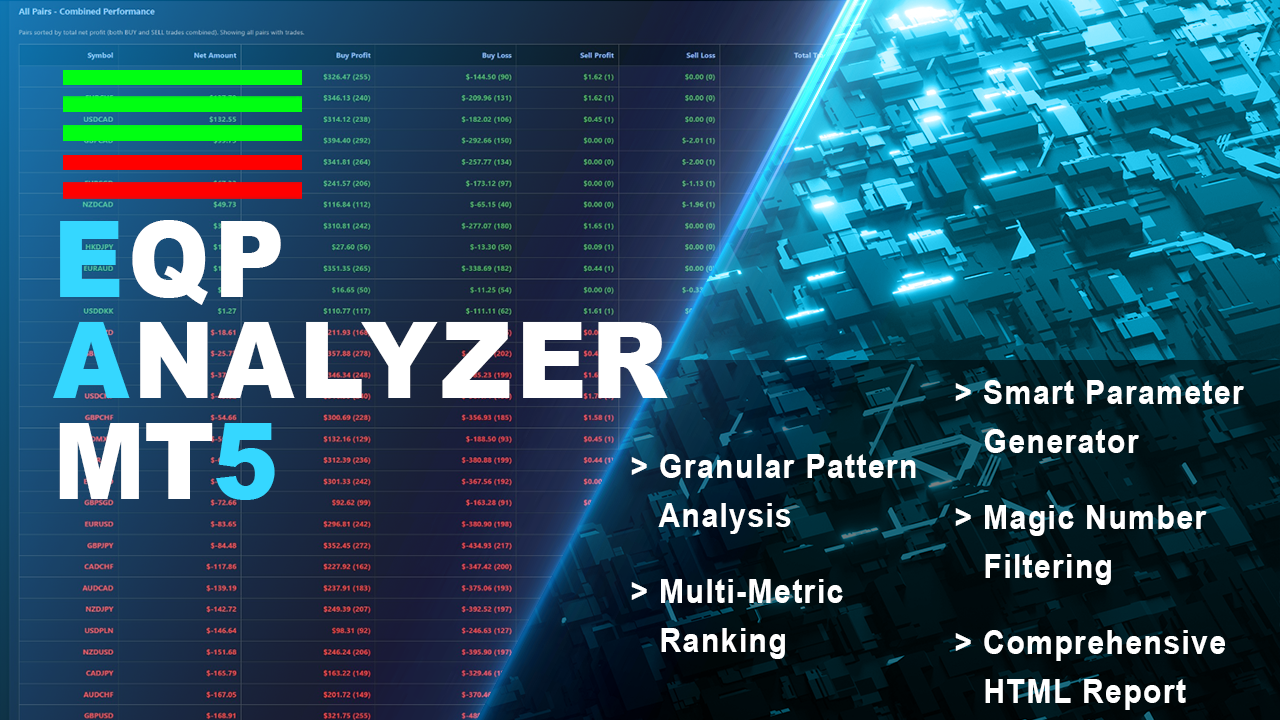
Have patterns that drive your trading success or failure. The Equity Performance Analyzer breaks down your trade history by symbol, day of the week, and hour of entry to identify exactly when your strategies perform best and worst. It ranks every possible trading pattern (e.g., "EURUSD-BUY-Mon-14") by Net Profit, Win Rate, Return/Drawdown, and a Monte Carlo Proxy. More than just an analytics tool, it generates ready-to-use input parameters for your EAs and a crucial "Worst Patterns to Avoid" section, turning historical data into a strategic roadmap.

Key Features:
Granular Pattern Analysis: Creates and ranks patterns based on Symbol, Trade Direction, Weekday, and Hour of OPEN time.
Multi-Metric Ranking: Sorts patterns by Net Profit, Win Rate, Return/Drawdown Ratio, and a unique Monte Carlo Proxy (Net * (1 + Trades*0.01)).
Smart Parameter Generator: Automatically builds "PermittedSymbols," "BuySellOnly," and daily "TradingTimes" (Mon-Fri) parameters based on top-performing patterns.
Avoid Parameters Section: Explicitly identifies and lists the worst-performing patterns to avoid or trade against, including combined "AVOID" parameter sets.
Comprehensive HTML Report: Delivers a color-coded report with multiple data groups (Profit/Loss by Day/Hour, Currency Pair Performance, Ranked Patterns, and Recommended Parameters).
Magic Number Filtering: Focus analysis on specific EAs or strategies using comma-separated Magic Numbers or ranges (e.g., "3001-3016").

Effective Uses:
EA Configuration: Directly copy the generated "BUY Parameters" or "COMBINED Parameters" into your Expert Advisor to restrict trading to historically profitable times and symbols.
Avoiding Losses: Use the "Worst Patterns to Avoid" section to programmatically block your EA from trading during specific high-loss windows or on certain pairs.
Opposite Trading: The tool recommends considering opposite signals for consistently losing patterns, providing a framework for counter-trend strategies.
Backtest Validation: After a backtest, run the analyzer to see if the EA's success is concentrated in specific patterns, confirming its logical consistency.
Frank William Jr Colbert
Frank William Jr Colbert Hat ein Produkt angeboten

Finden Sie heraus, welche Muster Ihren Handelserfolg oder -misserfolg in MT5 bestimmen. Der Equity Performance Analyzer schlüsselt Ihre Handelshistorie nach Wertpapier, Wochentag und Einstiegszeit auf, um genau zu ermitteln, wann Ihre Strategien am besten und am schlechtesten abschneiden. Er bewertet jedes mögliche Handelsmuster (z. B. „EURUSD-BUY-Mon-14“) nach Nettogewinn, Gewinnquote, Rendite/Drawdown und einem Monte-Carlo-Proxy. Es ist mehr als nur ein Analyse-Tool: Es generiert

Frank William Jr Colbert
Open Trade MT5

A basic entry and position management EA that opens trades on multiple currency pairs at specific times. It includes its own internal trailing stop and take-profit logic, as well as integrated "end-of-day" and "Friday" profit-close features from the other scripts.

Features:
Opens trades on user-defined `PairsSet1` through `Set6` at specific `TradeTime` inputs.
Configurable position sizing (`Lots`), Stop Loss, and Take Profit.
Includes its own `TrailOrders` function that trails both SL and TP based on `ProfitMove` steps.
Embeds the `DayProfitClose` and `ExitOnFriday` modules internally.
Limits total open positions and positions per pair.

Effective Uses:
Time-Based Strategy: Create a simple "opening range breakout" or "session starter" that places a buy and sell at 8:00 AM every day.
Basic Backtesting Template: Test a simple strategy concept (time entry, fixed SL/TP, trailing stop) without complex logic.
Frank William Jr Colbert
Equity Master Stop v2 MT5

Trading tool combining a sophisticated equity stop-loss, dynamic take-profit management (Breakeven & Trailing), and symbol-group-based closing logic. It is a complete risk management and trade supervision tool.

Features:
All features of `Equity Master Stop v1` (floating profit/loss limits, exit protection, skip hours).
Take-Profit Override: Can force a TP on any order to lock in a `MAX_FLOATING_PROFIT`.
Step Breakeven: Locks in increasing amounts of profit as a trade moves favorably (e.g., after $1 profit, lock in $0.50).
Trailing Take-Profit: Dynamically moves the TP level closer to price as profit increases.
Symbol Group Management: Defines `SYMBOLS_SET1` and `SET2` to close all trades in a group based on the *group's* total P&L, not individual trades.
Filtering: Can filter by Magic Number or Comment, ignoring trades that don't match.

Effective Uses:
Master Risk Manager: Place on one chart to manage *all* other EAs running on an account. Use profit/loss limits for symbol groups.
Advanced Position Management: Use the Step Breakeven and TP Trailing to manage positions opened by a simple entry-only EA, turning it into a sophisticated runner.
Portfolio Hedging: Define SET1 as longs and SET2 as shorts. If the net profit of all longs hits a loss limit, close them all while leaving shorts open.
Frank William Jr Colbert
Equity Master Stop v1 MT5

An advanced equity protection and trade management script. It monitors individual trade P&L and closes positions when floating equity targets (profit or loss) are met. It features a sophisticated "exit protection" system that blocks closing during high volatility, wide spreads, or price instability.

Features:
Closes trades at a target profit (`MAX_FLOATING_EQUITY`) or maximum loss (`MAX_FLOATING_LOSS`).
Includes a `FORCE_CLOSE_AT_MAX_EQUITY` level that bypasses all exit protection checks.
"SKIP_CLOSING_HOURS" input to pause loss-based closures in unfavorable market conditions (e.g., during rollover).

Effective Uses:
Global Equity Stop: Act as a master circuit breaker for a portfolio of many EAs. If floating loss hits -$100, close Trade.
Profit Runner Management: Force close a single trade when it reaches a specific profit target (e.g., $2.00).
Frank William Jr Colbert
Equity Expiration MT5

A time-based position expiration system that moves trades to a "watch list" after they reach a certain age. It does not close them immediately but waits for them to hit a profit target (or loss target) before exiting.

Features:
Global and Magic-specific expiration periods (format: HH:MM:SS).
Tracks expired trades separately and only closes them when a `MIN_PROFIT_CLOSE` target is met (or loss target if "Close Only Profitable" is false).
Includes a manual control and statistics reporting functions (`GetExpiredOrdersSummary`, `ForceCheckExpired`).
Can also delete pending orders on expiration.

Effective Uses:
Aging Off Trades: Force a trade to close only after 30 days if it hasn't hit its target, but only if it becomes profitable.
Scalping Expiration: For a scalping EA, use a short Magic expiration (e.g., 60 minutes). If a trade isn't closed in profit by then, this EA will wait for it to hit a small profit target before exiting.
Capital Preservation: Prevent trades from staying open indefinitely and tying up margin.
Frank William Jr Colbert
Open Trade

A basic entry and position management EA that opens trades on multiple currency pairs at specific times. It includes its own internal trailing stop and take-profit logic, as well as integrated "end-of-day" and "Friday" profit-close features from the other scripts.

Features:
Opens trades on user-defined `PairsSet1` through `Set6` at specific `TradeTime` inputs.
Configurable position sizing (`Lots`), Stop Loss, and Take Profit.
Includes its own `TrailOrders` function that trails both SL and TP based on `ProfitMove` steps.
Embeds the `DayProfitClose` and `ExitOnFriday` modules internally.
Limits total open positions and positions per pair.

Effective Uses:
Time-Based Strategy: Create a simple "opening range breakout" or "session starter" that places a buy and sell at 8:00 AM every day.
Basic Backtesting Template: Test a simple strategy concept (time entry, fixed SL/TP, trailing stop) without complex logic.
Frank William Jr Colbert
Open Round Level

A Expert Advisor that automatically opens trades when price crosses predefined pip-based round levels. Unlike simple round number EAs that only trade on psychological levels like 1.1000 or 1.2000, this EA allows you to define up to five independent pip intervals simultaneously, each with its own Magic Number for separate tracking and management.

The EA functions as a complete trading system, combining automated entry based on price crossing round levels, directional control, integrated trailing stop-loss and take-profit, end-of-day profit closing, and Friday exit protection. This creates a fully automated mean reversion or breakout strategy depending on configuration.

Key Features
Multi-Level Pip Interval Trading
Configure up to five independent pip intervals (10, 20, 30, 40, 50 pips) each with its own enable/disable toggle and unique Magic Number. The EA calculates round levels as multiples of your specified pip interval. When price crosses any calculated level, a trade is triggered.

Directional Control
Four independent toggles allow you to control trade direction precisely. Open LONG Above means buy when price crosses a level upward. Open LONG Below means buy when price crosses downward. Open SHORT Above means sell when price crosses upward. Open SHORT Below means sell when price crosses downward. This allows mean reversion strategies (trade against the cross) or breakout strategies (trade with the cross).

Risk Management Controls
Includes fixed lot size, stop loss distance in pips, take profit distance in pips, maximum long positions per pair, maximum short positions per pair, global maximum open trades limit, and slippage control.

Built-in Trailing System
Complete trailing stop and trailing take-profit system with three parameters. Profit Move sets the profit threshold in pips before trailing activates. Trail Stop Loss determines how much to move SL per profit step. Trail Take Profit determines how much to move TP closer per profit step.

End-of-Day Profit Closing
Enable daily profit closing with minimum profit threshold in dollars. Set the closing time of day. Only profitable trades are closed. Losing trades remain open, allowing them to potentially recover.

Friday Exit Protection
Enable Friday exit with separate Friday profit threshold. Set Friday closing time. Ensures no positions are held over the weekend, protecting against gap risk.

Multi-Symbol Support
Trade up to six symbol sets simultaneously. Each set accepts comma-separated symbol names like EURUSD,GBPUSD.

Effective Uses
Mean Reversion Grid Strategy
Configure with Open LONG Above false, Open LONG Below true, Open SHORT Above true, Open SHORT Below false. When price crosses a level upward, a SELL order triggers expecting reversal down. When price crosses downward, a BUY order triggers expecting reversal up. Best for ranging markets and high-probability scalping.

Breakout Momentum Strategy
Configure with Open LONG Above true, Open LONG Below false, Open SHORT Above false, Open SHORT Below true. When price breaks upward through a level, a BUY order triggers expecting momentum continuation. When price breaks downward, a SELL order triggers. Best for trend-following and news-driven markets.

Multi-Layer Scalping Grid
Enable all five intervals simultaneously with different Magic Numbers. Use 10, 20, 30, 40, and 50 pip intervals. Enable all four direction toggles. Different Magic Numbers allow separate trailing or closing rules for each layer. Best for advanced grid trading and portfolio diversification across timeframes.

End-of-Day Profit Capture
Enable DAY_PROFIT_CLOSE with PROFIT_CLOSE_MG at 1.00. Set ProfitCloseTime to 23:00. Enable ExitOnFriday with FridayExitTime at 22:00. Every day at 23:00, all profitable trades close locking in at least one dollar profit. Losing trades continue overnight. Friday at 22:00, all trades close regardless of profit or loss. Best for daily trading systems and avoiding overnight risk on losers.

Cryptocurrency Grid for High Volatility
Use larger intervals for volatile crypto pairs like BTCUSD and ETHUSD. Set PIP_Intervals to 100 pips. Use StopLoss and TakeProfit at 2000 pips. Set ProfitMove to 500 pips for trailing activation. Configure MaxLongPositionPerPair at 3 and MaxShortPositionPerPair at 3. Each 100-pip level acts as an entry point creating a grid of positions that capture volatility.

Example Trade Scenarios
10-Pip Mean Reversion on EURUSD at 1.1050. Ten-pip levels exist at 1.1040, 1.1050, 1.1060, and 1.1070. Price moves up from 1.1055 to 1.1062 crossing 1.1060 upward. EA triggers a SELL order expecting reversal back down. Stop Loss is 20 pips above entry. Take Profit is 20 pips below entry. Trailing activates after 10 pips profit.

20-Pip Breakout on GBPUSD at 1.3000. Twenty-pip levels exist at 1.2980, 1.3000, 1.3020, and 1.3040. Price breaks up from 1.3015 to 1.3025 crossing 1.3020 upward. EA triggers a BUY order expecting continued breakout. If price continues to 1.3040 crossing the next level, EA opens another BUY scaling into the position.
Frank William Jr Colbert
Equity Master Stop v2

Trading tool combining a sophisticated equity stop-loss, dynamic take-profit management (Breakeven & Trailing), and symbol-group-based closing logic. It is a complete risk management and trade supervision tool.

Features:
All features of `Equity Master Stop v1` (floating profit/loss limits, exit protection, skip hours).
Take-Profit Override: Can force a TP on any order to lock in a `MAX_FLOATING_PROFIT`.
Step Breakeven: Locks in increasing amounts of profit as a trade moves favorably (e.g., after $1 profit, lock in $0.50).
Trailing Take-Profit: Dynamically moves the TP level closer to price as profit increases.
Symbol Group Management: Defines `SYMBOLS_SET1` and `SET2` to close all trades in a group based on the *group's* total P&L, not individual trades.
Filtering: Can filter by Magic Number or Comment, ignoring trades that don't match.

Effective Uses:
Master Risk Manager: Place on one chart to manage *all* other EAs running on an account. Use profit/loss limits for symbol groups.
Advanced Position Management: Use the Step Breakeven and TP Trailing to manage positions opened by a simple entry-only EA, turning it into a sophisticated runner.
Portfolio Hedging: Define SET1 as longs and SET2 as shorts. If the net profit of all longs hits a loss limit, close them all while leaving shorts open.
Frank William Jr Colbert
Equity Master Stop v1

An advanced equity protection and trade management script. It monitors individual trade P&L and closes positions when floating equity targets (profit or loss) are met. It features a sophisticated "exit protection" system that blocks closing during high volatility, wide spreads, or price instability.

Features:
Closes trades at a target profit (`MAX_FLOATING_EQUITY`) or maximum loss (`MAX_FLOATING_LOSS`).
Includes a `FORCE_CLOSE_AT_MAX_EQUITY` level that bypasses all exit protection checks.
"SKIP_CLOSING_HOURS" input to pause loss-based closures in unfavorable market conditions (e.g., during rollover).

Effective Uses:
Global Equity Stop: Act as a master circuit breaker for a portfolio of many EAs. If floating loss hits -$100, close Trade.
Profit Runner Management: Force close a single trade when it reaches a specific profit target (e.g., $2.00).
Frank William Jr Colbert
Equity Expiration

A time-based position expiration system that moves trades to a "watch list" after they reach a certain age. It does not close them immediately but waits for them to hit a profit target (or loss target) before exiting.

Features:
Global and Magic-specific expiration periods (format: HH:MM:SS).
Tracks expired trades separately and only closes them when a `MIN_PROFIT_CLOSE` target is met (or loss target if "Close Only Profitable" is false).
Includes a manual control and statistics reporting functions (`GetExpiredOrdersSummary`, `ForceCheckExpired`).
Can also delete pending orders on expiration.

Effective Uses:
Aging Off Trades: Force a trade to close only after 30 days if it hasn't hit its target, but only if it becomes profitable.
Scalping Expiration: For a scalping EA, use a short Magic expiration (e.g., 60 minutes). If a trade isn't closed in profit by then, this EA will wait for it to hit a small profit target before exiting.
Capital Preservation: Prevent trades from staying open indefinitely and tying up margin.
Frank William Jr Colbert
Day Trade Close

An advanced profit-taking EA that closes only *profitable* trades at the end of the day (Monday-Friday) and on Friday, while allowing losing trades to continue running or be handled by other logic.

Features:
Closes profitable trades at a user-defined `ProfitCloseTime`.
Separate profit thresholds for regular weekdays (`PROFIT_CLOSE_MG`) and Fridays (`PROFIT_CLOSE_FD`).
Includes the full `ExitOnFriday` logic to close *all* trades after a specific Friday time.
Can filter by Magic Number, only closing profits for specific EAs.
Calculates profit including swap and commission.

Effective Uses:
Locking in Daily Gains: Capture profits from winning trades at the end of the day while giving losing trades more time to recover.
End-of-Week Profit Taking: Take higher or lower profits on Friday based on weekly performance goals.
Hybrid Strategy: Combine with a daily trend-following system. Let winners close at EOD, but hold losers overnight for a potential reversal.
Frank William Jr Colbert
Close at Time

A simple, time-based execution utility that closes all open trades at a specific hour and minute each day. It operates continuously, checking every tick for the designated closing time.

Features:
Inputs for `CloseHour` (0-23) and `CloseMinute` (0-59).
Independent controls for closing Buy and Sell orders.
Once the current time equals or exceeds the set time, all eligible orders are closed.

Effective Uses:
Daily Cut-off: Automatically close all intraday trades at the end of your trading session, such as 4:55 PM EST.
Pre-News Flattening: Set it to close all trades 5 minutes before a major economic news release that you do not want to trade through.
End-of-Day Routine: Ensure no positions are held past a specific daily cut-off time, regardless of profit or loss.
Frank William Jr Colbert
Here are some Trading Utilities I thought would be nice to have. These are to help build my trading environment of trade setup modifications and controlled profit and loss risk management. These are all made to use raw market behavior that has trade setups and risk management rules place around them but can also aid in other personal trading setups.

Close at Friday

A position management utility designed to automatically close all trades and stop further trading on Friday evenings before the market closes for the weekend. This helps traders avoid weekend gap risk.

Features:
Activates on Friday based on the broker’s server time.
User-definable exit time (e.g., 22:00).
Can close Buy orders only, Sell orders only, or both.
Includes a flag (`tradingStopped`) to prevent new trades after the Friday exit is triggered.

Effective Uses:
Weekend Gap Protection: Close all positions ahead of high-impact weekend news or events to avoid large gaps on Sunday open.
Weekly Reset: Used as part of a weekly trading strategy to ensure the account is flat over the weekend.
Compliance: Useful for traders who are not allowed to hold positions over the weekend due to risk management rules.
Frank William Jr Colbert
Equity Master Projector MT5

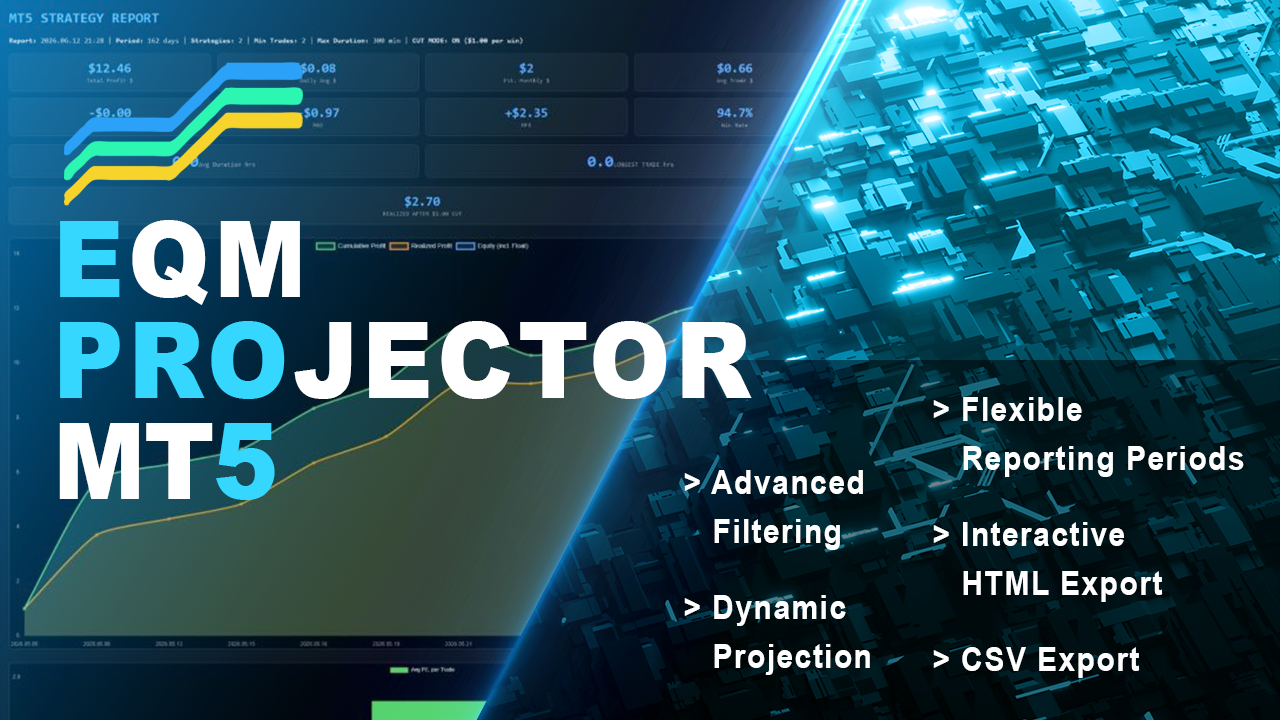
Project profits with precision. Equity Master Projection is a comprehensive trade management and analytics dashboard that goes beyond simple equity tracking. It analyzes both open positions and historical trades across multiple symbols and magic numbers, applying powerful filters to isolate your best-performing strategies. With unique features like a "Cut Mode" for profit capping and dynamic HTML/CSV reporting with equity curve charts, this tool transforms raw trading data into a clear, actionable strategy plan.

Key Features:
Dual-Mode Analysis: Simultaneously tracks Floating P/L on open positions and Net P/L on historical trades.
Advanced Filtering System: Filter strategies by Net Profit, Profit Factor, Win Rate, Maximum Drawdown, Gross Loss, Historical MAE/MFE.
Cut Mode (Profit Capping): Simulates the financial impact of capping winning trades at a user-defined profit level, calculating a "Realized P/L" to manage risk.
Flexible Reporting Periods: Analyze data from "All History," "This Month," "This Year," or a custom start date.
Dynamic Projection: Calculates a projected profit for the next X days based on the historical daily average performance of filtered strategies.
Interactive HTML Export: Generates a professional, standalone report featuring a line chart (Cumulative Profit, Realized Profit, Equity) and a bar chart for average weekly trade performance.
CSV Export: Exports filtered strategy data for external analysis in spreadsheets.

Effective Uses:
Strategy Optimization: Isolate and project the future potential of specific trading strategies (identified by Magic Numbers or Symbol+Direction) to decide which to scale.
Risk Management: Use the "Cut Mode" to backtest how a profit cap would affect overall returns, helping to set realistic take-profit levels.
Performance Review: Generate weekly or monthly HTML reports to review the most profitable entry days and times for each strategy.
System Health Check: Use filters (e.g., `MaxDrawdown_Below`, `Filter_History_MAE_Below`) to automatically exclude strategies that have recently suffered large drawdowns or adverse movement.
Frank William Jr Colbert
Trade Speed Master

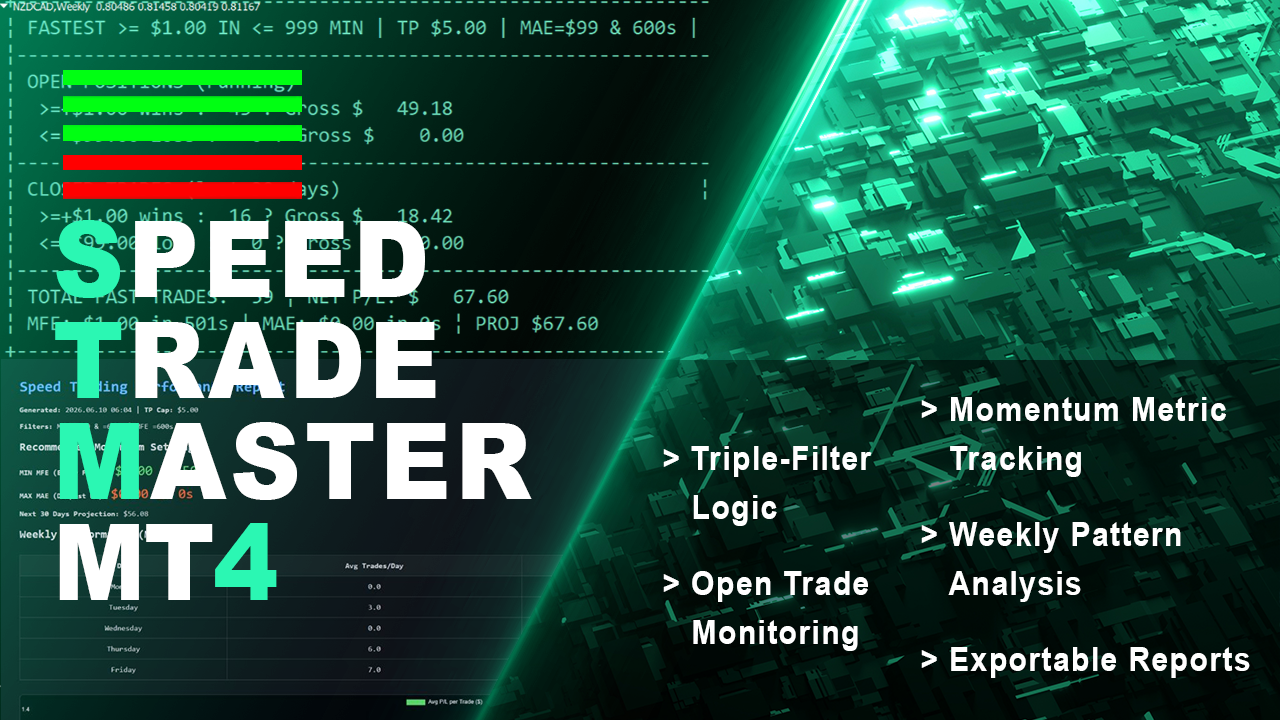
Trade Speed Master filters your trade history and open positions to find only the fastest, most efficient trades—winners that hit profit targets quickly and losers that are cut short with minimal drawdown. By applying strict filters for Max MAE ($ and time) and Max MFE (time), it isolates "Lightning Trades." The tool then projects future performance and analyzes weekly patterns, providing a free, essential dashboard for any trader looking to optimize for speed and efficiency.

Key Features:
Triple-Filter Logic: Analyzes trades based on hitting a Profit target (e.g., $5) within a set time (e.g., 5 min), while enforcing strict limits on Max MAE ($ and seconds) and Max MFE (seconds).
Open Trade Monitoring: Tracks open trades that have met the speed and profit/loss criteria within the defined tracking window.
Momentum Metric Tracking: Records the "MIN MFE" (earliest favorable move) and "MAX MAE" (deepest drawdown) among all qualified trades.
Performance Projection: Projects net profit for the next X days based on the historical performance of filtered "Speed Trades."
Weekly Pattern Analysis: Includes a bar chart in the HTML report showing average P/L per trade for each weekday (Mon-Fri).
Exportable Reports: Free and unrestricted access to CSV and HTML reporting features, usually found only in paid tools.

Effective Uses:
Scalping Strategy Validation: Test if a scalping EA truly generates fast, efficient trades by filtering for trades that hit TP quickly with minimal adverse excursion.
Refining Exit Logic: Use the "MIN MFE" metric to optimize take-profit levels, identifying the earliest point where a trade shows significant profit potential.
Daily Trading Schedule: Analyze the weekly performance chart to determine which days of the week are most profitable for fast trades, and adjust your trading schedule accordingly.
Risk Parameter Tuning: Experiment with the `MAX_TRADES_MAE` and `MAX_MAE_SECONDS` filters to find the optimal risk limits for your aggressive trading strategies.
Frank William Jr Colbert
PullBack Velocity Indicator

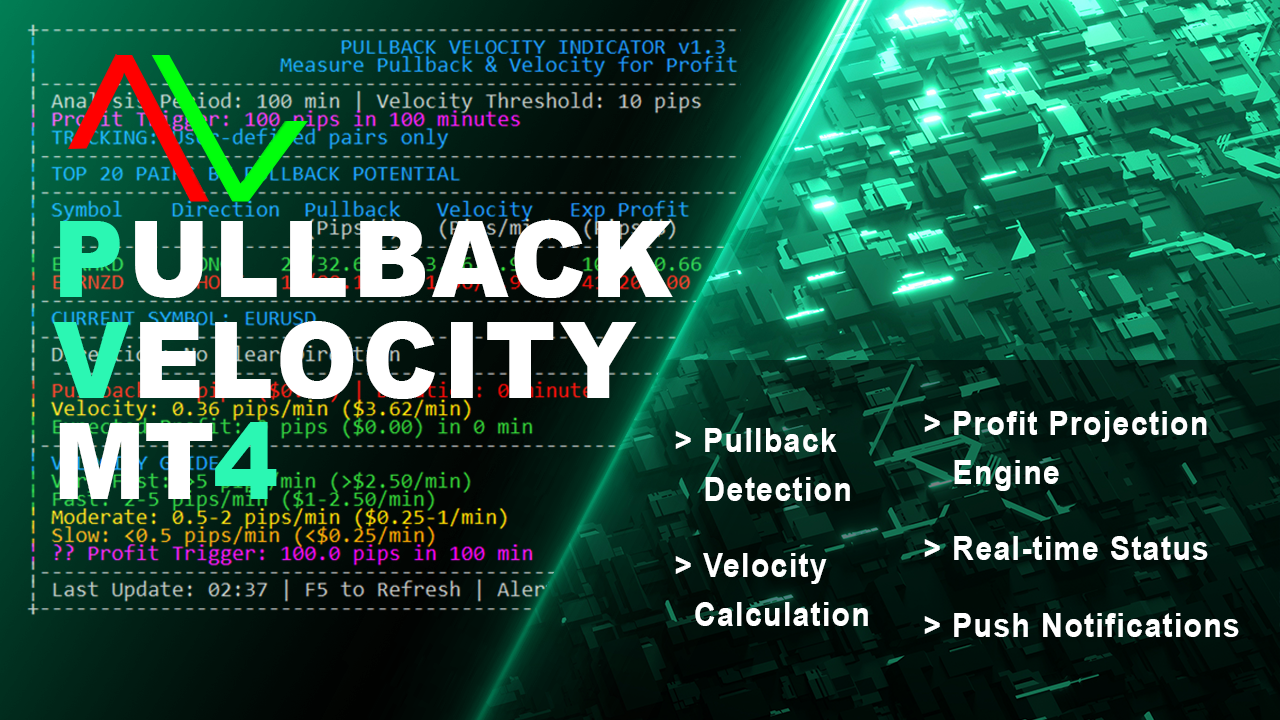
Turn market pullbacks into profitable recovery trades with the PullBack Velocity Indicator. This tool identifies when a currency pair is in a pullback phase and calculates its velocity to project potential recovery profits. By analyzing the depth and duration of a pullback against the pair's current momentum, the indicator provides a clear "Expected Profit" in pips and dollars, along with an estimated recovery time. It actively alerts you to "HIGH POTENTIAL RECOVERY" scenarios, giving you a quantifiable edge in mean-reversion and pullback trading.

Key Features:
Pullback Detection: Automatically identifies pullbacks from recent peaks (for long entries) and troughs (for short entries), measuring depth in pips and dollars.
Velocity Calculation: Measures price velocity in pips-per-minute and dollars-per-minute to gauge momentum.
Profit Projection Engine: Calculates expected profit for a recovery move based on pullback depth (Pips), velocity (Pips/min), and duration (minutes), using dynamic multipliers.
Real-time Status: Classifies each symbol's status as "PULLBACK ACTIVE," "RECOVERING," or "NO PULLBACK."
Visual Dashboard: A dual-column display shows top pairs by potential, including direction (LONG/SHORT), pullback stats, velocity, and expected profit.
Push Notifications & Alerts: Sends desktop alerts and mobile push notifications when a "HIGH POTENTIAL RECOVERY" is detected.

Effective Uses:
Mean-Reversion Entries: Use the indicator to find pullbacks within a trend. When the status changes to "RECOVERING," enter in the direction of the original trend.
Scaling In/Out: Add to existing positions during a healthy pullback, using the "Expected Profit" as a dynamic target for scaling out.
Risk/Reward Estimation: Before entering a pullback trade, check the `PullbackPips` (risk) vs. the `ExpectedProfitPips` (reward) to ensure a favorable ratio.
Alert-Driven Trading: Set up the indicator to run across multiple charts and receive notifications, so you never miss a high-probability recovery setup.
Frank William Jr Colbert
Pair Stability Indicator

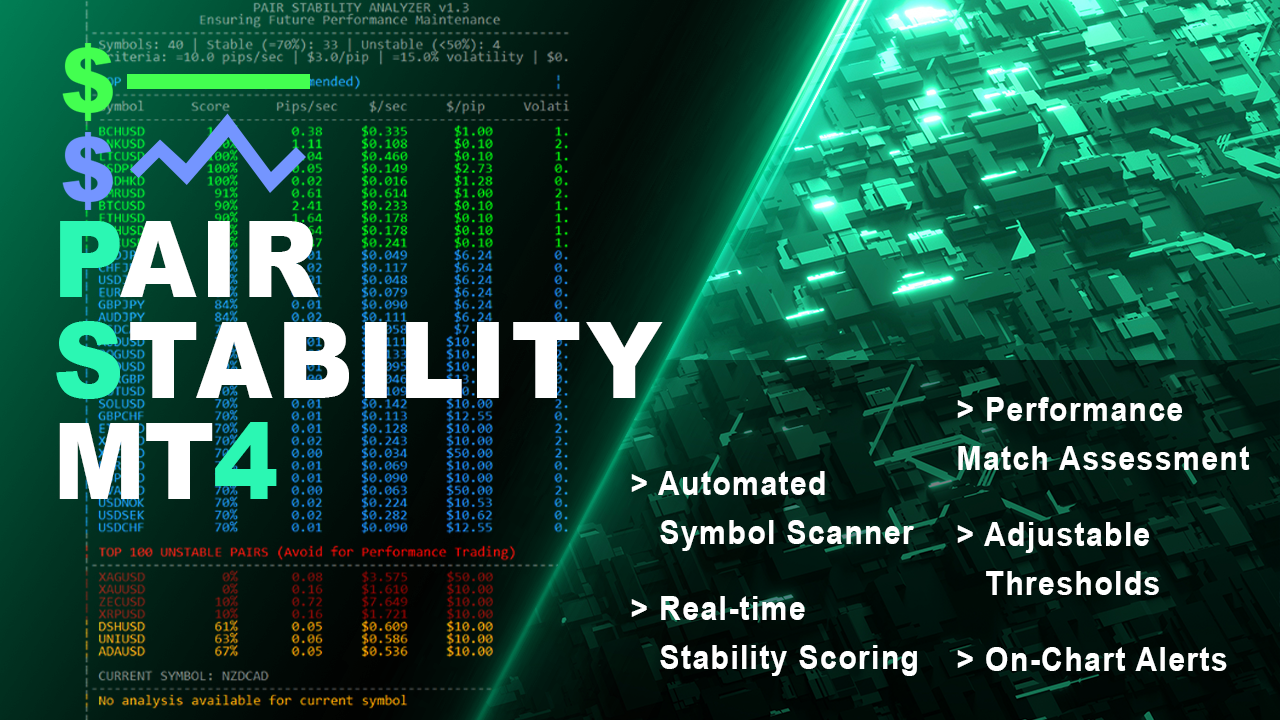
Ensure your trading strategy's future performance by trading only on stable, reliable pairs. The Pair Stability Indicator analyzes the velocity and volatility of any symbol to determine if it can support consistent strategy execution. It calculates critical metrics like Pips per Second, Dollars per Pip, and Dollars per Second of movement, scoring each pair from 0-100%. By identifying highly stable instruments (e.g., EURUSD) and flagging unstable ones (e.g., XAGAUD), this indicator acts as a crucial pre-trade filter for performance maintenance.

Key Features:
Automated Symbol Scanner: Automatically scans all tradeable symbols from your broker or a user-defined list.
Real-time Stability Scoring: Calculates a comprehensive stability score based on max pips/sec, max $/pip, max $/sec, and volatility percentage.
Performance Match Assessment: Provides a clear yes/no verdict on whether a pair can likely maintain past performance patterns.
Visual Dashboard: Displays a formatted table in the chart window, showing top stable pairs and most unstable pairs with color-coded scores.
Adjustable Thresholds: Tune all analysis parameters (`MaxPipMovementPerSecond`, `MaxDollarPerSecond`, `VolatilityThreshold`) to match your strategy's specific risk tolerance.
On-Chart Alerts: The indicator runs on a timer and provides direct on-chart feedback for the currently selected symbol.

Effective Uses:
Pre-Trade Filter: Run the indicator on any symbol before deploying a new or existing EA to confirm the pair's price action is stable enough for your strategy's logic.
Portfolio Selection: Use the "TOP STABLE PAIRS" list to build a portfolio of instruments that exhibit low, predictable movement, reducing the risk of strategy failure.
Avoiding Problem Assets: Identify and exclude highly volatile symbols (cryptos, some exotics, metals) that can cause erratic drawdowns and violate strategy assumptions.
Performance Consistency: For high-frequency or scalping strategies, use the `$/sec` metric to filter out pairs that move too fast, preventing slippage and ensuring fill quality.
Frank William Jr Colbert
Equity Performance Analyzer

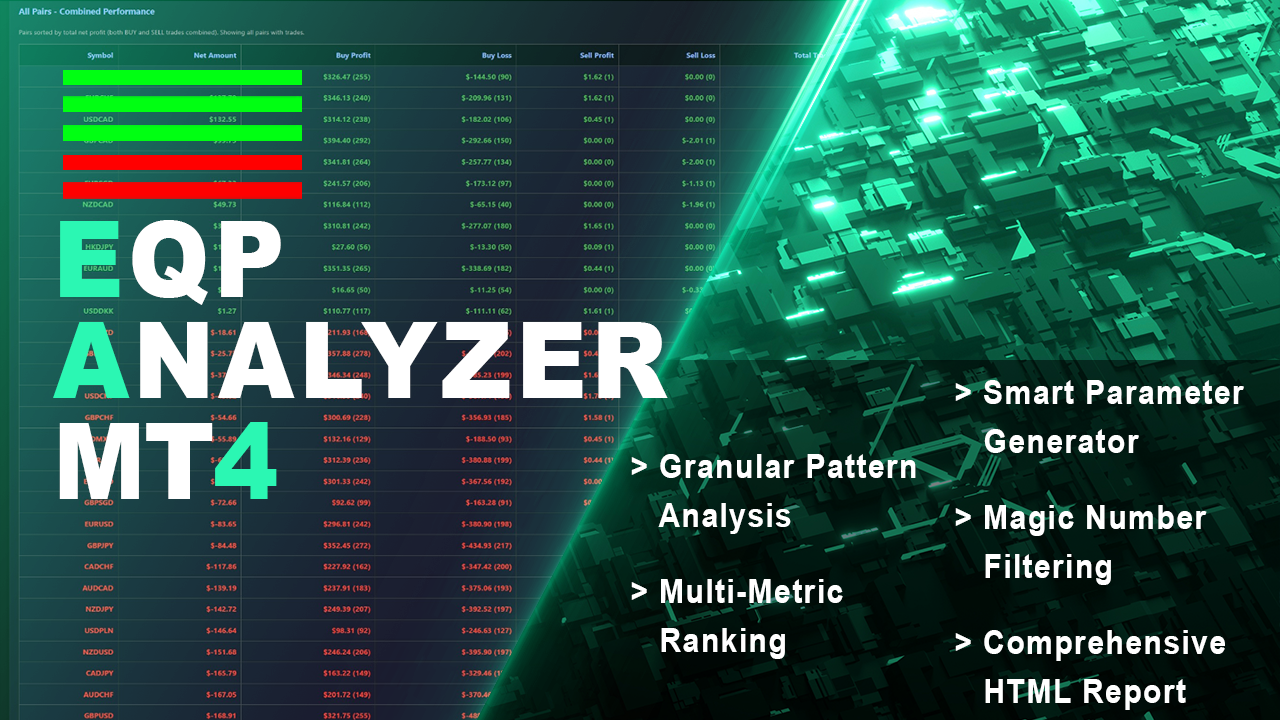
Have patterns that drive your trading success or failure. The Equity Performance Analyzer breaks down your trade history by symbol, day of the week, and hour of entry to identify exactly when your strategies perform best and worst. It ranks every possible trading pattern (e.g., "EURUSD-BUY-Mon-14") by Net Profit, Win Rate, Return/Drawdown, and a Monte Carlo Proxy. More than just an analytics tool, it generates ready-to-use input parameters for your EAs and a crucial "Worst Patterns to Avoid" section, turning historical data into a strategic roadmap.

Key Features:
Granular Pattern Analysis: Creates and ranks patterns based on Symbol, Trade Direction, Weekday, and Hour of OPEN time.
Multi-Metric Ranking: Sorts patterns by Net Profit, Win Rate, Return/Drawdown Ratio, and a unique Monte Carlo Proxy (Net * (1 + Trades*0.01)).
Smart Parameter Generator: Automatically builds "PermittedSymbols," "BuySellOnly," and daily "TradingTimes" (Mon-Fri) parameters based on top-performing patterns.
Avoid Parameters Section: Explicitly identifies and lists the worst-performing patterns to avoid or trade against, including combined "AVOID" parameter sets.
Comprehensive HTML Report: Delivers a color-coded report with multiple data groups (Profit/Loss by Day/Hour, Currency Pair Performance, Ranked Patterns, and Recommended Parameters).
Magic Number Filtering: Focus analysis on specific EAs or strategies using comma-separated Magic Numbers or ranges (e.g., "3001-3016").

Effective Uses:
EA Configuration: Directly copy the generated "BUY Parameters" or "COMBINED Parameters" into your Expert Advisor to restrict trading to historically profitable times and symbols.
Avoiding Losses: Use the "Worst Patterns to Avoid" section to programmatically block your EA from trading during specific high-loss windows or on certain pairs.
Opposite Trading: The tool recommends considering opposite signals for consistently losing patterns, providing a framework for counter-trend strategies.
Backtest Validation: After a backtest, run the analyzer to see if the EA's success is concentrated in specific patterns, confirming its logical consistency.
Frank William Jr Colbert
Here are some Indicators I thought would be interesting to have. These are to help with finding my ideal trade results and performance that meets my trading preference. Hope these can do the same for you. This is the first tool I wanted to have for MT4 and MT5. This can help filter trades of strategies that meet your personal criteria's.

Equity Master Projector MT4

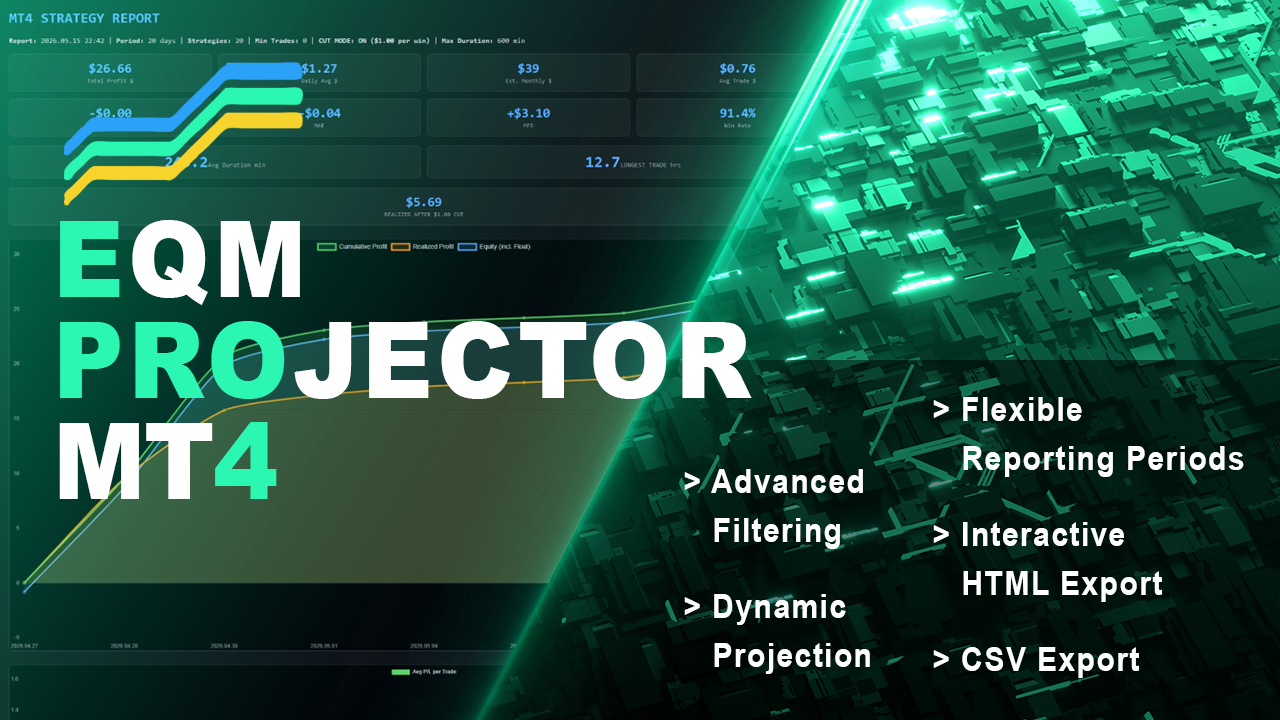
Project profits with precision. Equity Master Projection is a comprehensive trade management and analytics dashboard that goes beyond simple equity tracking. It analyzes both open positions and historical trades across multiple symbols and magic numbers, applying powerful filters to isolate your best-performing strategies. With unique features like a "Cut Mode" for profit capping and dynamic HTML/CSV reporting with equity curve charts, this tool transforms raw trading data into a clear, actionable strategy plan.

Key Features:
Dual-Mode Analysis: Simultaneously tracks Floating P/L on open positions and Net P/L on historical trades.
Advanced Filtering System: Filter strategies by Net Profit, Profit Factor, Win Rate, Maximum Drawdown, Gross Loss, Historical MAE/MFE, and Maximum Trade Duration.
Cut Mode (Profit Capping): Simulates the financial impact of capping winning trades at a user-defined profit level, calculating a "Realized P/L" to manage risk.
Flexible Reporting Periods: Analyze data from "All History," "This Month," "This Year," or a custom start date.
Dynamic Projection: Calculates a projected profit for the next X days based on the historical daily average performance of filtered strategies.
Interactive HTML Export: Generates a professional, standalone report featuring a line chart (Cumulative Profit, Realized Profit, Equity) and a bar chart for average weekly trade performance.
CSV Export: Exports filtered strategy data for external analysis in spreadsheets.

Effective Uses:
Strategy Optimization: Isolate and project the future potential of specific trading strategies (identified by Magic Numbers or Symbol+Direction) to decide which to scale.
Risk Management: Use the "Cut Mode" to backtest how a profit cap would affect overall returns, helping to set realistic take-profit levels.
Performance Review: Generate weekly or monthly HTML reports to review the most profitable entry days and times for each strategy.
System Health Check: Use filters (e.g., `MaxDrawdown_Below`, `Filter_History_MAE_Below`) to automatically exclude strategies that have recently suffered large drawdowns or adverse movement.