• 信息
13+ 年
经验
28
产品
82
演示版
228
工作
1
信号
0
订阅者
Vladimir Karputov
留下反馈给客户为工作 EA needed with a simple strategy - Random trades after conditions are met
Vladimir Karputov 已发布产品

介绍实用程序“     虚拟盈亏平衡     “!” “当前符号”是实用程序工作的图表符号。实用程序会保留当前符号上所有仓位的计数,并忽略这些仓位的“魔幻数字”。 该实用程序在当前符号上工作并跟踪存款金额的盈亏平衡水平。当当前符号上所有仓位的利润变为> =“触发”时,实用程序将开始跟踪“ 盈亏平衡 ”。 一个常见的例子:手动交易,不断开仓。总利润不断变化。终于来了!利润略微超过盈亏平衡 + 盈亏平衡步骤:实用程序立即激活并开始跟踪(保护)盈亏平衡水平。激活后,利润开始下降并达到“盈亏平衡”水平 - 实用程序立即关闭所有仓位。因此,利润被保存在盈亏平衡水平。手动交易继续,因此实用程序已准备好再次跟踪盈亏平衡。 参数 盈亏平衡(存款金额) -     盈亏平衡水平     (设定为押金) 盈亏平衡步骤 - 水平后的最低利润       盈亏平衡以激活保护     (         设定为存款金额  

Vladimir Karputov
留下反馈给客户为工作 Hi please convert the following
Vladimir Karputov
Vladimir Karputov
🎥 New Video Released!
How to Install an Expert Advisor with a Custom Indicator

In this short video, I’ll show you step-by-step how to properly set up an MQL5 expert advisor that requires a custom indicator.

🔗 Watch now: https://youtu.be/VNZ8HKcduD0

Don't miss it! 🚀
Vladimir Karputov
留下反馈给客户为工作 Need Code Optimization For More Efficiency AND Logic MQL5
Vladimir Karputov
Vladimir Karputov
Multi Symbol Trailing ( https://www.mql5.com/en/market/product/95568 ) updated to 1.11: In the tester (only in the tester) the utility opens a 'Buy' position with a minimum lot
Edgar Morales
Edgar Morales 2025.01.06
👍
Vladimir Karputov
Vladimir Karputov
🚀 How to Create an MA + RSI Expert Advisor in MQL5 ( https://youtu.be/6O51va43w6M )

Hello, friends! In this series, we’re diving into the process of building an Expert Advisor (EA) for MetaTrader 5 using the Moving Average (MA) and Relative Strength Index (RSI) indicators.

📌 What’s in the video:

Understanding MA and RSI signals.
Setting up MetaEditor for EA creation.
Adding and visualizing indicators on the chart.
Using MQL5 functions and trading classes.
Detecting signals only when a new bar appears.
⏱ Timestamps:
0:00 - Start
00:00:34 - Optimization of the Moving Average Expert Advisor
00:01:15 - How to start optimization and what type of optimization to choose?
00:03:46 - Do I need to optimize all the parameters at once?
00:04:40 - The start value of the parameter, the parameter step, and the end value
00:06:19 - How do I choose the best optimization result?
00:07:20 - How do I save the selected parameter set?
00:08:02 - How to apply this saved set of parameters in the Expert Advisor?

🎯 Check out my products here:
https://www.mql5.com/en/users/barabashkakvn/seller

💡 Don’t forget to subscribe for more MQL5 tips and tricks!
Vladimir Karputov
Vladimir Karputov
I want to read commands from Discord.
If you can share your experience, please write in this channel.
( https://t.me/c/2138345970/339 )
Trustoff
Trustoff 2024.12.24
Владимир, ссылка не доступна.
Vladimir Karputov
Vladimir Karputov 2024.12.24
Sorry. Here is the link to the post: https://t.me/barabashkakvn_MQL5/106
Vladimir Karputov
留下反馈给客户为工作 Request for Modification of Expert Advisor for Open Prices Mode
Vladimir Karputov
留下反馈给客户为工作 Modification of an existing MT5 EA
Vladimir Karputov 已发布产品

布林线仪表板指标提供了一种方便且信息丰富的方式,使用一个面板(仪表板)跟踪不同时间范围内的布林线指标信号。该工具使交易者能够快速、轻松地获取所需的信息,从而在市场上做出高效的决策。 主要特征: 1. **信号面板**:仪表板显示选定时间范围内的布林带信号,为用户提供清晰且结构化的信息。 2. **时间范围设置的灵活性**:能够根据用户的需要启用或禁用任何时间范围。这使您可以专注于特定交易策略的最重要的时间间隔。如果关闭所有时间帧,指标将显示三个硬编码时间帧,这样做是为了确保连续信号传输。 3. **颜色设置**:该工具为不同面板元素提供高级颜色设置: - 仪表板背景 - 表格标题背景 - 时间范围所在的第一列的背景 4. **信号生成**: - 当蜡烛从下到上穿过布林线指标的“上”线时,形成“向上”信号。 - 当蜡烛从上到下穿过布林带指标的下线时,形成 DW 信号。 对于想要从不同时间范围接收即时、准确的布林带信号的交易者来说,该指标将成为不可或缺的助手,通过灵活的设置和清晰的界面确保舒适的工作。

Vladimir Karputov
Vladimir Karputov
MQL5 Indicator Highest and Lowest
https://youtu.be/L7xwpQOuaDU
Vladimir Karputov
留下反馈给客户为工作 SPECIAL MARGIN TRADING EA
Vladimir Karputov
Vladimir Karputov
How to download and install MetaTrader 5
https://youtu.be/TYEu1lYDxyk
Vladimir Karputov
Vladimir Karputov
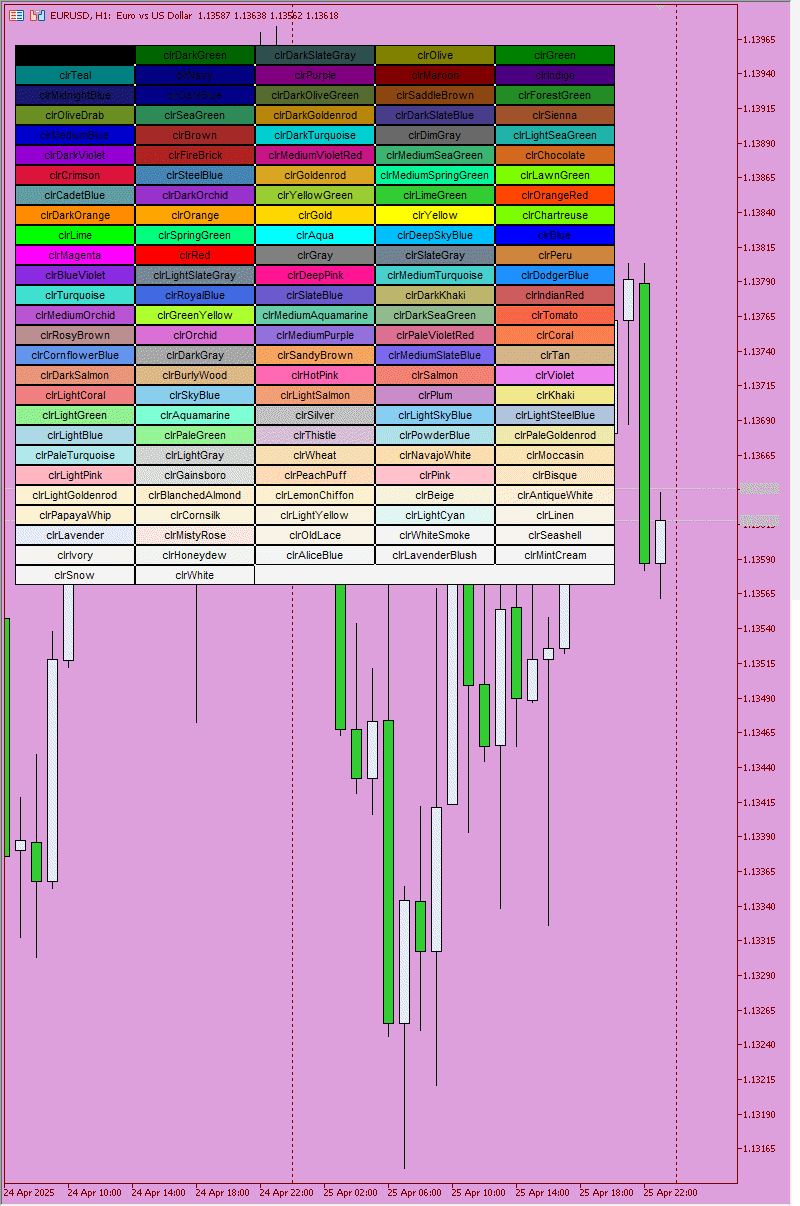
How to change the background color in the mql5 tester
https://youtu.be/05oKZYtu9x0
Vladimir Karputov
留下反馈给客户为工作 Bot automatically closes positions
Vladimir Karputov
留下反馈给客户为工作 Советник личный для себя
Vladimir Karputov
留下反馈给客户为工作 Source Code rewriting
Vladimir Karputov
Vladimir Karputov
Perhaps you would like this video:
Where is the log file in MetaTrader 5
https://youtu.be/RWEIX_sv-Ks