Rainer Albrecht / Profil
- Informations
|
11+ années
expérience
|
7
produits
|
625
versions de démo
|
|
0
offres d’emploi
|
0
signaux
|
0
les abonnés
|
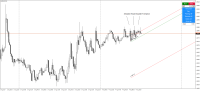
The indicator automatically sets trendlines on the really important points directly on the chart. Timeframe, color and style of the lines can be adjusted. Notification of a breakout above or below the line via a smartphone is possible. Input Parameters TimeFrame : Choose timeframe Formation : Choose swing, Shoulder head shoulder or long term formation Alerts : true = alert is on SendEmail : Send message to email address SendNotifications : Send message to smartphone or tablet AlertAtClose
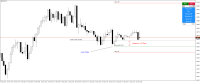
The trade panel supports discretionary traders in trading. Panel Description The windows can be opened and closed and moved. Expert Advisor Input Magic: - Unique ID, is necessary if you use several Expert Advisors (EA) One Click Trading Button The buttons work in a similar way to "One Click Trading" in Metatrader. The values in the volume edit can be set individually for each instrument and remain saved even after changing charts or restarting Metatrader. Caution! Check which volume is set
https://www.mql5.com/en/market/product/11173
The indicator plays sound alerts when the price reaches certain levels, specified by trader.
https://www.mql5.com/en/market/product/24152
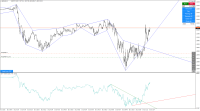
The indicator plays sound alerts when the price reaches certain levels, specified by trader. You only need to draw a trendline and then press the alert button in the panel. The texts of the notification you determine. Notification via a smartphone or email address is possible. Note for "Free Demo" : MetaTrader 4 does not support displaying an alert window or playing sounds in the strategy tester, only in live or demo accounts. How it works Draw a trendline Click the "Alert" button (Trendline