Anand / Profile
- Information
|
10+ years
experience
|
0
products
|
0
demo versions
|
|
144
jobs
|
0
signals
|
0
subscribers
|
Software Engineer
at
Self Employed
Feedbacks:
https://www.mql5.com/en/users/anand_mt4/feedbacks
Finished jobs:
https://www.mql5.com/en/users/anand_mt4/portfolio/jobs_close
Submit a new job for me:
https://www.mql5.com/en/job/new?prefered=anand_mt4
https://www.mql5.com/en/users/anand_mt4/feedbacks
Finished jobs:
https://www.mql5.com/en/users/anand_mt4/portfolio/jobs_close
Submit a new job for me:
https://www.mql5.com/en/job/new?prefered=anand_mt4
Anand
Elliott Indicator Based Trading EA
https://www.mql5.com/en/market/product/10744
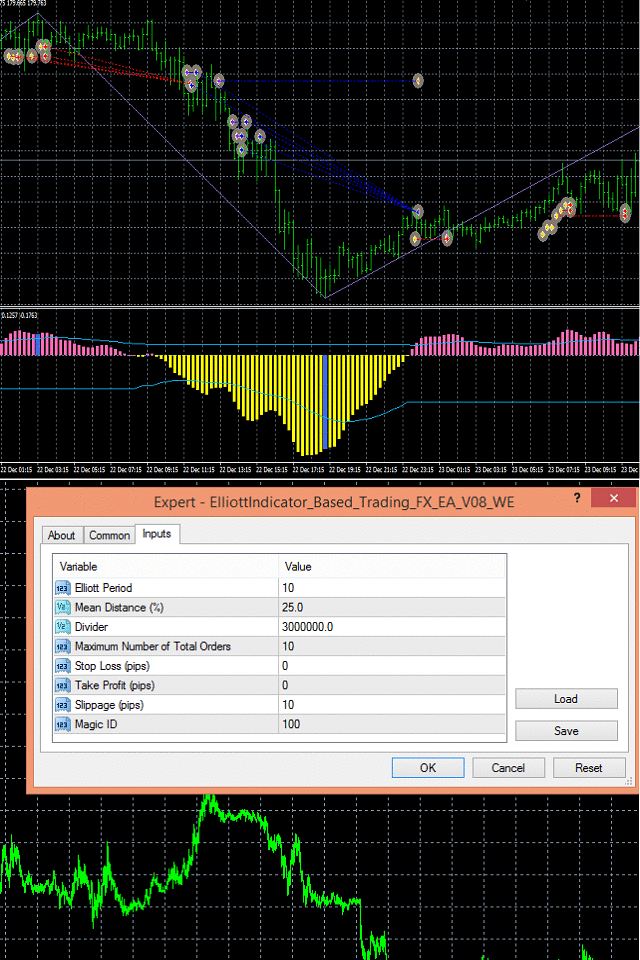
The EA uses Elliott waves indicator to place either buy-stop or sell-stop pending orders at occurrence of a new bar. Limit to the maximum number of total orders that can be placed by EA is set through input.
https://www.mql5.com/en/market/product/10744
The EA uses Elliott waves indicator to place either buy-stop or sell-stop pending orders at occurrence of a new bar. Limit to the maximum number of total orders that can be placed by EA is set through input.
Anand
Tick Volume Histogram Indicator
https://www.mql5.com/en/market/product/10517
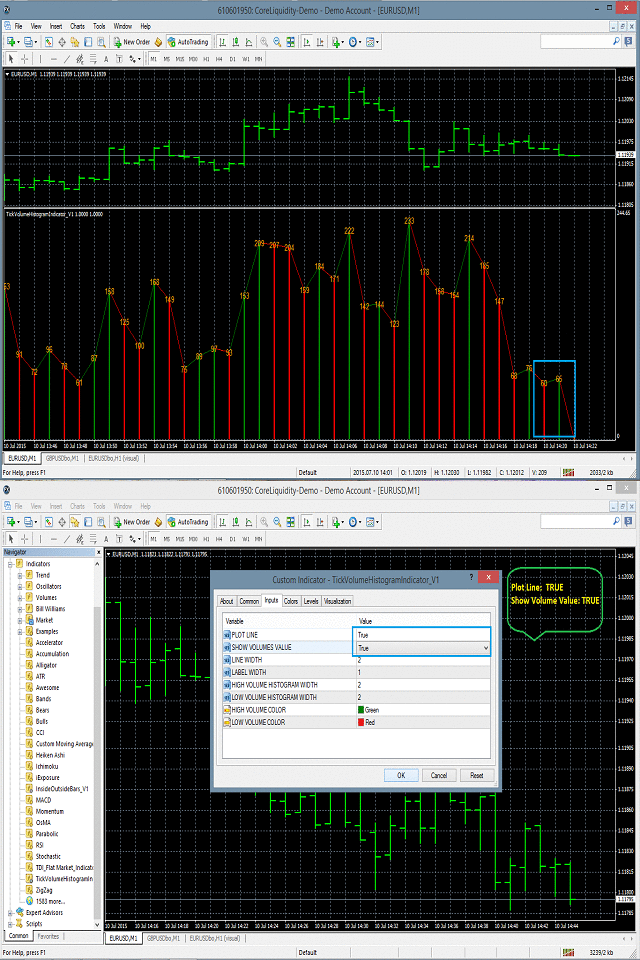
Tick Volume Histogram indicator is drawn in the separate window of the chart.
It basically displays the number of ticks at the peak of the histogram drawn in the separate window.
https://www.mql5.com/en/market/product/10517
Tick Volume Histogram indicator is drawn in the separate window of the chart.
It basically displays the number of ticks at the peak of the histogram drawn in the separate window.
Anand
Swing Single Time Frame Indicator
https://www.mql5.com/en/market/product/13197
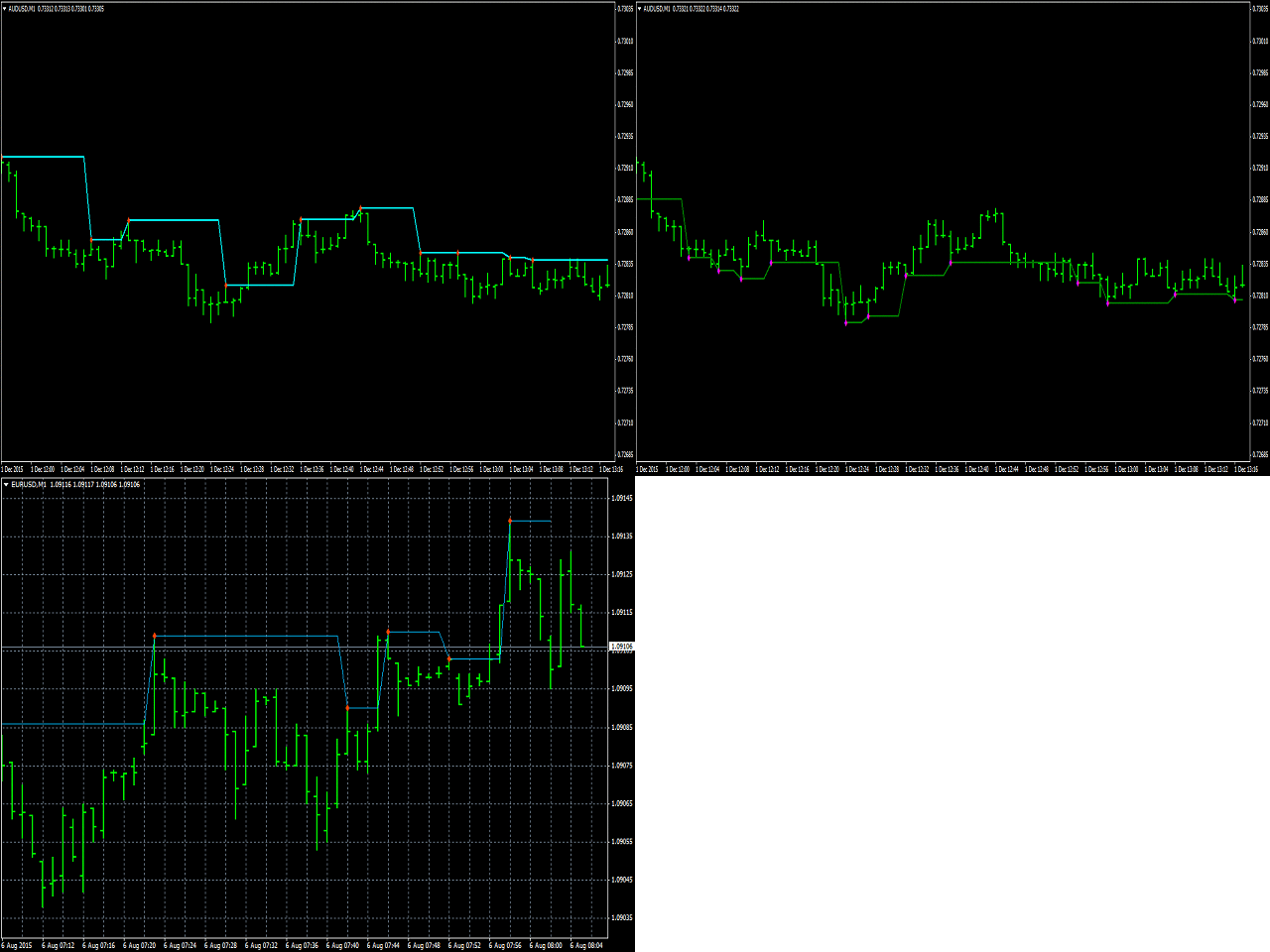
Swing Single Time Frame Indicator is one of the most advanced indicators based on both Swing Low and Swing High trading strategies.
https://www.mql5.com/en/market/product/13197
Swing Single Time Frame Indicator is one of the most advanced indicators based on both Swing Low and Swing High trading strategies.
Anand
All Symbols Trading Panel
https://www.mql5.com/en/market/product/15449
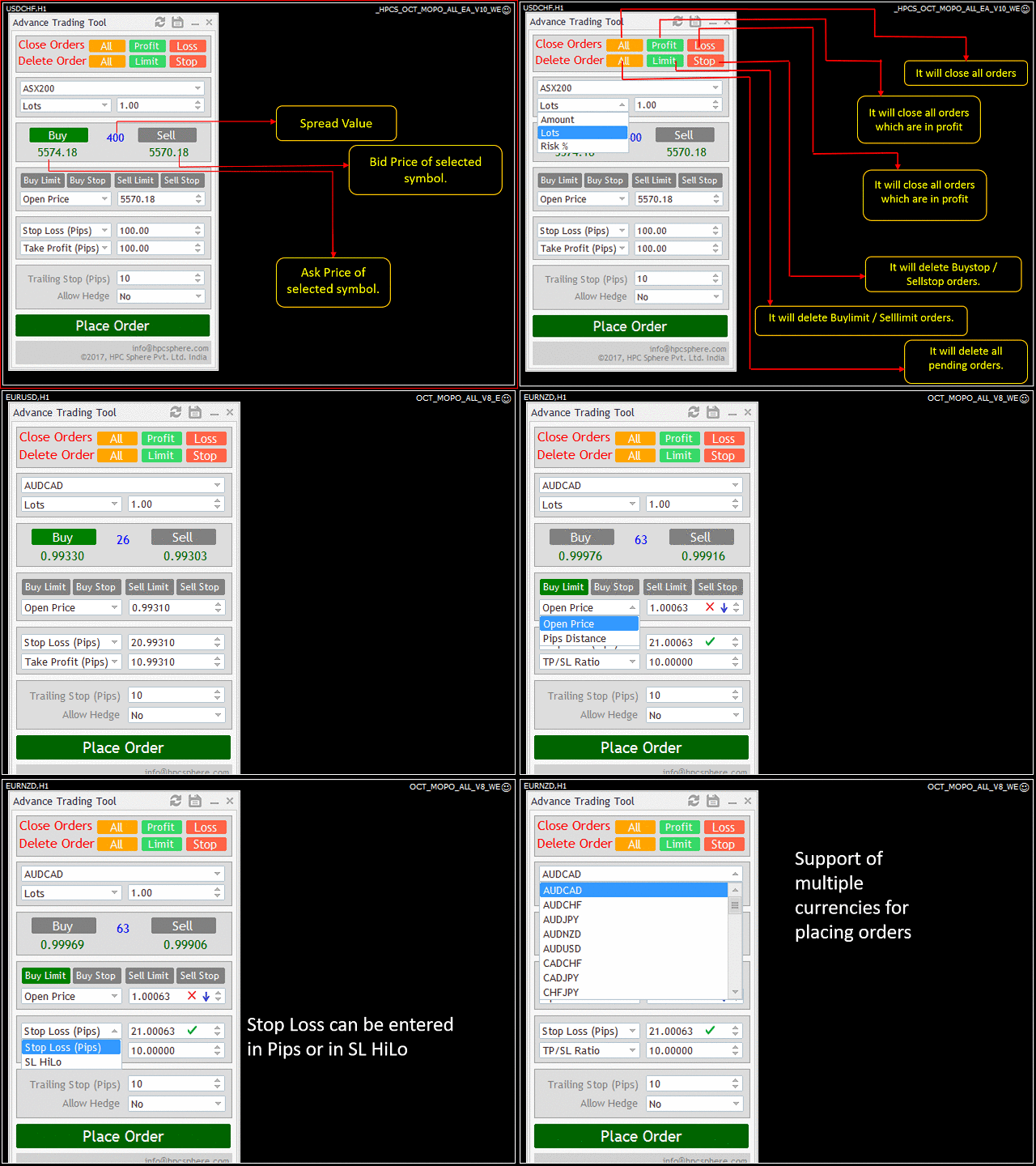
It's highly efficient and user friendly interface allows you to place market orders as well as pending orders for all currency pairs from a single panel.
https://www.mql5.com/en/market/product/15449
It's highly efficient and user friendly interface allows you to place market orders as well as pending orders for all currency pairs from a single panel.
Anand
Awesome Swing Multi Time Frame Indicator
https://www.mql5.com/en/market/product/19798
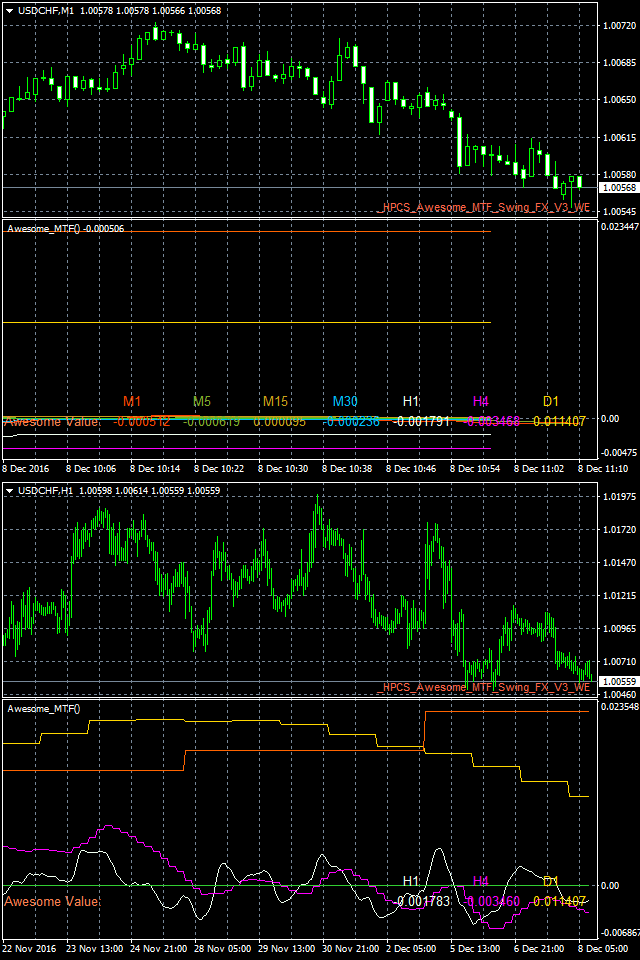
Awesome Swing Multi Time Frame Indicator is one of the most advanced indicators based on both Swing and Awesome indicator trading strategies.
https://www.mql5.com/en/market/product/19798
Awesome Swing Multi Time Frame Indicator is one of the most advanced indicators based on both Swing and Awesome indicator trading strategies.
Anand
TDI Direction Change Indicator
https://www.mql5.com/en/market/product/10597
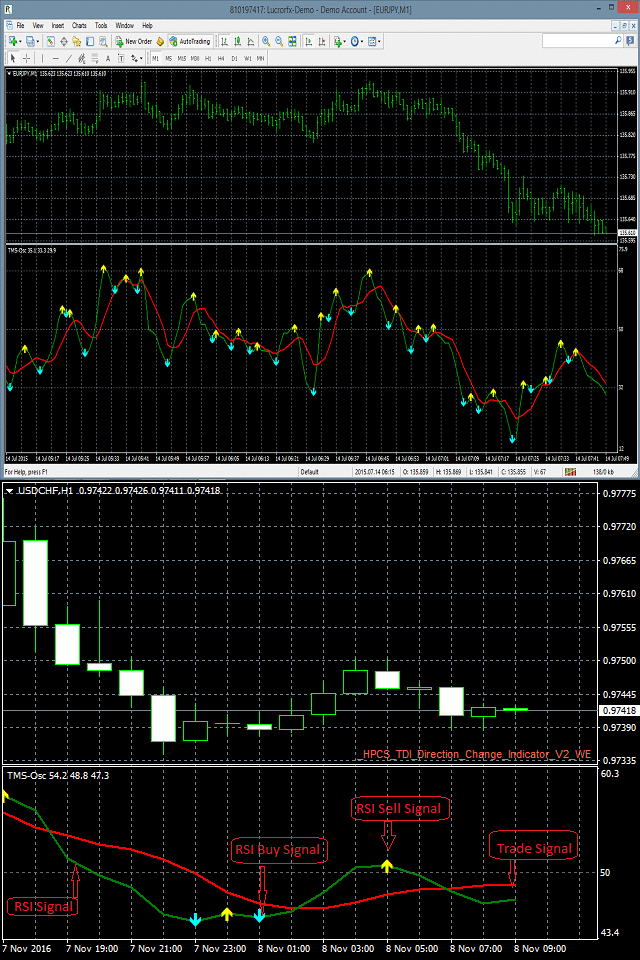
TDI Direction Change Indicator is an oscillator indicator which identifies the market entry point for placing trades by taking into consideration the values of RSI (Relative Strength Index), Trade Signal Method and Market Base Method.
https://www.mql5.com/en/market/product/10597
TDI Direction Change Indicator is an oscillator indicator which identifies the market entry point for placing trades by taking into consideration the values of RSI (Relative Strength Index), Trade Signal Method and Market Base Method.
Anand
Advance MACD Indicator
https://www.mql5.com/en/market/product/10589
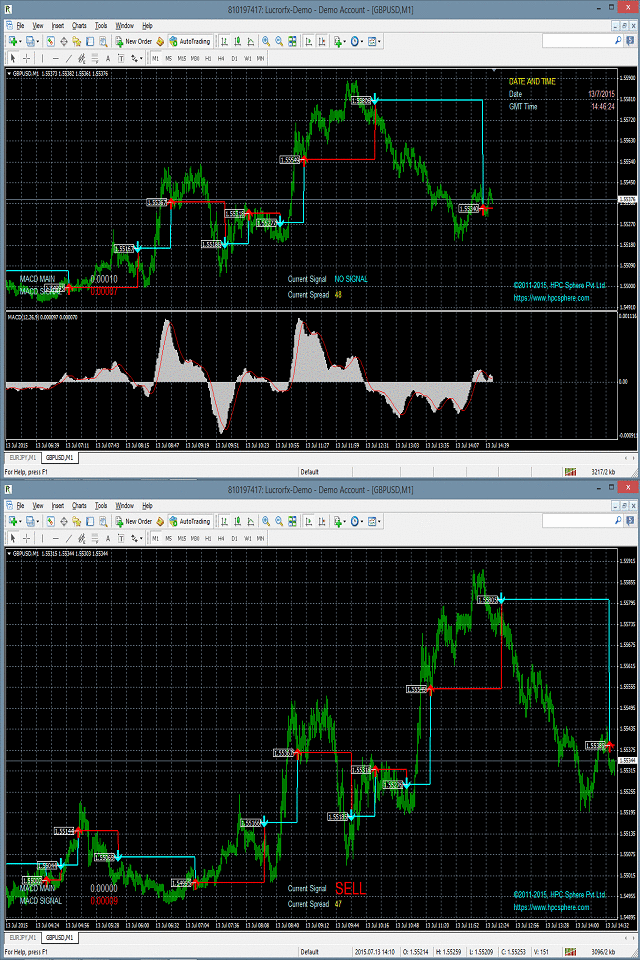
MACD Indicator draws line and arrow in the main chart window to identify the trade opportunity.
The number of bars used for indicator calculation are:
1. FAST EMA PERIOD-12
2. SLOW EMA PERIOD-26
3. SIGNAL SMA PERIOD-9
https://www.mql5.com/en/market/product/10589
MACD Indicator draws line and arrow in the main chart window to identify the trade opportunity.
The number of bars used for indicator calculation are:
1. FAST EMA PERIOD-12
2. SLOW EMA PERIOD-26
3. SIGNAL SMA PERIOD-9
Anand
Multiple Indicator Panel
https://www.mql5.com/en/market/product/13083
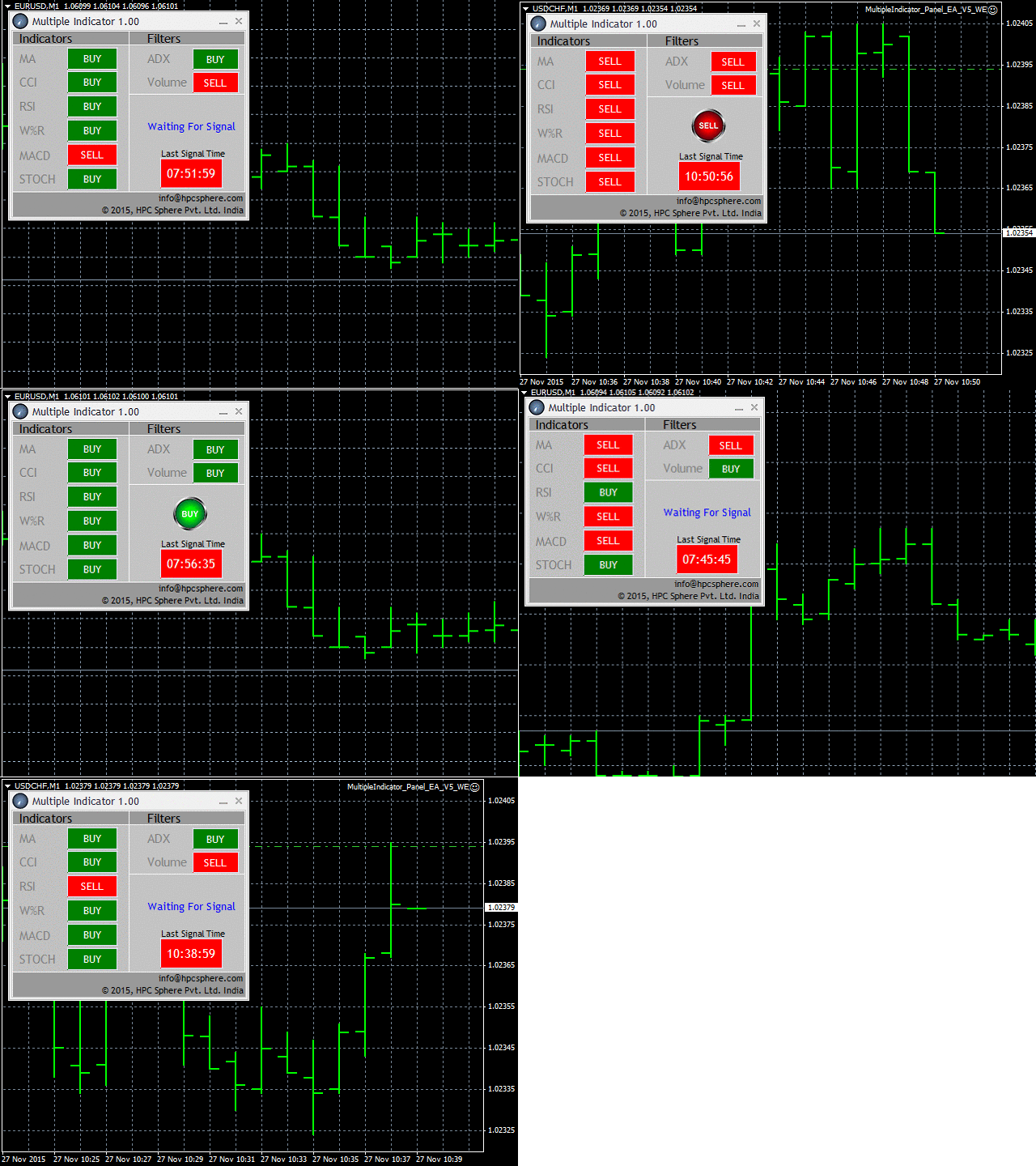
ts advance algorithm uses the advance indicators such as Moving Average, CCI, RSI, Williams %R, MACD and Stochastic indicators. The filters which the multi-indicator panel uses are ADX and Volume.
https://www.mql5.com/en/market/product/13083
ts advance algorithm uses the advance indicators such as Moving Average, CCI, RSI, Williams %R, MACD and Stochastic indicators. The filters which the multi-indicator panel uses are ADX and Volume.
Anand
Virtual Order Panel
https://www.mql5.com/en/market/product/15165
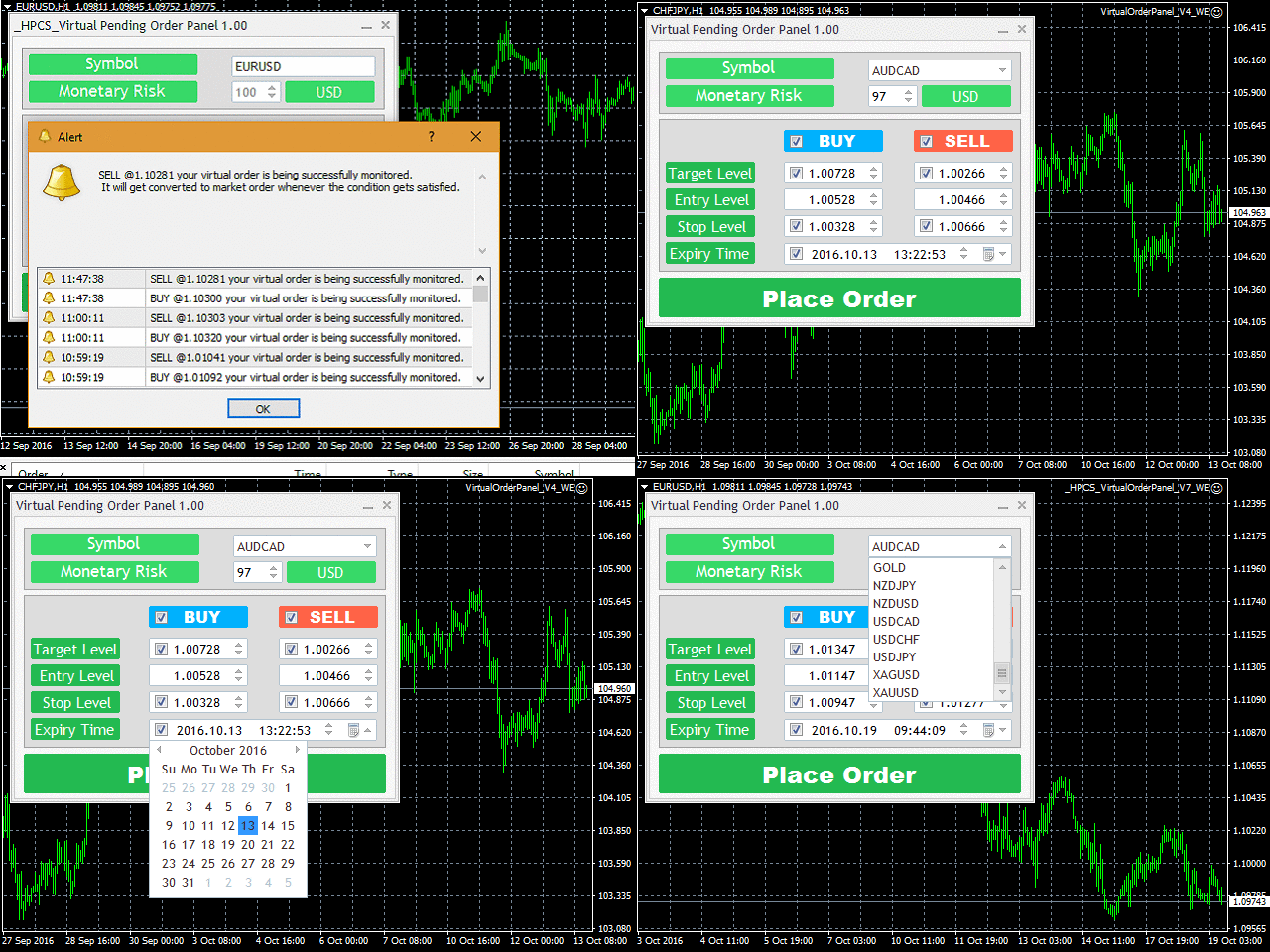
It advanced algorithm allows the user to place a virtual pending order and convert that virtual pending order into a market order whenever the Target Level is reached. The user can choose from different market symbols.
https://www.mql5.com/en/market/product/15165
It advanced algorithm allows the user to place a virtual pending order and convert that virtual pending order into a market order whenever the Target Level is reached. The user can choose from different market symbols.
Anand
TDI Flat Market Indicator
https://www.mql5.com/en/market/product/10450
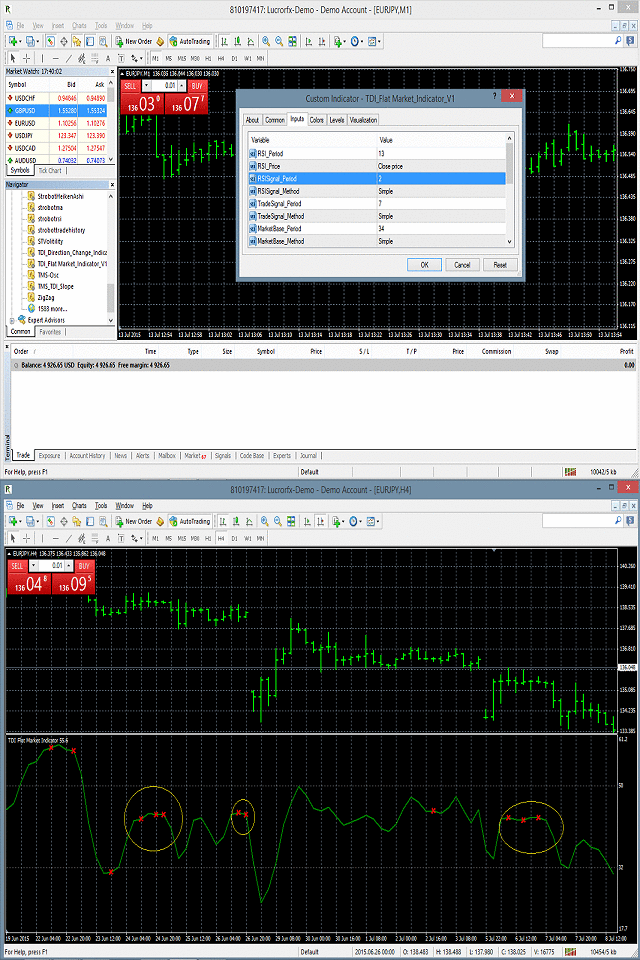
TDI Flat Market Indicator is an oscillator indicator which works in a separate window. It is based on RSI (Relative Strength Index), Trade Signal Method and Market Base Method. It identifies the flat market behavior which helps in determining when to enter the market.
https://www.mql5.com/en/market/product/10450
TDI Flat Market Indicator is an oscillator indicator which works in a separate window. It is based on RSI (Relative Strength Index), Trade Signal Method and Market Base Method. It identifies the flat market behavior which helps in determining when to enter the market.
Anand
On Chart Trading Market Order Panel
https://www.mql5.com/en/market/product/12305
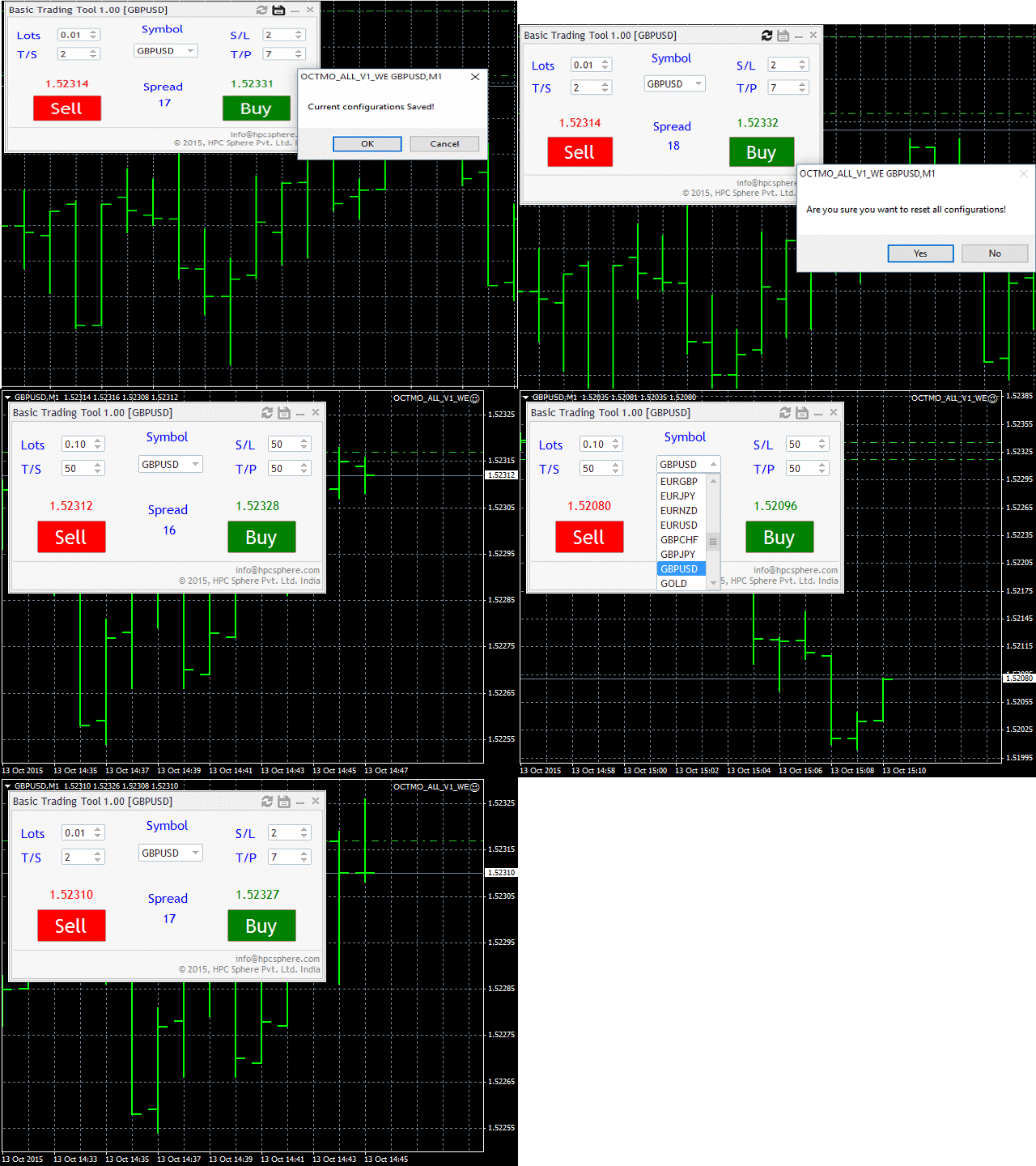
The user can choose from different market symbols. The lot size can be easily given along with the Stop Loss, Take Profit, Trailing Stop parameters. The user only needs to enter the above parameters and then either click on Sell or click on Buy.
https://www.mql5.com/en/market/product/12305
The user can choose from different market symbols. The lot size can be easily given along with the Stop Loss, Take Profit, Trailing Stop parameters. The user only needs to enter the above parameters and then either click on Sell or click on Buy.
Anand
Multi Strategy Trade Panel
https://www.mql5.com/en/market/product/19738
It is one of the most advanced trading panels available.
Its advanced algorithm and feature rich user interface allows you trade on different strategies.
https://www.mql5.com/en/market/product/19738
It is one of the most advanced trading panels available.
Its advanced algorithm and feature rich user interface allows you trade on different strategies.
Anand
Stochastic Swing Low Multi Time Frame Indicator
https://www.mql5.com/en/market/product/13921
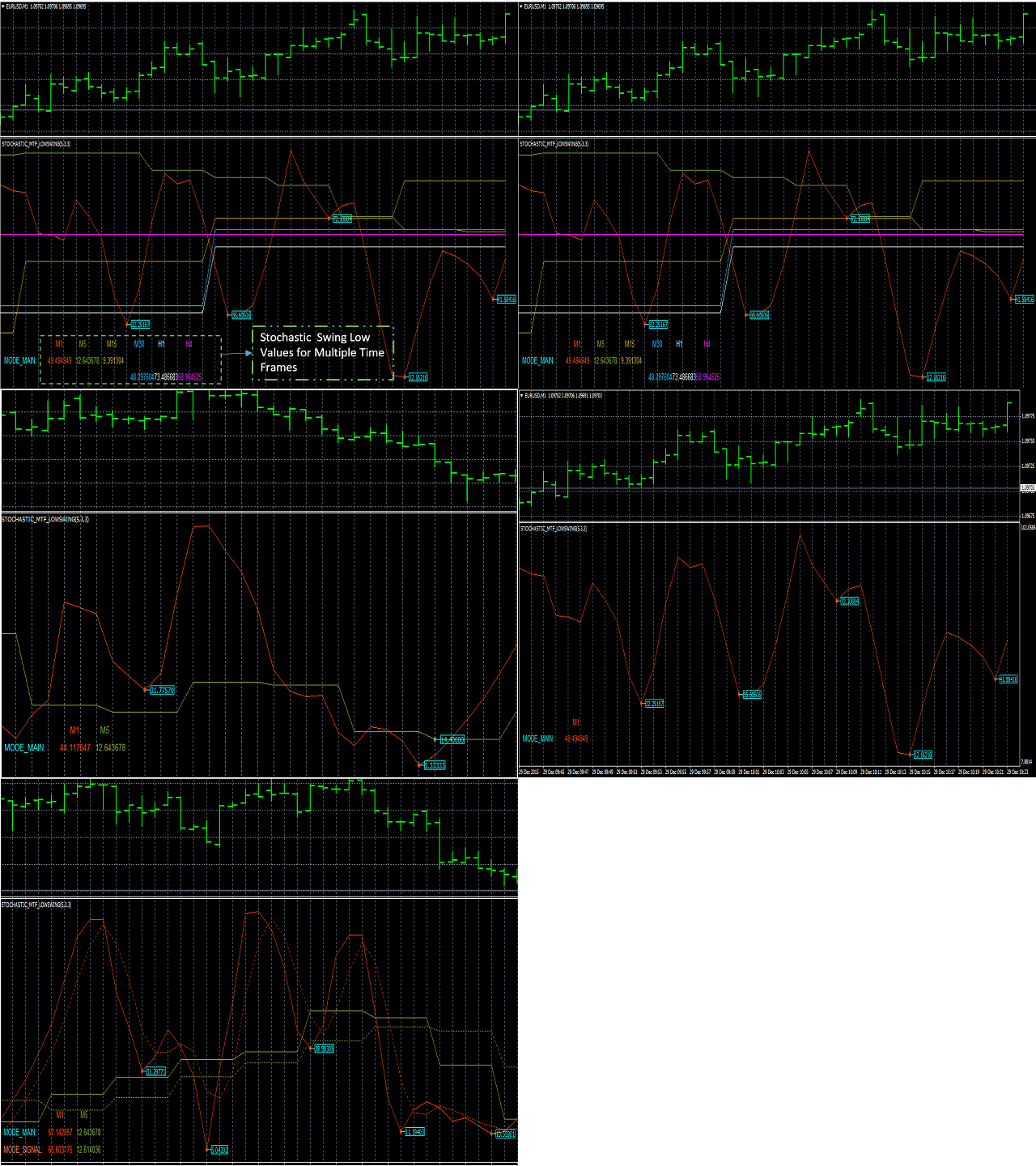
It supports multiple time frames i.e. by attaching the indicator on a single chart one can see the Stochastic Swing Low values for all the other time frames on a single chart.
https://www.mql5.com/en/market/product/13921
It supports multiple time frames i.e. by attaching the indicator on a single chart one can see the Stochastic Swing Low values for all the other time frames on a single chart.
Anand
HP Three coloured RSI Line Indicator
https://www.mql5.com/en/market/product/21929
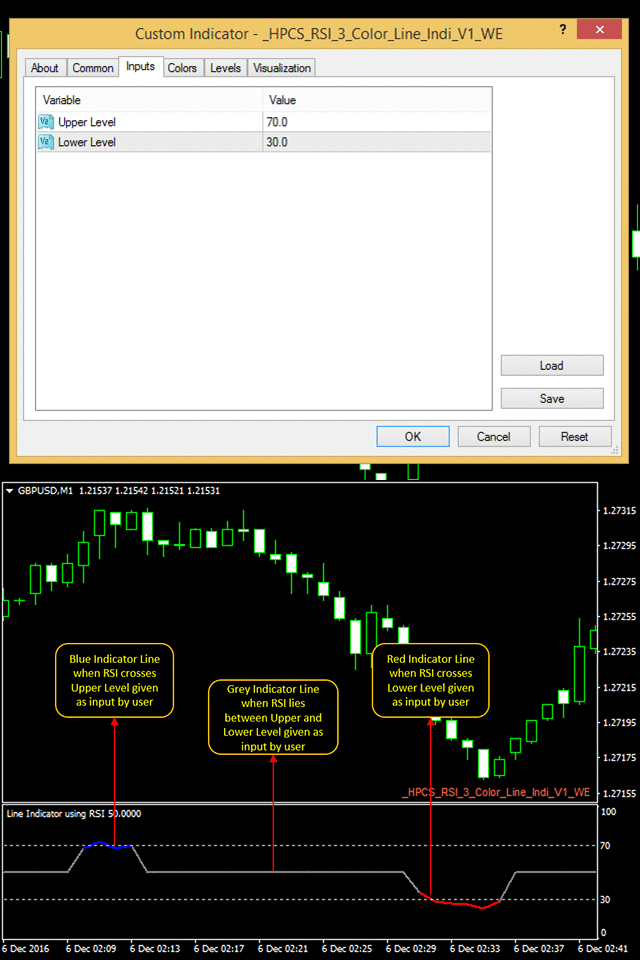
It is a simple to use indicator, in which the color of indicator changes to red or blue when it crosses a specific RSI level given by a user.
It indicates according to a user input and is very easy to customize
https://www.mql5.com/en/market/product/21929
It is a simple to use indicator, in which the color of indicator changes to red or blue when it crosses a specific RSI level given by a user.
It indicates according to a user input and is very easy to customize
Anand
Binary Option Trading panel
https://www.mql5.com/en/market/product/12282
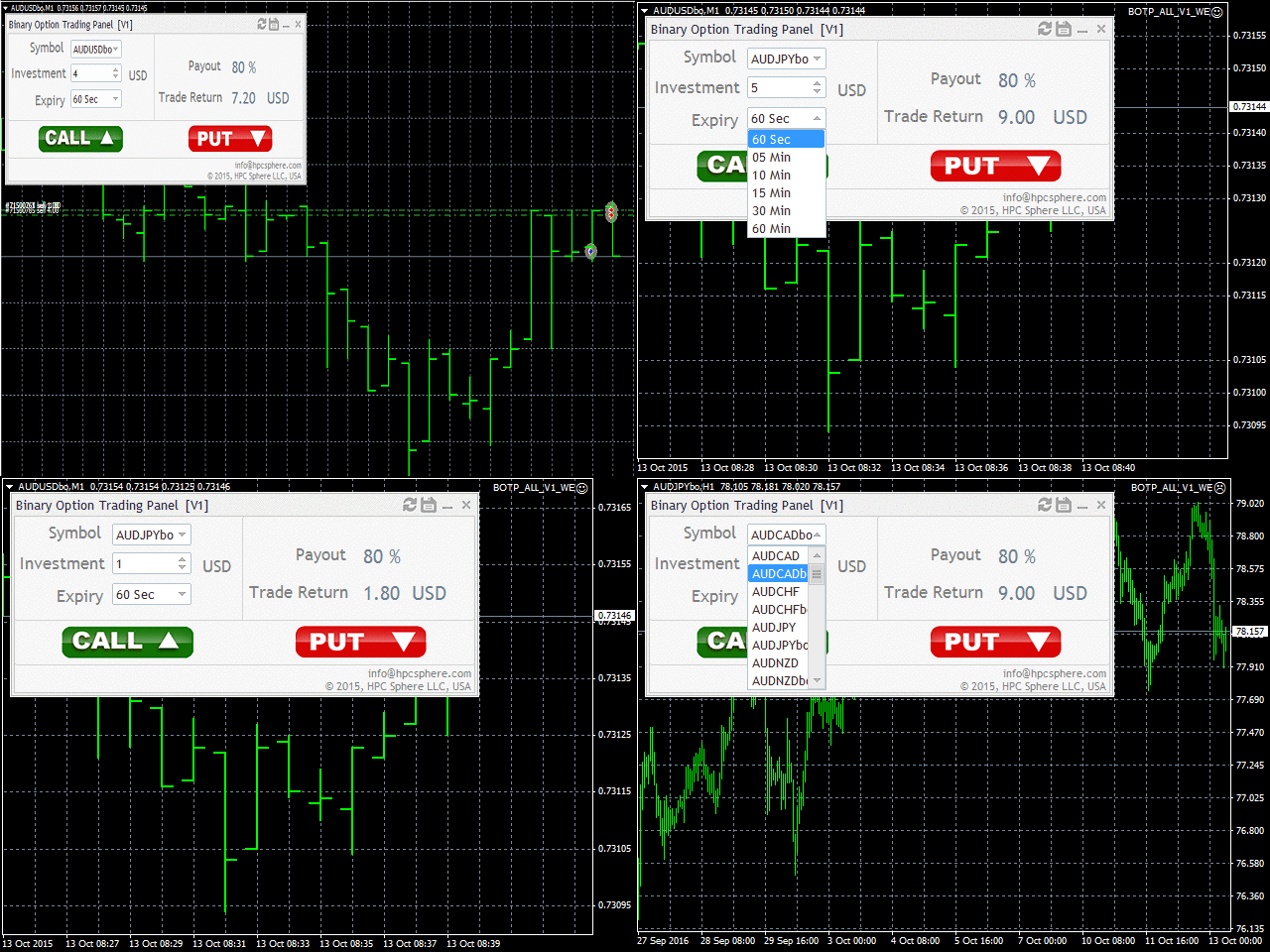
The user can choose from different binary option instruments to trade. The investment amount be easily given and expiry for the instrument can be selected from different expiry options. The available expiry options are 60sec, 5min, 10min, 15min, 30min, 60min.
https://www.mql5.com/en/market/product/12282
The user can choose from different binary option instruments to trade. The investment amount be easily given and expiry for the instrument can be selected from different expiry options. The available expiry options are 60sec, 5min, 10min, 15min, 30min, 60min.
Anand
Button Order Close
https://www.mql5.com/en/market/product/10559
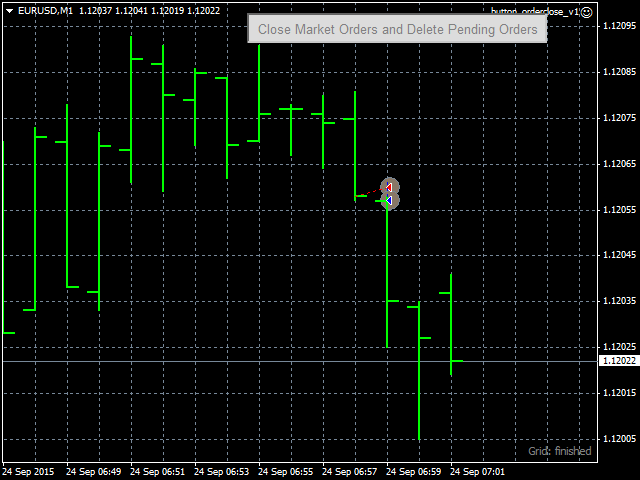
This expert advisor (EA) creates a button on top-right corner of the chart. Whenever this button is pressed, the EA closes all open market orders and deletes all pending orders for the currency-pair that is currently attached on the chart.
https://www.mql5.com/en/market/product/10559
This expert advisor (EA) creates a button on top-right corner of the chart. Whenever this button is pressed, the EA closes all open market orders and deletes all pending orders for the currency-pair that is currently attached on the chart.
Anand
Price Level EA
https://www.mql5.com/en/market/product/10743
This is an expert advisor (EA), created in Meta-Trader 4 (MT4). Everyday, it places certain number of buy-limit and sell-limit pending orders of different levels. Levels differ in terms of open price, lot and take-profit (in pips). At the stop-time of the day, all those (same type) pending orders will be canceled, none of whose orders of different levels are filled within the day. A different cancel time option is available for Fridays. If start-time and stop-time are left blank, then at each new bar, all previous pending orders are canceled and new set of pending orders are placed.
https://www.mql5.com/en/market/product/10743
This is an expert advisor (EA), created in Meta-Trader 4 (MT4). Everyday, it places certain number of buy-limit and sell-limit pending orders of different levels. Levels differ in terms of open price, lot and take-profit (in pips). At the stop-time of the day, all those (same type) pending orders will be canceled, none of whose orders of different levels are filled within the day. A different cancel time option is available for Fridays. If start-time and stop-time are left blank, then at each new bar, all previous pending orders are canceled and new set of pending orders are placed.
Anand
On Chart Trading Pending Order Window ALL Symbols
https://www.mql5.com/en/market/product/12355
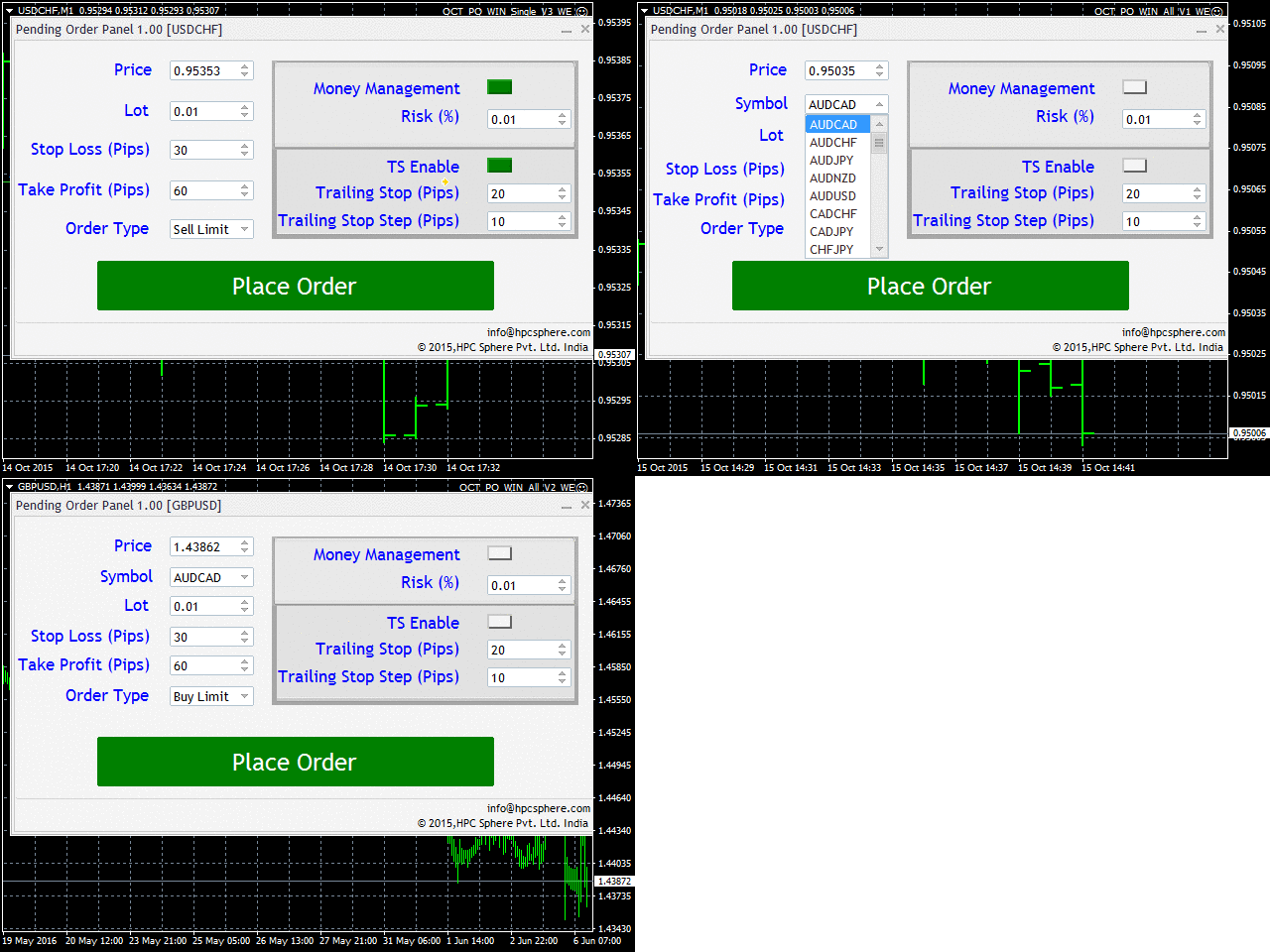
The expert advisor (EA) generates an on-chart trading panel to place pending order(s) on any currency-pair symbol, as selected from its drop-down menu. Before clicking "Place" button, to place a pending order (PO).
https://www.mql5.com/en/market/product/12355
The expert advisor (EA) generates an on-chart trading panel to place pending order(s) on any currency-pair symbol, as selected from its drop-down menu. Before clicking "Place" button, to place a pending order (PO).
Anand
Inside Outside Bars Indicator
https://www.mql5.com/en/market/product/10588
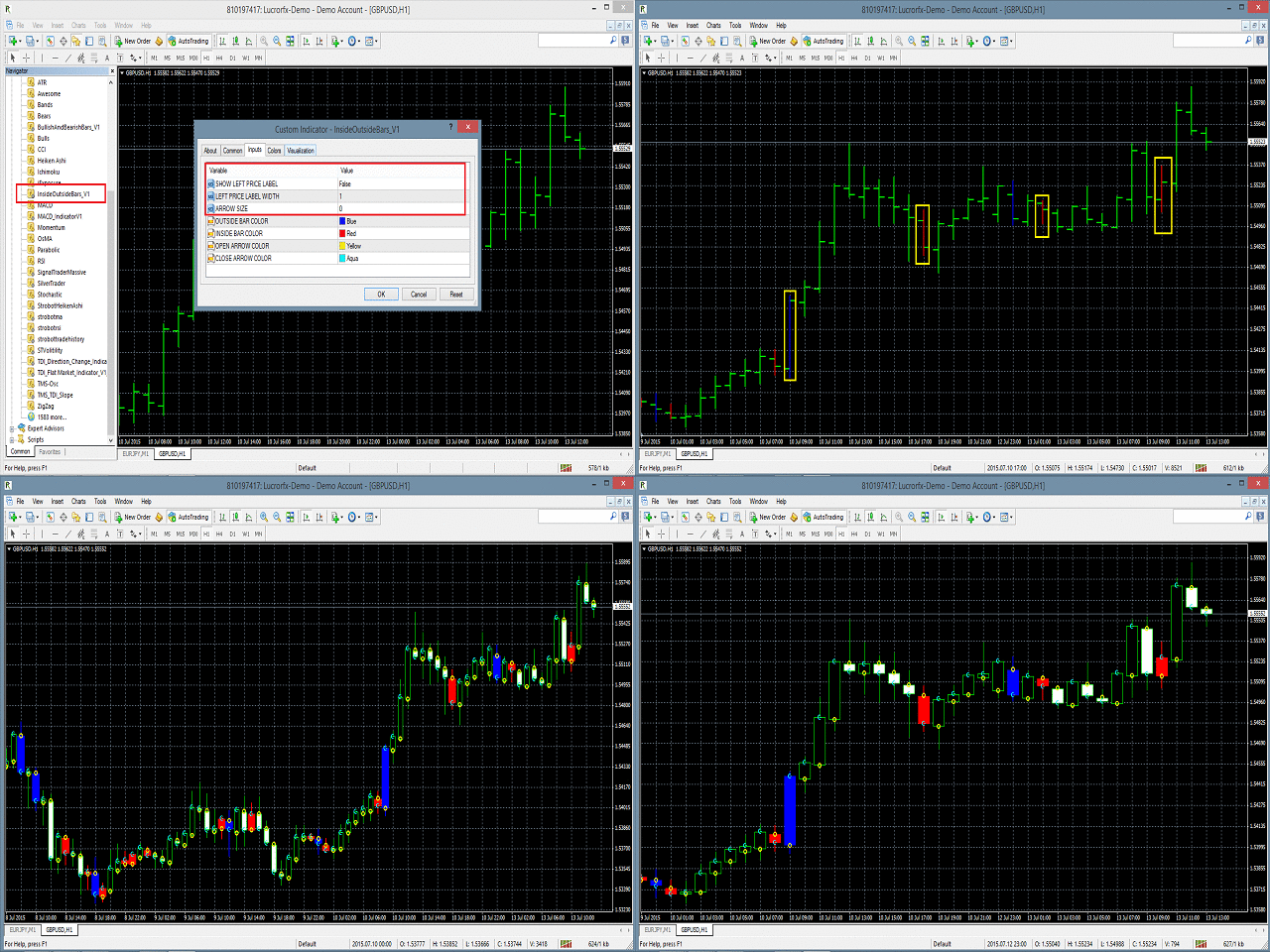
The Inside Outside Bars indicator is drawn in the main window of the chart and displays them in different color with price label displaying on the left of the inside and outside bars.
https://www.mql5.com/en/market/product/10588
The Inside Outside Bars indicator is drawn in the main window of the chart and displays them in different color with price label displaying on the left of the inside and outside bars.
Anand
Slow Pips OCO Trade Panel
https://www.mql5.com/en/market/product/13082
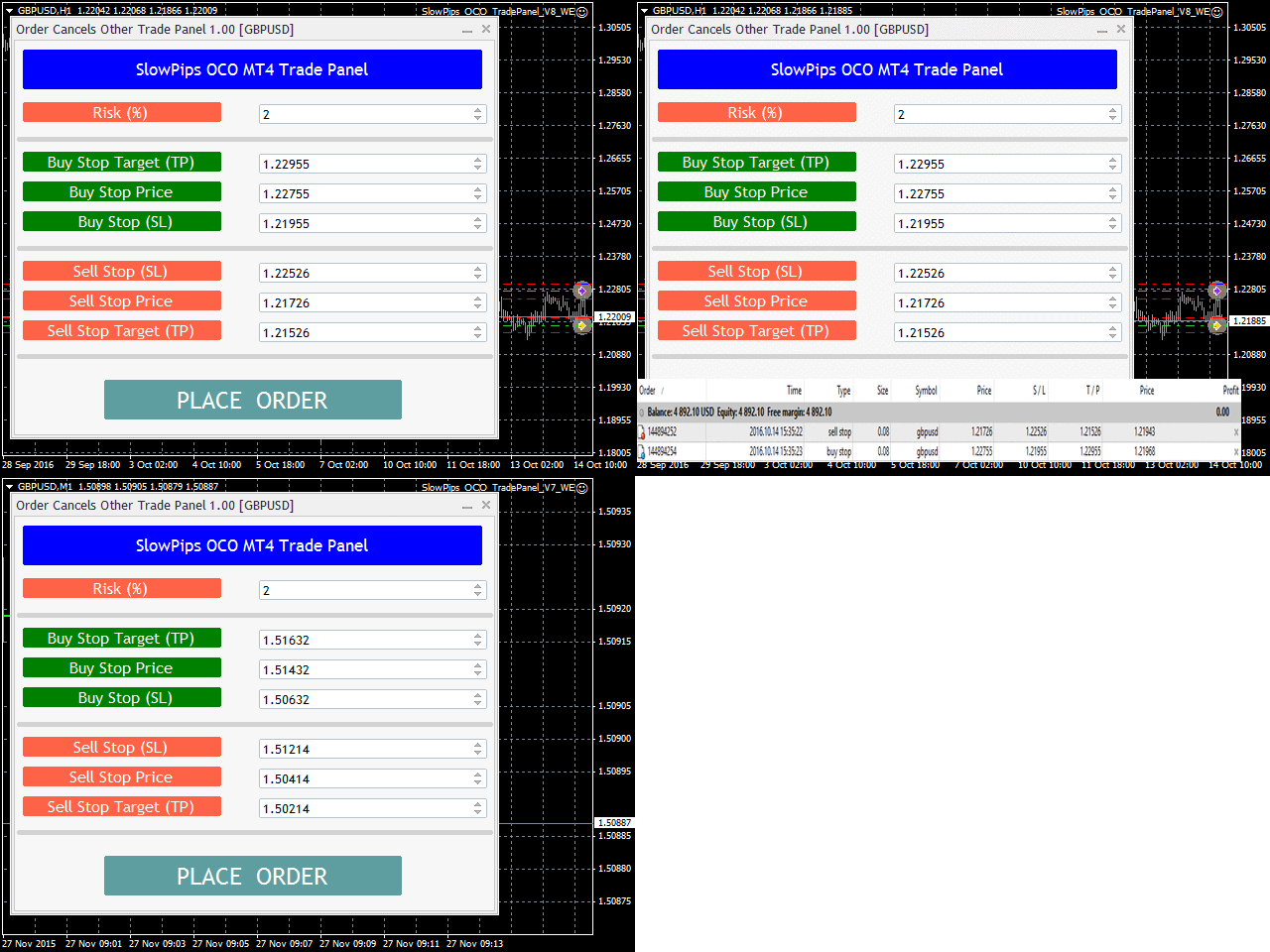
Slow Pips OCO Trade Panel is an advanced trading panel for placing pending orders. Traders can use this panel to place two pending orders at once. One pending order would be of buy entry type and the other one would be of sell entry type. Both orders will have Stop Loss and Take Profit parameters. Since two pending orders are placed at the same time, the pending order for which the price hits first gets converted into a market order and the other pending order gets deleted (one order cancels the other).
https://www.mql5.com/en/market/product/13082
Slow Pips OCO Trade Panel is an advanced trading panel for placing pending orders. Traders can use this panel to place two pending orders at once. One pending order would be of buy entry type and the other one would be of sell entry type. Both orders will have Stop Loss and Take Profit parameters. Since two pending orders are placed at the same time, the pending order for which the price hits first gets converted into a market order and the other pending order gets deleted (one order cancels the other).
: