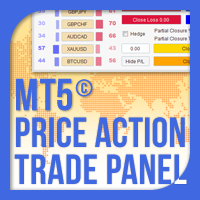
Price Action Trade Panel EA MT5
30 USD
Demo downloaded:
109
Published:
20 January 2022
Current version:
1.40
Didn't find a suitable robot?
Order your own one
on Freelance
Go to Freelance
Order your own one
on Freelance
How to buy а trading robot or an indicator
Run your EA on
virtual hosting
virtual hosting
Test аn indicator/trading robot before buying
Want to earn in the Market?
How to present a product for a sell-through
Version 1.40
2025.03.08
Compilation with the latest version of MetaEditor.
Version 1.30
2022.10.30
Increased default maximum spread setting to work smoothly with cryptos and volatility indexes.
Version 1.20
2022.09.01
Fix of 2 issues with pending orders expiry and closure of trades on FIFO accounts.
Version 1.10
2022.03.29
Price Action Trade Panel EA MT5 has been updated with the following additions/fixes:
1. An issue with the opening of some lot sizes was fixed.
2. Some users asked that they would like the Price Action Trade Panel EA MT5 to remember the on panel inputs (Lot Size Option, Take Profit, Stop Loss, Break Even, Trailing SL settings etc.) when the terminal is restarted. This is possible now.
3. A Magic Numbers to Manage option was added above the Magic Numbers Not to Manage setting, to allow easier and faster inputs of your options.
4. The Automatic Partial Closure setting in the inside Price Action Trade Panel EA MT5 settings, was enriched with 2 more levels, increasing the Take Profit Partial Closure levels to 3. Also 3 Stop Loss Partial Closure settings have been added.
5. Also a user asked for a Hedge option on the Price Action Trade Panel EA MT5 on panel settings and it has been implemented. In addition the hedge trade can be opened with no or reversed TP/SL levels, with Synchronized Closure along with the original trade and with a Lot Size Multiplier that allows the hedge trade to have the same, smaller or larger lot size than the original trade.
6. Profit/Loss values have been added on the Close Buy / Close Sell / Close Profit / Close Loss / Close All buttons to give a better visualization of the panel's/account's trades profit/loss information. There is also a Hide/Show P/L button to allow the user to hide these profit/loss values if they are distracting.
7. A new field has been added on the Price Action Trade Panel EA MT5 that shows the current symbol's trades profit/loss information. All current symbol's trades that are managed by the Price Action Trade Panel EA MT5 will be closed if it is clicked, to allow a better control on same symbol's trades.
Please update your Price Action Trade Panel EA MT5.
1. An issue with the opening of some lot sizes was fixed.
2. Some users asked that they would like the Price Action Trade Panel EA MT5 to remember the on panel inputs (Lot Size Option, Take Profit, Stop Loss, Break Even, Trailing SL settings etc.) when the terminal is restarted. This is possible now.
3. A Magic Numbers to Manage option was added above the Magic Numbers Not to Manage setting, to allow easier and faster inputs of your options.
4. The Automatic Partial Closure setting in the inside Price Action Trade Panel EA MT5 settings, was enriched with 2 more levels, increasing the Take Profit Partial Closure levels to 3. Also 3 Stop Loss Partial Closure settings have been added.
5. Also a user asked for a Hedge option on the Price Action Trade Panel EA MT5 on panel settings and it has been implemented. In addition the hedge trade can be opened with no or reversed TP/SL levels, with Synchronized Closure along with the original trade and with a Lot Size Multiplier that allows the hedge trade to have the same, smaller or larger lot size than the original trade.
6. Profit/Loss values have been added on the Close Buy / Close Sell / Close Profit / Close Loss / Close All buttons to give a better visualization of the panel's/account's trades profit/loss information. There is also a Hide/Show P/L button to allow the user to hide these profit/loss values if they are distracting.
7. A new field has been added on the Price Action Trade Panel EA MT5 that shows the current symbol's trades profit/loss information. All current symbol's trades that are managed by the Price Action Trade Panel EA MT5 will be closed if it is clicked, to allow a better control on same symbol's trades.
Please update your Price Action Trade Panel EA MT5.

You are missing trading opportunities:
- Free trading apps
- Over 8,000 signals for copying
- Economic news for exploring financial markets
Registration
Log in
You agree to website policy and terms of use
If you do not have an account, please register