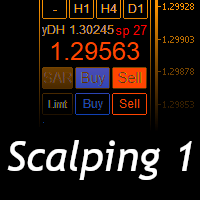
Scalping One
30 USD
Demo downloaded:
33
Published:
24 October 2020
Current version:
1.20
Didn't find a suitable robot?
Order your own one
on Freelance
Go to Freelance
Order your own one
on Freelance
How to buy а trading robot or an indicator
Run your EA on
virtual hosting
virtual hosting
Test аn indicator/trading robot before buying
Want to earn in the Market?
How to present a product for a sell-through
Version 1.20
2020.12.22
Ver1.20
1, Fixed a bug that the number of lots in S & R trading did not reflect the number of lots in the position before the transition.
2, Base panel and close button are added to the sub panel display to improve operability and visibility.
3, Addition of total profit / loss display function for take profit and stop loss (paid version only).
1, Fixed a bug that the number of lots in S & R trading did not reflect the number of lots in the position before the transition.
2, Base panel and close button are added to the sub panel display to improve operability and visibility.
3, Addition of total profit / loss display function for take profit and stop loss (paid version only).
Version 1.19
2020.12.10
Ver1.19
1, Display the number of transactions, win rate, profit factor on the large profit and loss display panel
2, Fixed bugs in the time gauge line and adjusted the line interval.
1, Display the number of transactions, win rate, profit factor on the large profit and loss display panel
2, Fixed bugs in the time gauge line and adjusted the line interval.
Version 1.18
2020.12.01
Ver1.18
1. Changed so that S&R transactions can be performed even in all currency modes.
2, (Paid version) Fixed a bug in the account balance display and percentage display of monthly profit and loss, weekly profit and loss, and daily profit and loss display.
3, (Paid version) Total account balance ratio alarm (monthly profit / loss, weekly profit / loss, daily profit / loss) can be added and email notification is possible.
1. Changed so that S&R transactions can be performed even in all currency modes.
2, (Paid version) Fixed a bug in the account balance display and percentage display of monthly profit and loss, weekly profit and loss, and daily profit and loss display.
3, (Paid version) Total account balance ratio alarm (monthly profit / loss, weekly profit / loss, daily profit / loss) can be added and email notification is possible.
Version 1.17
2020.11.26
Ver1.17
1, Fixed a bug of lot setting when specifying the account balance ratio.
1, Fixed a bug of lot setting when specifying the account balance ratio.
Version 1.16
2020.11.25
Ver1.16
1, Changed the docking button to be displayed even when the ticket panel is deleted.
2, Bitmap button for "all close button" and "docking button" and "all pair / pair display switching button".
3, Change so that the day of the week can be displayed by clicking the year display.(Paid version only)
4, Added account balance ratio specification and surplus account balance ratio specification to the lot specification method.
1, Changed the docking button to be displayed even when the ticket panel is deleted.
2, Bitmap button for "all close button" and "docking button" and "all pair / pair display switching button".
3, Change so that the day of the week can be displayed by clicking the year display.(Paid version only)
4, Added account balance ratio specification and surplus account balance ratio specification to the lot specification method.
Version 1.15
2020.11.19
Ver1.15
1,Fixed a bug in the background color setting of the tp sl adjuster button.
2, Fixed a bug error of Local Time.
3, Change the chart enlargement / reduction button to bitmap.
1,Fixed a bug in the background color setting of the tp sl adjuster button.
2, Fixed a bug error of Local Time.
3, Change the chart enlargement / reduction button to bitmap.
Version 1.14
2020.11.16
1. Fixed a bug that the magic number could not correspond to some changes.
2. The numerical input edit box is not displayed.Fixed a bug.
3. Added LOCAL (pc) time to the time display and time gauge.
4. Changed the unit display such as account currency to bitmap format (because machine-dependent characters were used)
5. Add a batch switching function for all charts with the hourly switching button + Ctrl key and charts other than the same currency pair with the + Shift key.
6. Abolished the erase button for all panels and changed the main panel and ticket panel to separate erase buttons. When erasing the ticket button.The main panel can be displayed without the limit of chart height 450px. (Paid version)
7. Added the account balance percentage display switching function to the monthly, weekly, and daily profit display on the large profit and loss display panel.
8. Due to the removal of the ticket display format switching button, it was changed to switching with the P / A button (all currency pair display button) + Shift or + Ctrl.
2. The numerical input edit box is not displayed.Fixed a bug.
3. Added LOCAL (pc) time to the time display and time gauge.
4. Changed the unit display such as account currency to bitmap format (because machine-dependent characters were used)
5. Add a batch switching function for all charts with the hourly switching button + Ctrl key and charts other than the same currency pair with the + Shift key.
6. Abolished the erase button for all panels and changed the main panel and ticket panel to separate erase buttons. When erasing the ticket button.The main panel can be displayed without the limit of chart height 450px. (Paid version)
7. Added the account balance percentage display switching function to the monthly, weekly, and daily profit display on the large profit and loss display panel.
8. Due to the removal of the ticket display format switching button, it was changed to switching with the P / A button (all currency pair display button) + Shift or + Ctrl.
Version 1.13
2020.11.05
Fixed time display in standard time
Fixed a problem that the time gauge drawing when the panel is left-aligned is drawn on the panel.
Fixed a problem that the time gauge drawing when the panel is left-aligned is drawn on the panel.
Version 1.11
2020.11.02
チャートレンジ自動調節機能の改善
チャートを過去にさかのぼるときチャート自動調節が機能しない為
autoscroll off 時にチャート自動調節機能もoffとなる機能を追加。
上下余白域を超えた場合の反応が遅い不具合を解消。
メインパネル、チケットパネルのボタン表示不具合
全てのボタンで選択非選択にかかわらず交互にボタン背景色が変化
する不具合を解消いたしました。
チャートを過去にさかのぼるときチャート自動調節が機能しない為
autoscroll off 時にチャート自動調節機能もoffとなる機能を追加。
上下余白域を超えた場合の反応が遅い不具合を解消。
メインパネル、チケットパネルのボタン表示不具合
全てのボタンで選択非選択にかかわらず交互にボタン背景色が変化
する不具合を解消いたしました。
Version 1.10
2020.10.30
Fixed a bug when moving the large P & L display panel.
Improvement of setting item (input)
Addition of ON / OFF display of contract notification mail function.
Improvement of setting item (input)
Addition of ON / OFF display of contract notification mail function.

You are missing trading opportunities:
- Free trading apps
- Over 8,000 signals for copying
- Economic news for exploring financial markets
Registration
Log in
You agree to website policy and terms of use
If you do not have an account, please register