NatTrade PsychLevels EA
- Experts
- Version: 1.0
- Activations: 5

SMC DXY Correlation EA
An MT5 Expert Advisor that trades USD pairs from a market-structure shift in the US Dollar Index (DXY), confirms it on the traded pair with Smart-Money-style filters, and manages every trade with staged targets and account-level protection. A built-in control panel lets you monitor and manage everything from the chart.
THE IDEA
Most USD pairs move against, or with, the dollar. EURUSD, GBPUSD, AUDUSD and gold usually fall when the dollar index strengthens; USDJPY, USDCHF and USDCAD usually rise. The EA watches the dollar index for a structural change, then checks whether the pair you trade agrees with it before it takes a position.
HOW IT WORKS
DXY structure
The EA tracks swing highs and lows of the dollar index on your chosen timeframe (H1 by default) and detects a market structure shift (MSS) when a swing candle closes beyond the previous opposite swing.
Direction mapping
A bullish DXY shift means SELL for USD-quote pairs (EURUSD) and BUY for USD-base pairs (USDJPY). Pairs with no USD leg (EURGBP) are skipped on purpose, because the correlation sign is undefined.
Confirmation filters (each one can be switched on or off)
- the pair's own momentum agrees with the DXY direction
- SMT divergence: the pair does not confirm the DXY extreme
- displacement: a minimum candle body at the swing
- premium / discount location inside the recent range
- trend alignment (50-bar)
- minimum DXY move
- kill zones (London / New York) with a configurable server GMT offset, judged at the time of entry
- avoid Friday, spread limit, optional economic-calendar news blackout
Entry and stop
Market entry. The stop goes beyond the recent structure with a buffer, and an optional ATR cap rejects setups whose stop is unreasonably wide.
TRADE MANAGEMENT
- Six staged targets at 0.5R, 1R, 1.5R, 2R, 2.5R and 3R (step and count are inputs). The last target is the final take profit.
- Partial closes of 15% at targets 1 to 5, with 25% left for the final target. Volume is split with cumulative rounding so small lot sizes still scale out.
- The stop moves to entry at target 1, then to the previous target at each later target.
- Time exit after N bars, applied only when price is on the stop side of the entry.
- Optional trend-line runner on the last part, and an optional reversal exit.
RISK AND ACCOUNT PROTECTION
- Risk per trade as a percent of balance or a fixed lot, with a hard cap and margin check.
- Daily and weekly loss limits, with an optional forced close-all kill switch.
- Combined open-risk cap across trades, maximum positions per symbol, spread guard, broker stop-level and volume-step checks.
- Works on hedging and netting accounts. Open-trade state survives a terminal restart.
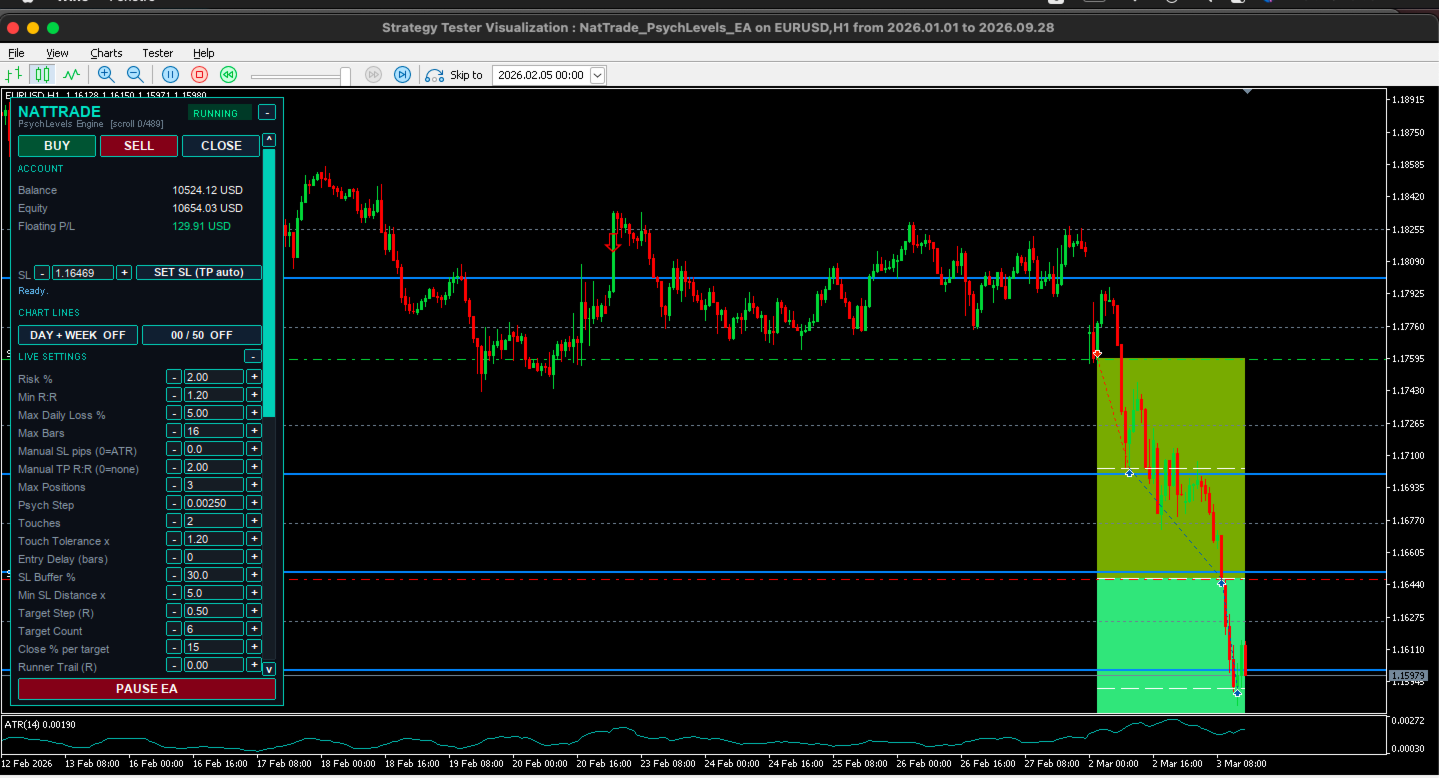
ON-CHART CONTROL PANEL
- Live status with a clear RUNNING / PAUSED indicator and a one-click Pause EA button.
- Account block: balance, equity and floating P/L.
- Manual BUY / SELL buttons with automatic stop sizing, a CLOSE button, and a SET SL button that places the stop and calculates the target automatically.
- Trade settings you can change live and apply with one click: Risk %, Min R:R, Max Daily Loss %, Max Bars, Manual SL (pips) and Manual TP (R:R).
- INFO, FILTERS and STRATEGY tabs. The INFO tab shows the DXY feed type (native or synthetic), the timeframe and account mode, the number of MSS events detected and the last MSS with its direction and time.
- DAY/WEEK LINES and PSYCH LEVELS buttons to draw key reference levels on the chart.
- Trade level and target lines, session time lines, a trade journal in CSV, and push / e-mail / sound alerts.
- Rejected signals can be written to the Experts log with the reason, so you can see exactly why no trade was taken.
You stay in control: the EA trades automatically, and you can pause it, open or close trades manually, or adjust risk at any moment from the panel.
REQUIREMENTS
- MetaTrader 5 (build 3000 or newer recommended), hedging or netting account.
- Dollar index source, either:
a native symbol from your broker (set its name in the input, default USDX), or
none: the EA builds a synthetic index automatically from EURUSD, USDJPY, GBPUSD, USDCAD, USDSEK and USDCHF using the standard ICE weights. These six symbols must exist at your broker and be visible in Market Watch.
- At least a few hundred H1 bars of history for the DXY source and for the traded symbols.
- Symbols with a USD leg: major USD pairs and USD-quoted metals. Set the list in the symbols input.
- Server time offset from GMT if you use kill zones (brokers usually run GMT+2 or GMT+3).
- The news filter uses the built-in MQL5 economic calendar. It works on a live or demo chart, not in the Strategy Tester.
- A low-latency connection or VPS is recommended for continuous operation.
SETTINGS
Defaults are conservative and every filter is an input. The strategy is selective by design: several confirmations must agree, so it can stay flat for long periods. Do not expect a trade every day. If you loosen the filters, you get more trades and lower selectivity.
TESTING
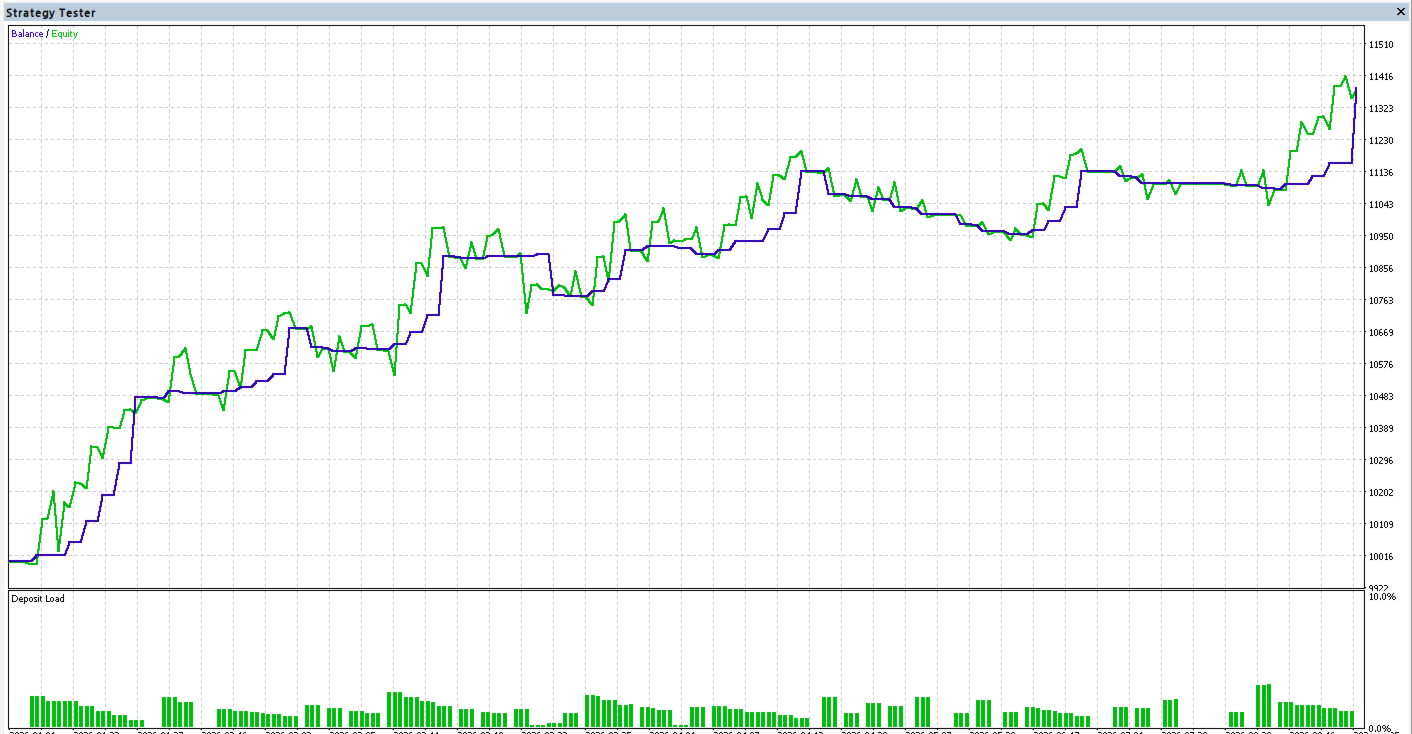
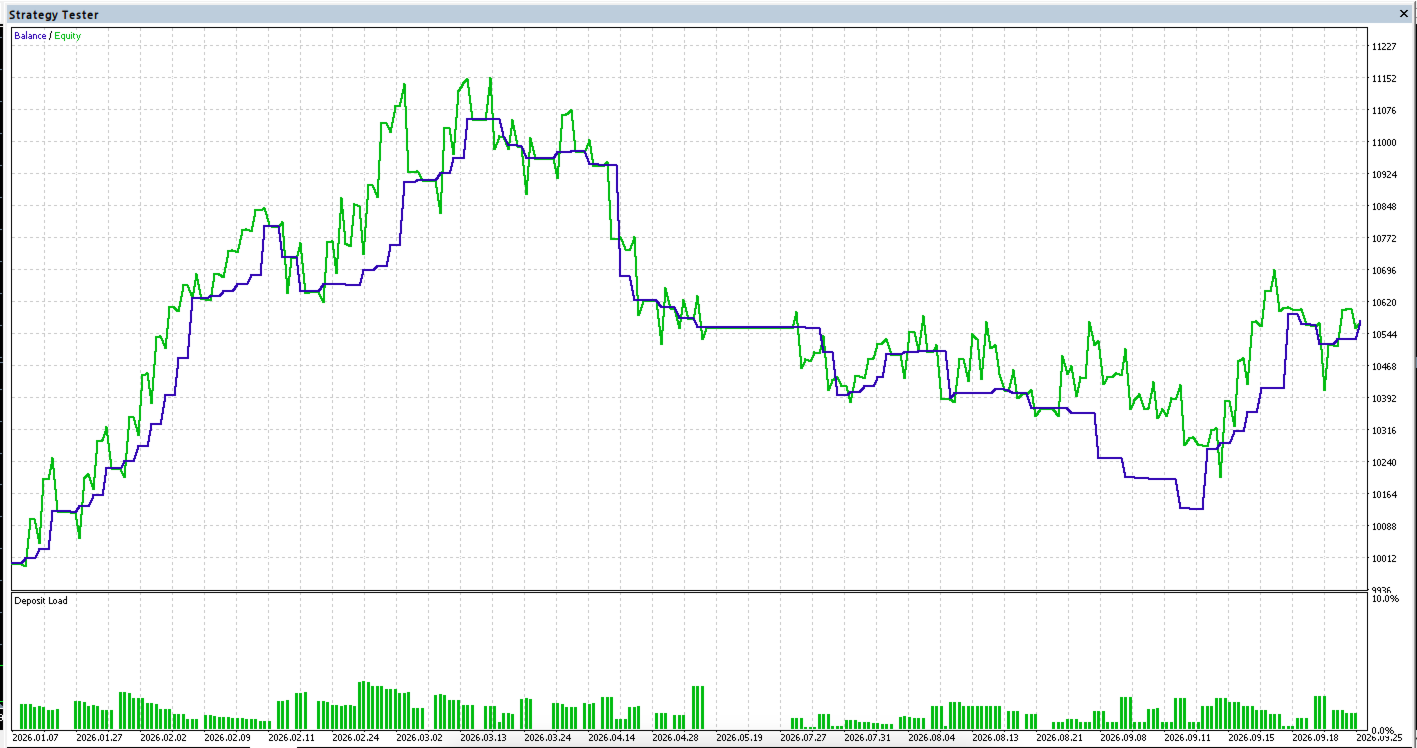
Test in the Strategy Tester on your own broker before using real money, using every-tick (or real-tick) mode, your broker's spread, and a period that covers different market conditions. A backtest is not a prediction. Set the server GMT offset and check that the dollar-index source is found at the start of the Experts log.
RISK WARNING
Trading leveraged products carries a high risk of loss. This product does not promise or guarantee profit. Past or simulated results do not indicate future performance. Use risk settings you can afford.
SUPPORT
Questions and bug reports through the product comments or MQL5 private messages. Please include the product version, the symbol and timeframe, and the Experts log lines from the start-up.