JANUS Squeeze Breakout
- Indicators
-
Irfan Ullah
 AKA Olympus Cipher | Algorithmic and Stock/CFDs Swing Trader | Economics & Finance Graduate.
- Version: 1.0
- Activations: 10
JANUS GATE — Squeeze Breakout by Olympus Cipher
For every 15 sales, the price will increase by $50.
How it works
Every signal passes through the same four stages. You can watch each one happen on the chart and in the dashboard.
- Coiling. A squeeze bar, or a pause inside a strong trend, starts a coil. Janus tracks its high and low as new bars arrive, without drawing anything yet.
- Armed. Once the coil is long enough, tight enough versus the range before it and not taller than its ATR cap, the gate arms. Its edges freeze and a box appears on the chart.
- Breakout. A closed bar beyond the top or bottom edge is checked against every active filter. If it passes and its quality score clears your minimum, Janus fires a LONG or SHORT signal, draws the trade levels and sends an alert.
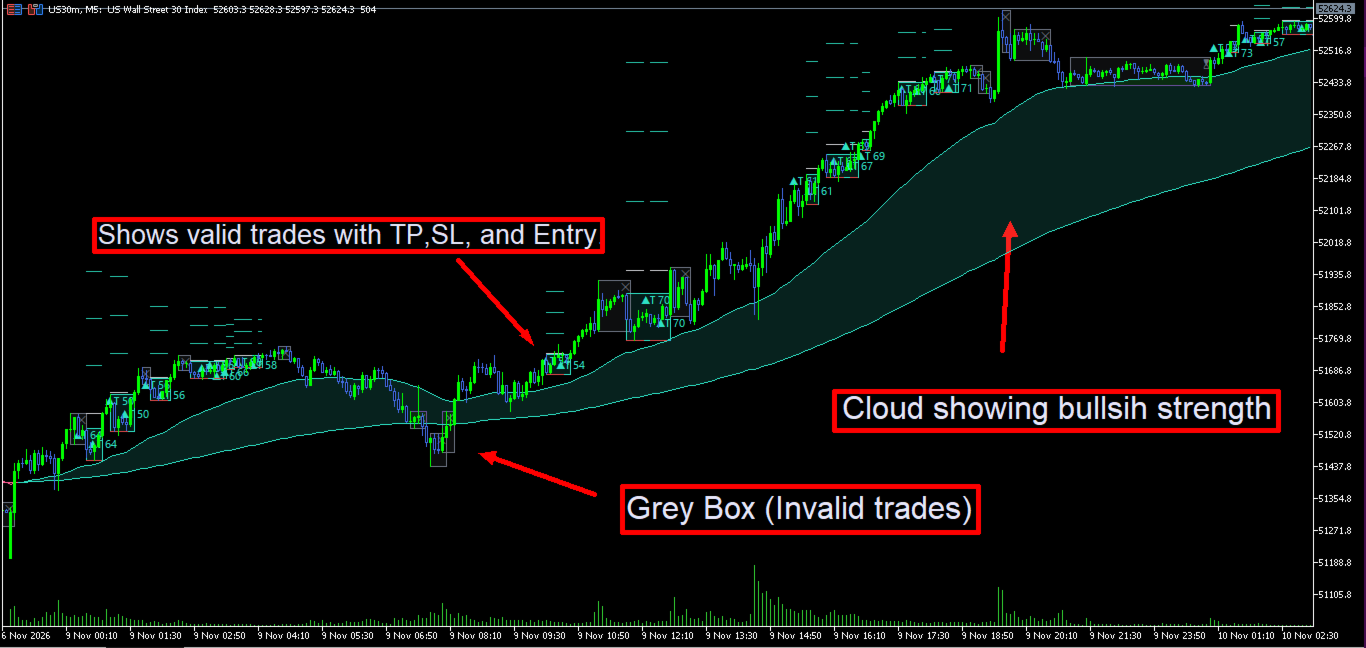
- Cancelled. A break that fails a filter, a bar that sweeps both edges, a score below your minimum, or a gate that waits too long closes the box in grey with a ✕ or ⌛ mark. You see what Janus rejected, not only what it took.
There is only ever one active gate at a time, so the chart stays readable and every signal has a clear story behind it.
1. Squeeze engine
Janus measures volatility on every bar and ranks it against its own recent history. A bar counts as a squeeze when its volatility sits in the lowest part of that history — by default the bottom 30% of the last 100 bars.
Two ways to measure the squeeze
- ATR rank: a fast ATR (5 bars) as a percentage of price. Reacts quickly to quiet candles.
- Bandwidth rank: Bollinger Band width (20, 2.0) as a percentage of the middle band. The classic squeeze measure.
Coil rules that keep only real squeezes
- Minimum coil bars (default 6): a coil must last this long before it can arm.
- Required contraction (default 0.5): the coil must be at most half as tall as the 20-bar range just before it started. Higher values demand a tighter coil.
- Max coil height (default 2 × ATR): a coil that grows taller than this restarts from the current bar instead of turning into a wide, meaningless box.
- Grace bars (default 2): a forming coil can absorb a couple of non-squeeze bars without dissolving, so one noisy candle does not wipe out a good setup.
- Armed gate expiry (default 30 bars): an armed gate that never breaks is cancelled, so stale levels do not linger on your chart.
Raise the rank threshold for more coils; lower it for fewer and tighter ones.
2. Trend pullback engine
Squeezes are rare in a runaway trend, so Janus has a second engine for continuation trades. In a strong trend, the first bar that fails to make a new high (uptrend) or new low (downtrend) starts a pullback box from the swing extreme. The box arms at once and fires when price breaks the swing extreme again. These signals are marked with a T tag, for example ▲T 68.
What counts as a strong trend
- Efficiency ratio over 30 bars: net move divided by total bar-to-bar movement. 1 is a straight line, 0 is pure chop.
- MA1 slope: MA1 must be higher (uptrend) or lower (downtrend) than it was 5 bars ago.
- Price beyond MA1 (optional): price must be on the trend side of MA1.
Four frequency presets
| Preset | Efficiency needed | Pullback lookback | Contraction | Max depth | Bars between signals | Best for |
|---|---|---|---|---|---|---|
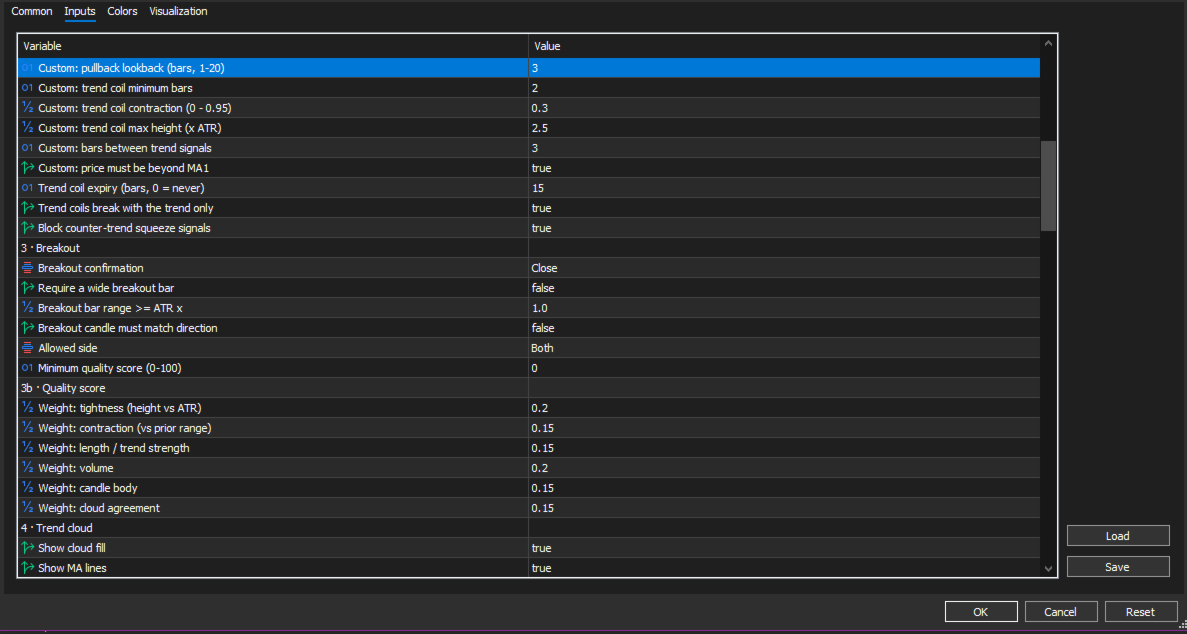
| Normal | 0.30 | 3 bars | 30% | 2.5 × ATR | 3 | Fewer, cleaner trend entries |
| More (default) | 0.22 | 2 bars | 15% | 3.0 × ATR | 1 | Earlier, more frequent entries |
| Max | 0.15 | 1 bar | none | 3.5 × ATR | 0 | Almost every pause; most signals, most noise |
| Custom | your value | your value | your value | your value | your value | Full control |
Two safety rules protect the trend engine. Trend coils break with the trend only cancels a pullback box that breaks against the trend. Block counter-trend squeeze signals stops a squeeze breakout from firing against a strong trend. Both are on by default.
3. Breakout confirmation and filters
A signal fires only when a closed bar leaves an armed box and passes every filter you have switched on. A break that fails a filter cancels the gate instead of firing late.
Confirmation mode
- Close (default): the candle must close beyond the box edge.
- Wick: a wick beyond the edge is enough, checked once the bar closes. Entry is the edge itself, or the open if the bar gapped past it. A bar whose wicks sweep both edges cancels the gate (marked ✕ ⇅).
Filters
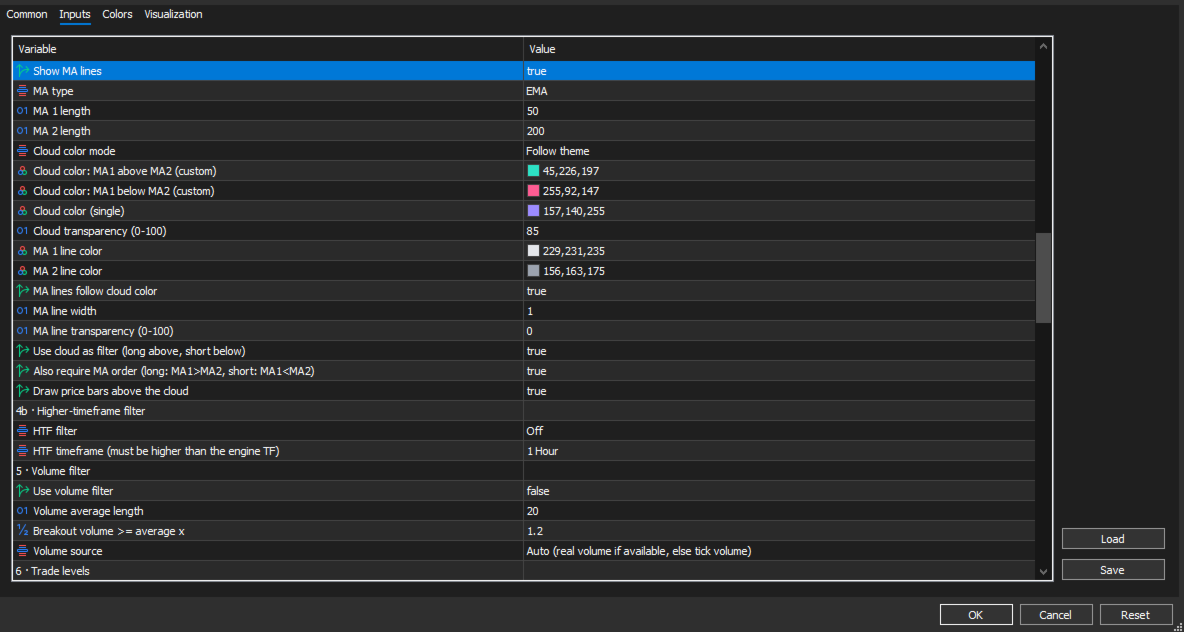
- Trend cloud filter (on): longs only above the cloud, shorts only below it.
- MA order (on): longs also need MA1 above MA2; shorts need MA1 below MA2.
- Volume filter (off): breakout volume must reach a multiple of its average, 1.2× by default. Uses real volume where your broker provides it, tick volume otherwise.
- Wide breakout bar (off): the breakout bar's range must reach a multiple of ATR.
- Candle colour (off): a long needs a bullish candle, a short a bearish one.
- Allowed side: Both, Long only or Short only.
- Counter-trend block and trend-side rule (on): see the trend engine above.
- Higher-timeframe filter (off): see Multi-timeframe below.
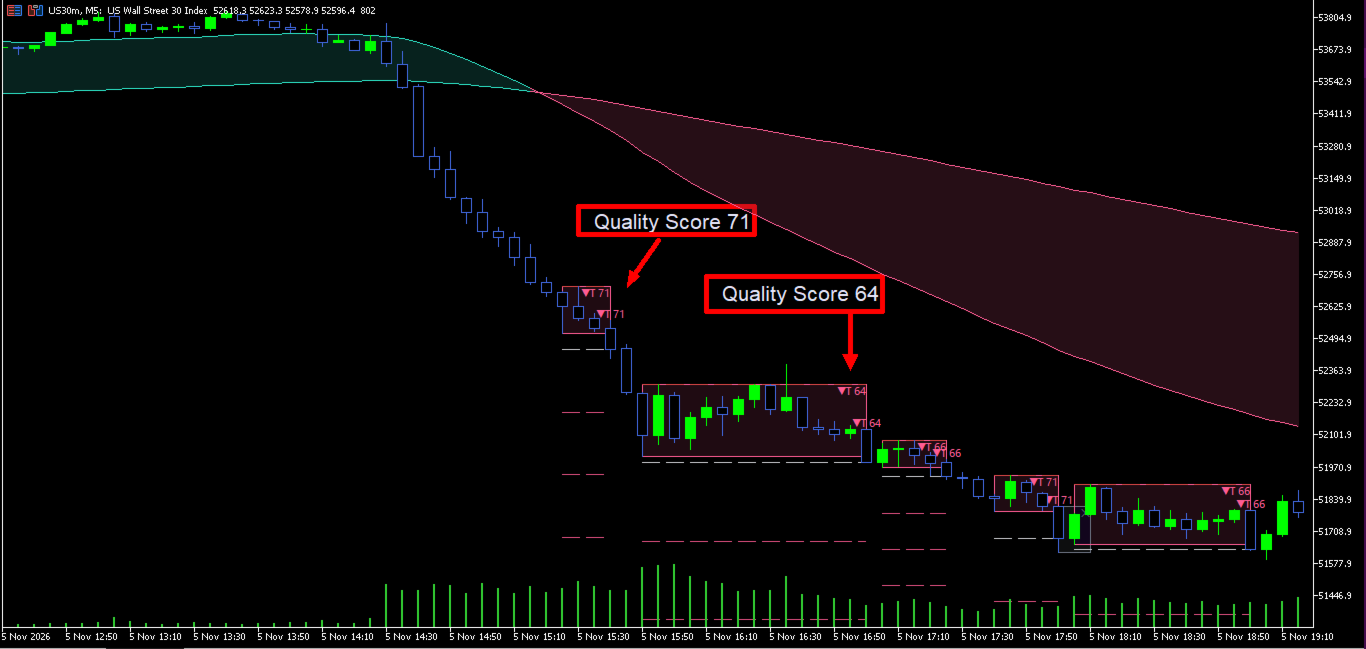
4. Quality score (0–100)
Every breakout is graded the moment it fires, and the score is printed on the signal label. Hover the label to see the full breakdown of all six factors.
| Factor | Default weight | Full marks when |
|---|---|---|
| Tightness | 0.20 | The box is very short versus its ATR cap |
| Contraction | 0.15 | The box is 75% tighter than the range before it |
| Length / trend strength | 0.15 | Squeeze: the coil lasts 3× the minimum bars. Trend: efficiency ratio reaches 0.6 |
| Volume | 0.20 | Breakout volume is 2× its average |
| Candle body | 0.15 | Breakout body is 3× the average body |
| Cloud agreement | 0.15 | Price is on the breakout side of the cloud and the MA order agrees |
Weights do not need to add up to 1 — they are scaled automatically. Set any weight to 0 to ignore that factor.
Set a minimum quality score and weaker breakouts close their box with ✕ and the score, with no signal, levels or alert. A minimum of 50–60 is a good starting point if you want only the strongest setups.
5. Automatic trade levels
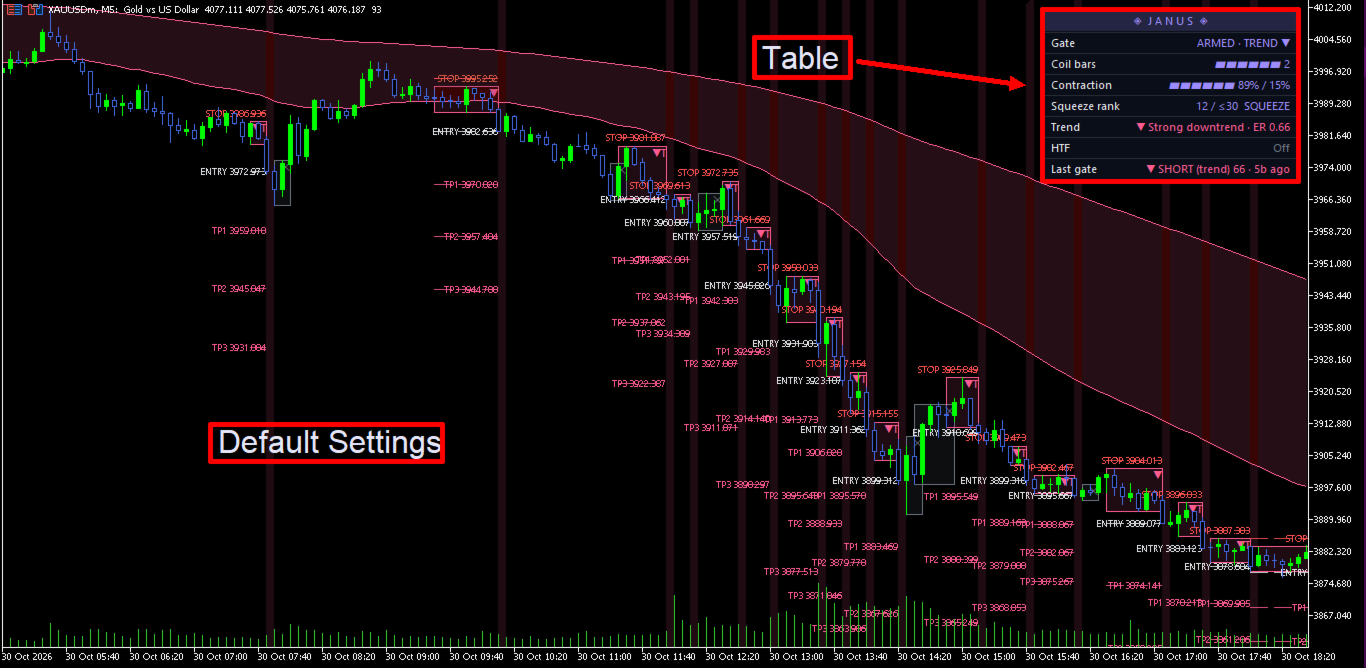
Each signal comes with a complete trade plan drawn on the chart, with the price printed next to every line.
- ENTRY: the breakout close (Close mode) or the box edge (Wick mode).
- STOP: the opposite edge of the box or its midline, plus optional padding in ticks.
- TP1, TP2, TP3: measured in R, the distance from entry to stop. Defaults are 1R, 2R and 3R; set any multiple you like.
Lines can span the box only, for a clean historical view, or extend forward up to 100 bars. Each level can be shown or hidden on its own, and you choose the line style, width, text size and colours.
6. Trend cloud
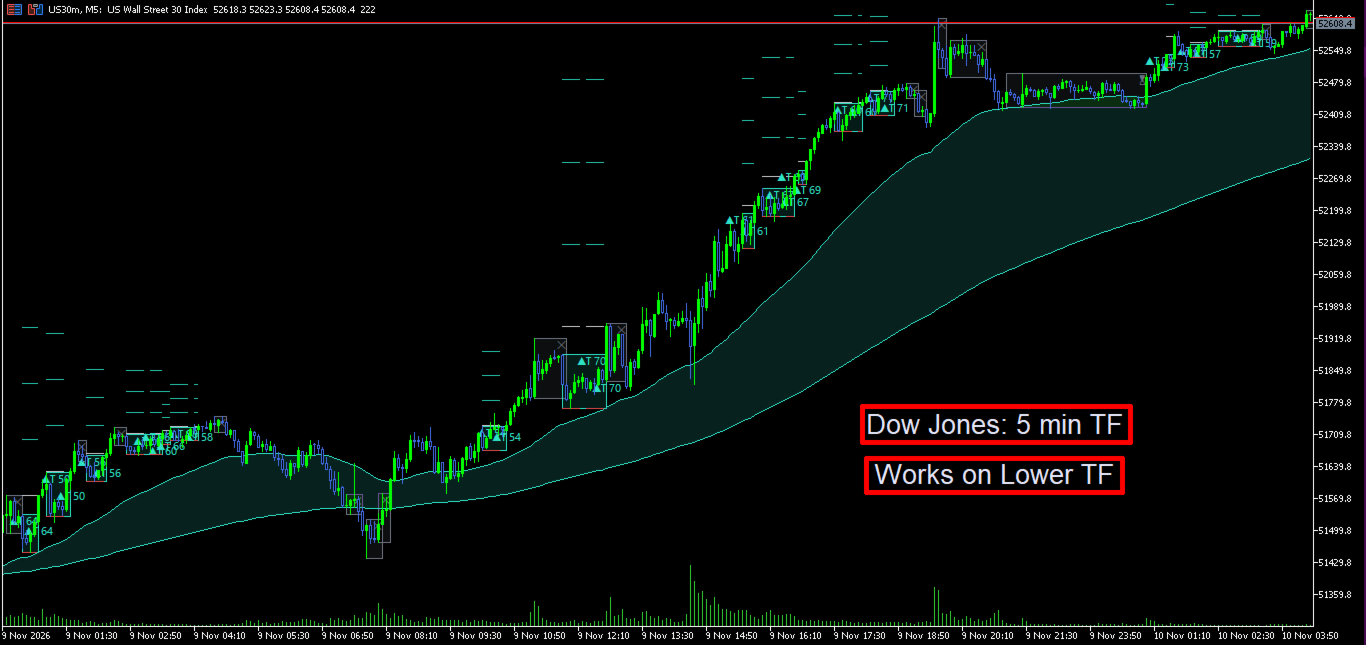
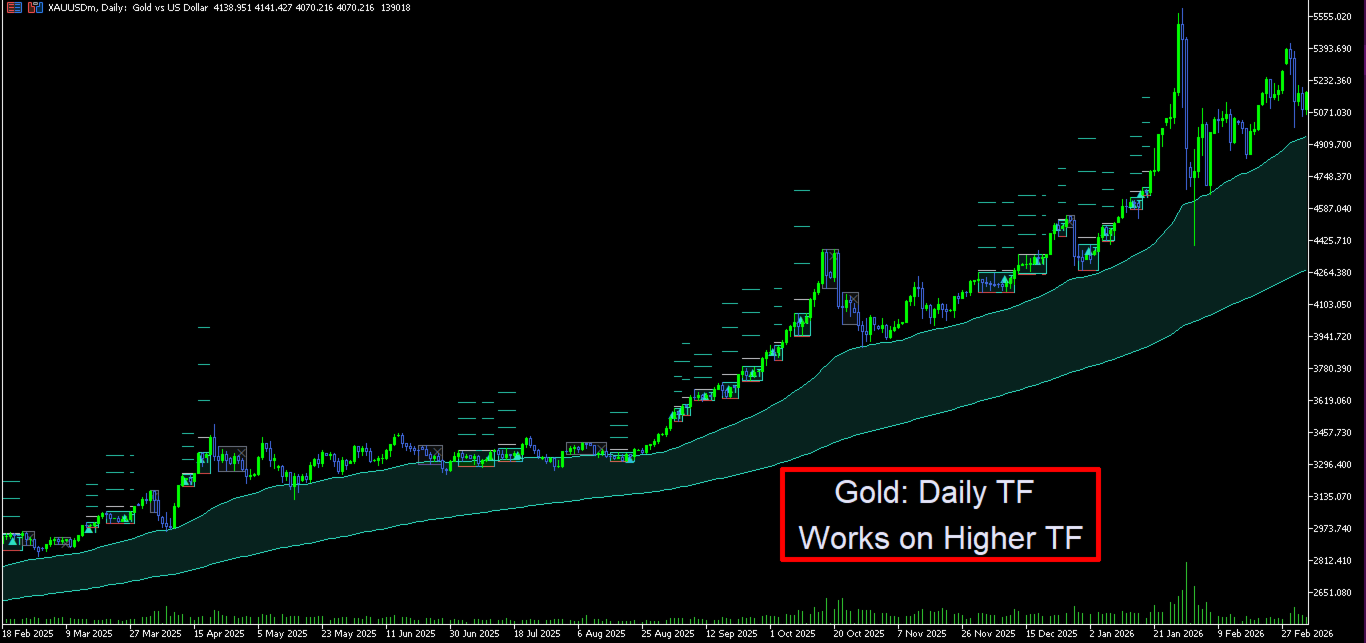
Two moving averages (EMA 50 and EMA 200 by default, or SMA) form a coloured cloud: bullish colour while MA1 is above MA2, bearish colour while it is below. The cloud does three jobs at once: it shows the bigger trend, it filters breakout direction, and it feeds the cloud-agreement part of the quality score.
- Choose EMA or SMA and both lengths.
- Colour the cloud by theme, with custom up/down colours, or with a single colour.
- Set the cloud's transparency, and the MA lines' colour, width and transparency. MA lines can follow the cloud colour.
- Show the fill, the lines, or both. The option to draw price bars above the cloud keeps your candles readable.
7. Multi-timeframe power
Fixed-timeframe engine. Run the entire engine — squeeze, trend, coils, signals, cloud and levels — on a higher timeframe and draw it on the chart you are watching. Example: set M15 and open an M1 chart. You see M15 boxes and M15 signals on M1 candles, so you can time the entry precisely. Signals appear when the M15 candle closes. If your chart timeframe is equal to or higher than the fixed one, Janus simply runs on the chart.
Higher-timeframe filter. Make the bigger picture agree before Janus signals:
- HTF cloud agrees: longs only while the higher-timeframe cloud is up, shorts only while it is down. Applies to all signals.
- Inside HTF squeeze: squeeze coils only arm while the higher timeframe is squeezing too — a squeeze inside a squeeze.
- Both: both rules together.
The filter reads the last closed higher-timeframe candle, so it never repaints. If the HTF you choose is not above the engine timeframe, the filter switches itself off and the dashboard says so.
8. Clear, readable chart visuals
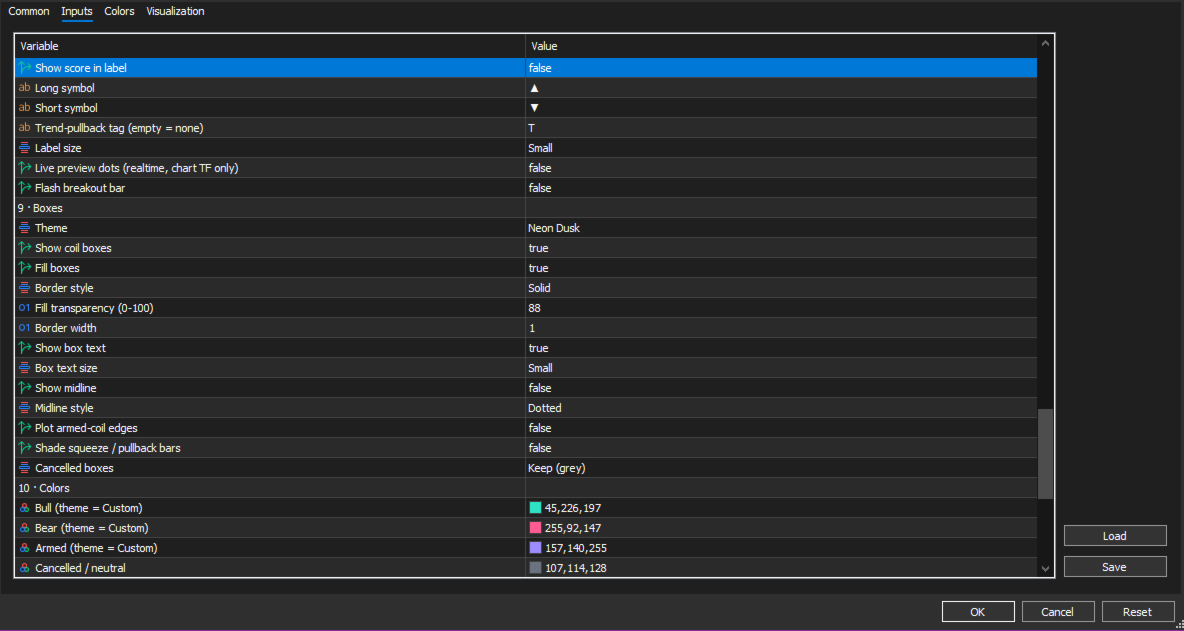
- Coil boxes: armed gates appear as boxes with a caption — ◈ for squeezes, ⇗ / ⇘ for trend pullbacks — and the bar count. On a breakout the box turns bull or bear colour and shows the signal and score. Cancelled boxes turn grey with ✕ (filtered break), ✕ ⇅ (two-sided sweep), ✕ + score (below minimum) or ⌛ (expired), or can be removed entirely.
- Signal labels: ▲ and ▼ (your own symbols if you prefer) with the score. Hover a label for the full breakdown: direction, signal type, quality, coil bars and every score factor.
- Breakout bar flash: the breakout candle and its background light up in the signal colour.
- Optional extras: box midline, armed-edge lines, live preview dots on the forming bar, and squeeze / pullback bar shading for tuning your settings.
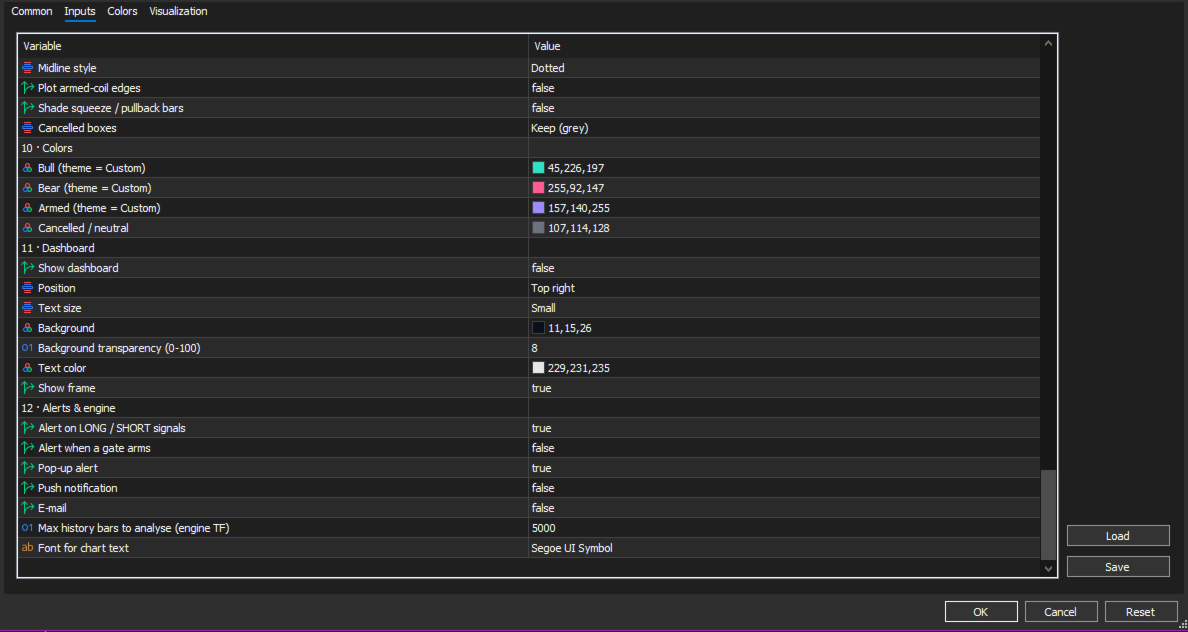
- Themes: Neon Dusk, Solar Flare, Magma, Graphite, or fully custom bull, bear, armed and neutral colours. Border style, width, fill transparency and text sizes are all adjustable.
9. Live dashboard
A compact panel shows the state of the market and of the gate at a glance. Place it in any of 8 positions and set its size, colours and frame.
| Row | What it tells you |
|---|---|
| Gate | DORMANT, COILING or ARMED, the coil type (squeeze or trend ▲/▼) and grace bars used |
| Coil bars | A progress gauge (▰▰▰▱▱▱) towards the minimum coil length, plus the bar count |
| Contraction | How tight the coil is versus the range before it, against the required level |
| Squeeze rank | Current volatility percentile, flagged SQUEEZE or PULLBACK |
| Trend | Strong uptrend, strong downtrend, or above / below / inside the cloud, with the efficiency ratio |
| HTF | Higher-timeframe cloud direction and whether it is squeezing |
| Last gate | Direction, type and score of the last signal, and how many bars ago it fired |
10. Alerts and non-repainting
Alerts. Get notified the moment a signal is confirmed, wherever you are:
- LONG and SHORT signal alerts
- "Gate armed" alerts, so you can prepare before the break
- Delivered as an MT5 pop-up, a push notification to your phone, and/or an e-mail
Alerts fire only on live bars, never for old history when you load the chart.
Non-repainting by design. Janus makes every decision on closed bars. A signal that appears on your chart stays exactly where it appeared. In fixed-timeframe mode, signals wait for the higher-timeframe candle to close. The higher-timeframe filter reads only the last closed HTF candle. What you see in history is what you would have seen live.
Getting started
- Attach Janus Gate to any chart: forex, gold, indices, crypto, stocks or futures, on any timeframe.
- Start with the defaults. They are balanced for most markets and timeframes.
- Watch the dashboard: COILING means a setup is building, ARMED means the gate is set and waiting for a break.
- Turn on alerts so you do not have to sit in front of the screen.
- Tune to taste: raise the minimum quality score for fewer, stronger signals; switch the trend preset to Normal for cleaner trend entries; or run the engine on a higher fixed timeframe for swing setups timed on a lower chart.
Tips
- On quiet markets, try Bandwidth rank as the squeeze measure.
- Switch on bar shading while tuning to see exactly which bars count as squeezes and pullbacks.
- Use the HTF cloud filter to trade only in the direction of the bigger trend.
Disclaimer. Janus Gate is an analysis tool. It does not place trades, and no indicator can guarantee profits. Past signals do not predict future results. Always test on a demo account first and use risk management that suits you.