Neuron Grid V20
- Experts
- Version: 26.17
- Activations: 10

Welcome to Neuron Grid V20
Neuron Grid V20 is an automated Expert Advisor developed for MetaTrader 5. The system combines grid trading, hedging, and martingale-based position management for traders who understand the risks of high-risk automated trading strategies.
The EA automatically opens and manages trades according to market price movements.
It uses grid spacing, hedging orders, and position adjustment logic to seek trading opportunities during market fluctuations.
The EA can automatically handle:
- Opening and closing trades
- Grid order management
- Hedging positions
- Lot size adjustment
- Take profit and stop loss management
- Margin and floating drawdown monitoring
- Position sizing based on account settings
Key Features
- Designed for MetaTrader 5
- Grid trading strategy
- Hedging mechanism
- Martingale-based position management
- Automated order management
- Adjustable risk and position settings
- Supports selected symbols and timeframes, depending on testing results
- Suitable for experienced EA users
- Recommended for demo testing before live use
Risk Disclosure
This EA uses grid, hedging, and martingale-based trading methods. These methods can create high floating drawdown, increased margin usage, and accumulated positions.
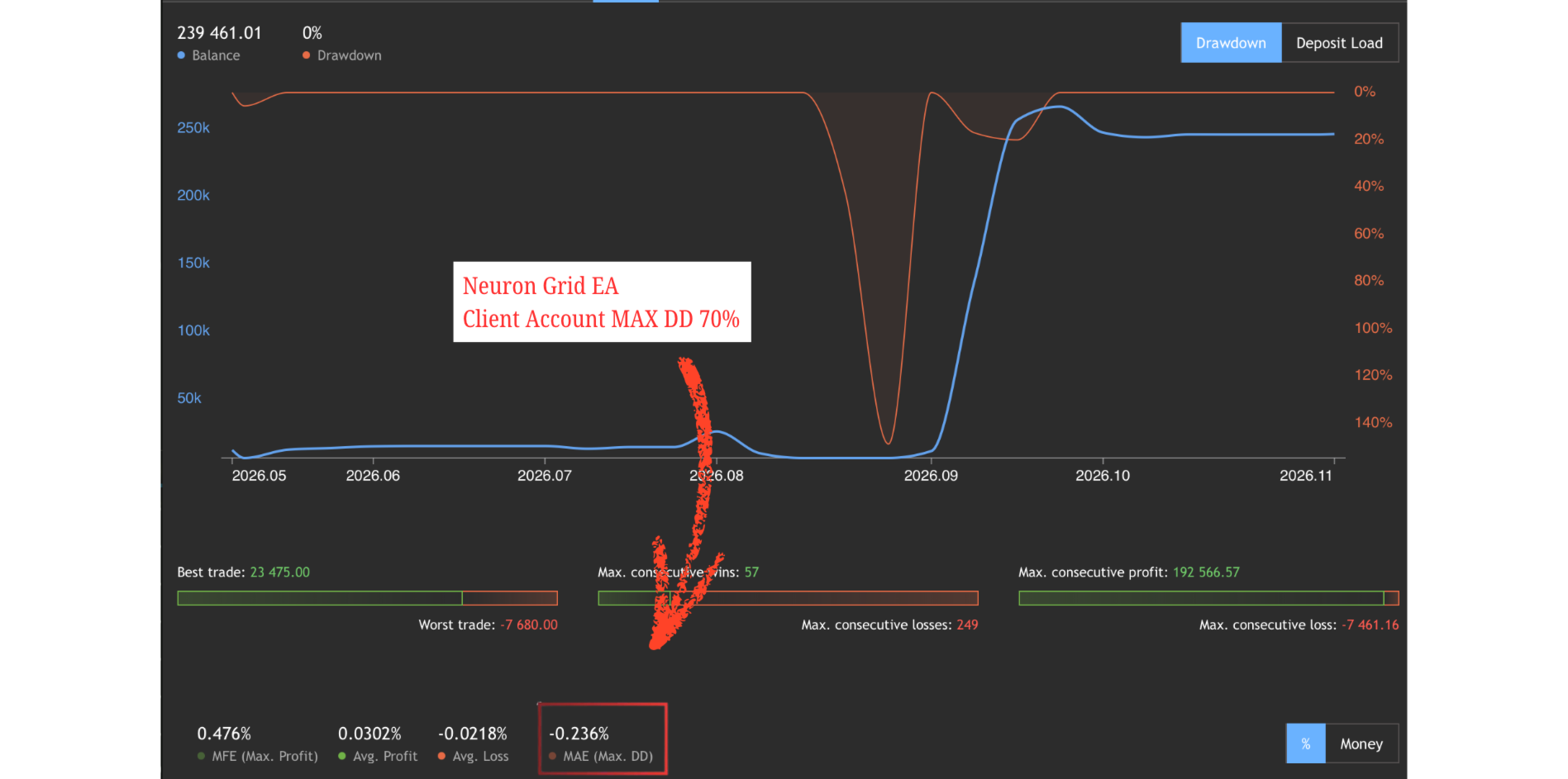
During extreme market conditions, strong one-directional moves, spread widening, slippage, or low liquidity, the account may experience substantial drawdown or lose all trading capital.
Only use funds that you can afford to lose. Backtest results and previous live account performance do not guarantee future results.
Performance Information
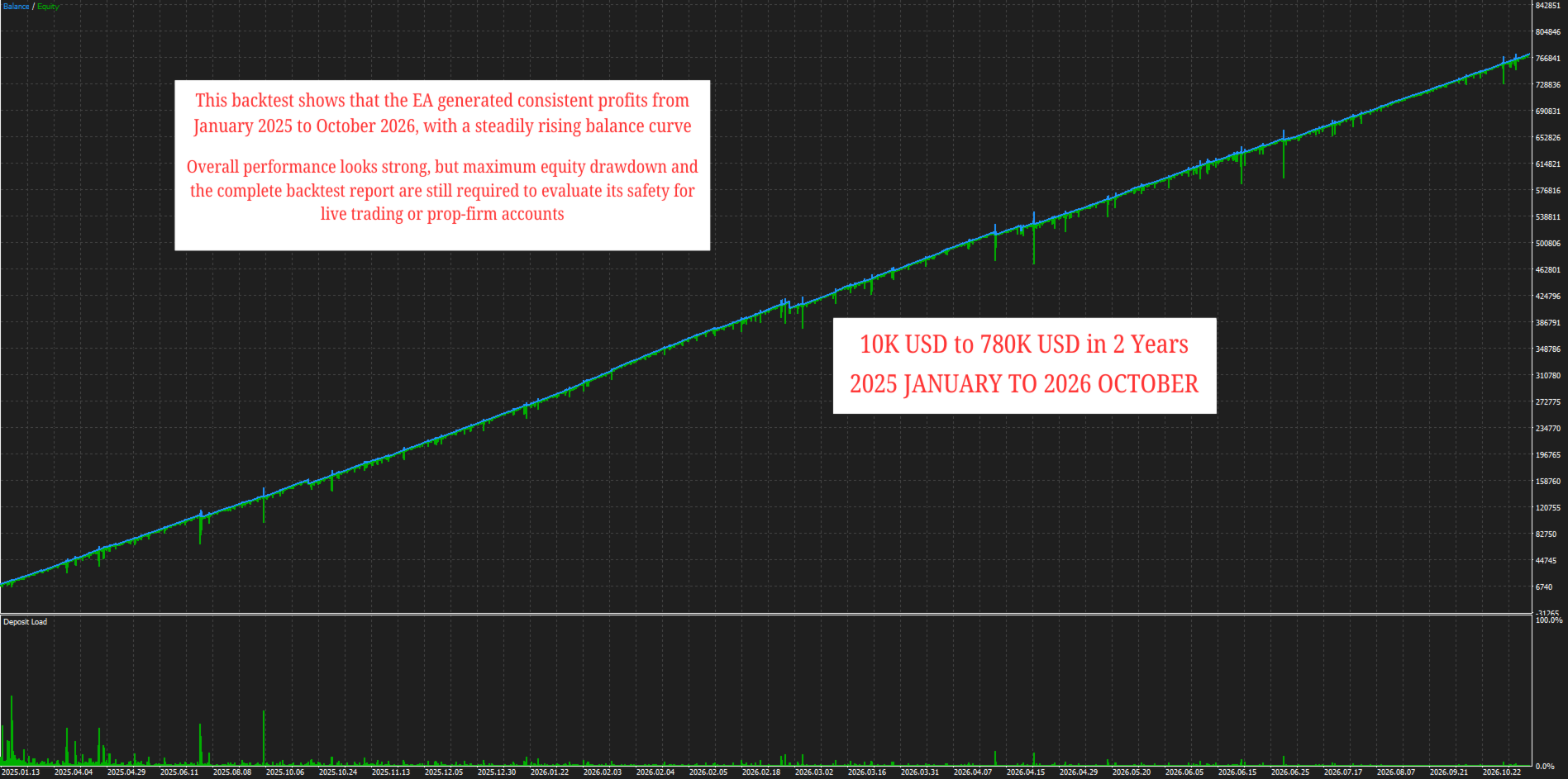
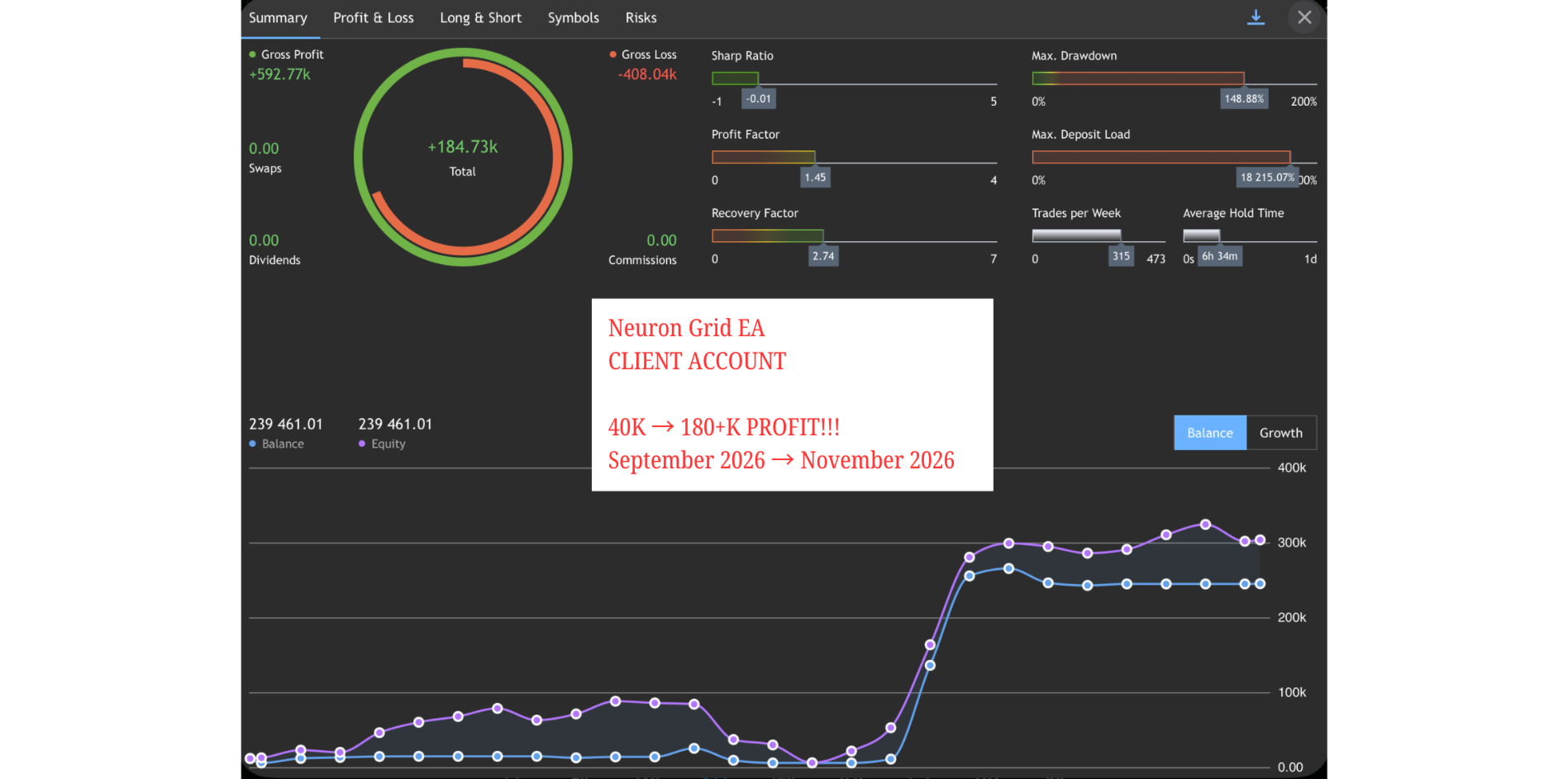
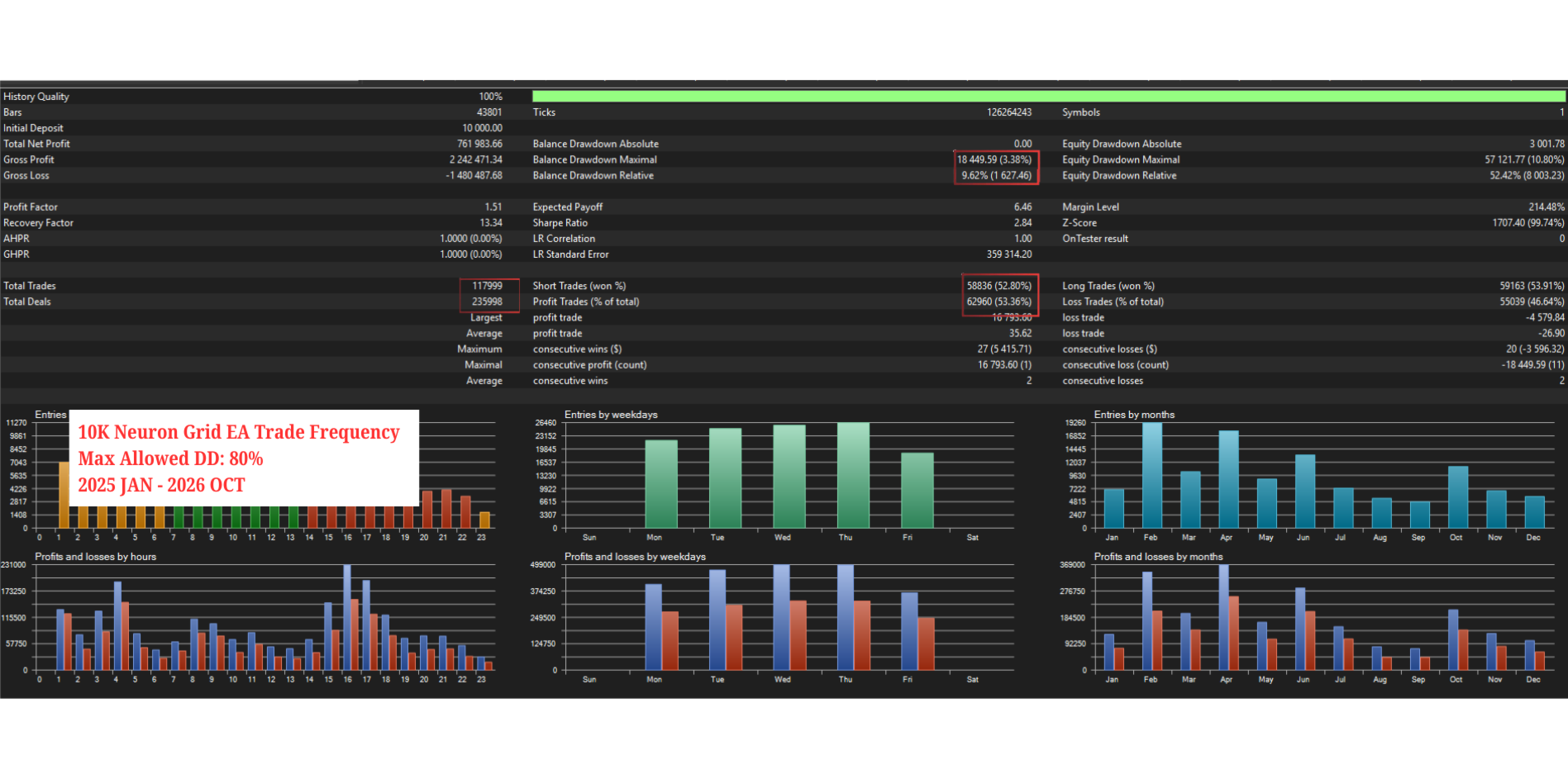
According to specific live account records provided by the developer, the EA achieved a high return under particular account settings, leverage, broker conditions, trading symbols, and testing periods.
These results are historical results from a specific account and period only. They do not represent guaranteed or typical future performance.
Actual results may vary depending on:
- Broker execution
- Spread and slippage
- Leverage
- Initial account balance
- Trading symbol
- Market volatility
- Risk settings
- Server connection quality
Installation and Setup
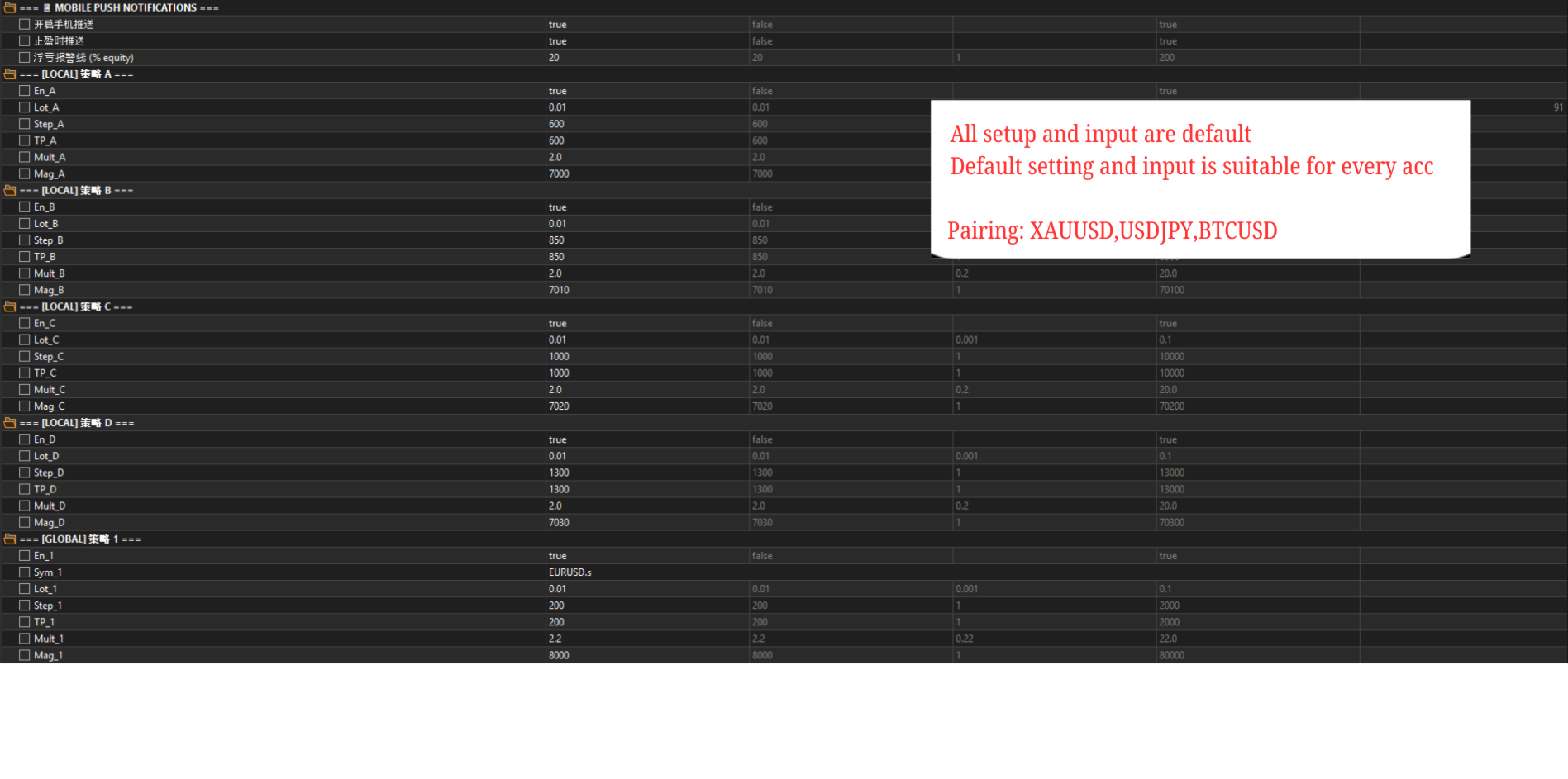
- Install the EA in MetaTrader 5.
- Select the recommended trading symbol.
- Attach the EA to the chart.
- Enable Algo Trading.
- Set the initial lot size or risk parameters according to your account balance.
- Test the EA on a demo account first.
- Review the trading results and maximum drawdown before considering live trading.
- PLZ USE CENT ACC TO RUN THIS EA FOR LOWEST RISK (MOST SUGGEST!!!!!)
Recommended Settings
- Minimum account balance: 10000USC (100USD)
- Recommended symbols: XAUUSD
- Recommended timeframe: M1/M5/M15
- Recommended leverage: 1:500
- Trading mode: Grid, hedging, and martingale
- Account type: Please confirm that your broker supports hedging
Technical Support
If you need help with installation, settings, or general usage, please contact me through WHATSAPP AND TELEGRAM . I will provide assistance with installation and parameter configuration where possible.
TELEGRAM (+60162451578)
WHATSAPP (+60139250191)