Risk Lines Trade Panel Pro
- Utilities
- Version: 1.0
- Activations: 10

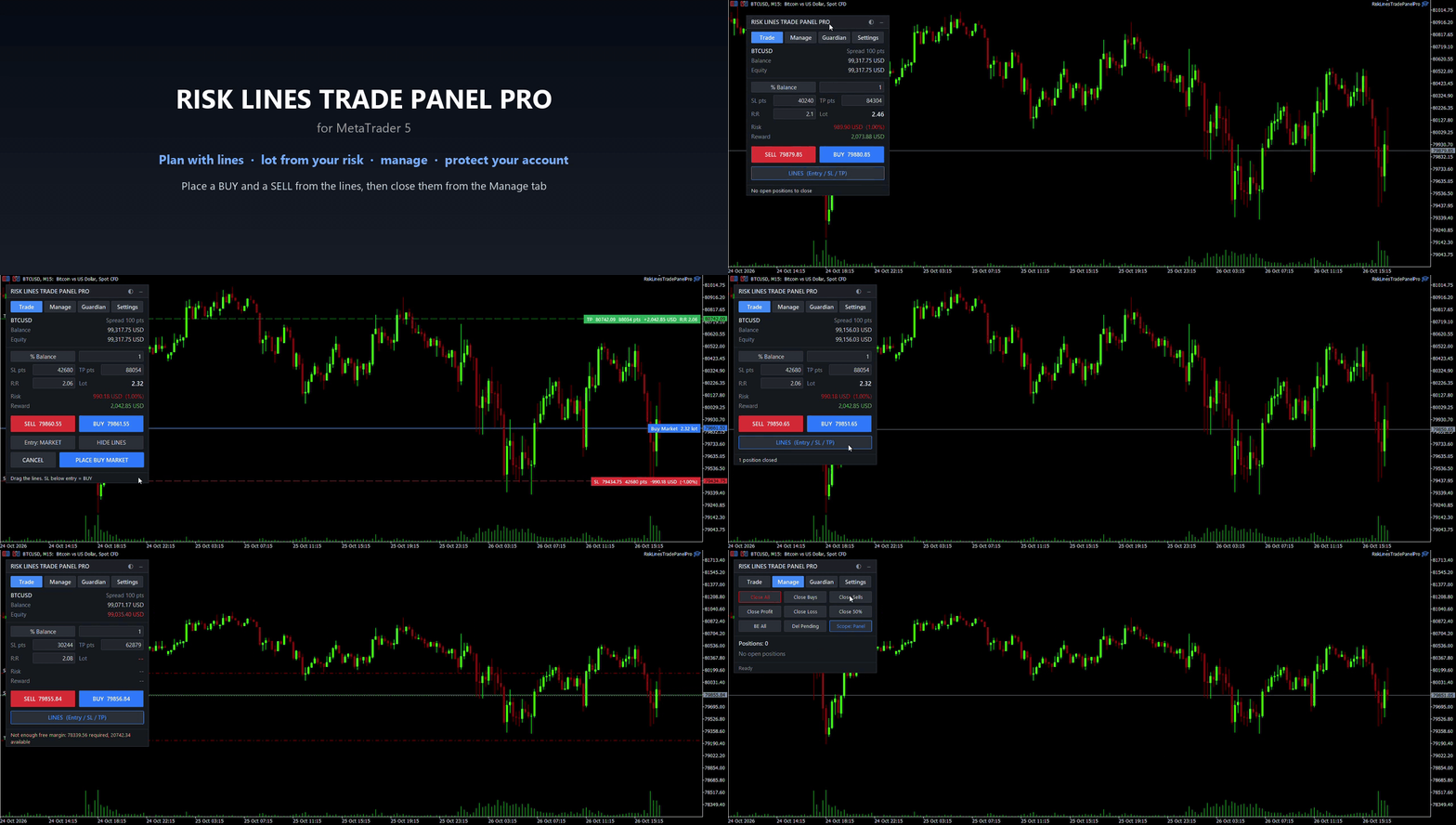
Risk Lines Trade Panel Pro is a complete trading panel for MetaTrader 5. Plan the trade with draggable Entry, Stop Loss and Take Profit lines and the exact lot size for your risk. Then let the panel manage the position and protect your prop firm account.
1. Trade
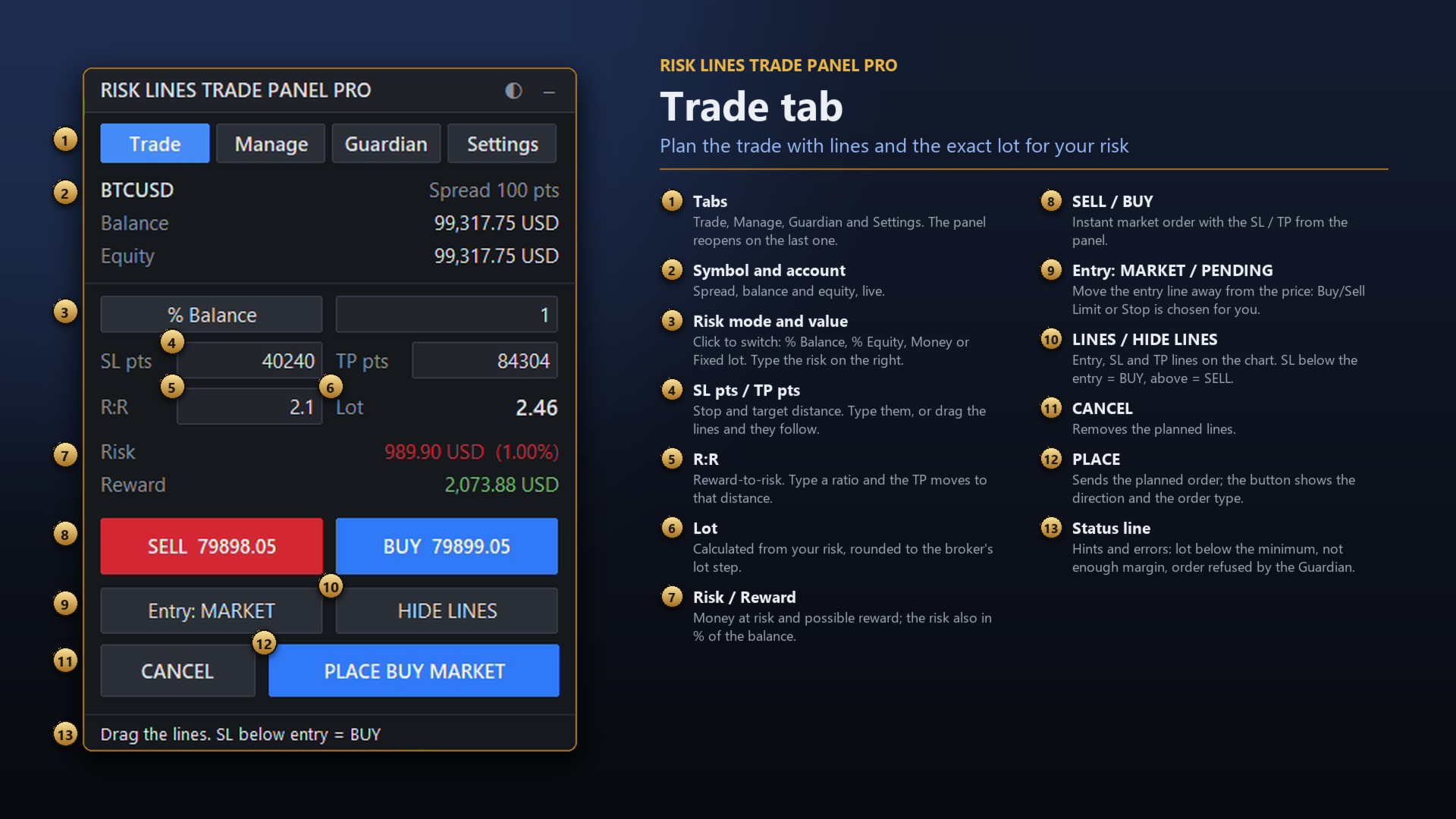
- Drag the Entry / Stop Loss / Take Profit lines on the chart; lot, money at risk, reward and R:R update live
- Direction from the stop loss; Buy/Sell Limit or Stop chosen automatically for pending orders
- Risk modes: % of balance, % of equity, fixed money, fixed lot (spread and commission optional)
- Quick BUY / SELL buttons with SL / TP from the panel
- Correct lot on forex, gold, indices, crypto and CFDs, in any account currency
2. Manage
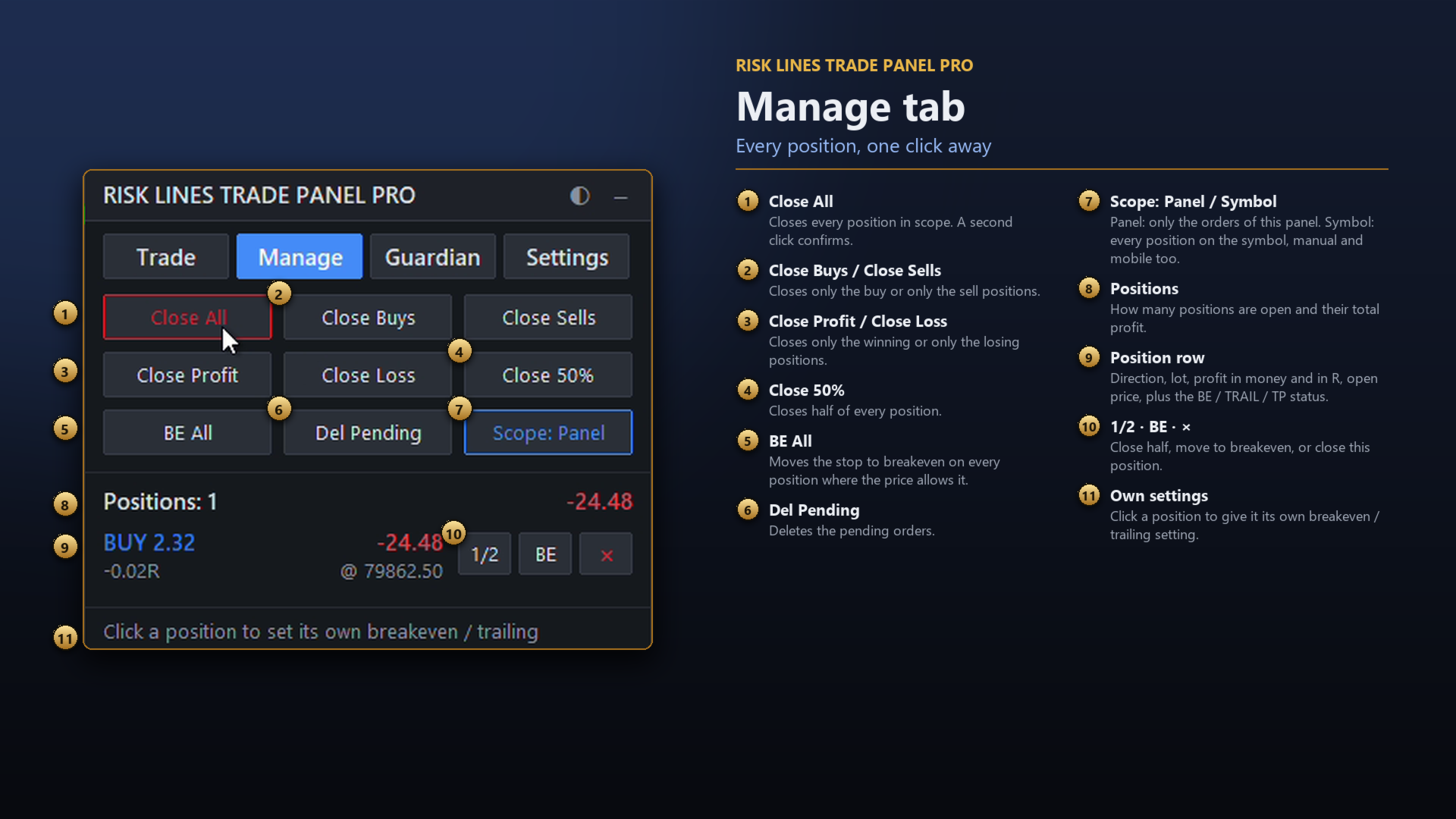
- List of your open positions: direction, lot, profit in money and in R, status (BE, trailing, TP1/TP2/TP3)
- Buttons per position: close, close half, breakeven
- Close All, Close Buys, Close Sells, Close Profitable, Close Losing, Close 50%, BE All, Delete Pendings (with confirmation)
- Scope: only the panel's positions, or every position on the symbol, including manual and mobile ones
- Own breakeven / trailing setting for a single position
3. Automatic management
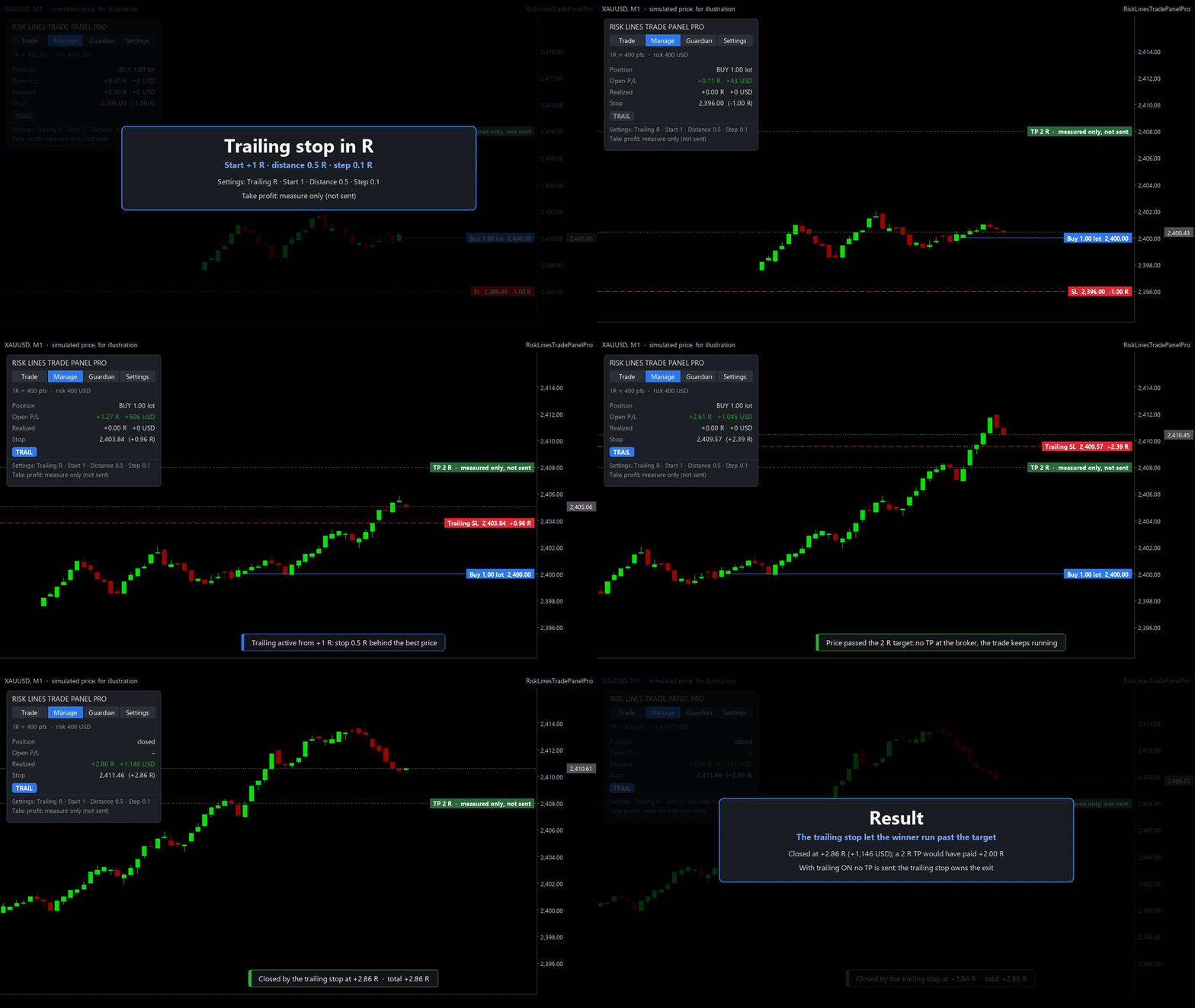
Everything is measured in R: 1R = the initial stop distance, remembered for every position.
- Breakeven at X R, offset in points or automatic (spread + commission), applied once
- Trailing stop in R (start, distance, step), in points, or by ATR
- The stop only moves in your favor, by at least the step, within the stops and freeze levels
- Up to 3 partial take profits in R, each closing a % of the initial lot; optional breakeven after TP1
- Partial levels drawn as discreet lines on the chart
- Smart order TP: with trailing on, no TP is sent; with partials, the order TP sits at the last level and you can drag it
4. Prop Guardian (whole account)
- Max daily loss (% or money) from the day start balance or equity, reset hour of your choice
- Max drawdown: static (from the account size) or trailing (from the highest equity)
- Daily profit target, max trades per day, max open risk
- Warnings at 70% and 90% of a limit (panel, alert, push notification)
- On a breach: closes all positions, deletes pending orders and blocks new orders, with the reason shown clearly
- Every order is checked before it is sent: blocked if its risk exceeds the daily loss left
- Equity checked on every tick and timer; the state is kept after restarts and shared by all charts of the account
- Limits editable from the panel or locked to the inputs; a breached limit stays until the reset
5. More
- Optional hotkeys: Shift+B buy, Shift+S sell, Shift+P place the lines, Shift+C close all, Shift+E breakeven all
- Every setting can be changed from the panel and is saved
- Dark and light theme, HiDPI scaling, movable and minimizable panel
- Hedging and netting accounts; no DLL, no web requests
Strategy Tester
- Visual mode: the panel works (buttons and fields). The lines cannot be dragged with the mouse in the tester.
- Non-visual mode: there is no panel; a minimum-lot demo trade with SL and TP is opened every 10 bars, only so that the automatic checks see trading operations. This never happens on a live or demo chart.
Note: no EA can stop trades you place by hand in the terminal. With "Close all" on, the Guardian closes them while the account is blocked.
Questions or suggestions: send me a private message on MQL5 or write in the comments.