Order Entry Panel
- Utilities
-
Jevon Naldo Yoshield
 I build MetaTrader 5 tools and use them on my own charts. Seven are on the Market.
Order Entry Panel places orders from the chart. Smart Risk and Lot Size Panel turns the risk I set and the stop distance into a lot size. Prop Firm Guard and Drawdown Lock enforces a prop-firm daily loss limit. - Version: 1.10
Place a trade from the chart in one click, with the stop already attached, then take part off or close it without leaving the chart.
First reply within two working days.
FEATURES
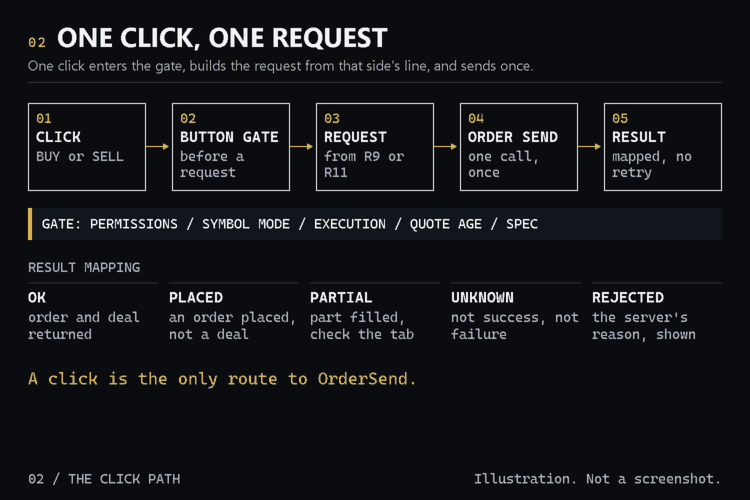
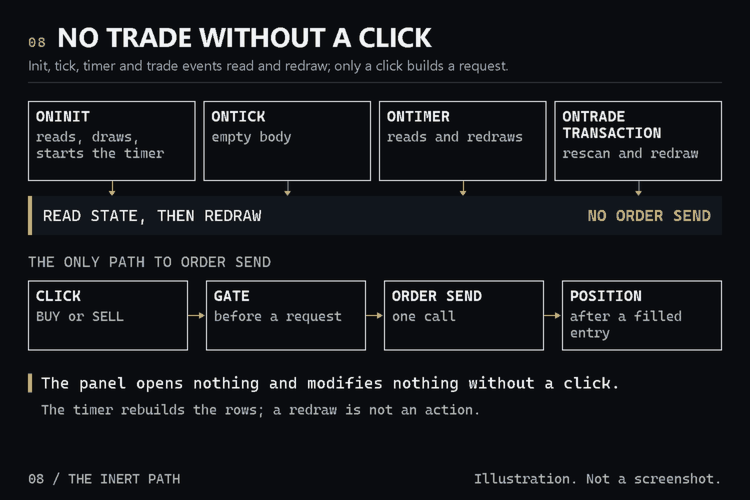
- One click sends one market order for the volume on the request line, with the stop attached; no martingale, no grid, no averaging.
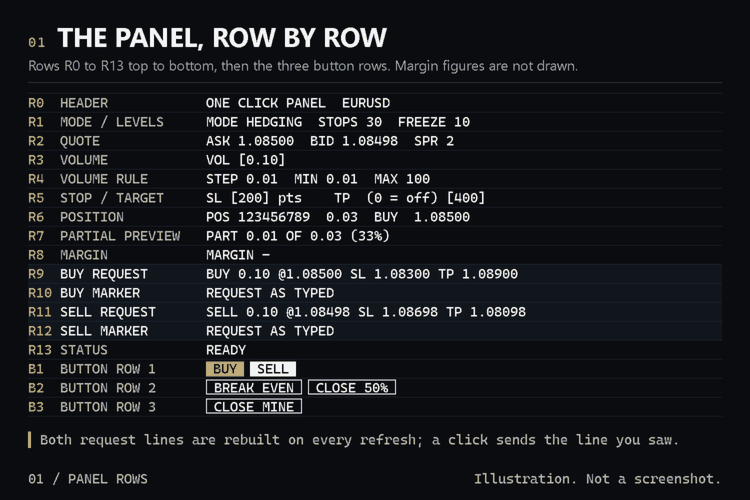
- The panel shows the margin the terminal calculates for the volume the request line will send, or the shortfall.
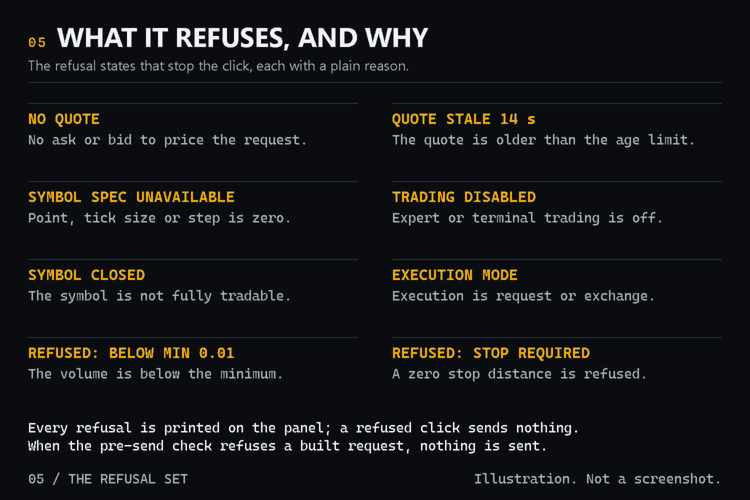
- It shows the broker's stop and freeze distances for the symbol, in points, on a hedging account, and refuses a stop that breaks them, printing the price allowed.
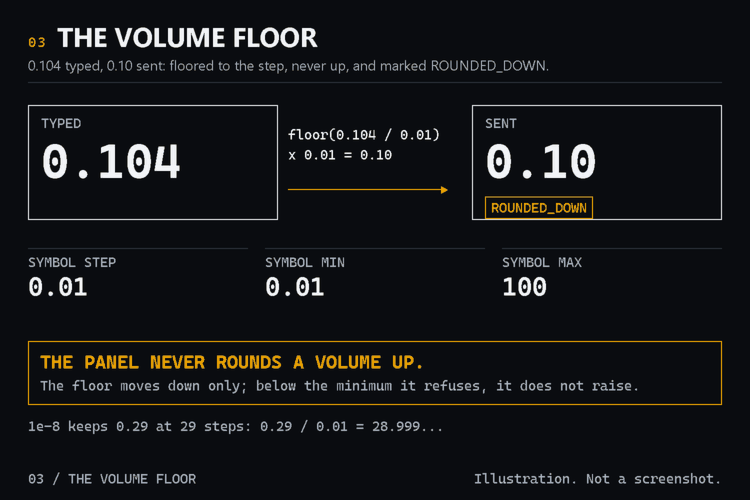
- The BUY and SELL request lines show the exact price, volume, stop and target each button will send, and any number rounding changes before you click.
- Every position it opens carries its own magic number, and it refuses to modify or close a position that does not carry it.
- One request at a time, and no automatic retry: a timeout is shown as UNKNOWN, never as a fill.
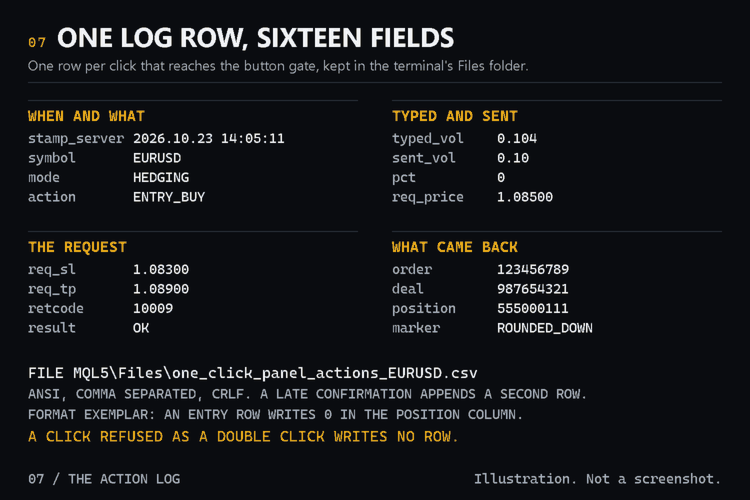
- It keeps its own action log in the terminal's Files folder, so you can show what you clicked and what came back.
HOW TO USE IT
1. Attach the panel to the chart, type the volume and the two distances in points, then press Enter; a distance is a whole number of points.
2. Read the two request lines, then click BUY or SELL once; the tickets, the server's code or UNKNOWN are printed on the panel.
3. Select a position in the POS row and use BREAK EVEN, CLOSE 50% or CLOSE MINE; the part to be closed shows in the PART row first.
PARAMETERS
Panel: InpMagic (20261023), InpVolume (0.10), InpSLPoints (200), InpTPPoints (400), InpPartialPercent (50).
Behaviour: InpBELockPoints (0), InpDeviationPoints (10), InpMaxDriftPoints (10), InpClickDebounceMs (500), InpStaleSeconds (10).
Display: InpRefreshMs (1000), InpPanelCorner (CORNER_RIGHT_UPPER), InpPanelX (10), InpPanelY (60), InpShowPreviewLines (true).
Log: InpLogEnabled (true), InpLogFileName (one_click_panel_actions.csv).
LIMITATIONS
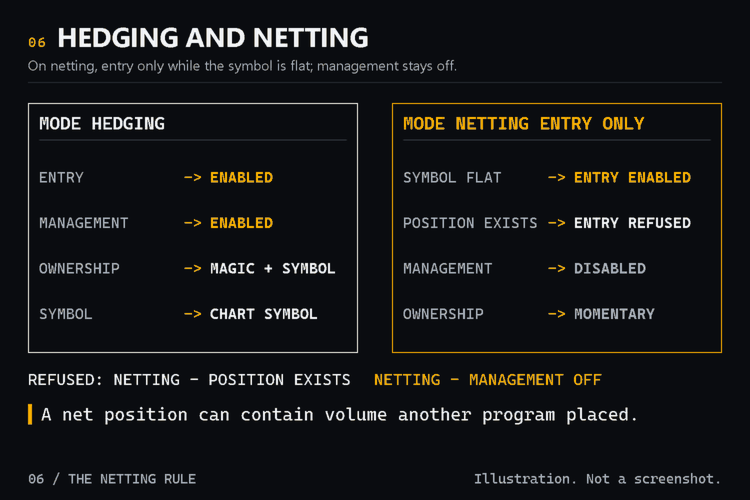
- On netting it will not open a trade while a position exists on the symbol: the new order's stop would apply to the whole position.
- On netting, a trade it opens while the symbol is flat is its own only at that moment; if another program then trades the symbol, the stop still applies to the whole position and the panel does not manage it.
- Break-even, partial close and close-mine are disabled on netting and exchange accounts, where the position can hold volume another program placed.
- It manages only positions it opened on the chart symbol with its own magic number, and refuses any other position.
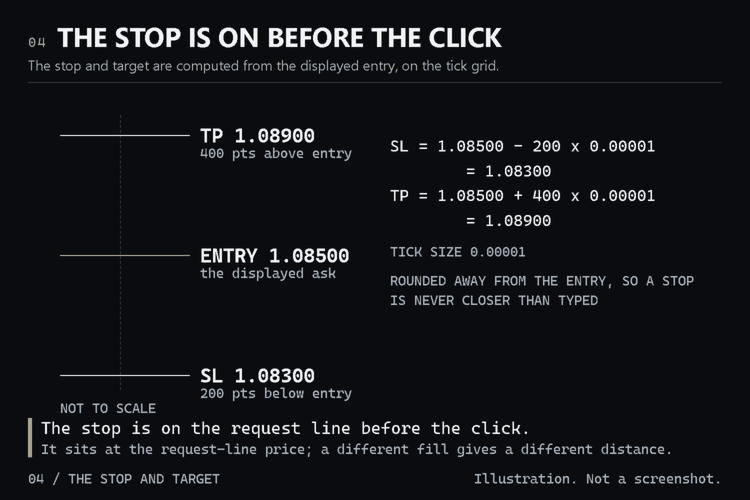
- The stop and target go at the price on the request line; if your fill price differs, the distance from your fill differs too.
- If the price moves between the request line and your click, the panel asks you to click again: it never sends a price you did not see.
- It does not calculate a volume for you: you type it. The margin shown is the terminal's calculation now; your broker may charge a different amount.
- A second click on the same button is refused for half a second by default; after that, a repeated click is a repeated manual decision.
- A stop distance of zero is refused at start-up: every entry carries a stop.
- The action log records what was clicked and what the server answered. If the file cannot be written, the trade still goes through.
- Type a dot as the decimal separator; a comma is not accepted in this version.
- No trailing stop, no pending orders, no basket or multi-symbol actions, and no sending a position to another terminal or taking one from another.
- The two dotted preview lines on the chart show the BUY side only; a SELL request's stop and target are on the SELL request line.
- It does not read your account's past trades and keeps no statistics about them.
COMPATIBILITY
MetaTrader 5, hedging or netting, market or instant execution, one chart and one symbol. Native MQL5, no DLLs.
SUPPORT
Questions through the MQL5 message system. First reply within two working days.