CM Trade Manager
- Utilities
- Version: 1.0
- Activations: 20

CM Trade Manager
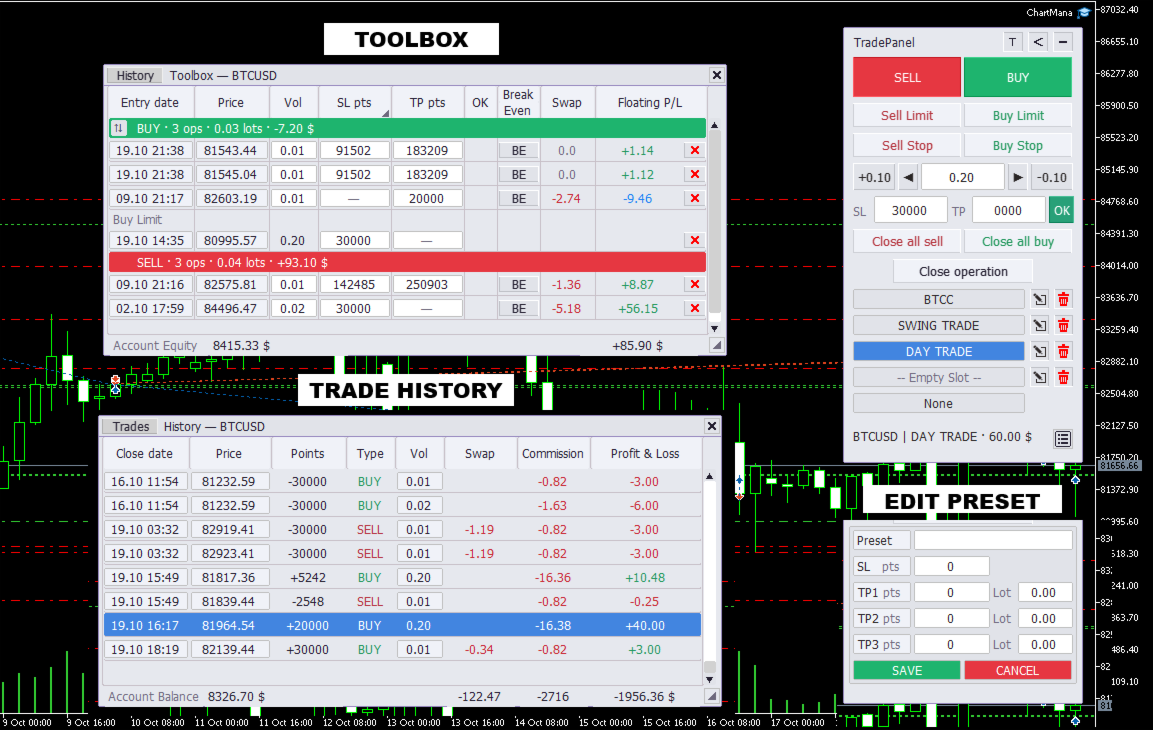
A manual trading panel for MetaTrader 5: prepare your entries, place market and pending orders, and manage positions directly from the chart. Includes presets with up to three take-profit targets, estimated monetary risk before placing a trade, and a toolbox for partial closes, breakeven and trade history.
How does it help you?
Manage all three stages of a manual trade from the same chart:
- Before entry: choose a preset or adjust your lot size, SL and TP, and check the estimated loss at the SL in your account currency.
- At entry: buy or sell at market, or place a pending order with a click on the chart.
- During and after the trade: adjust SL and TP, partially close positions, move the SL to the entry price or close positions by direction. Review your trade history without leaving the chart.
What does it offer?
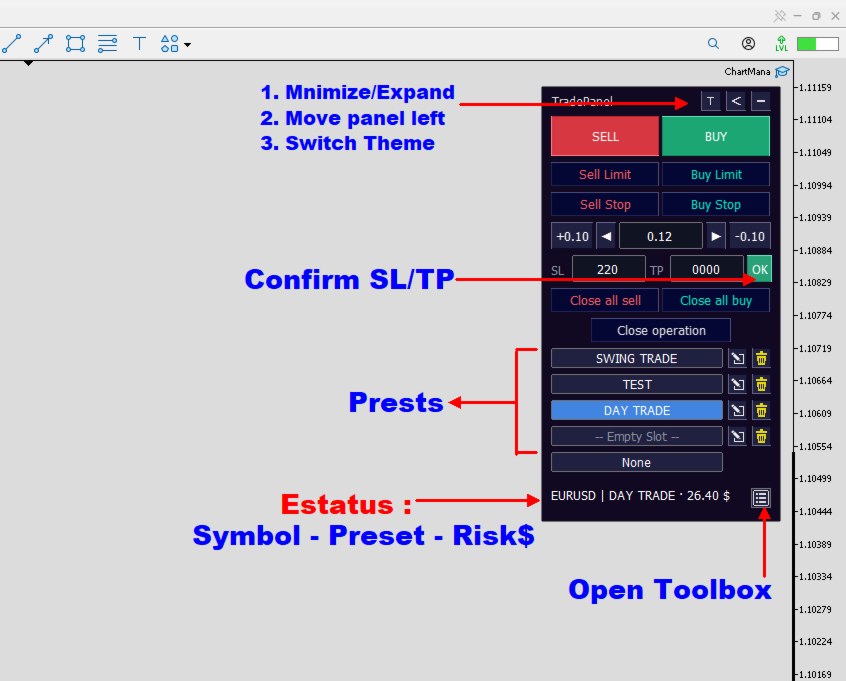
Main panel: prepare and place your trades
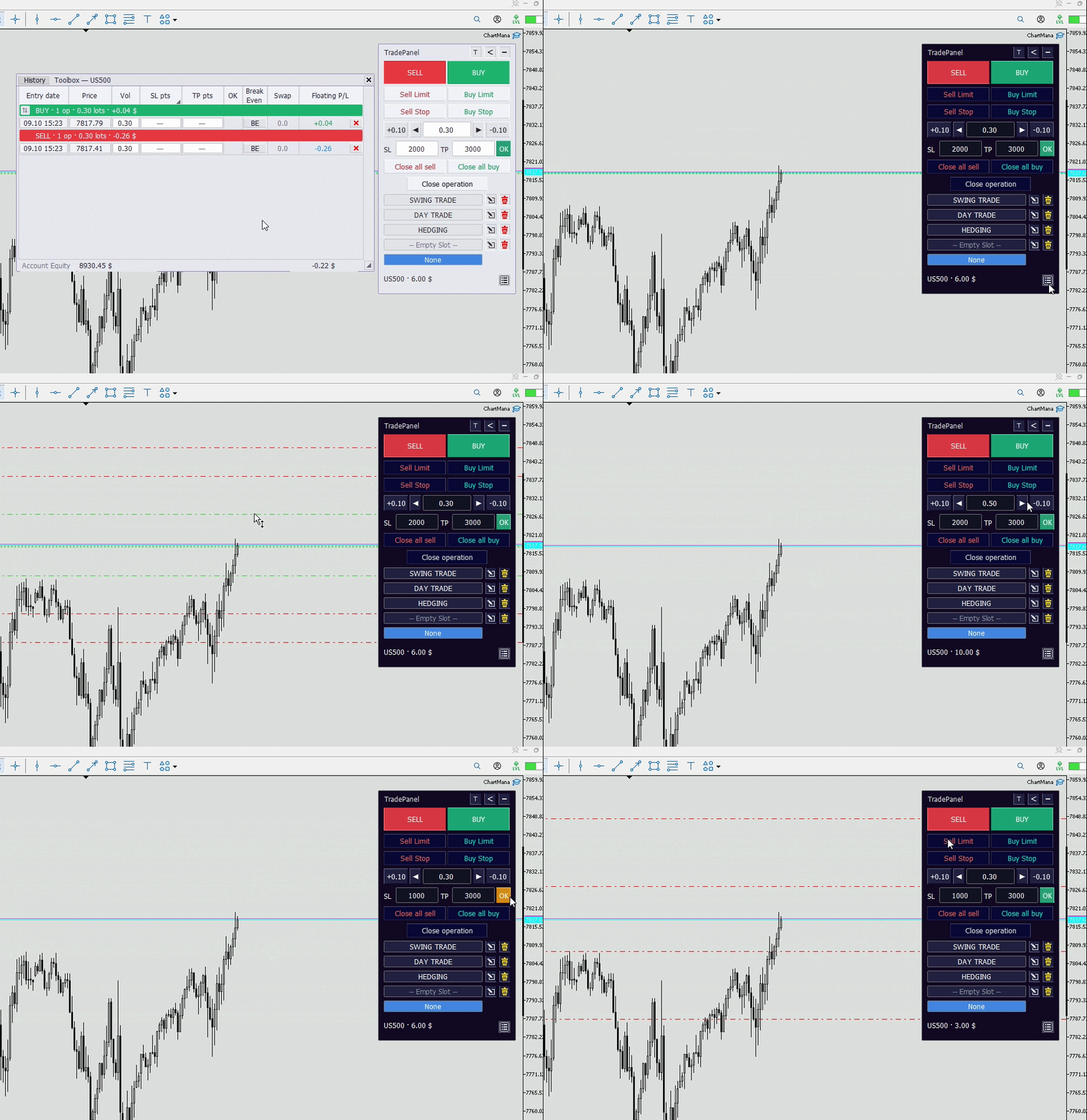
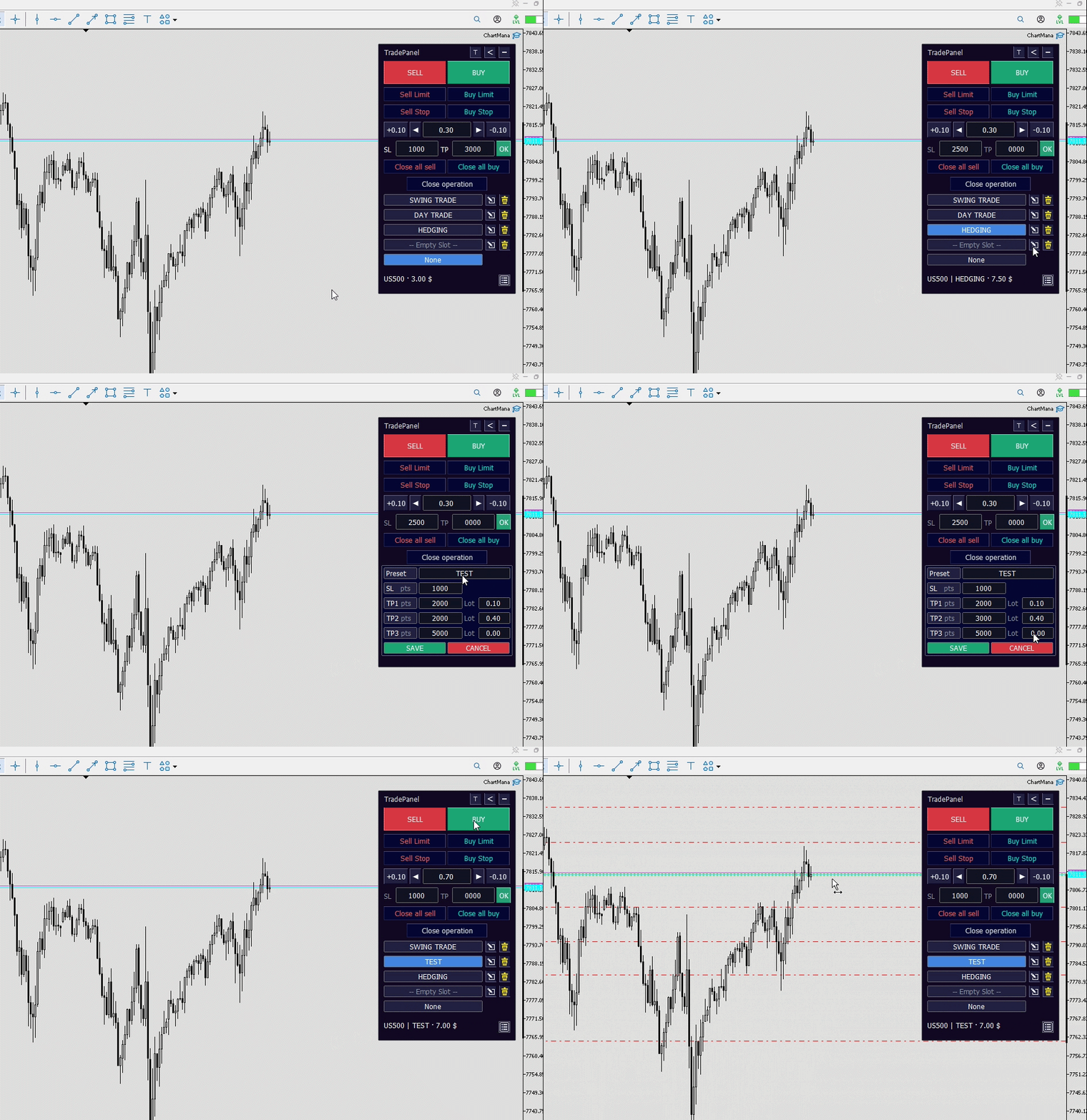
- Up to three take-profit targets per preset: save four presets per symbol, each with a shared SL and a separate volume for each target. Each portion is submitted as a separate order.
- Pending orders from the chart: select Buy Limit, Sell Limit, Buy Stop or Sell Stop and set your entry price with a click, guided by a preview line.
- Market orders: buy or sell using your configured volume, SL and TP.
- Risk in account currency: check the estimated loss at the SL in your account currency, excluding commission.
- Direct settings: adjust the volume manually or with buttons, and set SL and TP distances in points from the entry price. None mode lets you trade without a preset.
- Quick closes: close all buy positions, all sell positions or the most recently opened position for the symbol, subject to your trade filter settings.
Toolbox: manage positions and review results
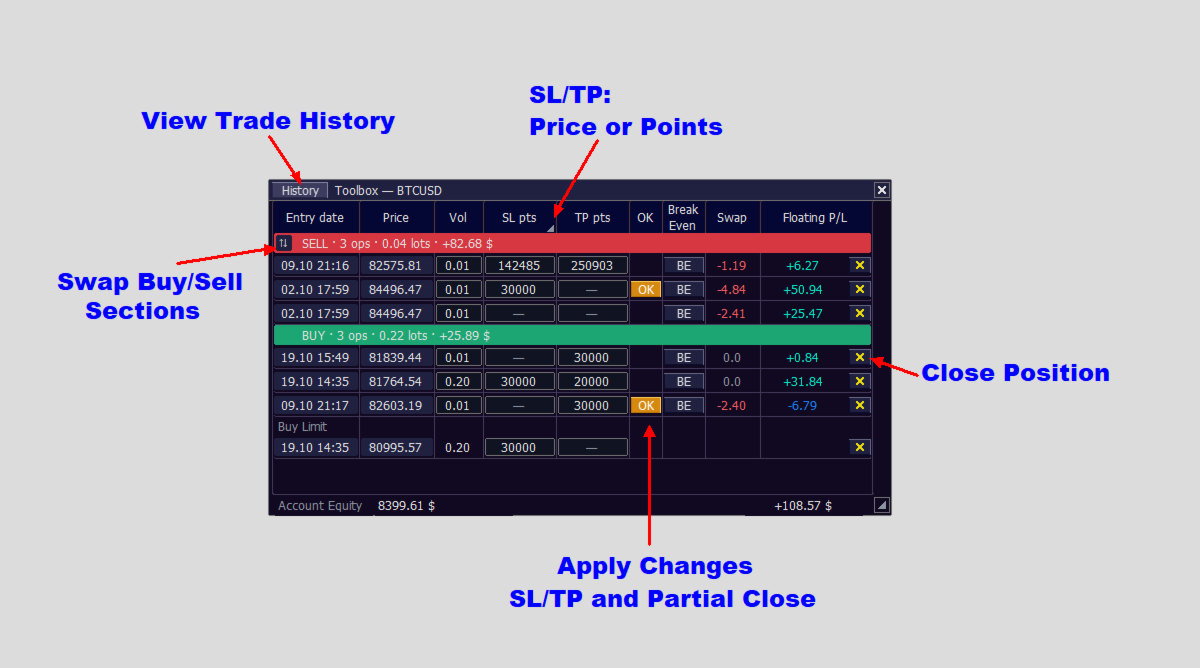
The toolbox can be moved and resized. Its Trades and History views bring together information for the chart symbol.
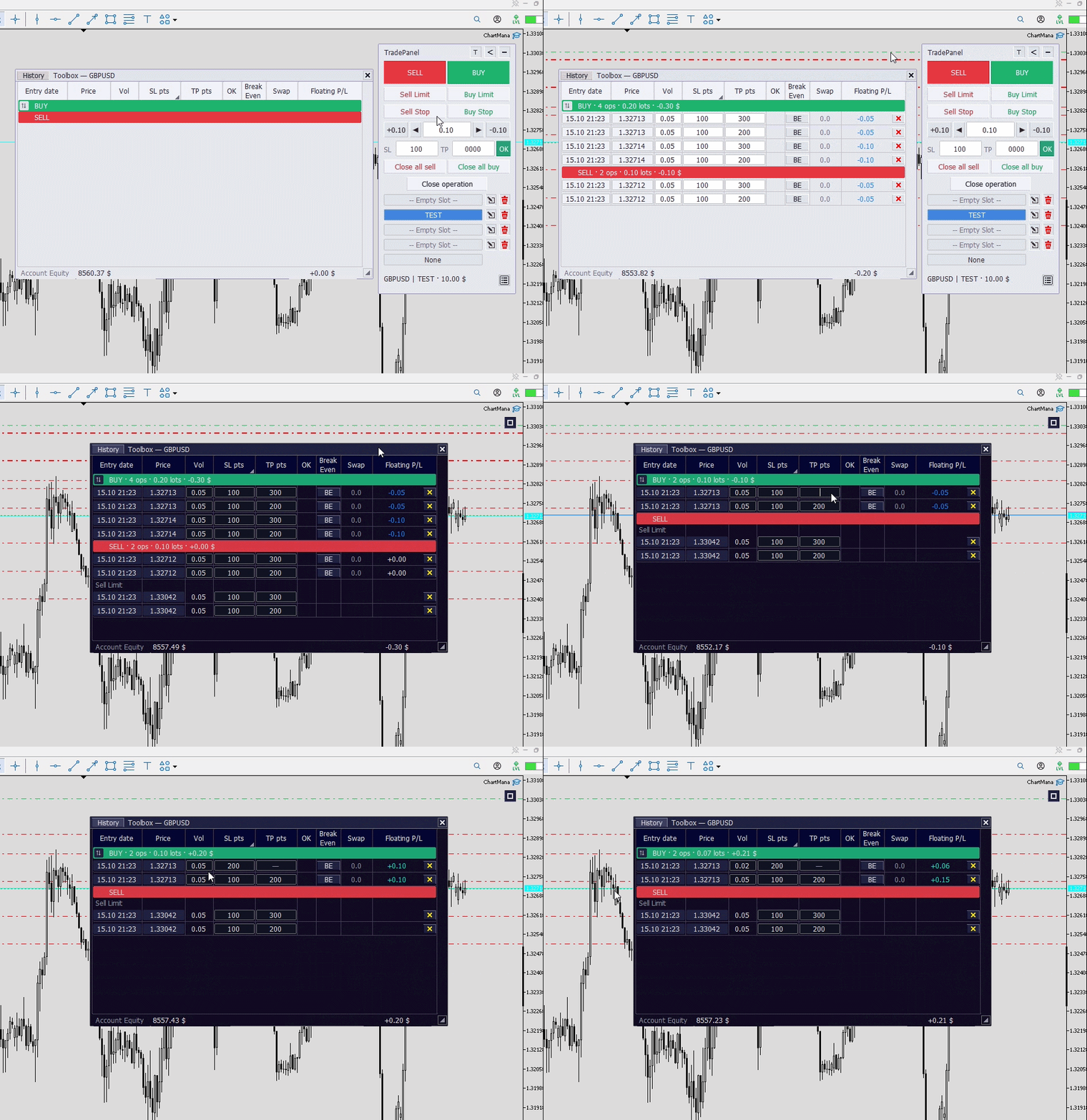
- SL and TP editing: enter distances in points or specific price levels and apply your changes with OK.
- Partial closes and breakeven: reduce the volume to close part of a position, or move the SL to the entry price with BE, without adjusting for commission or swap.
- Individual trade management: close positions or delete pending orders individually.
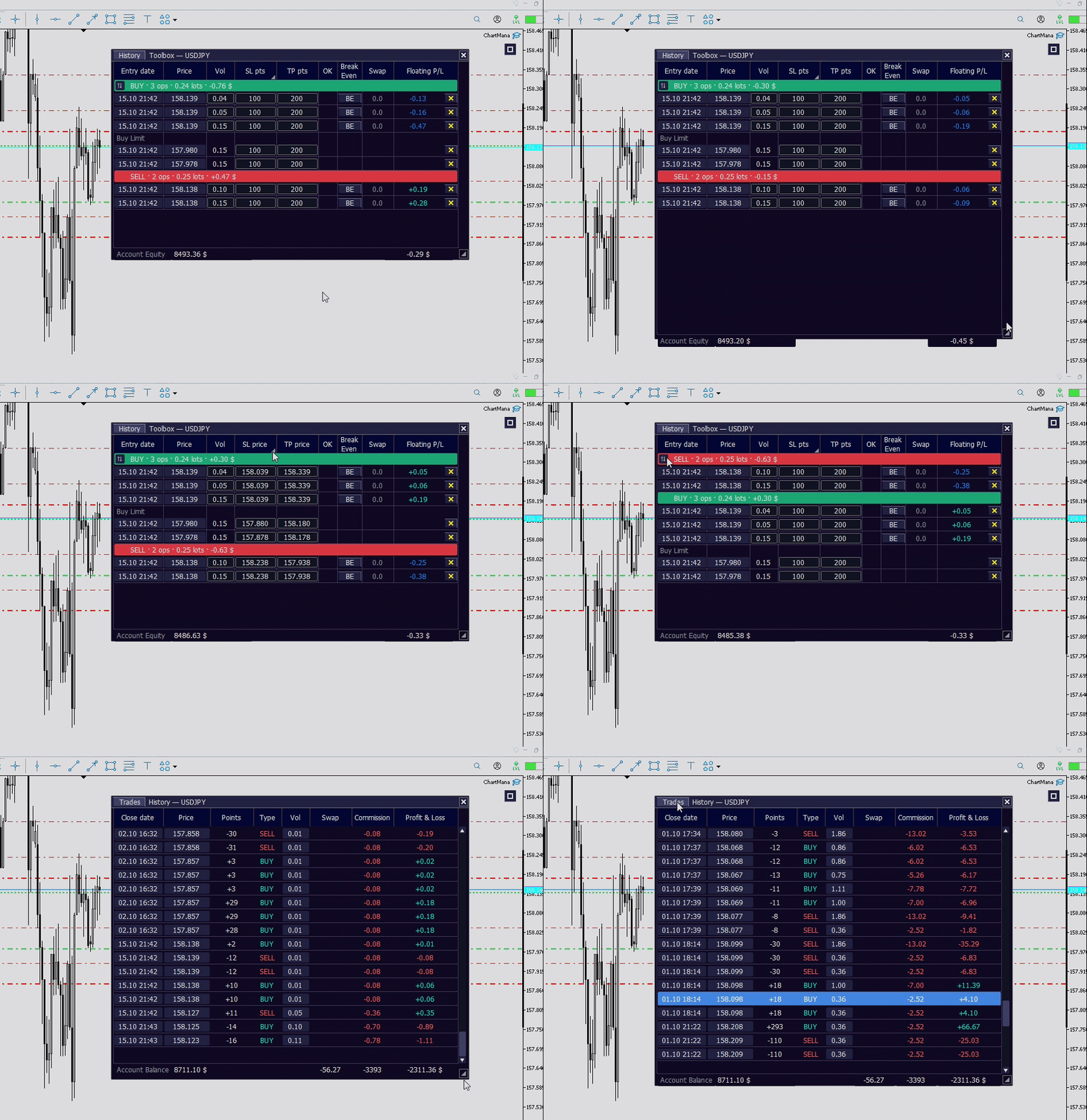
- Position overview: check floating profit/loss, totals by direction and account Equity.
- Trade history: review recent closing deals with their dates, points, swap, commission and results. Each partial close has its own row. Includes account Balance and totals for the symbol's entire history.
What can you customize?
- Appearance: light or dark theme, left or right placement and a panel that can be minimized.
- Saved settings: retains your presets, the panel's expanded or minimized state and the toolbox position.
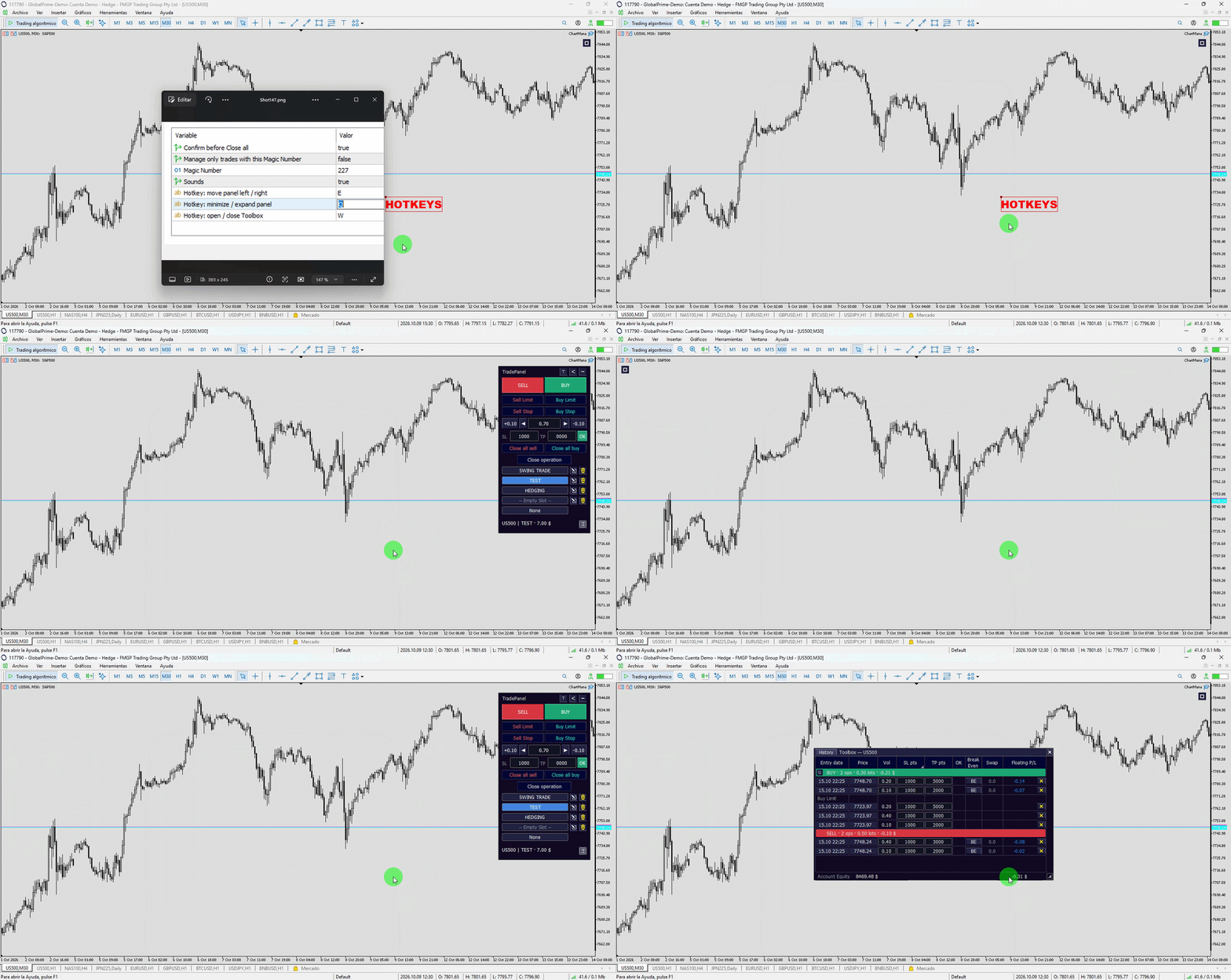
- Keyboard shortcuts: customize the keys to minimize or expand the panel, move it to the opposite side and open or close the toolbox. Shortcuts also work when the panel is minimized.
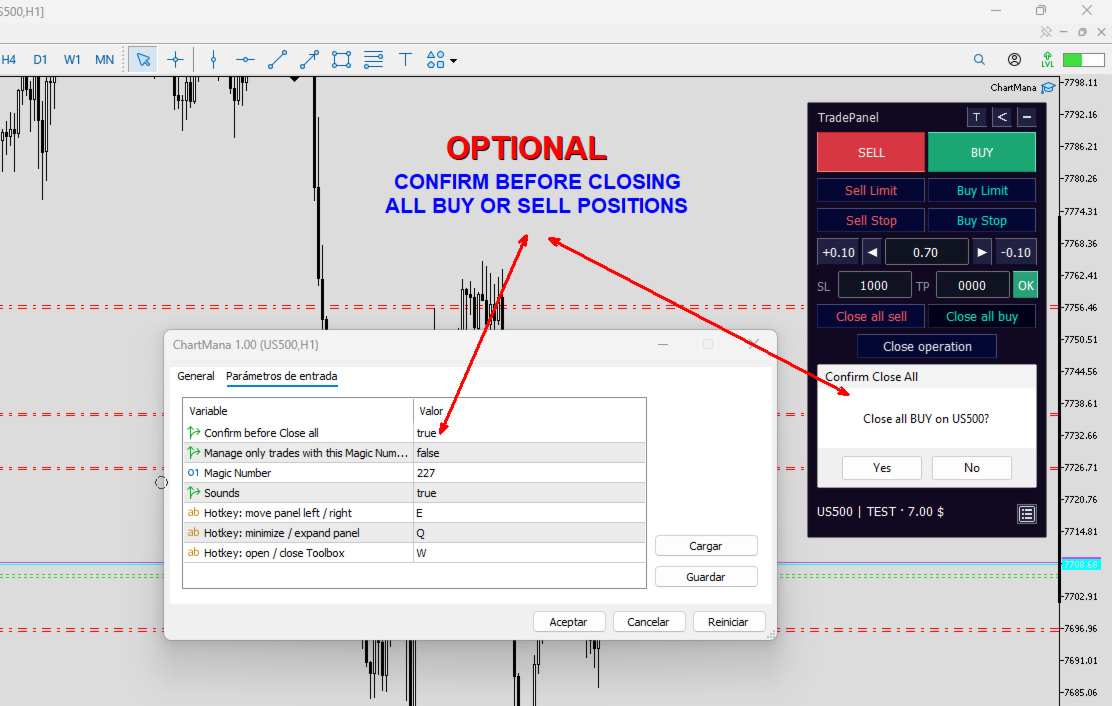
- Close confirmation: enable a confirmation prompt before executing Close all BUY/SELL to help prevent accidental closes. Disabled by default.
- Magic Number filter: restrict closing actions and the Trades view to trades with your identifier. Disabled by default: the panel initially manages all trades for the symbol. History is not filtered.
Compatibility and testing
- Account type: hedging accounts allow multiple positions for the same symbol, including simultaneous buys and sells, and let you use presets with a separate TP for each portion. Netting accounts maintain only one position per symbol, so the portions do not retain separate TPs.
- Recommended display scaling: 100%. Other scaling settings may misalign interface elements. No DLLs or external connections; settings are saved locally.
- MQL5 Market demo: runs in the Strategy Tester, where you can explore the interface, buttons and themes. Not all panel features can be tested there: editing input fields and placing pending orders by clicking require a chart outside the Tester. The animated images show these features in action. To try them, you can request a free 14-day trial via a private message on MQL5.
Questions or suggestions? Use the product comments or MQL5 private messages.
Trading forex and CFDs involves a risk of loss. This tool does not provide financial advice or guarantee results.