已发布的产品

Fibo Scalp - Complete Multi-Timeframe MT5 Indicator Guide
Welcome to Fibo Scalp , a native MetaTrader 5 indicator designed to completely automate the hunt for high-probability Fibonacci retracement setups. Instead of cluttering your chart by manually drawing Fibs and waiting for price to retrace, Fibo Scalp's engine tracks market structure in the background. It dynamically maps fractal swings, validates structural breaks, and alerts you the exact moment price taps your chosen entry zone across m

Overview The TTM Squeeze indicator helps identify low volatility periods (squeeze) that often precede price breakouts. It uses Bollinger Bands (BB) and Keltner Channels (KC) to determine when the market is "coiling" and ready to move. Configuration Guide Volatility Settings The indicator uses Bollinger Bands to measure market volatility. When BBs are inside Keltner Channels, a squeeze is detected. The squeeze suggests the market is consolidating and may soon break out. True Range Option Optional
FREE

Benefits and Usage of the Volume Bubble Tool This tool, (one of my favorites by Algo Alpha, from Tradingview) provides an advanced method of volume analysis by moving beyond traditional histograms. It leverages statistical normalization (Z-score) on lower-timeframe data to identify and classify statistically significant volume events, visualizing the dynamic between "Smart Money" (institutional) and "Retail" participants. Core Benefits Intuitive On-Chart Visualization: By plotting volume as bub

XAU Scalper MT5 MT4 版本 一个用于观察黄金货币对短期价格走势的分析工具。 XAU Scalper 指标根据 K 线稳定性、RSI 和短期动量提供买入和卖出信号。它旨在帮助交易者在 XAU 货币对的短暂市场波动期间确定潜在的入场点。 特点 K 线稳定性指数: 衡量 K 线实体与影线的比例,以评估价格行为的可靠性。 RSI 指数: 跟踪相对强弱,指示潜在的超买或超卖情况。 K 线增量长度: 定义分析的近期 K 线数量,以检测方向变化。 信号过滤: 可选择避免重复警报,以便进行集中的图表分析。 警报: 通过弹出窗口、声音、电子邮件和移动警报发送买入和卖出通知。 使用指南 将指标附加到 XAU 货币对并选择所需的时间周期(推荐 m1–m15)。 根据市场波动性调整 K 线稳定性和 RSI 参数。 观察指标信号,并将其与总体趋势分析或支撑/阻力位相结合。 使用适合快节奏交易的短期目标和严格止损。 启用警报,以便在无需持续监控图表的情况下接收通知。 注意 它不需要外部
FREE
XAU Scalper MT4 MT5 版本 一个用于观察黄金货币对 短期价格走势 的分析工具。 XAU Scalper 指标根据 K 线稳定性、RSI 和短期动量提供 买入和卖出信号 。它旨在帮助交易者在 XAU 货币对的短暂市场波动期间确定 潜在的入场点 。 特点 K 线稳定性指数 ( Candle Stability Index ): 衡量 K 线实体与影线的比例,以评估价格行为的可靠性。 RSI 指数 ( RSI Index ): 跟踪相对强弱,指示潜在的超买或超卖情况。 K 线增量长度 ( Candle Delta Length ): 定义分析的近期 K 线数量,以检测方向变化。 信号过滤 ( Signal Filtering ): 可选择避免重复警报,以便进行集中的图表分析。 警报 ( Alerts ): 通过弹出窗口、声音、电子邮件和移动警报发送买入和卖出通知。 使用指南 将指标附加到 XAU 货币对并选择所需的时间周期(推荐 m1–m15 )。 根据市场 波动性 调整 K 线稳定性和 RSI 参数。 观察指标信号,并将其与总体趋势分析或支撑/阻力位相结合。 使用适合快节
FREE

Overview
The TTM Squeeze indicator helps identify low volatility periods (squeeze) that often precede price breakouts. It uses Bollinger Bands (BB) and Keltner Channels (KC) to determine when the market is "coiling" and ready to move. Configuration Guide Volatility Settings The indicator uses Bollinger Bands to measure market volatility. When BBs are inside Keltner Channels, a squeeze is detected. The squeeze suggests the market is consolidating and may soon break out. True Range Option Optiona
FREE

Fibo Scalp - Complete Multi-Timeframe MT4 Indicator Guide
Welcome to Fibo Scalp , a powerful multi-timeframe analytical tool designed natively for the MetaTrader 4 terminal. This indicator automates the tedious process of finding high-probability trend reversals and continuations by mapping out fractal-based swings and pulling Fibonacci retracements—all without you having to draw a single line. Fibo Scalp runs completely in the background across multiple timeframes simultaneously, pushing alert
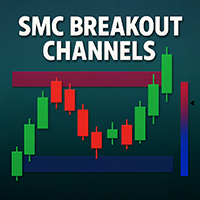
SMC Breakout Channels Anticipate market breakouts with precision.
SMC Breakout Channels automatically detect accumulation and distribution ranges where professional traders (“smart money”) are most active. By combining volatility-based range detection with real-time volume analysis, this tool highlights the key breakout zones that often precede strong directional moves. Advantages Clarity: No clutter, just clean breakout boxes with clear bullish/bearish bias. Early Signals: Detect hidden ac
FREE

Overview Inspired by Tradingview’s falconCoin, The Market Cipher indicator is a momentum oscillator used to detect overbought/oversold conditions and potential trend reversals. Traders can also use it to spot divergences between price action and momentum for early entry or exit signals. Configuration Guide Core Indicator Settings The indicator calculates momentum using a short-term and a longer-term average. Momentum is plotted as a wave oscillating between overbought and oversold thresholds. Ov
FREE

Ultra Charts - Advanced Custom Chart Types for MT5 Get Manual Here! Get The Free Ultra Charts Trader Here! Ultra Charts is a comprehensive charting solution that brings professional-grade alternative chart types to MetaTrader 5. This Expert Advisor provides traders with multiple custom chart formats beyond standard time-based candlesticks, enabling enhanced technical analysis and pattern recognition. Chart Types Included The product includes six distinct chart types, each designed to filter mark
FREE

MT4 version Overview The Lowess Channel indicator is a smoothed trend-following tool designed to help traders identify the direction of the trend , detect flat or ranging markets , and spot breakouts from consolidation zones. It creates a central smoothed line with upper and lower channel boundaries, adapting to market noise while maintaining clarity. How It Works The indicator builds a channel around a smoothed price line. The central line reflects the current trend. The upper and lower bounda
FREE

This EA generates custom Heiken Ashi bars (Standard or Smoothed) on a separate symbol. Below is a guide for using the EA effectively with each input setting: 1. HeikenAshiType input ENUM_HEIKEN_ASHI HeikenAshiType = HEIKEN_STANDARD; Options: HEIKEN_STANDARD or HEIKEN_SMOOTHED Use: Choose the type of Heiken Ashi to generate: HEIKEN_STANDARD for traditional Heiken Ashi bars. HEIKEN_SMOOTHED for smoothed versions using MA filters. 2. SmoothingPeriod input int SmoothingPeriod = 7; Use: Applies only
FREE

MT5 version Overview
The Lowess Channel indicator is a smoothed trend-following tool designed to help traders identify the direction of the trend , detect flat or ranging markets , and spot breakouts from consolidation zones. It creates a central smoothed line with upper and lower channel boundaries, adapting to market noise while maintaining clarity. How It Works The indicator builds a channel around a smoothed price line. The central line reflects the current trend. The upper and lower bound
FREE

This EA generates custom Line Break charts on a separate symbol using the following input settings: 1. LineBreak input int LineBreak = 3; Use: Defines the number of lines required for a reversal (e.g., 3-line break chart). Set to 1: For 1-line break charts (more responsive). Higher values: Create smoother, trend-following charts. 2. StartDate input datetime StartDate = D'2025.03.01';s Use: Specifies the date from which historical data should be loaded and processed. 3. LineBreakTime input bool L
FREE

Interactive Trader - Advanced Visual Trading Panel for MT5 Get Ultra Charts Here! Interactive Trader is a comprehensive visual trading solution that enables traders to execute and manage trades directly from the chart using an intuitive graphical interface. This Expert Advisor combines one-click trading with advanced order management capabilities, making professional trading tools accessible through simple mouse and keyboard controls. Core Features
Visual Trading Interface - Clean, customizable
FREE

Overview Inspired by Tradingview’s falconCoin, The Market Cipher indicator is a momentum oscillator used to detect overbought/oversold conditions and potential trend reversals. Traders can also use it to spot divergences between price action and momentum for early entry or exit signals. Configuration Guide Core Indicator Settings The indicator calculates momentum using a short-term and a longer-term average. Momentum is plotted as a wave oscillating between overbought and oversold thresholds. Ov
FREE

MT5 Version 概述
本指标结合了先进的趋势跟随模型、动态价格反转识别、动态K线上色以及基于ATR的目标预测,为交易者提供了一个完整的视觉系统,用于识别和管理趋势延续的交易机会。
它直接叠加在图表上,自动识别潜在的趋势变化,在自适应支撑/阻力位附近确认反转,并显示计算出的止损和止盈水平,以支持结构化的风险回报决策。
与仅关注趋势方向或进场信号的标准指标不同,该工具融合了信号过滤、基于波动率的定位以及分阶段的盈利了结策略,帮助做出更明智的交易决策。
概念
核心是一个自定义的Supertrend,由ATR带构建,并通过WMA和平滑EMA处理,能在过滤噪音的同时追踪主要趋势变化。
其亮点在于反转逻辑:脚本识别贴近趋势线的K线簇,并统计连续拒绝趋势线的K线数量,这通常预示即将发生的价格波动。通过用户设定的阈值,仅突出显示强反转。
功能
• 趋势识别:使用平滑的Supertrend(WMA + EMA)确定趋势方向,配合形状标记和彩色K线显示趋势变化。
• 反转信号:识别靠近趋势线的价格反转信号,并在满足设定的整理K线数量后用/图标标记趋势延续机会。
• 目标预测:

由于 MetaTrader 5 的限制,EA 无法在策略测试器模式下运行。 如需查看其运行效果, 您可以下载演示版本。 以下是使用本 EA 的两个基本步骤: How To Use 先将 EA 加载到您想要的符号上,并设置为 Constructor 输入。
然后将 EA 加载到新创建的自定义符号上,设置为 Controller 输入。 Overview MT5 Bar Replay Pro 是 MetaTrader 5 对 TradingView 的 Bar Replay 功能的回应。它配备了所有 21 个 MT5 时间框架,可回溯至您的经纪商数据所允许的最早时间。内置风险管理工具,便于正确练习策略,同时附带辅助图形对象。 每次练习会记录如下数据:交易品种、利润、点数、总交易数、胜率、盈利因子、回撤、恢复因子和预期收益。这些数据会被保存为 CSV 文件以供后续查看。EA 还会读取您过去的会话,并显示当前交易指标及每个策略名称的平均统计数据。 How It Works 此专家顾问从图表中加载数据,并为所有时间框架构建 K 线。具有两种操作模式: Bar-by-Bar 模式:每

MT4 Version
概述
本指标结合了先进的趋势跟随模型、动态价格反转识别、动态K线上色以及基于ATR的目标预测,为交易者提供了一个完整的视觉系统,用于识别和管理趋势延续的交易机会。
它直接叠加在图表上,自动识别潜在的趋势变化,在自适应支撑/阻力位附近确认反转,并显示计算出的止损和止盈水平,以支持结构化的风险回报决策。
与仅关注趋势方向或进场信号的标准指标不同,该工具融合了信号过滤、基于波动率的定位以及分阶段的盈利了结策略,帮助做出更明智的交易决策。
概念
核心是一个自定义的Supertrend,由ATR带构建,并通过WMA和平滑EMA处理,能在过滤噪音的同时追踪主要趋势变化。
其亮点在于反转逻辑:脚本识别贴近趋势线的K线簇,并统计连续拒绝趋势线的K线数量,这通常预示即将发生的价格波动。通过用户设定的阈值,仅突出显示强反转。
功能
• 趋势识别:使用平滑的Supertrend(WMA + EMA)确定趋势方向,配合形状标记和彩色K线显示趋势变化。
• 反转信号:识别靠近趋势线的价格反转信号,并在满足设定的整理K线数量后用/图标标记趋势延续机会。
• 目标预测